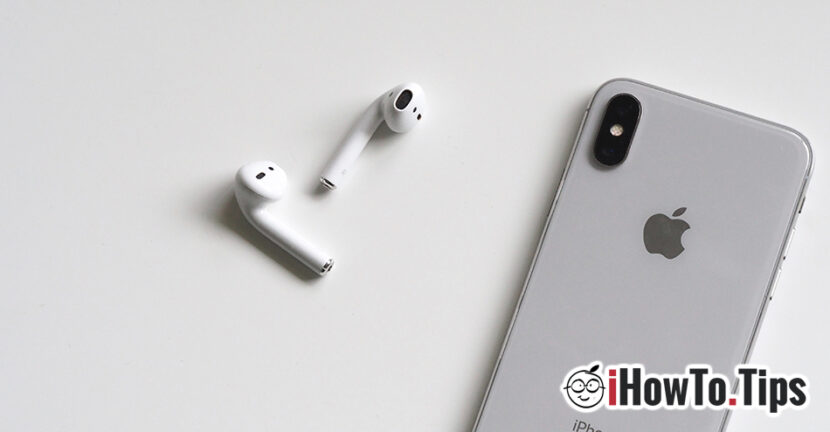

Without sound in the left or right helmet of Airpods is a common problem. In this tutorial we will show What do you have to do if the left or right helmet from Airpods doesn't work anymore. If nothing is mattered or no longer. Solving functioning problems Airpods.
About the wonderful headphones AirPods from Apple I have also talked in other articles, and about their usefulness and functionality, we still say that they can satisfy all the requirements. Both the version of AirPods from 2016, as well well generation the airpods who come with a new face pattern (W1) and The wireless charging housing.
It is known that Apple is constantly trying to bring stable idevices and well-optimized operating systems, but nothing is perfect. This is what happens in the case of wireless headphones, airpods. From Sudden disconnection during call, to problems of Association (Pair) With iPhone, Android, PC or Mac and until the non -functioning of one of the AirPods (left or right).
Using airpods everyday, both at the office and when I travel, in more than 10 months I had no problem. We used Wireless Airpods connected on various Apple devices: MacBook Pro, iPhone X, iPad 4 Mini and iPod Pro 2018 11 ″. On all these devices, Airpods worked excellently, until one day, when The right helmet refused to start.
The data of the problem are the following: the right helmet was seen by the iPhone as with the battery at 100%, but once put in the ear, nothing was heard. The double blow does not exclude the predetermined comrada. Basically it was non -functional, even though it was seen by the iPhone and the recharge housing.
Table of Contents
No sound in the left or right helmet of Airpods - what do you have to do
If one of the castles AirPods no longer work and you have been without sound in the left or right helmet, the most handy solution is its Put the headphones in the recharge housing and reset them.
How do you reset AirPods headphones?
Reset of airpods it is done through Pressing the button on the housing for 10 - 15 seconds, until the indicator LED inside the housing will light up. Of course, while holding the housing button, it will remain open.
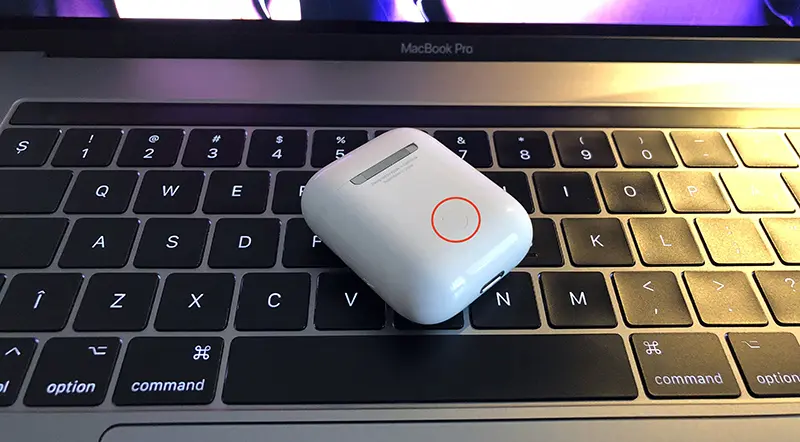
Once reset, the association will be lost with all the devices, and the indicator LED will light white. Sign that a connection is expected with a device.
- How we check the battery charging level for each AirPods or AirPods Pro
- Cum activam “Spatial Audio” pe AirPods Pro, AirPods 3 si AirPods Max
- AirPods Pro vs. AirPods (H1) vs AirPods 2 (W1)
- AirPods 2 black color - new finishes of the recharge case
After this step, go on iPhone, iPad or Mac and restore the connection / association with airpods. Both AirPods headphones will be functional again.
If you have preferential settings for double pressing orders, they will have to be restored.


































1 thought on “No sound in the left or right earphone of AirPods-solving AirPods problems"