
Family Sharing It is a very useful option when you have more owners in your family Mac, iPhone or iPad. Through this option, one of the family members can share paid applications, Games, Apple Music subscription (the "family"), the space in iCloud (icloud Storage For subscriptions Minim 200 GB) and the location. Very important is to share the location through the service ”Find iPhone". The devices of family members can be located immediately in case of theft or loss. In addition, through the" Find iPhone " /" Find my iPhone "application you can start an alarm from a distance, you can put the device in "Lost Mode", which allows to lock the device and display a personalized message on the lock screen. Also through the application ”Find my iPhone"The content on the device can be deleted. 
The "Find iPhone" service can be used for both MacBook, iPhone, iPad, as well as locating and starting an alarm on AirPods.
So, "Family Sharing"It is a useful service, but there are some small inconveniences. One of them is the possibility of an adult user to use the bank card of the one who added it to the "Family" group. Of the organizer.
If you have an authenticated card in your Apple account from which you pay your subscriptions Apple Music, icloud Storage or simply use it to Buy Applications and Games, this card may be used by Any adult member of the family, added by you in the group.
If you want to add a member who is under 18 (BOYS / teenagers), you do not have to worry that he will be able to use the money on your card for games and applications paid from the App Store. The organizer of the "Family" group can set the option "Ask to Buy“.
Through "ask to buy", when The child wants to buy a game or application from the App Store, he will send a request to the adult person and / or to another parent / guardian designated by the organizer. They will give or not the acceptance for the purchase.
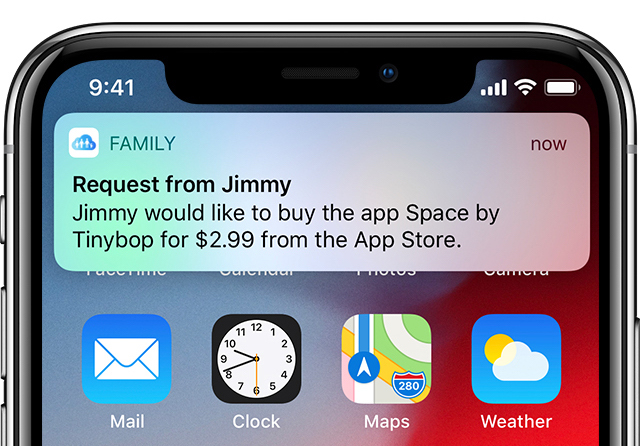
Activation "Ask to buy" not to allow children to buy games or applications of iPhone, iPad or Mac
1. Go off the iPhone or iPad in: "Settings" → Click on your behalf (the first option in the menu) → Family Sharing.
2. Press the account name for which you want to activate the limitation.
3. Press "Ask to Buy“.
After activating "Ask to buy", the minor will need the agreement of an adult with "parent / guardian" adults to make purchases from the App Store, iTunes and Apple Books.
If you refuse a purchase, for example buying a game, the child will be able to resubmit a request after 24 hours. It is important to know that the option "Ask to buy" loses its effect a moment when it turns 18.




































