
The possibility of change the color of the skin many characters emoji It is inserted by Apple Since the iOS 8.3 (2015), but few know about this feature. Especially the Europeans.
Around the same time, Facebook decided to implement the new pack de emoji in Facebook Messenger.
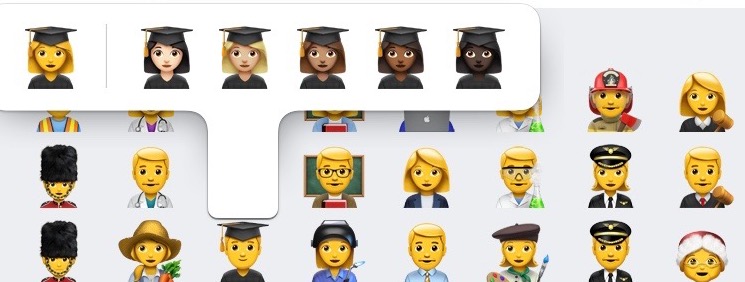
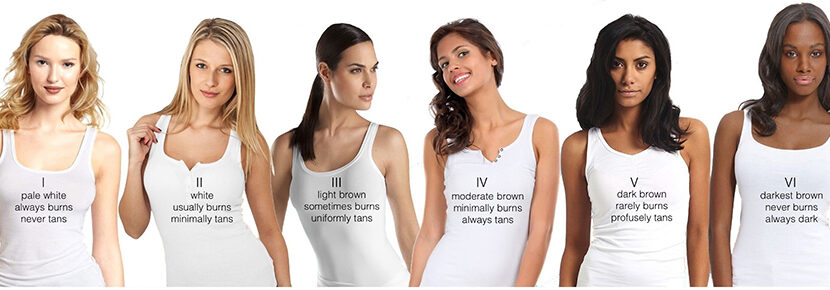
Emoji icons What is faces, arms and hands of human beings, they each received one set of five shades of colors, besides the yellow one known to all and set by default. These shades are not chosen at random. Unicode Consortium, the company that invented emoji and regulates them internationally, classification was used Fitzpatrick when he added the new color tones. classification Fitzpatrick (Fitzpatrick Scale) is recognized internationally and is a standard used in Dermatology. This classification says that people's skin color is classified into six shades of color.
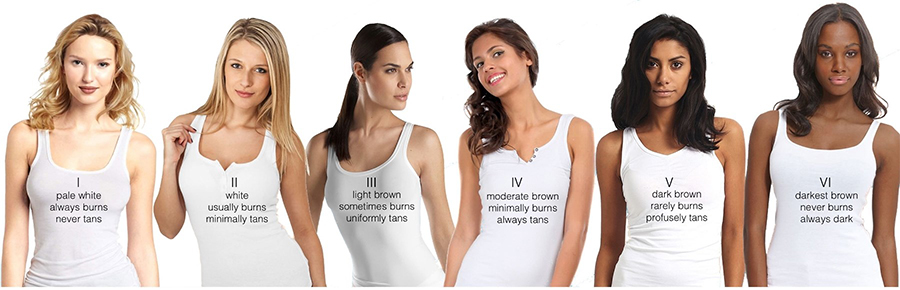
Unicode Consortium's decision to add new skins went from the desire of people around the world to have emoji reflecting more human diversity. Especially the color tone of the skin.
It has been said that the yellow emoji would characterize Japanese people more. They are also known as "yellow raceNow, just kidding, every time I used a yellow emoji face, I more quickly identified with a member of The Simpsons than with a Japanese.
How do I change the skin tone on emoji Facebook Messenger and iMessages
By default, emoji are colored Yellow or Orange. By long pressing the character we want to use, the other five available colors will also appear.
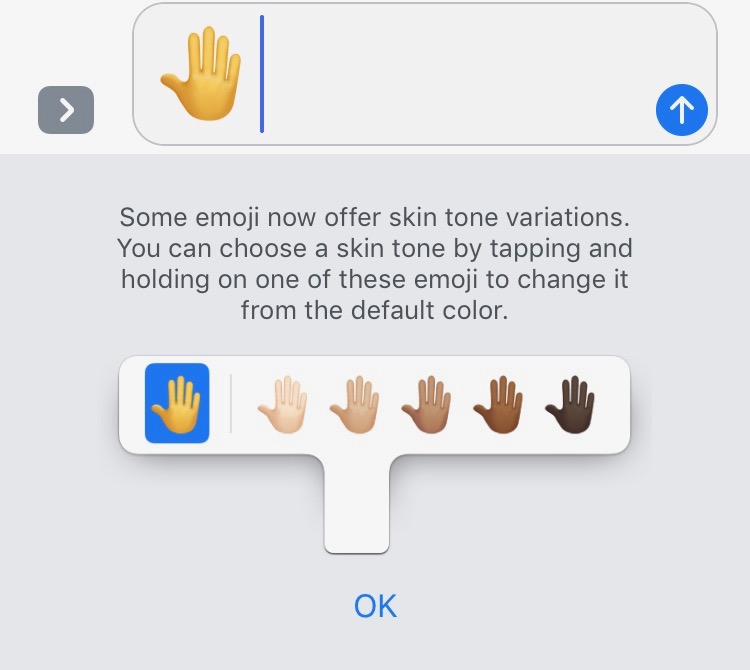
This way you can send an emoji of a color that more closely reflects your skin color.
This method is valid only on IOS (iMessages) cat si pe Facebook Messenger.