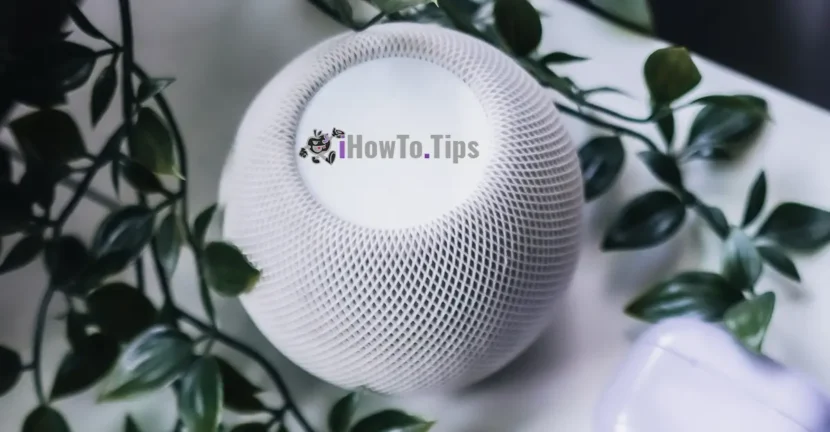

If you are the owner of one or more Homepod speakers, this tutorial shows you step by step how you activate "Sound Recognition" on the Homepod speaker for smoke alarm (carbon monoxide).
Intelligent speakers, Homepod, have recently received the ability to send notifications to iPhone, iPad, Mac and Apple Watch when Detects sound from smoke alarm or carbon monoxide alarm (Co). This new option of safety & security It came after Apple introduced Sound Recognition. Unfortunately, this new function is not activated automatically, but must be activated manually from the Home application.
Table of Contents
What is "Sound Recognition" on the Homepod speaker?
We can't say that Sound Recognition It is necessarily a new technology. Just as Siri becomes receptive to orders after you say "hey Siri", in the same way it will become receptive when "hears" the specific sound of the smoke alarm (fire alarm) or alarm indicating the presence of carbon monoxide. When Siri hears these specific sounds through HomePod, he will issue notifications on your Apple devices or members added to the application Home.
How do you activate "Sound Recognition" on the Homepod speaker for smoke alarm and CO
Ca sa te simti mai in siguranta atunci cand esti plecat de acasa, aceasta functie de Safe & Security trebuie sa fie activata. Este inutila activarea acestei functii daca in casa nu aveti senzori detectori de fum sau de monoxid de carbon. HomePod va trimite notificari numai atunci cand “aude” sunetul specific al acestor alarme.
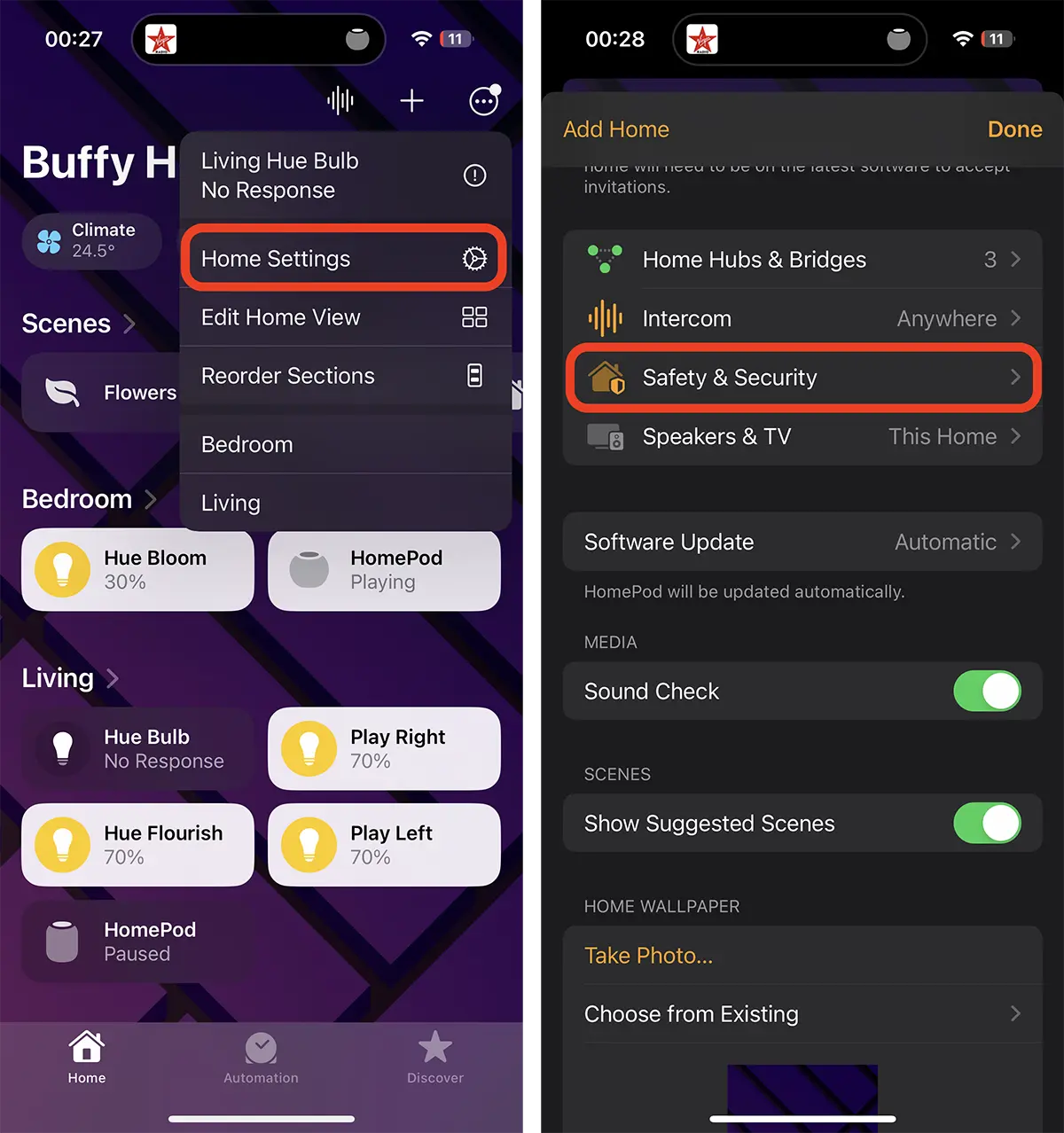
1. Open the application Home on iPhone or iPad then go to the top right elbow at Home Settings, and then to Safety & Security.
2. In the option Safety & Security go to "Sound Recognition"And activate Smoke & CO Alarm.
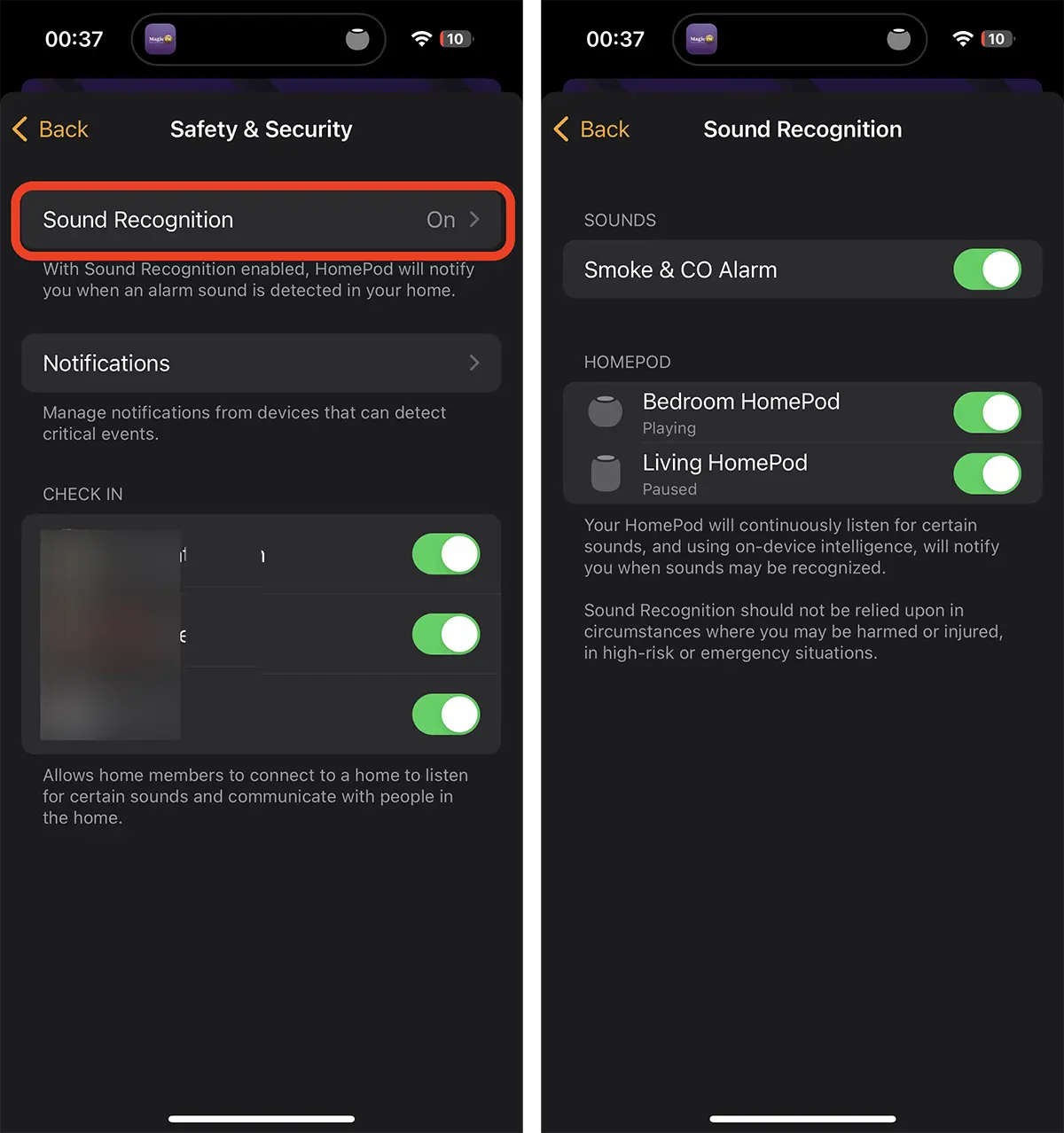
In this way you activated the new feature, "Sound Recognition" on Homepod.
Of the "Notifications"You can choose which Homepod you want to activate notifications, family people who receive notifications, time and present intervals.
For example, you can choose notifications to be sent only if someone at home (the person in the group Family), if you are at home, if there is no one at home or if you are not at home.
This way you can activate Sound Recognition On homepod for smoke alarm and CO, only if you are not at home, but there are children.
With Sound Recognition, Apple can expand the range of capabilities, as Madazon did, which on the intelligent speaker offers alert possibility when the sound produced by a glass that breaks is heard.