
For some time there are more and more problems with siri on homepod. At many simple commands, responds with: “One Moment“, “One sec“, “On it"But it does not take the action to the end. Whether it is a simple command to stop the music or turn on the lights in the room.
These issues are present only when orders for Siri are taken over from HomePod. When Siri receive orders on iPad, iPhone or HomePod Mini, everything works without problems.
I looked for several variants to solve the problem, and in the end I came to a good result. At least, at the moment, in my scenario, Siri works very well on HomePod (1st gen.).
Table of Contents
How I solved problems with Siri on Homepod: "One moment", "One sec", "on it"
I identified that the problems with Siri are generated by the Wi-Fi connection to the router Apple AirPort Extreme Base Station, which is quite old. Despite the fact that at this router, Imac, MacBook, iPhone and iPad, it works quite well, HomePodthe ones seem to Loys the connection to the inernet. Especially when Homepod is connected on the 5GHz frequency.
Solving was SA exchange Wi-Fi network to which HomePod is connected.
How do you change the Wi-Fi network to which HomePod is connected?
When you set up for the first time Homepod, it connects to the Wi-Fi network to which iPhone or iPad is connected at that time. To change the Wi-Fi network to which it is connected and you have no problems with siri on homepod, follow the steps below (I made this change on iOS 16.4):
1. You connect with iPhone to the Wi-Fi network you want to connect HomePod.
In my case, I want to move the Wi-Fi connection a homepod on the network "Apple Network 5GHz” pe “Orange-Ntbd-5G“.
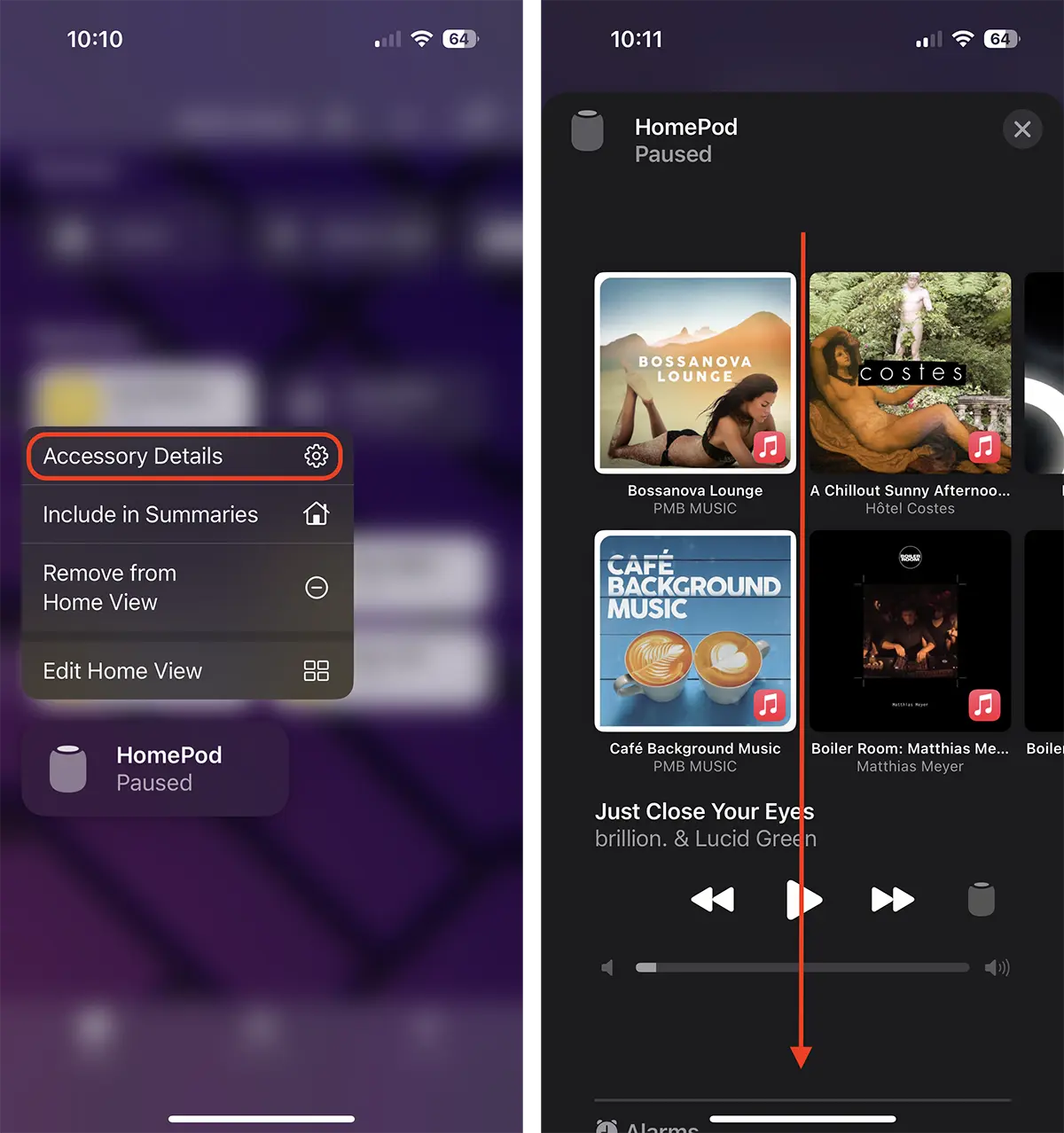
2. Open the application Home on iPhone, you are pressed on the icon HomePod, then press on Accessory Details and roll down to the settings HomePod.
3. In the settings will appear the message that announces that Homepod is not connected to the same Wi-Fi network as the iPhone. The message is accompanied below by the link through which you can change the network.
"This HomePod is on the “Apple Network 5GHz” Wi-Fi network, which is different than the network that this iPhone is on. Move HomePod to “Orange-Ntbd-5G“.
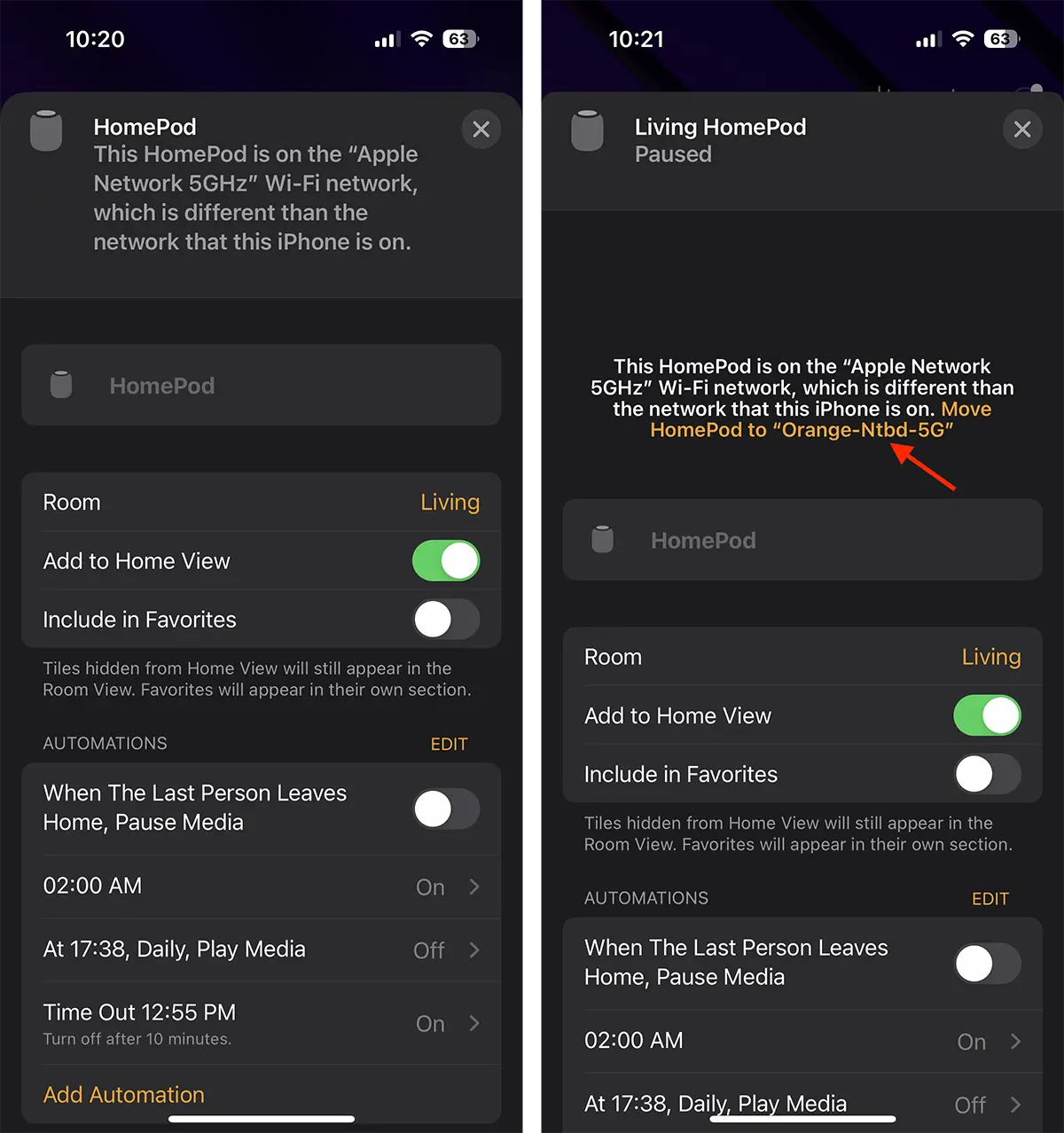
It will take a few seconds until HomePod It will connect to the Wi-Fi network on which iPhone is connected.
After making this change it is very possible that you have no problems with siri on Homepod. "One Moment“, “One sec“, “On it“.