Skip to content
iHowTo.Tips
  • Home
  • iPhone
  • iPad
  • Mac
  • Apple Watch
  • AirPods
  • HomePod
iHowTo.Tips
  • Home
  • iPhone
  • iPad
  • Mac
  • Apple Watch
  • AirPods
  • HomePod

Siri

Siri is the intelligent personal assistant launched by Apple on October 14, 2014 for most iOS and Macos / OS X devices. At this moment Siri is present on both iOS, Macos, Watxhos, TVos and Homepod speaker launched by Apple in the spring of 2018.
Siri can be asked almost anything and perform actions following voice commands coming from the user. Hey Siri!

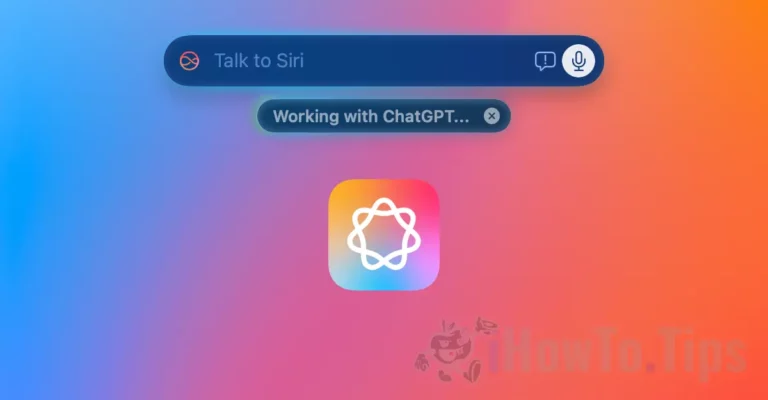
Siri Working With ChatGPT on Mac

How do you activate Chatgpt Integration into Mac Siri (Apple Intelligence)

You increase your productivity and develop your creativity with ChatGPT integration into Mac. Discover the Siri capabilities with chatgpt.
November 10, 2024

Screen Recording with Siri on iOS 16.5

Screen recording cu Siri (iOS 16.5)

iOS 16.5 will be the last major update of iOS 16, before the future version is launched.
May 12, 2023

Fix Siri on HomePod

Problems with siri on homepod: "one moment", "one sec", "on it"

For some time there are more and more problems with siri on Homepod. At a lot ...

April 18, 2023

Fix Hey Siri on iPhone

Isn't iPhone respond to Hey Siri? Solve this problem

I do not know exactly for what reasons, but when I tested a Shortcut Chatgpt for Siri, ...
April 3, 2023

Siri and Dictation

How do you delete the history of Siri and Dictarians on Mac and iPhone

Before you see how you delete the historian Siri and Dictarians on Mac and iPhone, to ...

March 16, 2023

Listen Text Messages in AirPods

Listen the text messages received and how you can send text messages with AirPods

A very useful tutorial for iPhone and Airpods owners, in which we look step by…

February 20, 2023

How we put ambient sounds on Homepod: Rain, Forest, Ocean, Night and others

Besides a lot of information that you can solicated and voice commands, Siri knows how to ...
July 10, 2021

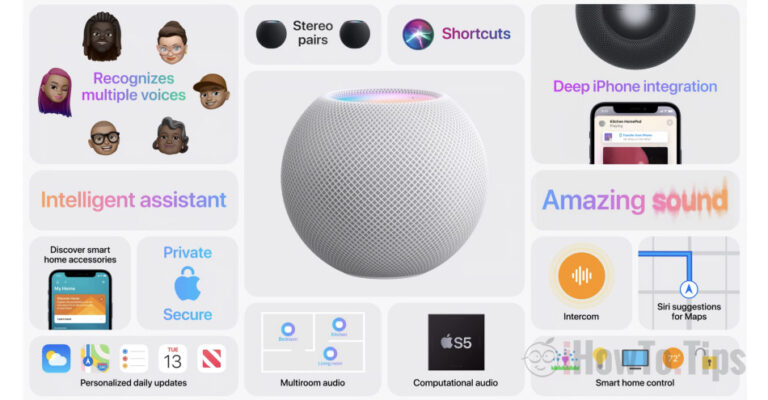
Homepod mini vs. Homepod - a premium device at reasonable prices

Before revealing the new iPhone 12 models, Apple made us a HomePod presentation ...

October 31, 2020

Macos Catalina 10.15.1 was launched in beta 1

Apple recently launched the first beta version of the future Macos Catalina 10.15.1, for testing purposes. …

October 12, 2019

Next
BiomeAgent

BiomeAgent – High CPU usage (macOS Tahoe)

If the BiomeAgent process consumes excessive CPU resources on your Mac (High CPU usage), this tutorial will definitely help you.

October 20, 2025

iOS 26

iOS 26 and macOS 26. New versions of Apple operating systems in 2025.

Apple changes the names iOS and macOS: iOS 26 will be announced at WWDC 2025, in a new branding strategy synchronized with the current year.

May 30, 2025

iPhone 17 Pro

What will be different on iPhone 17 Pro compared to previous models

The iPhone 17 Pro seems to be a model to redefine the user experience, with a new design and some new features.

May 29, 2025

How to safely copy a large volume of data on your Mac

How to safely copy a large volume of data on your Mac

A secure way to securely copy a large amount of data between two hard drives (HDD or SSD) on your Mac.

April 12, 2025

Open ZST Compression File on macOS

How to unzip ZST files on macOS

A simple method by which you can unzip ZST files on Mac computers, without the need for an application with a graphic interface.

March 28, 2025

© 2025 iHowTo.Tips. Tutorials and news about Apple devices.

privacy policy | Contact | About us

RomânăEnglishFrançaisDeutschEspañolPortuguêsItalianoBahasa Indonesia日本語한국어NorskNederlandsSvenskaPolskiHrvatskiMagyarБългарскиČeštinaSlovenčinaLietuvių kalbaΕλληνικάTürkçeالعربيةעבריתУкраїнськаEesti keel中文(简体)