
Before you see how you delete the historian Siri and Dictarians on Mac and iPhone, let's see a little and what helps “Siri & Dictation History“.
In order to improve the performance of the Siri vocal assistant, Apple keeps a record with the users dictation history. Specifically, everything you talk to Siri is kept registered under anonymous on Apple servers. The data are analyzed to improve the interaction of SIRI with users. To better understand the requirements and be able to provide relevant answers.
It would not have been a confidentiality issue, if in 2019 there were no information according to which some employees of Apple would have listened to recordings and interactions between users and Siri. It was the time when Apple decided to give users the opportunity to delete the history of interactions with Siri.
Table of Contents
How do you delete the history of Siri and Dictarians on Mac
To delete Siri & Dictation on poppy, open System Settings and go to the right side to Siri & Spotlight Then click on the button ”Delete Siri & Dictation History“.
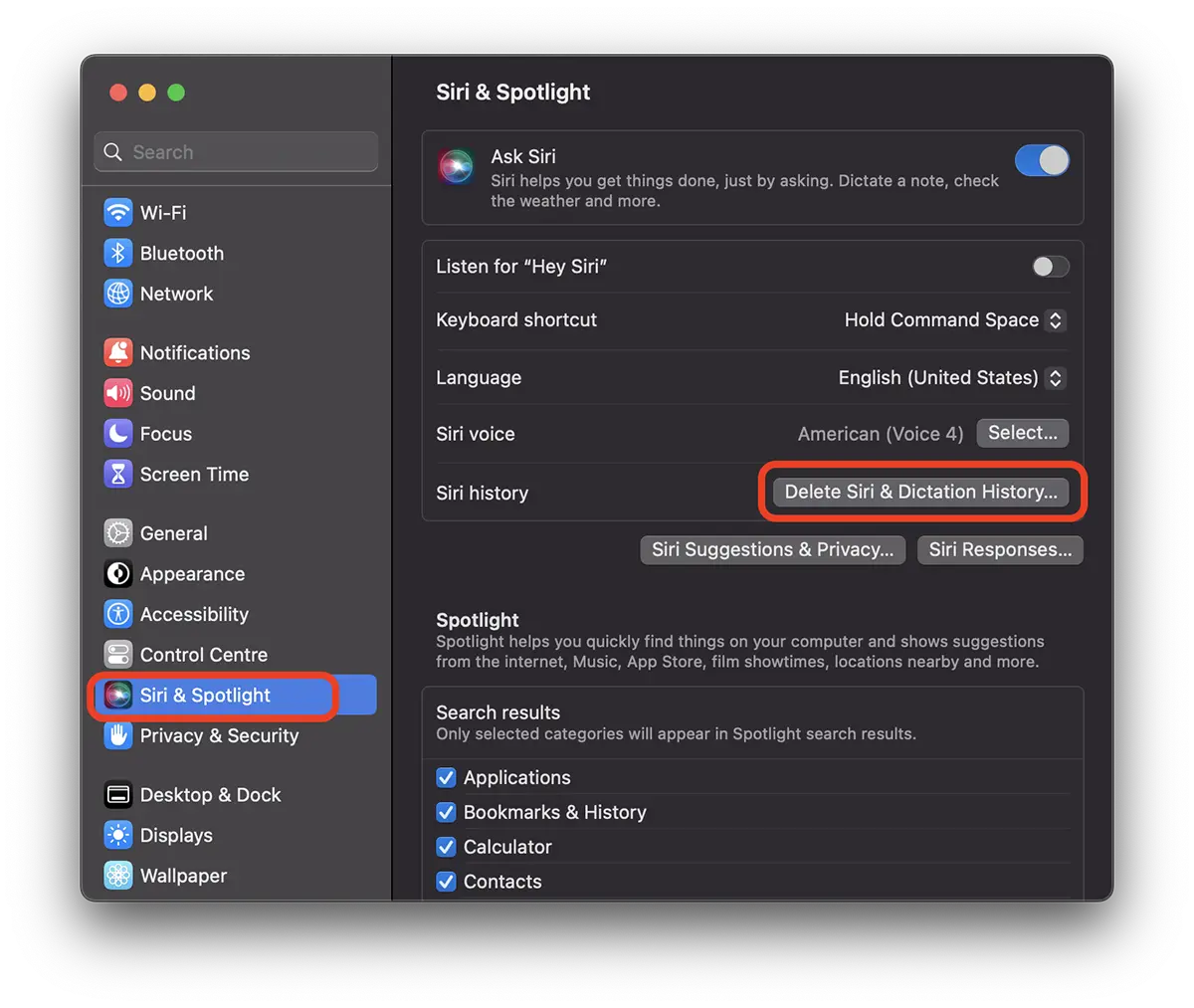
In the next step you confirm that you want to delete the data.
Delete Siri & Dictation History
Siri and Dictation interactions currently associated with this Mac will be deleted from Apple servers.
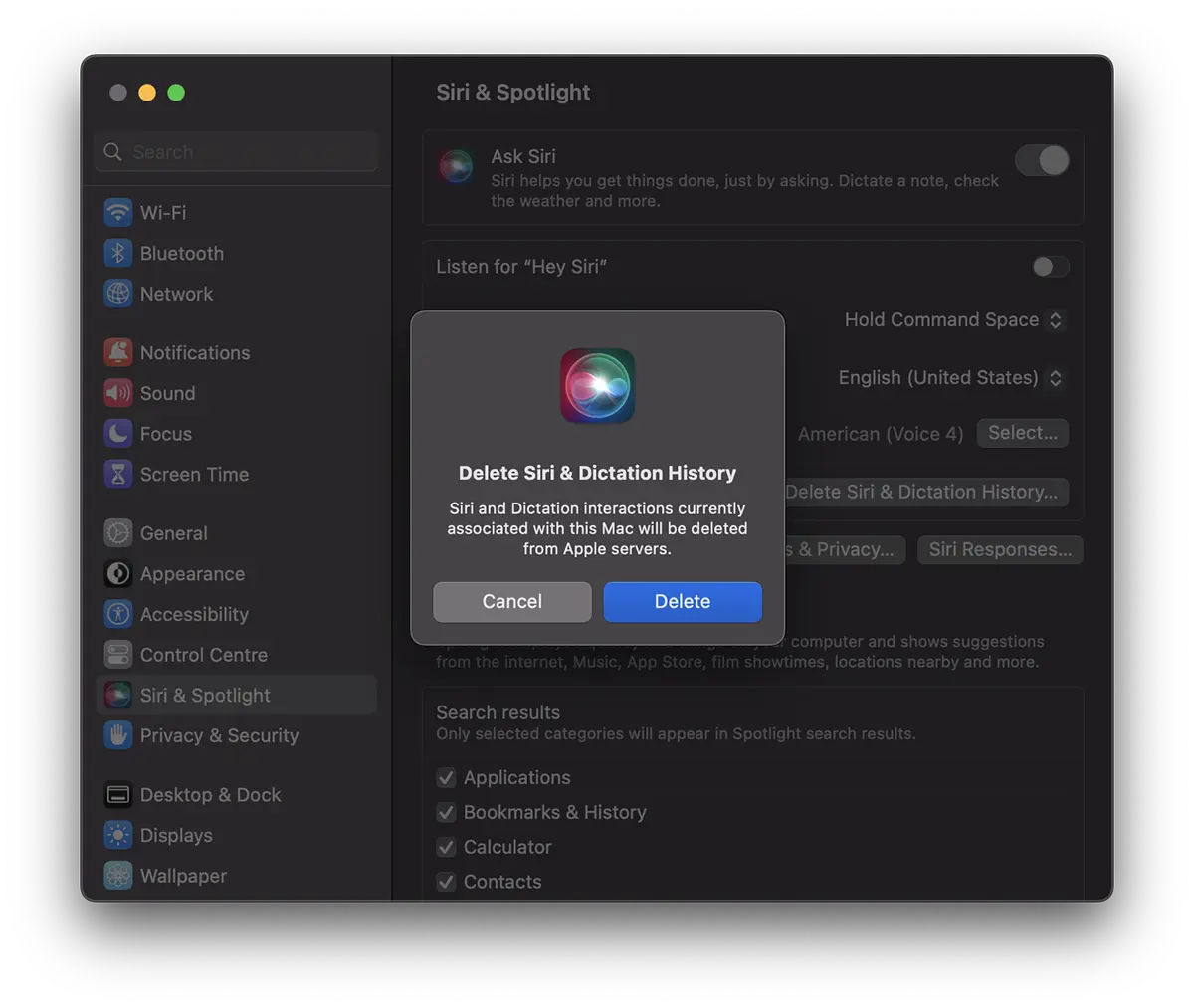
Click “Delete“.
From this moment the historian Siri and Dictarians on Mac will be erased.
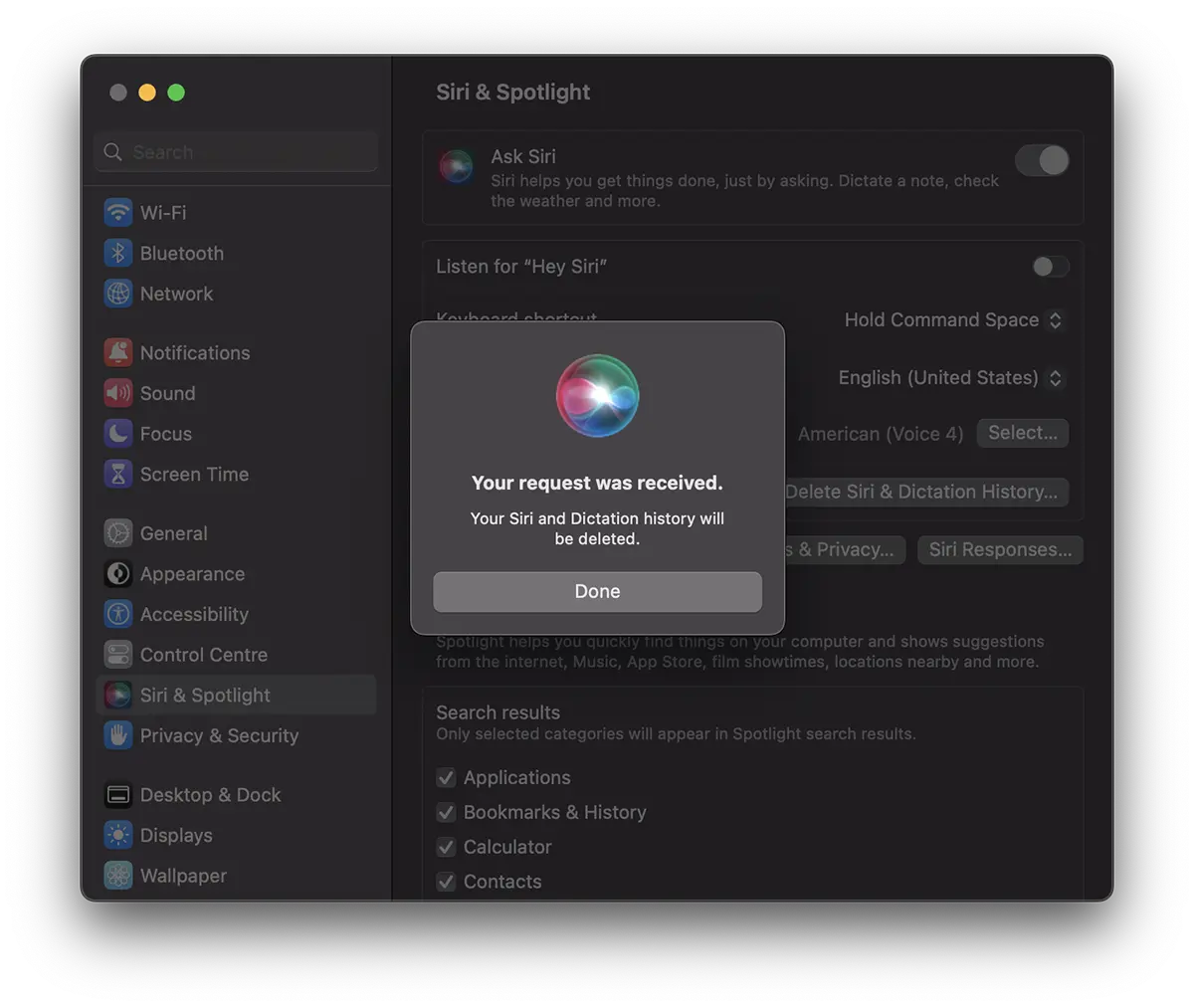
Your request was received.
Your Siri and Dictation history will be deleted.
The deletion of the interactions between users and Siri is not done at the account level, Apple ID, but at the level of device. Most likely, precisely because of the reasons of confidentiality the whole dictatorships are not stored with the association to an Apple ID.
How do you delete the history of Siri and Dictarians on iPhone
To delete Siri & Dictation History On the iPhone, the steps are similar like Mac. Apple created the interface similar to iOS, iPados, Watchos and Macos.
Go on iPhone in: Settings → Siri & Search → Delete Siri & Dictation History.
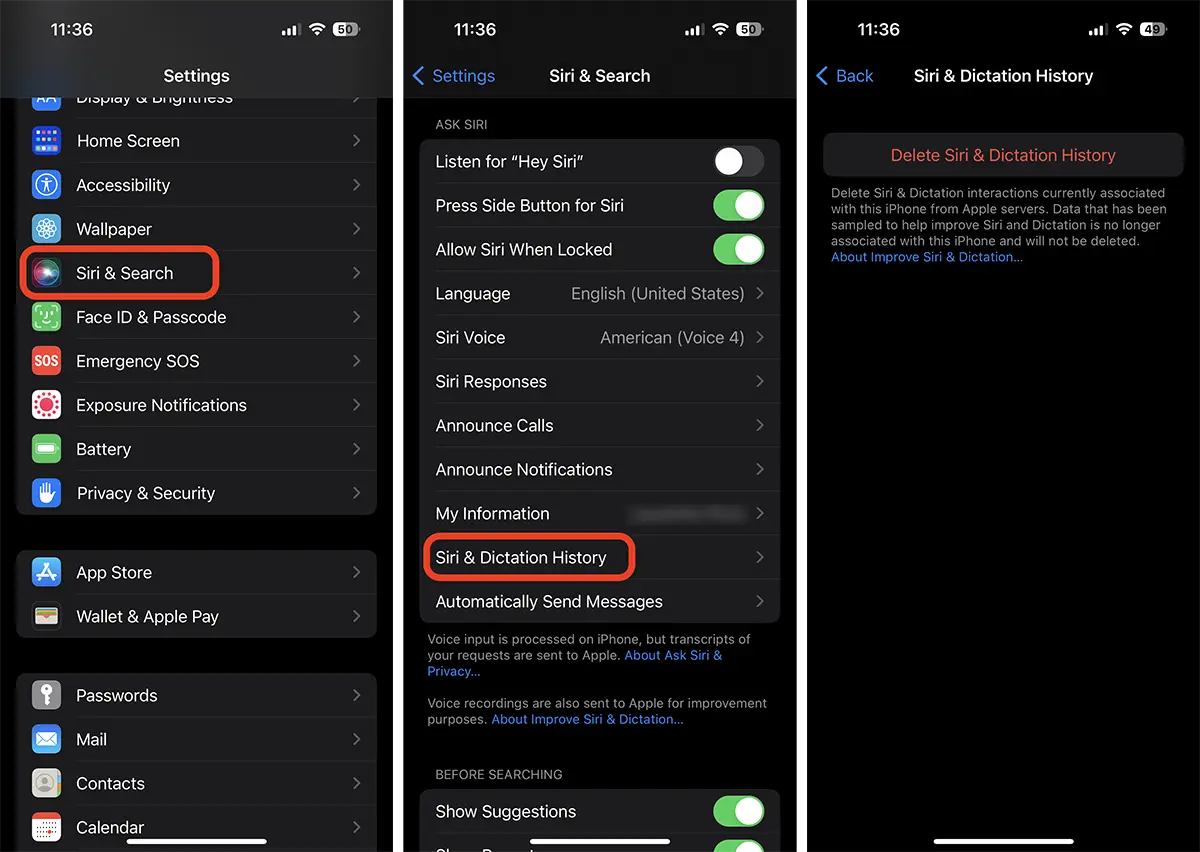
After this step, your interactions with Siri will be deleted from the Apple servers.




































