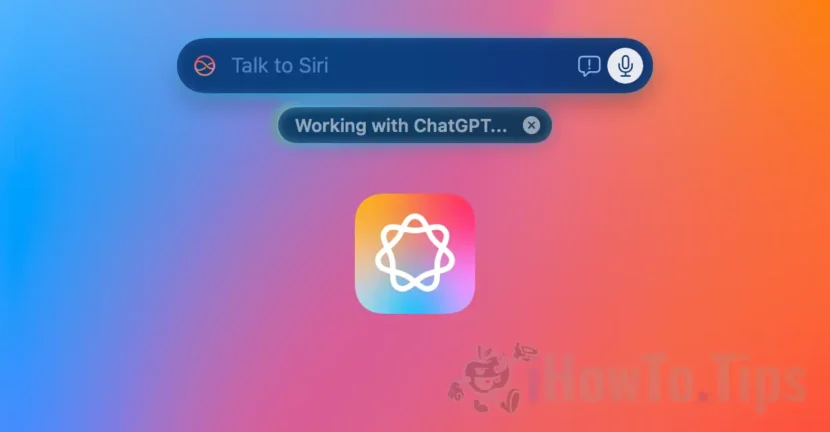

Starting with Macos Sequoia 15.2, Apple has introduced a new experience in the interaction of users with artificial intelligence by integrating chatgpt into Siri and Apple Intelligence. As expected, the agreement between Apple and Openai, greatly develops the Virtual assistant Siri, who is now more efficient and can perform several tasks.
Chatgpt integration into Siri greatly extends the capabilities of Apple's virtual assistant, which can now be a real help for users. This integration allows the use of ChatGPT capabilities directly through Siri for a variety of activities, by a simple voice command or prompt text.
Table of Contents
Cum activezi integrarea ChatGPT în Siri pe Mac
Chatgpt integration in Apple Intelligence, along with Siri, can be activated by following the steps below:
1. Make sure you have Macos Sequoia 15.2 or a more recent version.
2. Make sure your Mac is compatible (M1 or a newer model with Apple Intelligence and that this service is available in the country you are.
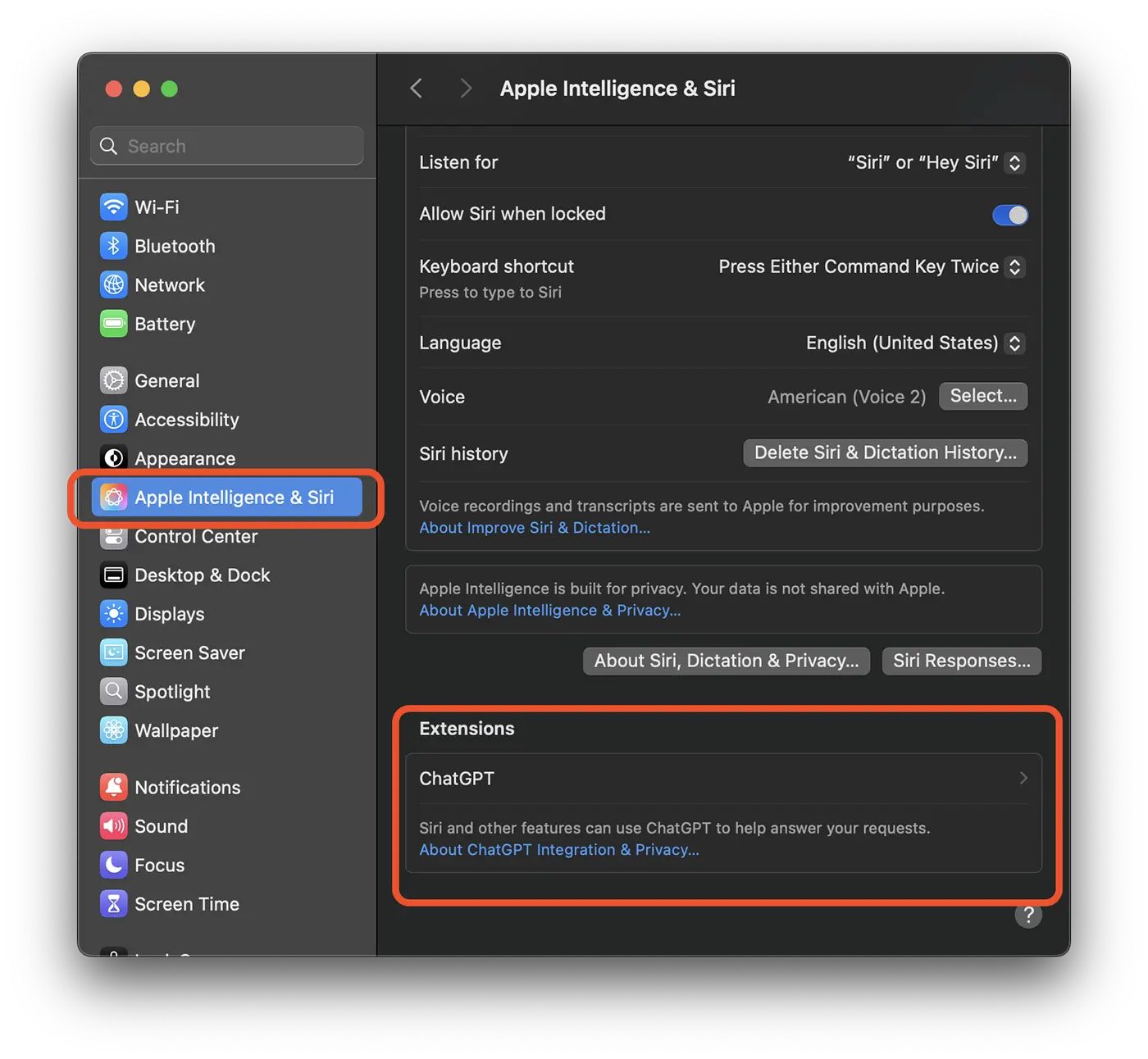
3. Deschide setările de sistem (System Settings), apoi accesează “Apple Intelligence & Siri”.
4. La setările “Apple Intelligence & Siri”, mergi în partea de jos și faci click pe extensia ChatGPT.
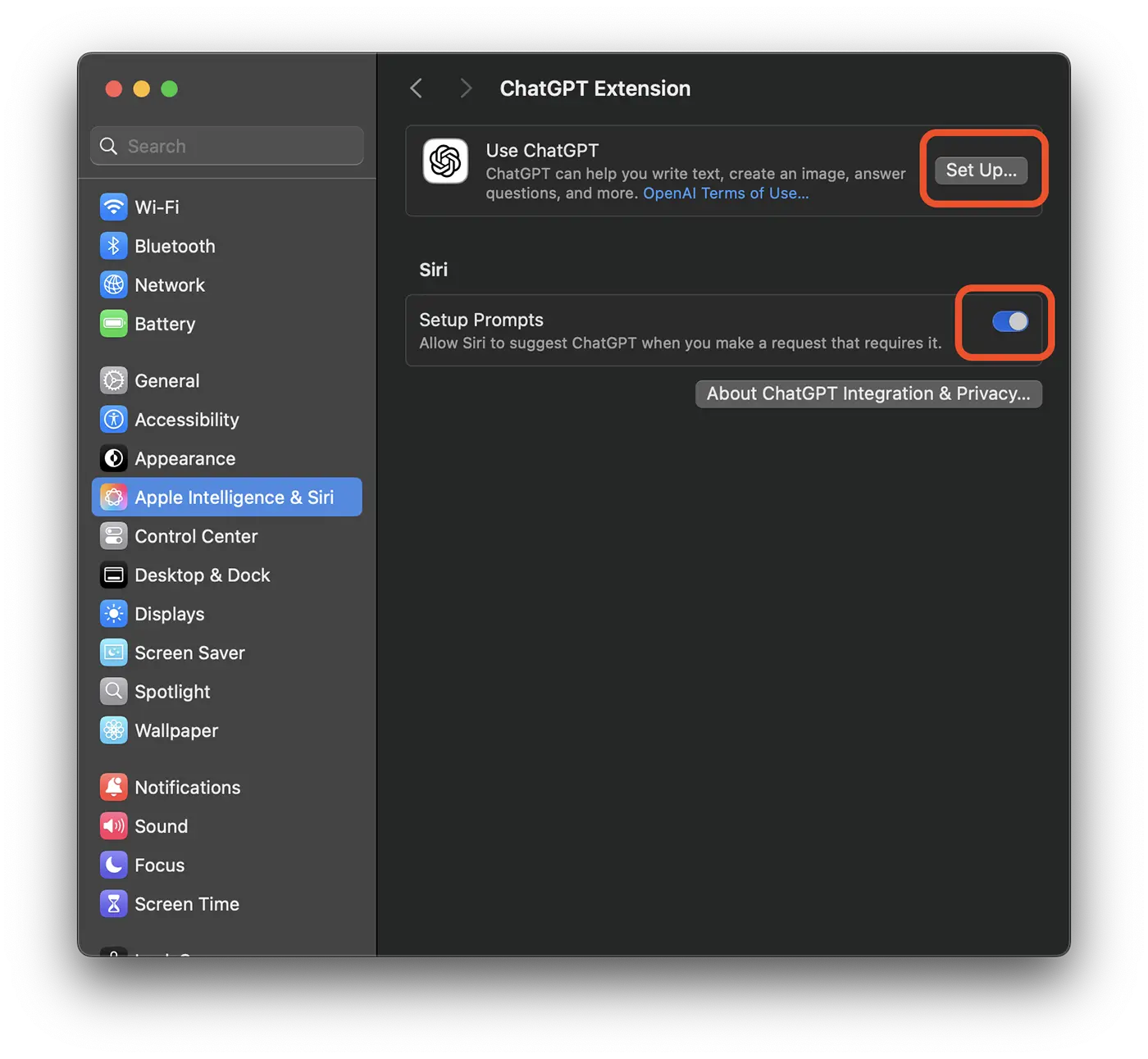
5. At the ChatGpt extension, click on the "Set Up" button
6. in the box that opens are presented the main capabilities of the Chatgpt extension on Mac. Click on the "Next" button.

7. In the next dialog box you can choose if you activate the ChatGPT extension using your OPENAI account, if you have a ChatGPT subscription, or if you want to activate the extension without using your OpenAI account.
Click on the "Enable Chatgpt" button to activate the use of Chatgpt in Siri without using your chatgpt subscription.

Optionally, you can click on "Use Chatgpt with an Account" to authenticate with your Chatgpt account (only for subscriptions).
8. Activates the option for Chatgpt Integration into Mac Siri. "Confirm Chatgpt Requests".
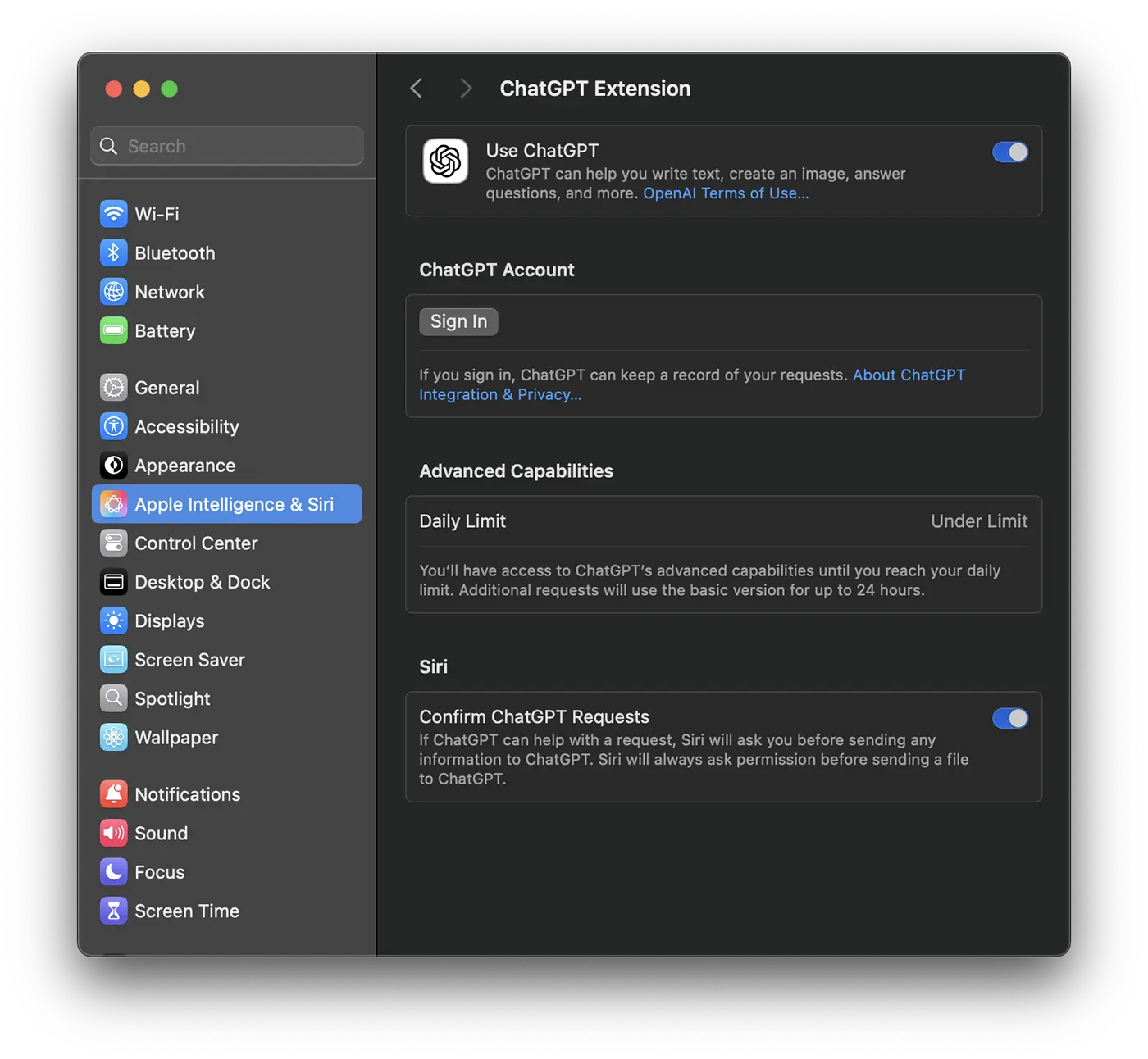
After this step, the Chatgpt extension can be used by Siri to provide complex answers, in natural language.

How Chatgpt Integration works in Siri and Apple Intelligence
With this integration, the virtual assistant Siri becomes more natural, he can understand the shades of language and offer more complex and creative answers, helping a lot to productivity.
Deeper understanding of natural language
Chatgpt allows Siri to understand the nuances of human language, including irony, sarcasm and context of conversation. In this way, you can use a natural language in the interaction with the virtual assistant Siri, which was not possible until the Chatgpt integration.
More complex and creative answers
Instead of limiting simple responses as it did until this integration, Siri can generate creative texts, solve complex problems and provide detailed explanations. One very important thing to mention is that Chatgpt provides support for much more languages than Siri. We can say that this integration also widens the support of the languages spoken by Siri.
Advanced customization
Chatgpt integration into Siri allows the virtual assistant to adapt to your style of communication and to offer suggestions that align with your preferences. Basically, Siri offers all the support with which you are probably already accustomed to from the Chatgpt app.
Chatgpt integration with Apple apps from Mac
Siri can use Chatgpt to interact with other applications on your Mac, such as Mail, Calendar and Pages, to perform complex tasks. You can compose texts on any theme you want, email messages or you can add notes in the calendar with the help of artificial intelligence.
How can Chatgpt integration help you on Mac?
Siri with integrated chatgpt and Apple Intelligence, can help you in several ways. For example, ChatGPT can generate complex text content or answer questions based on extensive knowledge, providing additional experience to what Apple Intelligence is usually offered
Through SIR with Chatgpt, you can create images using integrated visual generation tools and access more advanced writing features, including the possibility of asking for help to draft emails or messages in a coherent and adapted way.
Here are some examples of use:
Writing email. You can ask Siri to write an e-mail for you, specifying the tone (friend, professional, concise) and content. You can also ask to make a summary of a message received by e-mail and compose an appropriate answer.
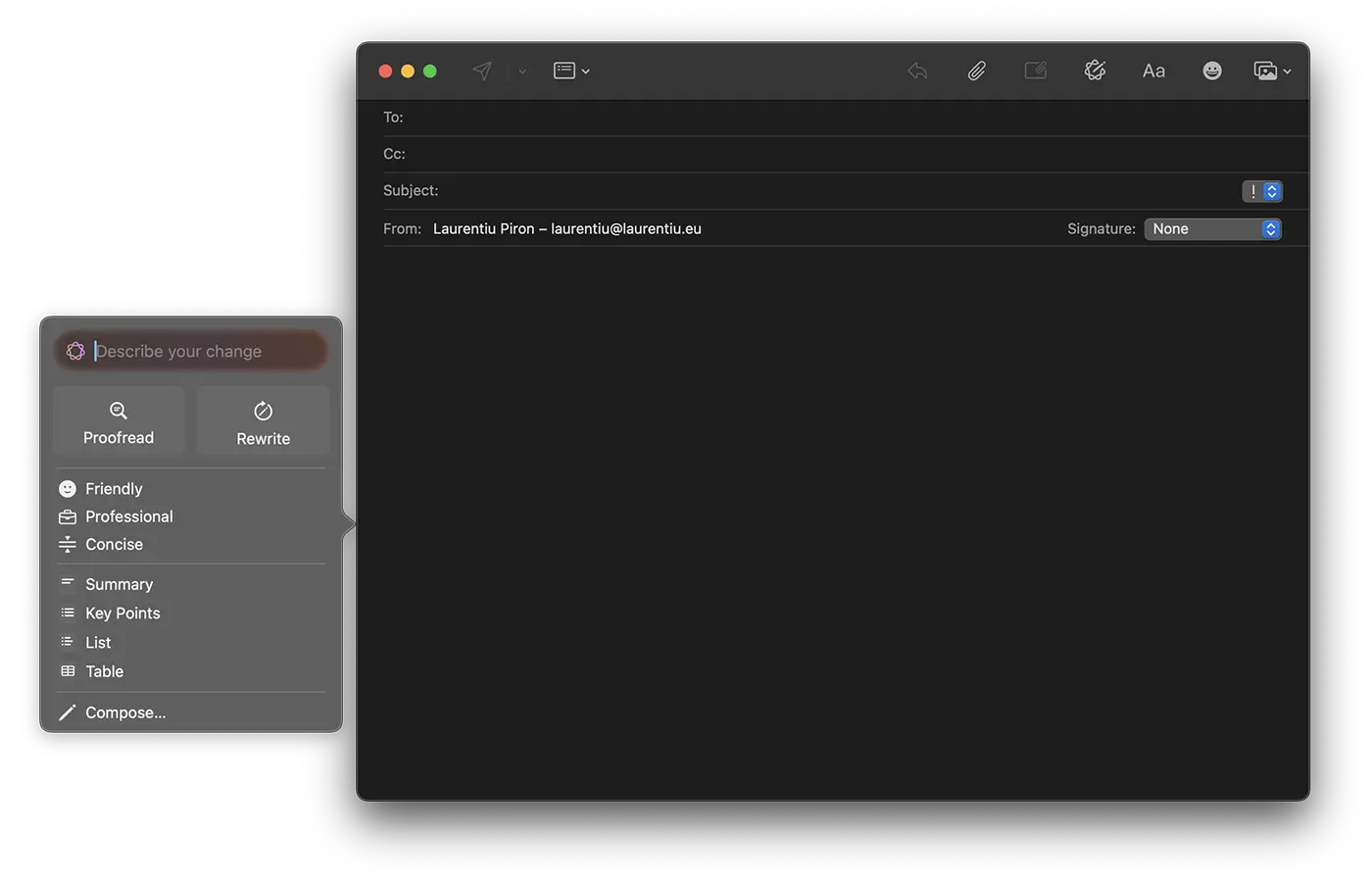
Generating ideas and items. Siri can read an article and give you a concise summary, or you can ask Siri to help you find ideas for a project or write a poem. These writing tools are available in Notes and Pages applications, but the support may be extended for other applications.
Image generation. In addition to the support for composing texts, Chatgpt integration into Mac, you can create images using integrated visual generation tools.
Translations in several languages. Chatgpt integration in Siri offers translation support texts into different languages, much larger than the translated application, existing on iOS and iPados. Using Chatgpt, Siri will be capable of more precise and natural translations.
In conclusion, the Chatgpt integration in Apple Intelligence with Siri in Macos Sequoia 15.2 is a significant evolution in the field of virtual assistants. This combination offers a more intuitive and personalized experience, opening new possibilities for Mac users.




































