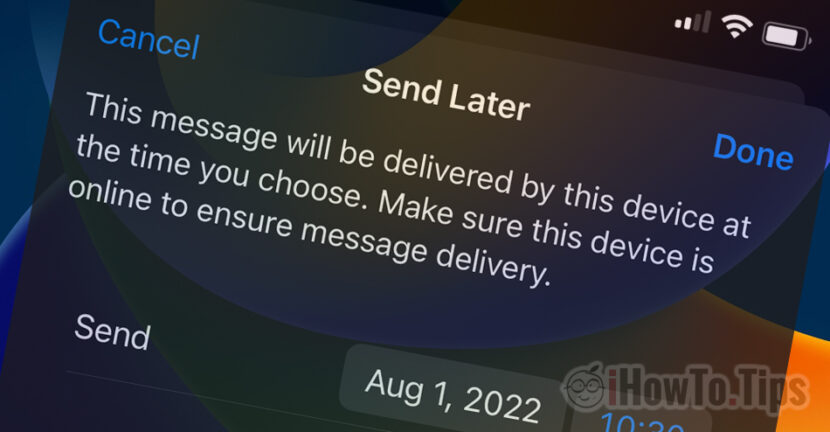

The new operating systems for iPhone, iPad and Mac bring new features of Apple developed applications. Among the applications that benefit from new features is Mail. The application allows programmed reference (Email Scheduled Send) for e-mail messages composed of iPhone, iPad or Mac. The condition is that these devices have installed iOS 16, Ipados 16, macos ventura or newer versions.
Most of the time when we finish compound an e-mail message, we press on “Send” And we send it immediately. However, there are situations in which a composed message at night or at the beginning of the weekend we would like to be sent to the recipient at another hour or date. The message Email to be sent scheduled On a working day at the beginning of the work schedule. Shipped automatically at a time and time we choose. This email feature scheduled send It is very useful especially when we have to send messages for service or business.
How to set the programmed sending of a message in the mail app (email Scheduled Send)
After we finish compound the email message, We press and hold pressed on “Send” (sign with arrow up). In the menu that opens we have the opportunity to set certain hours at which the message is sent automatically.
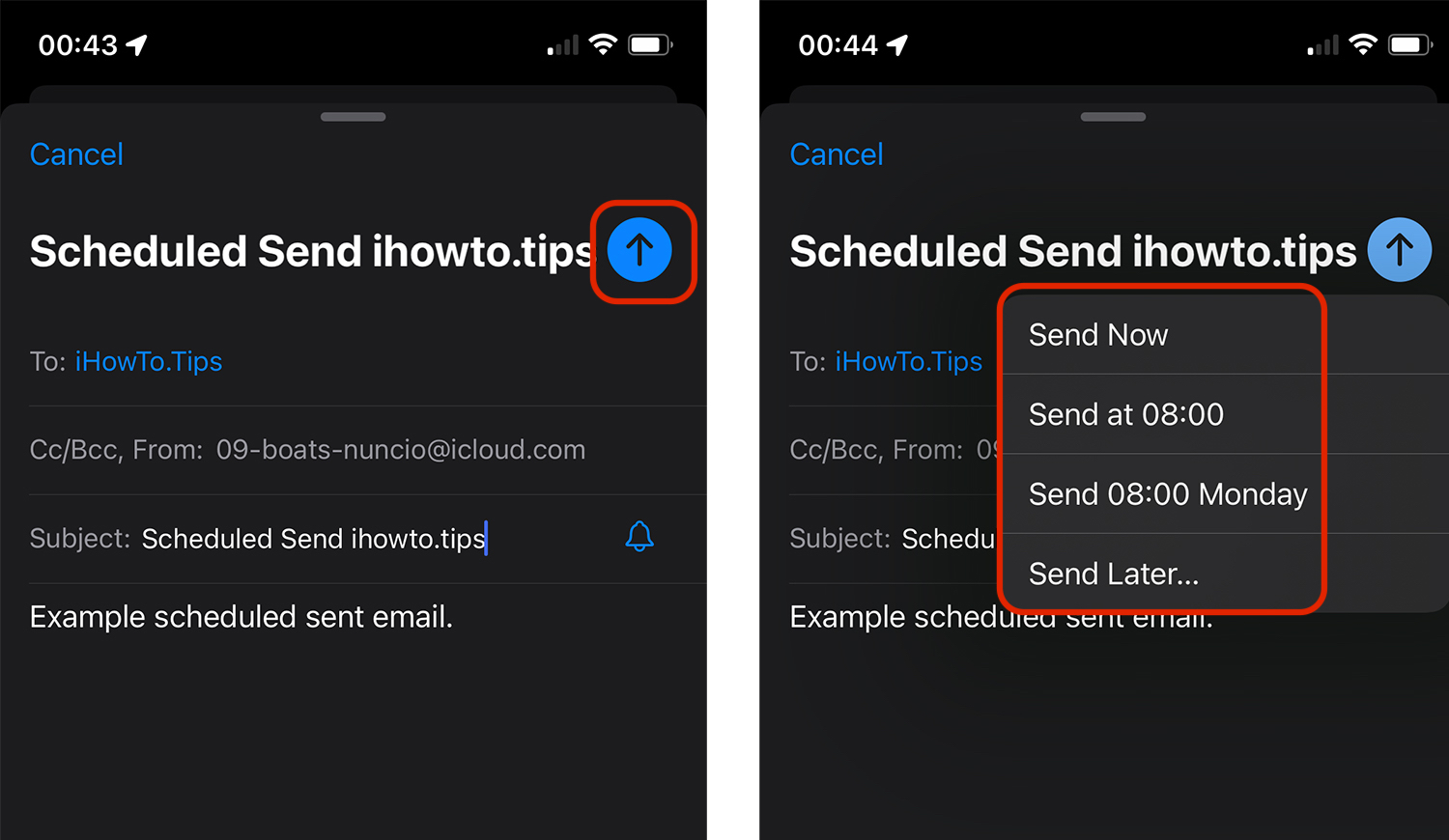
We can choose to send the message immediately, at 08:00 am (time at which the work schedule starts) or “Send Later…”.
With the option “Send Later” We can choose the date and time at which the message composed by us will be shipped automatically. The condition is that at the scheduled time iPhone be started and connected to the Internet.
"This message will be delivered by this device at the time you choose. Make sure this device is online to ensure message delivery.”
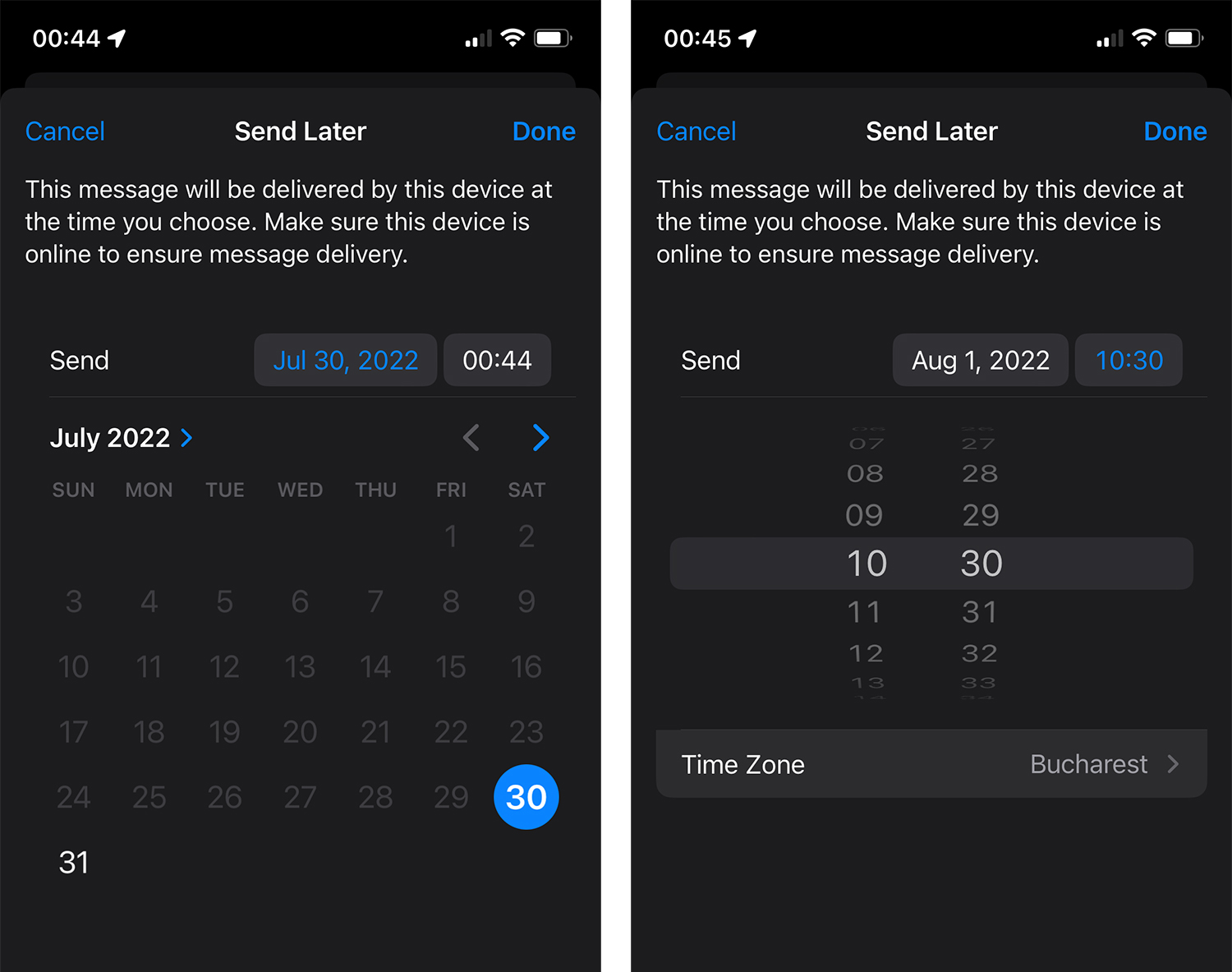
Also from here we have the opportunity to set and Time Zone. If the email message will be sent to another country that is on another time zone, we can set the country in which the recipient is.
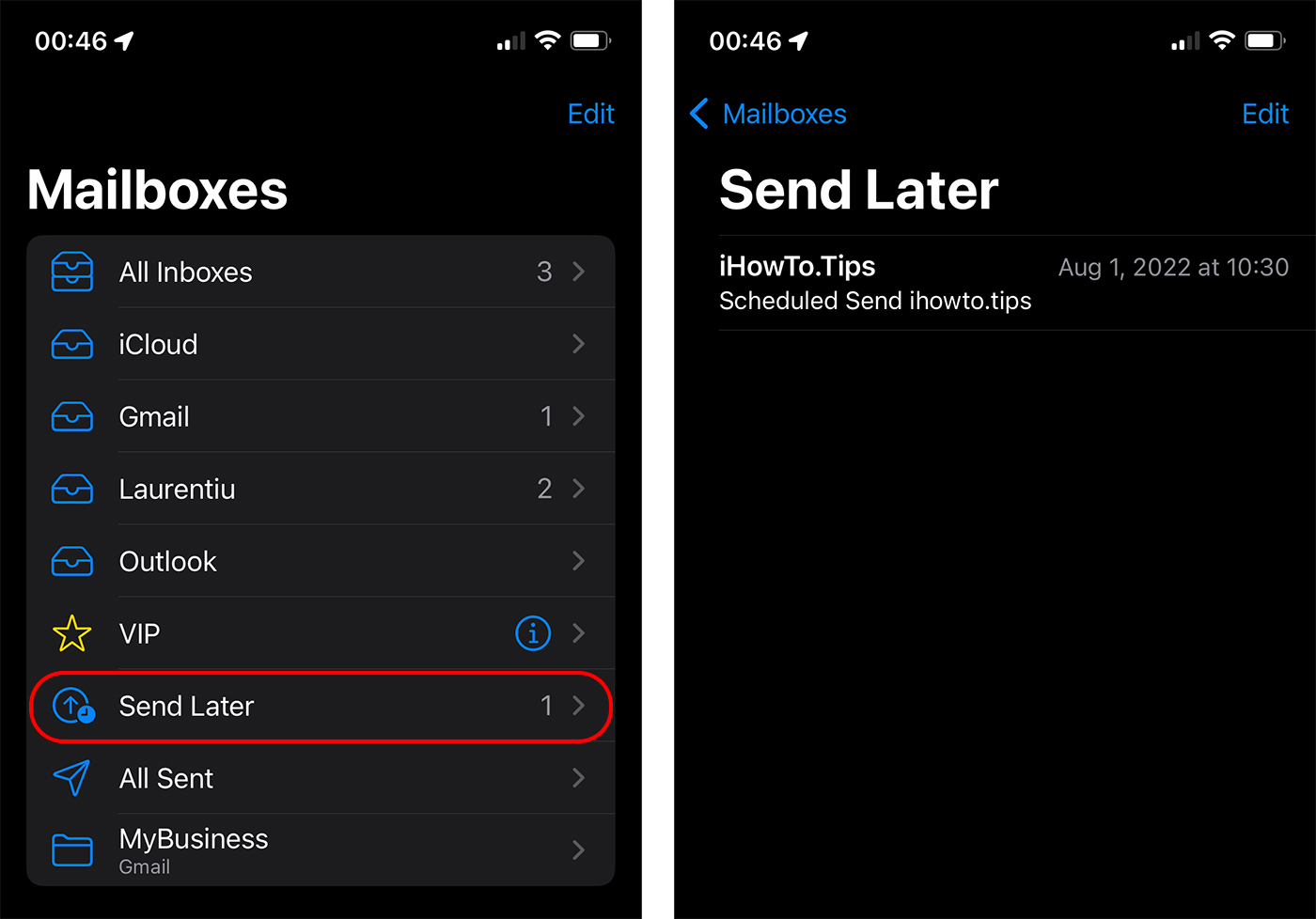
To see the list of programmed e-mail messages to ship automatically, we go to Mailboxes → Send Later.
Email Scheduled Send (or Send Later) is a feature of iOS 16, iPados 16 and Macos Ventura.




































