
After 10 years in which the Lightning connector made history on iPhone devices, Apple has finally abandoned this connection port in favor of USB-C. The change from Lightning to USB-C appeared with the iPhone 15 line, this was imposed by the Commission of the European Union, which for reasons of environmental protection required that all smartphones use the same type of connector for power. USB-C. Thus, Apple launched the iPhone 15 with USB-C.
The biggest advantage is that all Apple devices can be charged with the same type of cable. From the latest generations of iPads, AirPods and even MacBooks, they all come with USB-C. However, this is not the only advantage. Even if the entire line of iPhone 15 devices has a USB-C port, the iPhone 15 Pro and iPhone 15 Max come with something extra. These iPhone models support USB-3, this standard allowing data transfers of up to 10 Gbps.
Table of Contents
What external devices can you connect to the iPhone 15 with USB-C?
Charge other devices with the iPhone 15 battery
An interesting aspect of the new iPhone 15 with USB-C is that you can now use your iPhone to charge other accessories. The iPhone 15 can accept up to 27 watts through the USB-C port, but it can also output about 4.5 watts. (Lightning could only handle 0.3 watts.). That means you can use your iPhone's battery to power and charge connected accessories. If your AirPods are dead, in an emergency, you can connect them to your phone and your phone will charge them. You can even charge another iPhone's battery, but be aware that it will take some time.
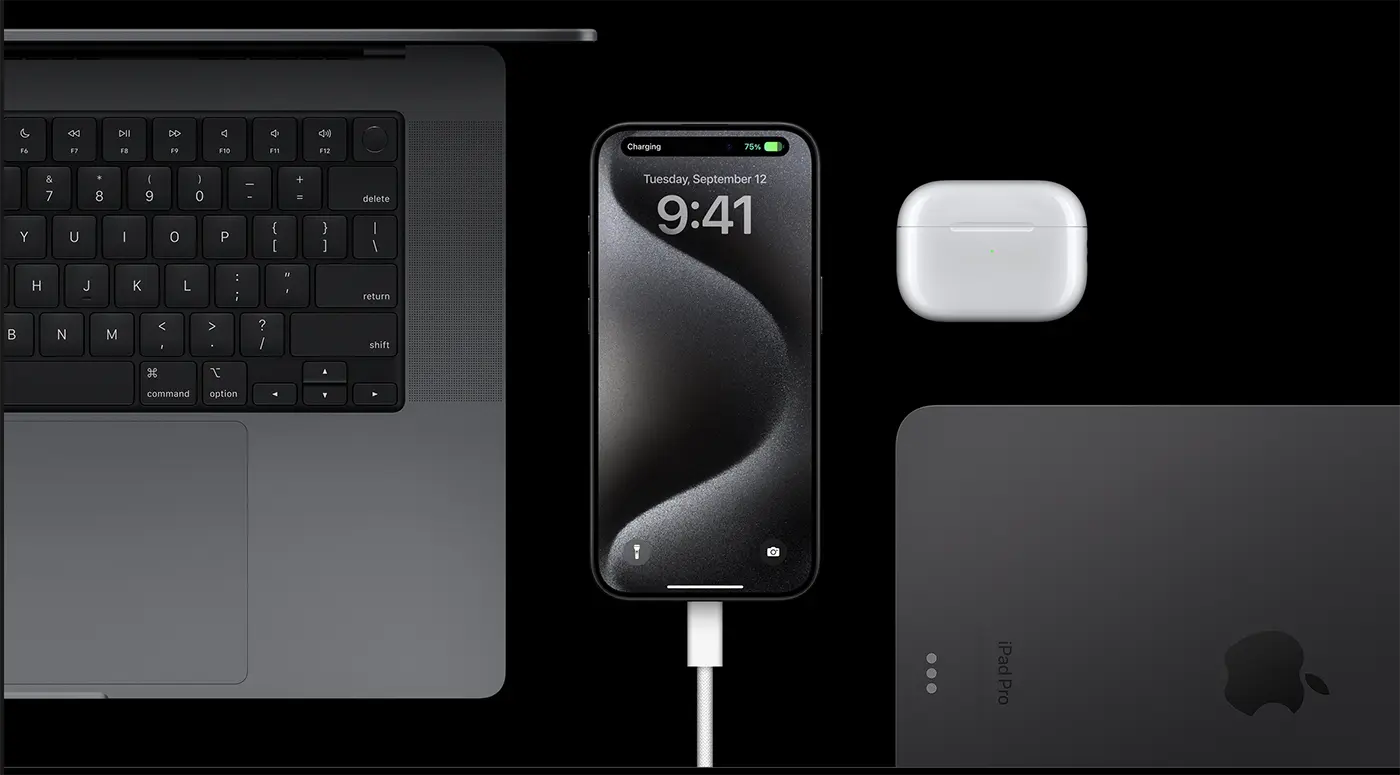
From what I have noticed, with the iPhone 15 you can also charge the Apple Watch battery without problems. It lasts longer than when connected to a wall charger, but if you're in a place where you can't charge your Apple Watch normally, you can use the iPhone 15 battery.
Easily connect to external displays
With the old Lightning you could only connect to external displays through a special adapter that required an additional cost. With USB-C on the iPhone 15, you can output directly to a screen. Use a USB-C to HDMI cable and display your iPhone screen on a TV or monitor 4. If you're watching a movie in a video streaming app, the movie will automatically resize to fit your TV, with playback controls on the touch screen. You can also play iPhone photos and videos on your TV.
Connect external storage units (external hard disk, flash drive) to iPhone 15 with USB-C
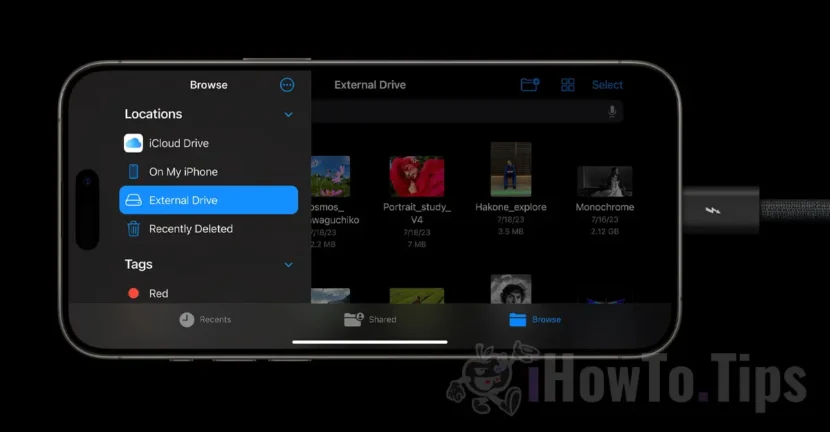
Connect a hard drive or SD card reader to iPhone 15 with USB-C and browse files directly using the Files app on iPhone. If you go on vacation and take a dedicated camera with you, you can import your photos directly from your SD card to your iPhone's photo library. You can then empty the SD card and continue shooting while editing and uploading photos to your phone's big screen.
Related: iPhone 15 Pro vs. iPhone 14 Pro. The real differences.
The Camera app on iPhone 15 Pro lets you record ProRes 4K video at 60 fps directly to USB-3 storage. ProRes is uncompressed and the file sizes are enormous, consuming several GB of storage space per minute of recording. But by connecting a 1TB portable SSD to your iPhone, you can record without taking up your iPhone's storage space. This requires a USB-3 cable (not just a simple charging cable) to take advantage of the fast 10Gbps transfer speeds possible through the iPhone 15 Pro port.
Connect the keyboard to your iPhone or Ethernet adapter
You can connect almost anything to the iPhone 15 with USB-C. You can connect an ethernet adapter for wired internet connection, you can connect a keyboard or a microphone if you need it for a pocast.
In conclusion, the introduction of the USB-C port on the iPhone 15 brings a number of significant advantages. This feature not only facilitates connection with various accessories and peripherals, but also opens up new possibilities for iPhone users. The ability to charge other devices with the iPhone battery, easy connection to external displays, storage expansion with external USB-C devices and SD cards, as well as the ability to connect hardware keyboards and other accessories demonstrate the versatility and flexibility offered by the new USB-C port.
These improvements bring greater reliability and functionality to iPhone 15 users, reinforcing Apple's continued evolution of mobile technology.




































