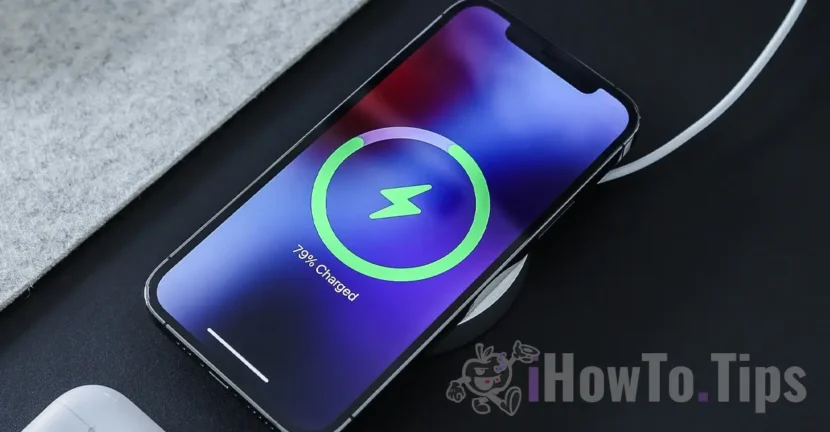

Wireless charging is very safe for iPhone devices, especially when the original Apple or MFI accessories are used. However, situations occur when the iPhone is warm in Magsafe Charger and the battery charge process is suspended for a while.
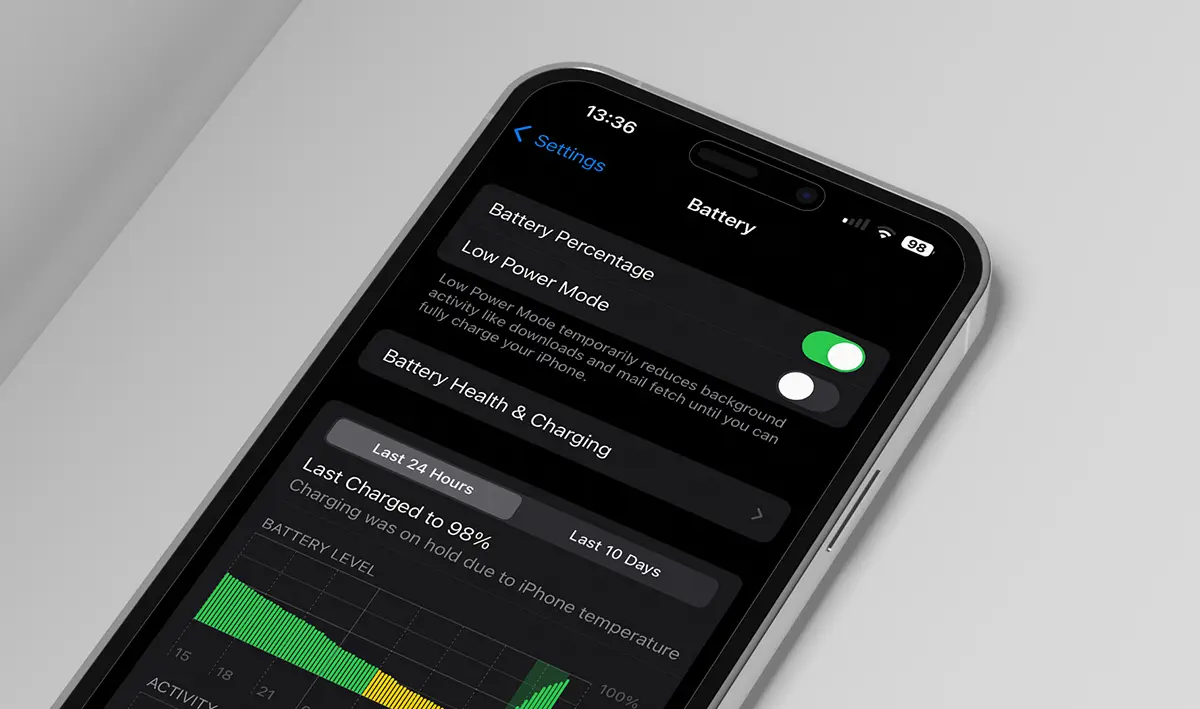
For the battery charge process to run, the iPhone must be at an acceptable temperature. Otherwise, then the iPhone warms up hard, the loading process is suspended and the message appears: "Charging was on hold due to iPhone temperature" or "Charging Will Resume When Iphone Returns to Normal Temperature".
"Charging was on hold due to iPhone temperature"This message appears after the iPhone had the suspended charging process due to the high temperature, then disconnected from Magsfe Charger.
"Charging will resume when iPhone returns to normal temperature".
These messages are part of an integrated protection system on the iPhone. Apple has implemented this safety measure to protect the device and in the battery from the harmful effects of overheating (reducing the performance and life of the battery). Here's how this protection system works that suspend battery charging when the temperature is too high:
1. Temperature monitoring. The iPhone has internal sensors that constantly monitor the device temperature during use and loading.
2. Stopping loading. If the iphone temperature exceeds a certain threshold considered safe, the system of protection stops charging the device to prevent additional heat growth. This is indicated by the message displayed on the screen: “Charging was on hold due to iPhone temperature“.
3. Resumption of loading. The loading is automatically resumed once the iPhone returns to a safe temperature.
Basically, this system is to ensure that the battery and other internal components are not exposed to excessive heat, which can reduce the battery life and affect the performance of the device.
Table of Contents
Why does iPhone warm up loud when connected to Magsafe Charger?
In my opinion, when the wireless charging is done correctly and you use the original Apple accessories (original Apple, Magsafe Charger and original charging adapter), the device should not reach critical temperature during the battery charge process. However, the loading process has been suspended due to the high temperature of the device, even if the configuration was: iPhone 14 Pro with original Clear Case (Magsafe), Magsafe original loader and Apple 35W Dual USB-C Port Power.
Here are the specifications of my iPhone when the wireless charging was suspended:
- iPhone 14 Pro with iOS 16.2
- iPhone 14 Pro Clear Case with MagSafe (original)
- MagSafe Charger (original)
- 35W Dual USB-C Port Power Adapter (original)
If you are experiencing this problem of overheating of iPhone when connected to Magsafe Charger, the simplest solution is to leave it until the device reaches the temperature considered safe. The battery charge process will automatically resume when the iPhone reaches the optimum temperature.
Another solution, which worked in my case, is to put the iPhone with the screen down when connected to the Magsfe wireless charger. Thus, the aluminum on the back of the Magsafe Charger will be able to cool faster and the heat will not be transferred to the device. You can also use a support for Magsfe Charger to facilitate better ventilation on the back.
The above method works if the wireless charging is done in optimal parameters and if the device is not used during the loading process.
How to prevent overheating of the iPhone during the wireless charging with Magsafe Charger
If the iPhone device warms up hard when connected to the Magsafe wireless charger, you must consider the following:
1.. Wireless charging generates more heat than traditional cable loading. During wireless load, losses are slightly higher than in wire load, due to the inefficiency of wireless energy transfer. This happens because the inductive charging process is less efficient and some of the electricity is lost in the form of heat.
2.. Magnetic alignment used by Apple for iPhone devices. Magsafe uses magnets to align the iPhone with the charger. The magnetic alignment process can generate additional heat, especially if the iPhone is not focused on the charger. You need to make sure that alignment between iPhone and Magsafe is perfect and there is no distance between them.
3. The ambient temperature is very important for wireless loading. If the ambient temperature is higher, the more heat will be generated during wireless load. Seek to avoid wireless loading in environments where the temperature is high or if ventilation is not appropriate. Most of the time, summer problems arise when loading devices through wireless.
4. It is not recommended to use the iPhone device during wireless charging. Complex applications and games generate heat due to the consumption of graphic and processing resources. If you need to use your phone, turn off your wireless charging.
5. Even if you have an original case with Magsafe, it will retain some of the heat inside the device, especially when the ambient temperate is high. It is advisable to make wireless charging without a case or housing.
Of course, overheating problems can also occur during the wire loading process.
See also: Charging was on hold due to iPhone temperature [How To Fix]
In conclusion, if the iPhone warms up hard when connected to wireless charging with Magsafe Charger (Apple), make sure that the ambient temperature and the device case allow its cooling, and that the magnetic alignment between iPhone and Magsfe Charger is perfect.




































