

Available only in Australia, Canada, UK (UK) and United States (USA), application Apple News / Apple News+ He has attracted many fans from launch. Despite regional restrictions, application Apple News can be installed from anywhere in the world, if in IOS, Ipados or macOS It is set as UK, Canada, Australia or USA region. The setting is found in "Settings” / “System Preferences” → “Language & Region“.

The application itself is very similar to a "feed reader” modern, in care Apple Displays news from several sources previously checked. The user can choose to receive news only from the publications accepted by Apple in the news platform, and depending on the sphere of interest. From information from technology to fashion, culinary, politics and many more.
Apple News However, he has a rather striking problem for the owners of Apple devices, who want to synchronize sources of information on all devicethe. Normally Apple News accepts synchronization in iCloud, which means that news, saved news and areas of interest should be available on all Apple devices on which it is authenticated the same icloud account. Unfortunately, this does not happen to many iPhone, iPad and Mac owners. Although it is checked to synchronize in iCloud, the news does not reach all devices and it seems that there is no synchronization of the Apple News application.
How to synchronize the Apple News application on several Apple-Mac, iPad and iPhone devices
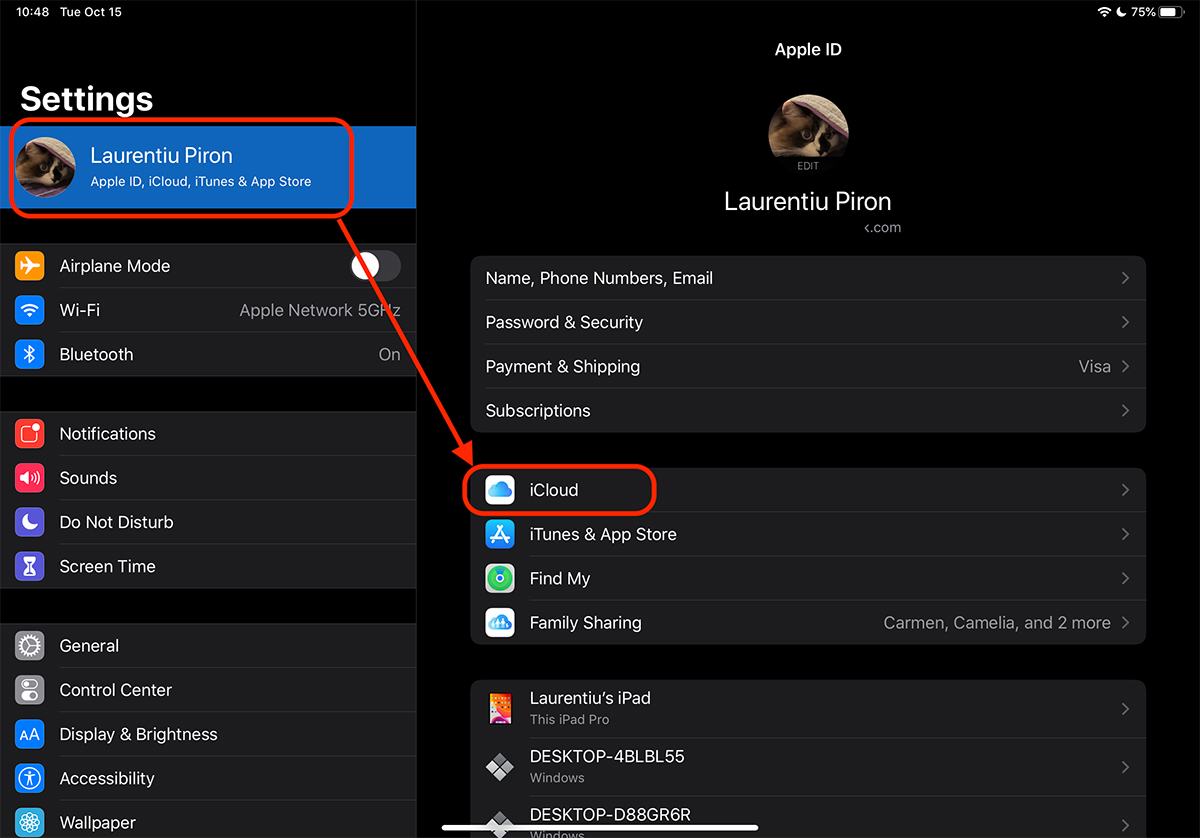
First of all, On all devices we need to authenticate the same iCloud account. The second step is to avoid if in iCloud you have the tick synchronization for the News application. Check this from "Settings"→ Click on Apple ID (first option) → “icloud“.
In the iCloud settings, run to the News application and see if it is checked.
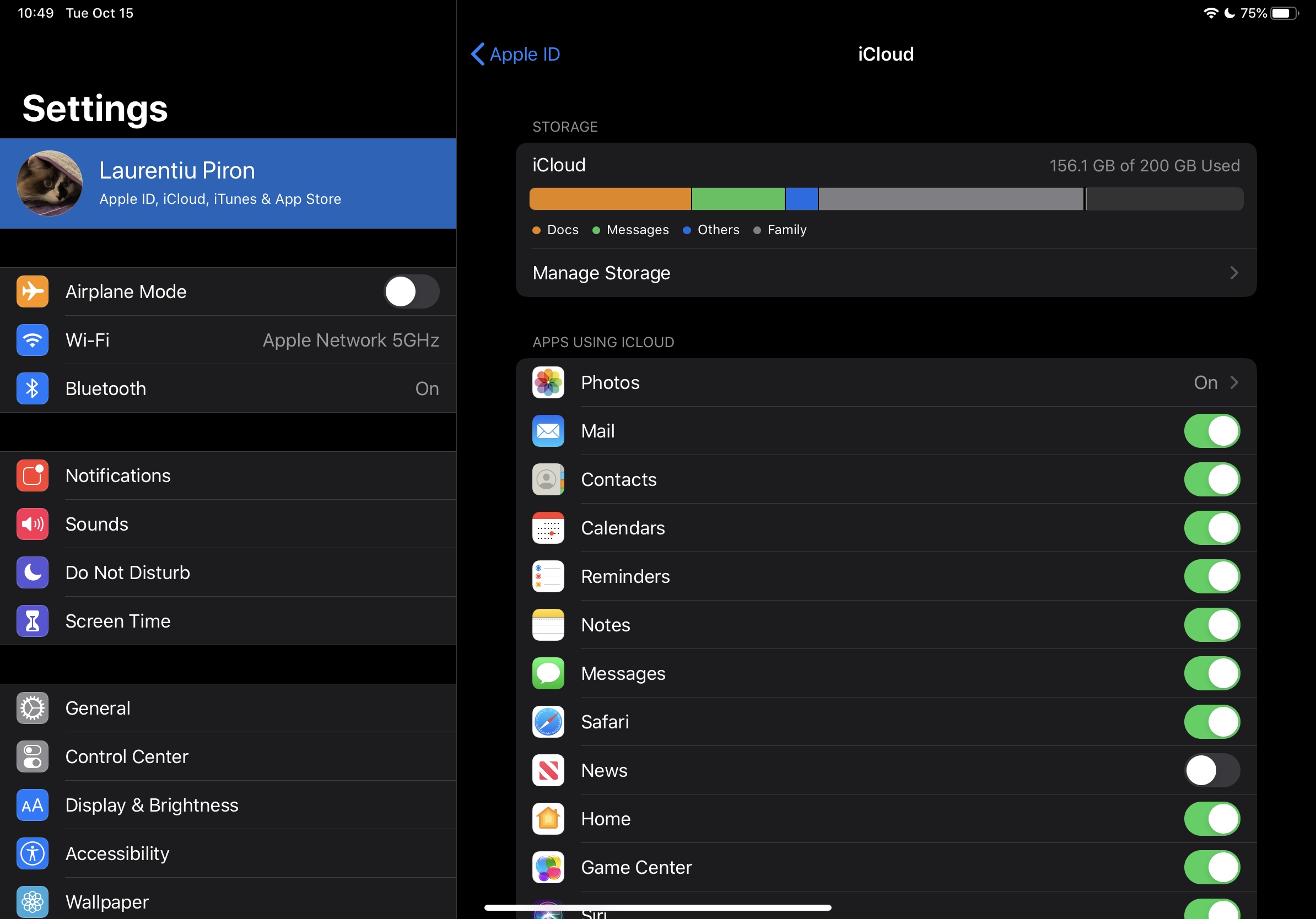
From here there are two different scenarios. If it is discharged, leave it that way. Check that the other device you want to synchronize. You get it out of there, then restart both devices.
When you fail will ask you if the contents are kept locally.
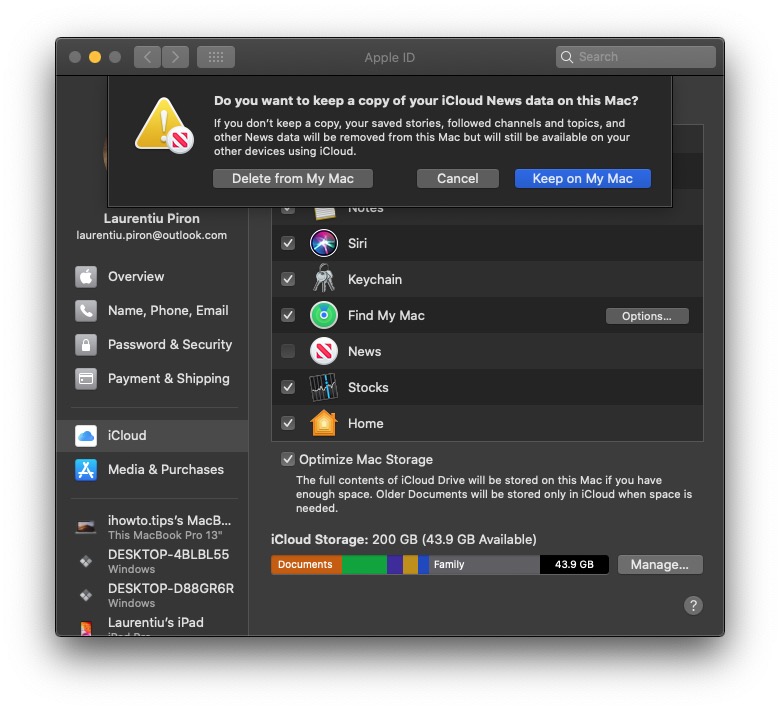
Press ”Delete from My Mac", Close all the applications, then reproach the device. Power Off / Power On.
In the scenario in which it is discharged and on the second device, it is enough to restart devicethe.
After restart, go from the new to the application News in iCloud and select synchronization. Put the indicator on the green.
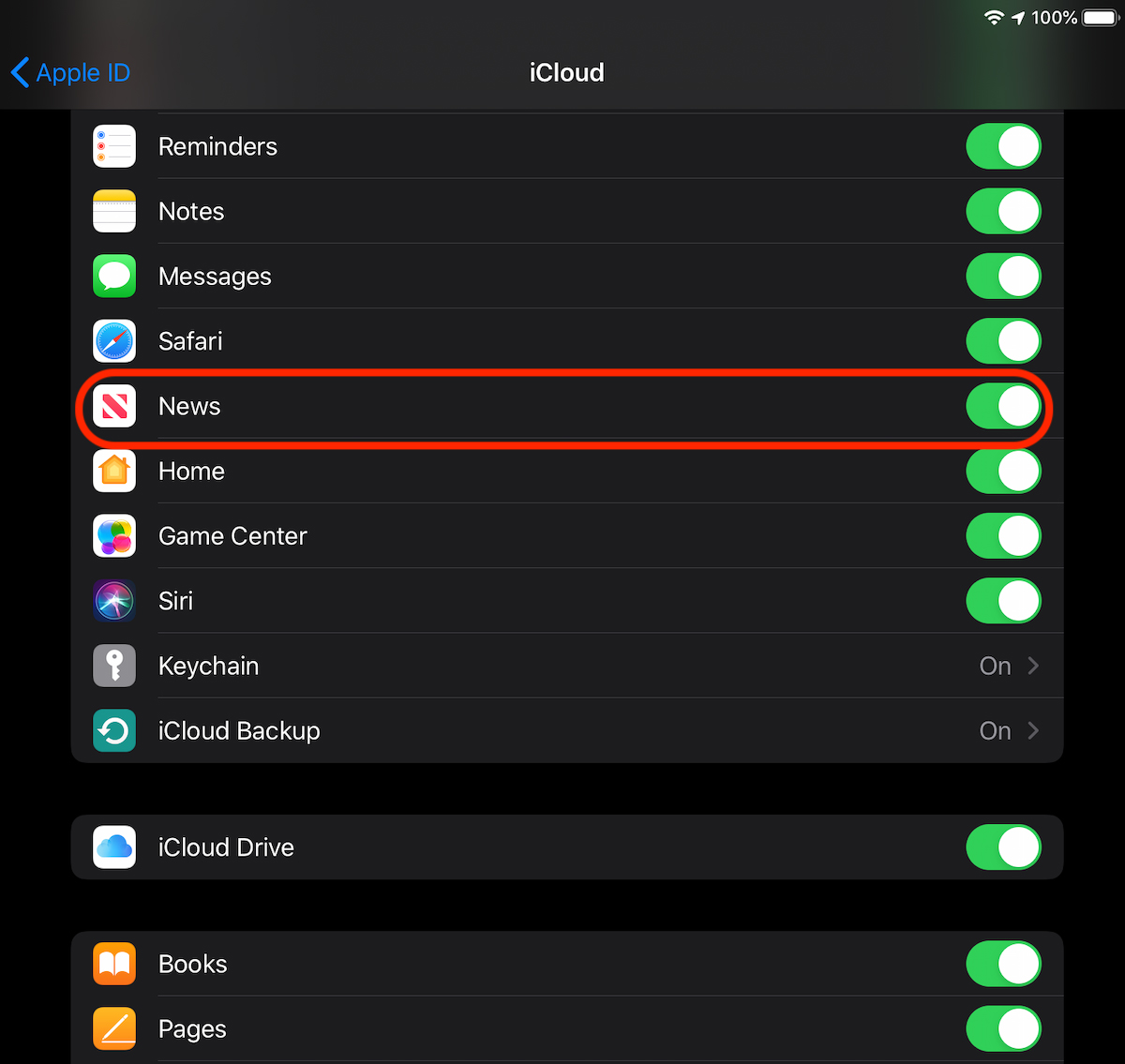
After this step, done on all the devices you have the same iCloud account, synchronization of the flows and preferences of news in the application Apple News It will be done without problems.
It seems that it is currently a bug that does not allow the Apple News / Apple News+synchronization. Unfortunately it persists from iOS 12 and Macos Mojave and up to iOS 13 and Macos Catalina. We hope that Apple will solve this disadvantage in the near future and expand Apple News to several countries.
In order not to talk about discrimination, at least free services should be available in all countries where Apple sells its devices. That if the American company considers that all people are equal and have the same fundamental rights.




































