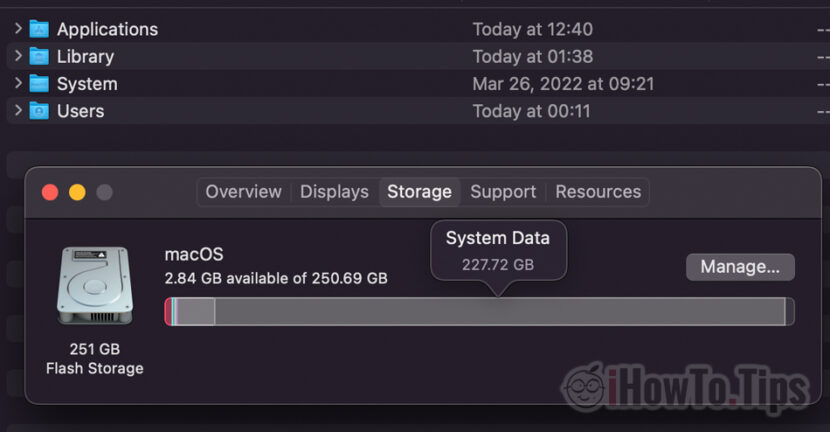

MacBook owners know best how important the space is available on the storage unit Flash Storage. The MacBook prices increase exponentially with the volume of storage provided, which is why most of the purchased devices have storage capacity between 250GB and 500GB. Pretty limited space when we have to keep media content, iOS and maccos backup, other personal files and documents. When files ”System Data"I get to occupy a significant percentage on the hard, it is a problem.
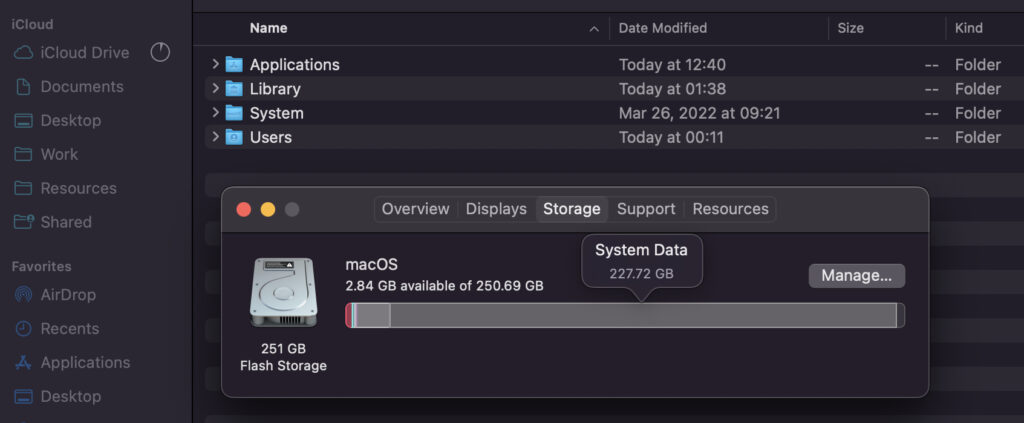
In our scenario, this is a MacBook Pro 2017 15-inch, which at one point, "System Data"It occupies a huge space on the storage unit. Almost 228 GB out of a total of 252 GB.
What are the files "System Data" on Mac and why sometimes it occupies a lot of space on Disk (Huge Storage)
Most of the time "System Data" represents cache of applications or spare (backup) or macos (via time machine). If you are accustomed to frequently connect iPhone or iPad to the MacBook via the data cable, it is very possible to have a backup for the device to be kept on the poppy.
"System Data" can also be composed of parts of applications that are no longer installed on the system, extensions si plug-ins, log files of the operating system and cache.
They can be deleted either manually or with the help of specific Cleaning programs,
In my case (picture above) it is about temporary files (Temporary Files), created following a transfer and rearrangement of a large volume of data in iCloud Drive. The data transferred from another Mac to the iCloud Drive were downloaded to the cache and the MacBook Pro, which led to almost completely the volume on Flash Storage.
If you notice that "System Date" has been a lot of space on MacBook, you should not panic. Even if you start receiving "low space space" alerts. Most likely it is about temporary files that will be deleted from disk after a while.




































