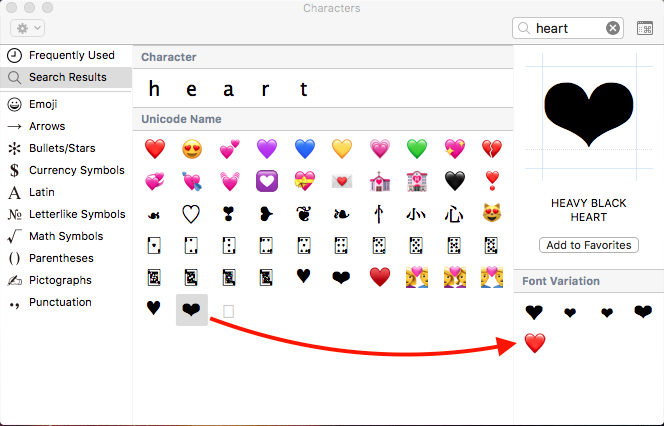

After update MacOS Sierra (10.12.2) from December 2016, a suspicious thing appeared in the application Messages the macOS.
Certain emoticons sent or received messages written on Macbook Pro, are not displayed properly. For example, if we receive a message that includes the red heart emoji (❤️), on the devices iPhone, iPad this one looks right. On macOS, however, it appears as a blank heavy black heart (❤).
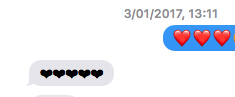
Initially I thought that this was a local error, caused by a conflict with the applications I installed on my MacBook. I don't know exactly why, but that's what I thought. Studying the problem better, and looking for the emoji character sets on macOS, I discovered that the "Heavy Black Heart" emoticon was added (most likely by mistake), and the Red Heart emoticon.

The explanation is simple. Although the first red heart that appears first from the top has the unicode: U+2764 U+FE0F, UTF-8: E2 9D A4 EF B8 8F, who took care of arranging the icons on macOS Sierra 10.12.2, also put a red heart under the unicode: U+2764, UTF-8: E2 9D A4, care in mod normal apartine: HEAVY BLACK HEART.
For this reason, the red hearts in the received messages appear as black in the Messages application.
The solution would be to wait for a new Sierra update, in which Apple will correct this problem.




































