
All over the world there is a general hysteria regarding confidentiality and privacy protection both online and in the comfort of your home or workplace. We don't talk about "5G antennas” from the wire of surgical masks and others chips planted by thermal scanning.
Most of those who are struck by paranoia are intercepted, follow, spied, located against their will, there are people who actually they have nothing to hide, I don't nothing creative, they can't say nothing in society and create these themselves scenarios out of the desire to appear more interesting.
A hysteria was also created with coverage of the web cameras incorporated in the laptop-s, especially after what Mark Zuckerberg would have appeared many months ago in a picture in which one could also be seen laptop with covered web camera. Many have wondered what Mark knows about webcams built into laptops and why he does this. It didn't take long for the example seen in that picture to be followed by millions of users around the world.
It is true that gadgets can "spy" on us and invade our private lives even when we are not paying attention to them and do not press them. Only if we think that an iPhone, iPad, AirPods or Apple Watch are able to answer us when we say "Hey SiriThis means that the microphones of the devices are permanently open and I suspect that many of the words captured from the environment (private, by the way) are used to target online advertisements.
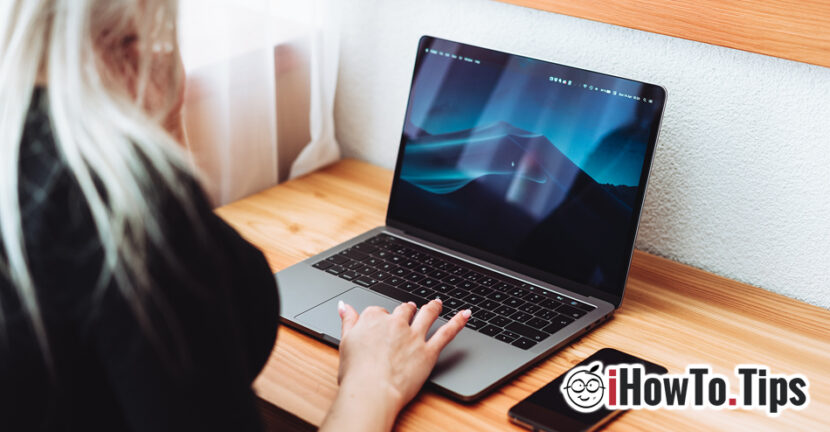
At the beginning of July 2020, Apple gave a assistance document by which he asks the owners of MacBook, Macbook Air or Macbook Pro not to close the notebooks with the web camera covered.
Apple published this document because many MacBook users cover the built-in camera with various plastic covers, silicone materials and other very thick "camera covers". Closing the MacBook cover without removing these camera cover materials may cause damage to the screen. The space between the closed cover and the lower part (the base with the keyboard) having a tolerance of only 0.1 mm (equivalent to the thickness of a standard A4 sheet).
In addition, Apple does not recommend covering the built-in camera during operation. The LED indicator system will be activated automatically with the camera, so the user will know immediately when it is turned on. The green LED lights up as soon as a video call is initiated via FaceTime, Skype or any other service that uses the web camera. If this green light is not present, the camera is not active either.

At the same time, attention is drawn to the fact that near the built-in camera there is also the sensor responsible for ambient light capture. Covering this sensor will prevent the automatic setting of the screen brightness and True Tons. Practically, it will be detected that the ambient environment is dark. and the display light will be reduced automatically.
Worse, some users use tape to cover the camera. It often leaves impurities on the sensors and on the image capture surface. Erasing these impurities must be done with great care, using microfiber din carp and substances that do not affect the surface.
Therefore, it is best to give up the camera cover if you have a MacBook, MacBook Air or MacBook Pro.
Dell, HP, Asus laptop models have appeared on the market that come with "camera cover" built-in. Most of these models are not provided with the "indicator" light to indicate to the users the activation of the built-in camera. In addition, we all know that Windows has a much more sensitive security compared to macOS, and deactivating a sensor or an indicator light can be done by changing the registries and driver parameters. Especially on operating systems older than Windows 10.