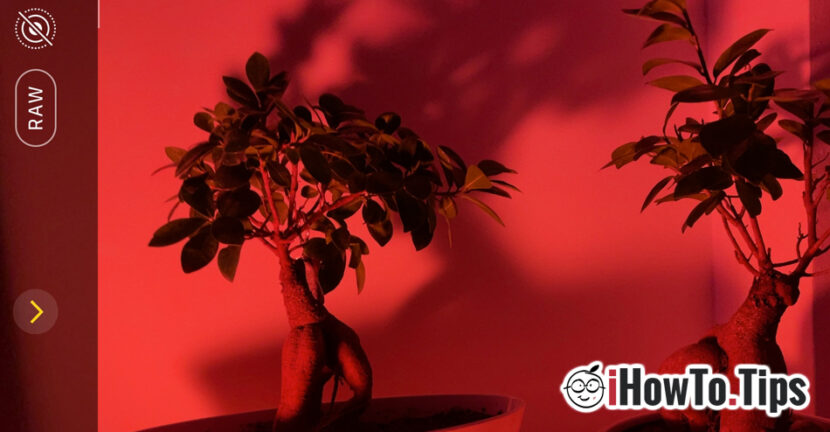

In addition to the type of operating system, the biggest difference between smartphones / iPhones is performance camera / video. Practically, here is the fight between all the smartphone manufacturers and Apple.
With the launch of iPhone 12 Pro and iPhone 12 Pro Max, Apple introduced the format ProRAW for photos. Available only on these two iPhone 12 Pro models and with iOS 14.3 or newer operating system.
Photography enthusiasts know that RAW photo format it offers a much greater range and dynamics of editing an image than a regular JPG or HEIC format. As a brief summary, a RAW photo contains raw form of an image, as it was captured by camera sensor, thus offering the possibility of advanced editing on shades of red, blue green, white intensity and color tones. Another big disadvantage compared to JPG is that the original image is never lost, in RAW format. You can always return to it for editing, without losing quality.
As a short comparison, an image JPGs are 8-bit and contains 265 shades of green, red and blue, that is 16 million colors derived from them, while an image in the format RAW are 12-biti and a capture capacity of 4096 shades green, red and blue. That is, the equivalent of 68 billion colors.
Apple ProRAW is a combination between standard RAW format data and image processing performed by iPhone 12 Pro, thus offering more flexibility in controlling exposure, colors and white balance in photos. iPhone 12 Pro and 12 Pro Max with iOS 14.3 (or later), offers the possibility to capture ProRAW with either camera, even when the functions are used HDR, Deep Fusion or Night Mode. Cannot enable ProRAW mode for Live Photos, Portrait and Video Recording.
We can say without a mistake that Apple ProRAW and the new camera types turn the iPhone 12 Pro into a DSLR camera, capable of professional performance.
How to activate Apple ProRAW on iPhone 12 Pro and iPhone 12 Pro Max
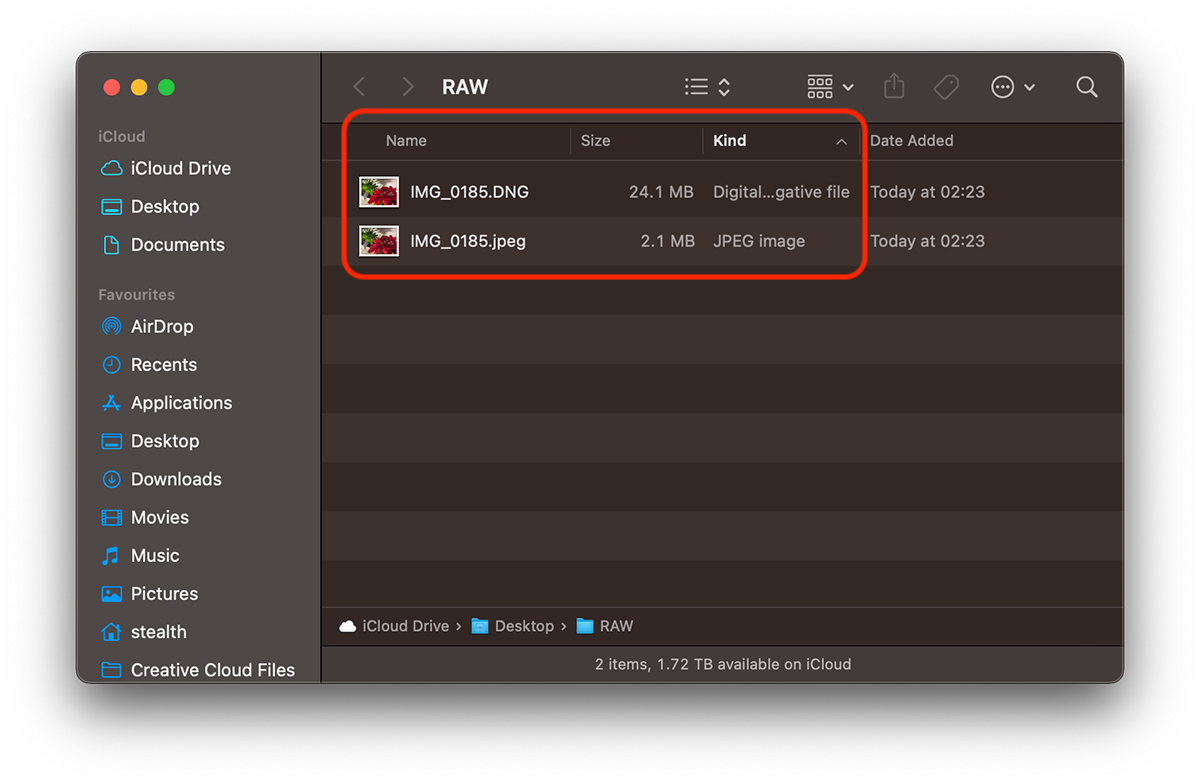
Before you activate the ProRAW format and take pictures with this function, make sure you have a generous storage space on the device or the possibility of immediate upload in iCloud Photos. Compared to HEIC and JPG, the RAW format (extension .DNG on Apple) occupies a much larger volume. It can also be of 10 – 20 times larger than a JPG file. As an example, I took a picture taken by me with RAW enabled. format JPG has no more than 2.1 MB, during raw photography, DNG, arrive at 24.1 MB. Both formats exported from the Photos application of macOS Big Sur.
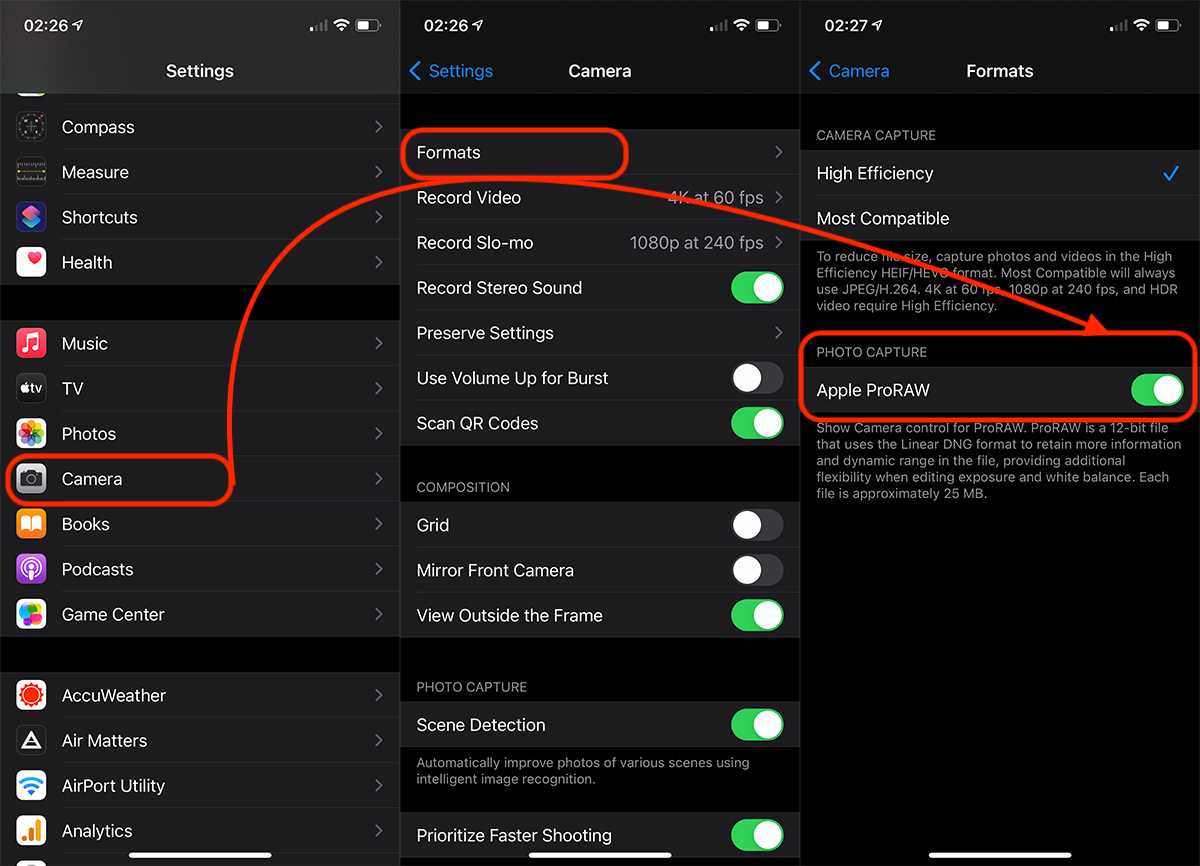
Activating ProRAW is very simple, going to "Settings” → “Room” → “Formats” → “Apple ProRAW“.
Once activated from the settings, open the native "Camera" application, then in the upper left part of the settings bar, enable RAW.
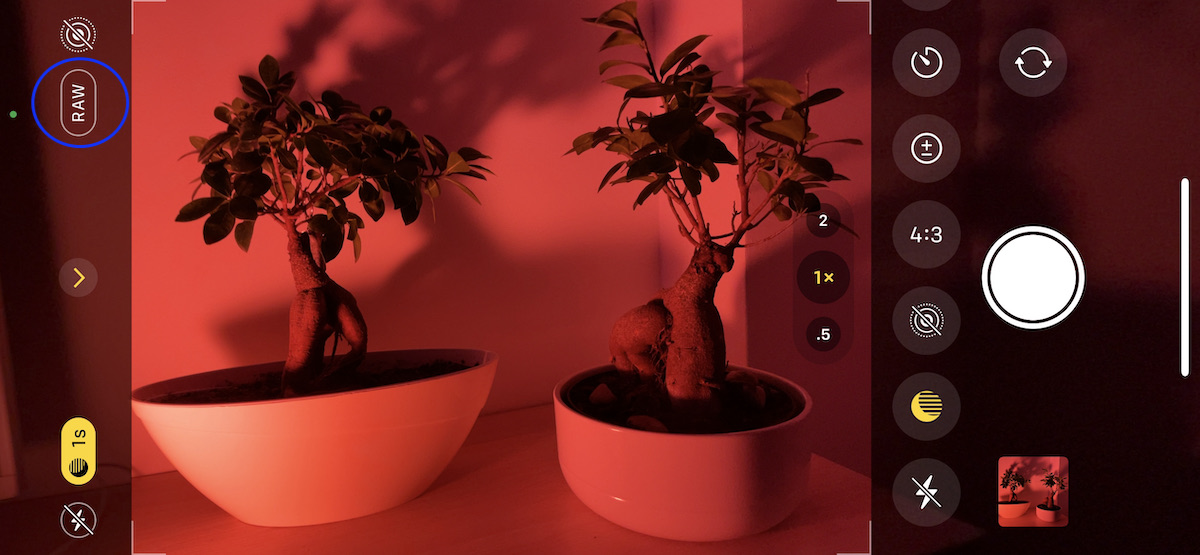
RAW mode will remain active until you completely close the native Camera application. Once the application is reopened, you will notice that RAW is disabled.
Apple ProRAW is not recommended for all photos. If you are on vacation or on a trip, you can use ProRAW when you have to capture a photo that you know you are going to edit in programs like Photoshop or Lightroom. RAW editing is also offered by the native Photos application on iOS and macOS.




































