
On the topic of MacBook batteries, Macbook Pro and Macbook Air There is increasing discussion about the period in years of a battery and How resist a battery during the working process.
It is certain that these times (lifetime in years and working time on the battery) vary from one user to another. The factors that influence the lifespan of a MacBook battery are related to frequency of use laptop and how many have been made right in time cycles of loading and unloading the battery.
Cycles of loading and unloading battery MacBook
Many MacBook utilizarori tin device connected to the power source (plug) when I'm at home or at the office, using the battery only when they are away on trips or other trips. It's not a bad thing.
The battery of a laptop, be it "Made by Apple" or any other, needs charging cycles and discharge cycles. These charging and discharging cycles are: partial or complete.
In the scenario where you only use your MacBook at home and rarely travel, it is advisable to keep it charged as long as you work on it. Even if the battery is 100% charged. Once or twice a week, disconnect the power cord and let its battery download up close to the minimum level. Low Battery. It is good to disconnect the cable every time the laptop is turned off. It is not recommended to leave it connected to the power source when it is turned off. The only exception is when you have a drained battery and you are going to make a trip.
You can also do it three to four times a month cycles of loading and unloading parts. For example, connect the power cable when the battery has 40% left, and disconnect it at 80%.
In principle, a battery lasts longer over the years, when it is used less, but that does not mean that it should not be used at all. It is not advisable to always charge up to 100%, then leave it until it is completely discharged.
We met at Lenovo, a management program (Energy Management) of the battery and energy resources, which used correctly made the battery work decently even after almost 6 years. "Energy Management", developed by Lenovo, did not allow the battery to charge more than 50%, and periodically did Automatic cycles of charge up to 100% and discharge up to 5%. Even if the laptop was connected to the power cable.
It is good to know that when you use a MacBook Pro on battery, the system resources are not used to their maximum capacity. Synchronization with iCloud or with the application Photos it is no longer done in real time, but periodically or not at all. In the case of MacBook Pro with video card (graphic card) there are many scenarios in which it is not used. As a matter of fact, the entire capacity of the CPU is not used, even if the running applications require it.
*The options in this section may differ from one model to another MacBook. MacBook Pro 15-inch 2017, in the model above.
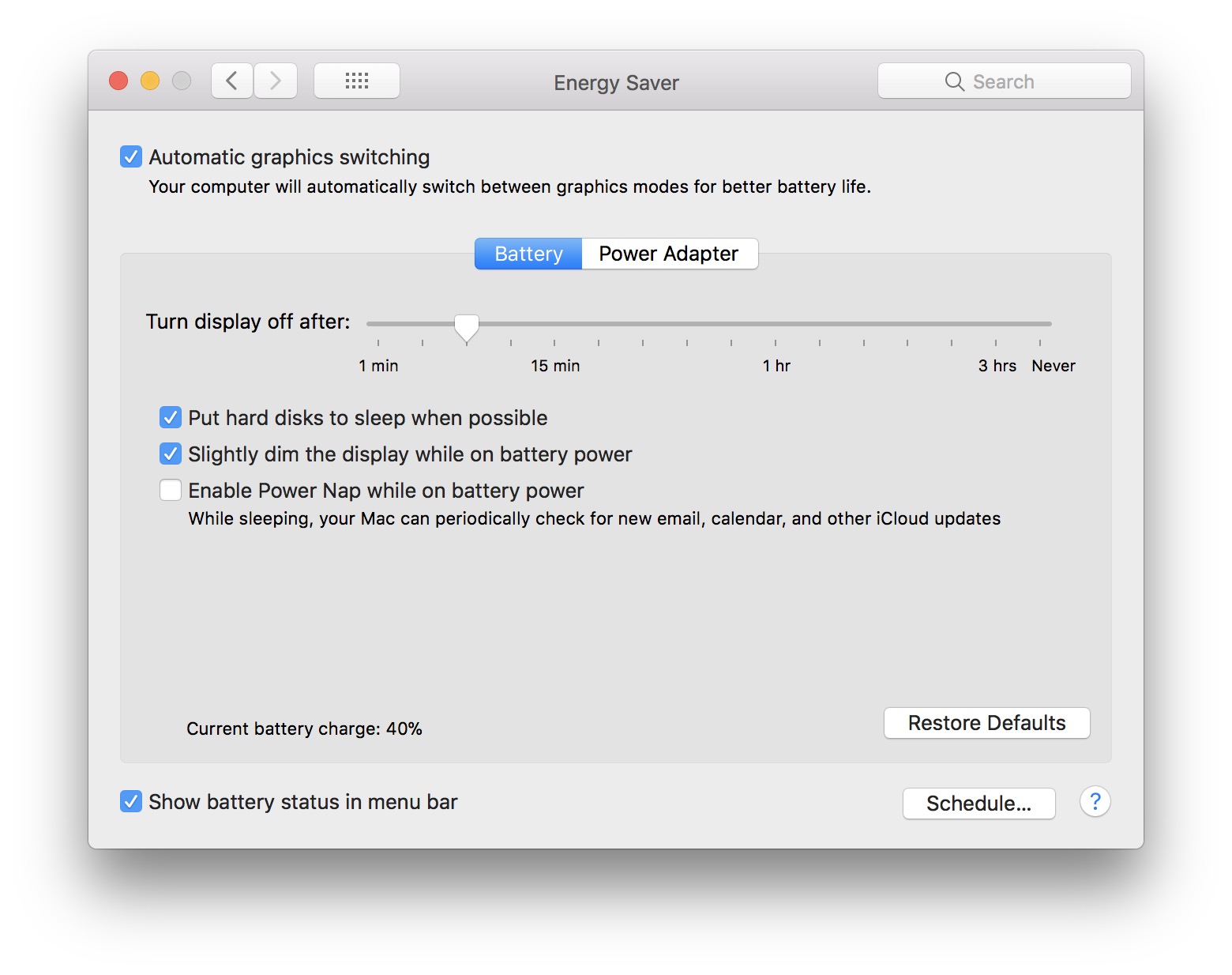 If you want to change these default settings, go to "System Preferences” → “Energy Saver” → “Battery“.
How do we make our battery last longer, when we work on the MacBook or watch movies
With the launch of MacOS Sierra in 2016, Apple stopped displaying the status with "time left" for the battery. The company justified this withdrawal of "time remaining” from the battery status, saying that this time was indicative anyway and many times, the displayed time was higher or lower than the real one.
What we can also confirm is very true.
The time of use "on battery" of a MacBook, depends a lot on applications running at that moment, by the volume of opened files, display brightness, CPU activity and hard drive, wireless connections.
For example, if you run a game, the battery will certainly last much less than when you edit some documents or surf the Internet. Likewise, there will be differences if the brightness is higher or lower. The screen of a laptop is among the biggest consumers of energy. So keep it less brightness if you want your battery to last longer.
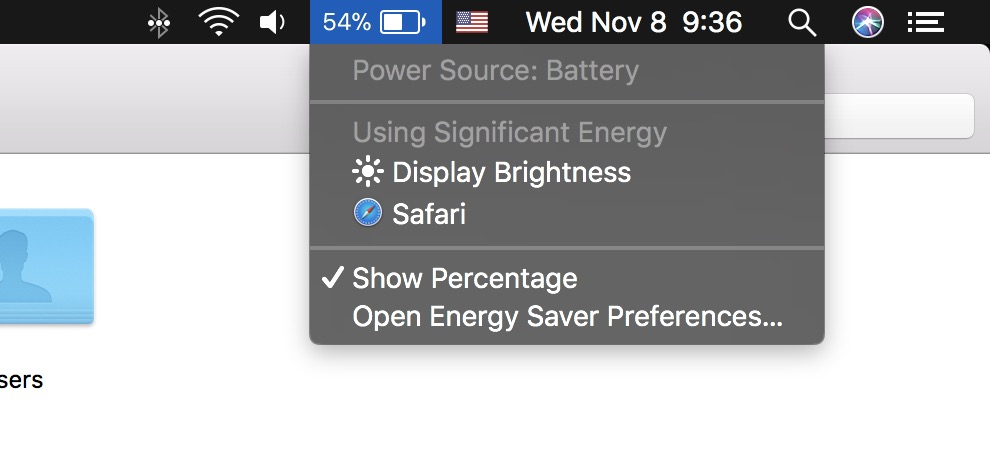
You can also go to "System Preferences" → "Energy Saver" → "Battery", where you can make battery power consumption settings. You can choose for the hard disk to be put on "sleep" mode every time it is possible or you can set after how long to close the display, if you are no longer at the laptop.
In the event that MacBook battery is an abnormally fast download, then it is good to go with him in one Apple certified / authorized service. Even though they are compact devices, MacBook, MacBook Pro or MacBook Air batteries can be changed in an authorized service.





































3 thoughts on “MacBook, MacBook Pro / Air battery - correct use and life time"