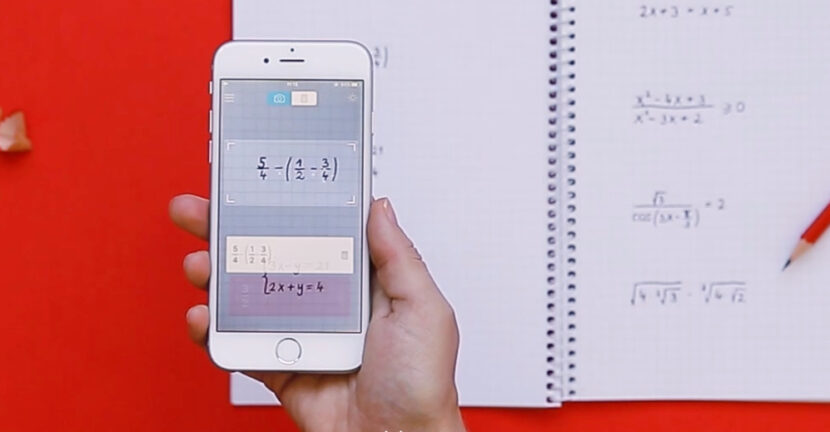

Some of us leave your sorry that we didn't have our a time iPhone or a iPad able to make us all math homework and let us solve problems in collections, no matter how complicated they were.
Until some time ago, the application Computer A iPhone or Android was the only one that could help us with simple calculations. Even if in the "landscape" mode it passes on scientific calculator.
As the technology has evolved and the imagination of developers has developed, "computer" type applications began to appear able to scan a specification sheet of math and solve and the most complicated calculations. Everything through simple scanning.
Basically, if you have written in the topic book, on a sheet or in a collection, an exercise with draws, equations with quadratic inequalities. absolute, linear, cu exponential functions or logarithmic functions And other mathematical madness of this kind, you still have to do is install the application Photomath, open it and scan the port on the page where the exercise you want to solve is written.
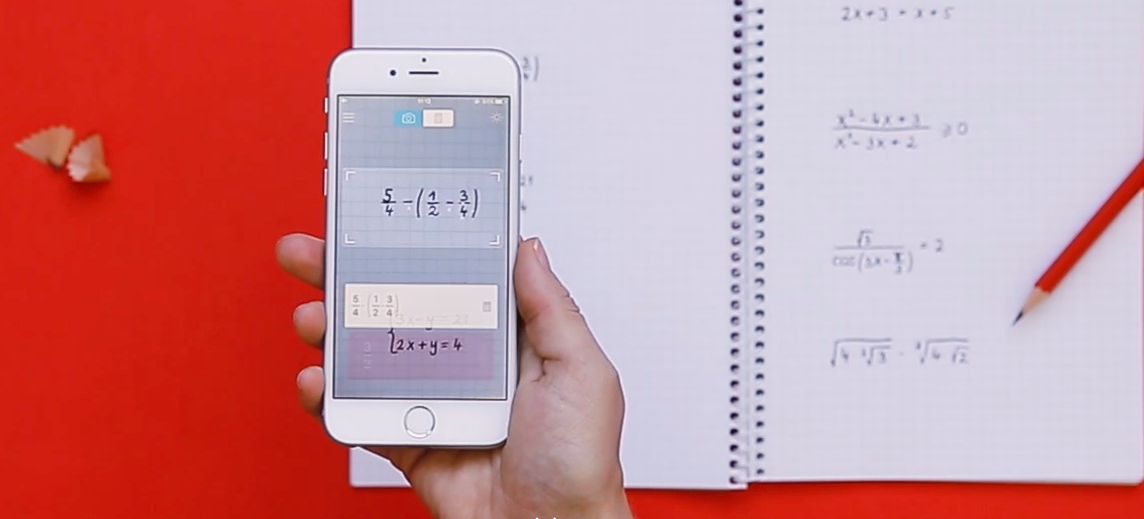
Of course, the application also works if you want to scan an exercise on the PC, laptop or iPad monitor.
Application Photomath, to solve exercises to mathematics, it can be downloaded for free from App Store.
What kind of expressions / earcities can be solved with Photomath
Photomath He has published a PDF file with a list containing example exercises, which can be solved by simply scan with the application. Find the file here. Draws, decimal numbers, algebraic expressions, roots, equations (linear inequalities, quadratic inequalities, absolute inequalities), systems of equations. Logaritmi, Trigonometrie, exponential functions and logarithmic functions, derivatives and integrals.
Download Photomath – App Store and Google Play (Android)




































