
After the release of iOS 11, many owners of iPhone 6S complained that not working touch screenhis answer delay to orders. This problem appeared on devices that had broken screen or detoriorat and it was changed in service-uri unauthorized by Apple.
In iOS 11.0.3, Apple has solved this problem, but also adds a warning for iPhone owners who choose to repair their devices in unauthorized services. Changing a broken screen (you are a touch screen) can only be done with one certificat Apple. If a counterfeit screen / touch screen is used, there is a risk that later, after a software update, it will no longer function within normal parameters.
At the moment, this problem only affected iPhone 6s owners and was solved with an update, but in the future it is not known if other devices will be affected. Therefore, when you take your iPhone in for service, it is good to inform yourself about the components that are changed and their origin.
Addresses year issue where touch input was unresponsive on some iPhone 6s displays because they were not serviced with genuine Apple parts
Non-genuine replacement displays may have compromised visual quality and may fail to work correctly. Apple-certified screen repairs are performed by trusted experts who use Apple parts. See support.apple.com for more information.
In addition to this update, iOS 11.0.3 more resolve and some problems with sound and with haptic feedback (vibrations when touching the screen) on some devices iPhone 7 and iPhone 7 Plus.
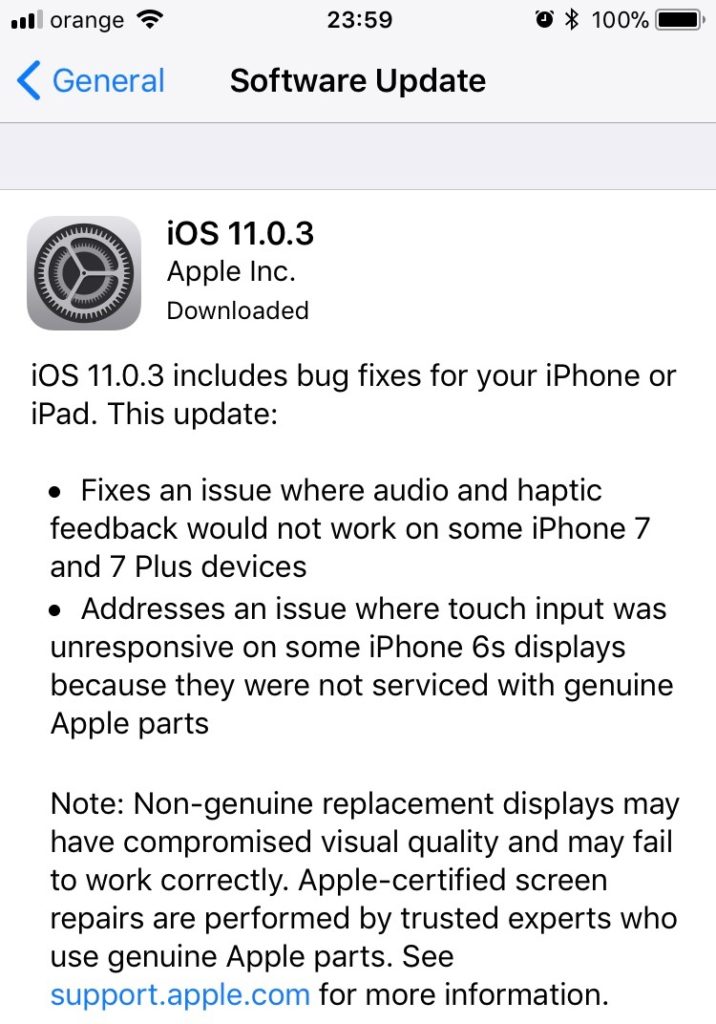
This update can be done on all devices iPad and iPhone compatible iOS 11, from "Settings” → “General” → “Software Update"Or via iTunes. The requirements are: minimum 50% battery and Wi-Fi connection for download.




































