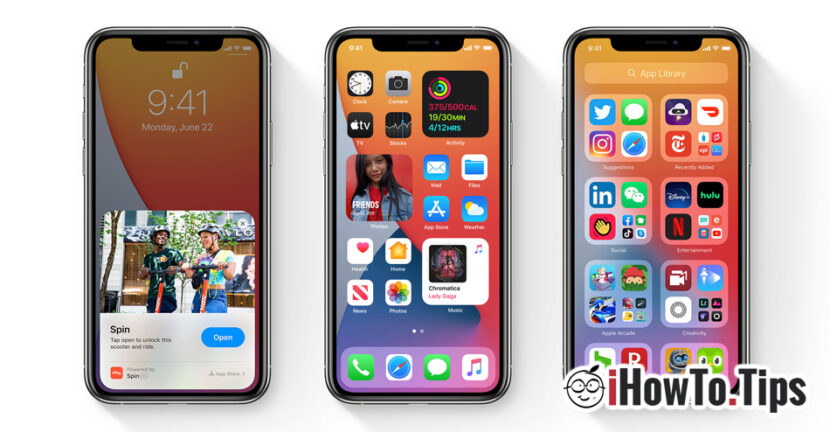

As we expected, at WWDC 2020, Apple revealed the features of the future operating systems for Mac, iPhone and iPad,
Regarding the future iOS 14, for the owners of iPhone we have only good news. Apple brings new features and some UI changes, including: the possibility of adding widgets on Home Screen, App Library, Smart Stack, picture-in-picture, us call notifications and many more.
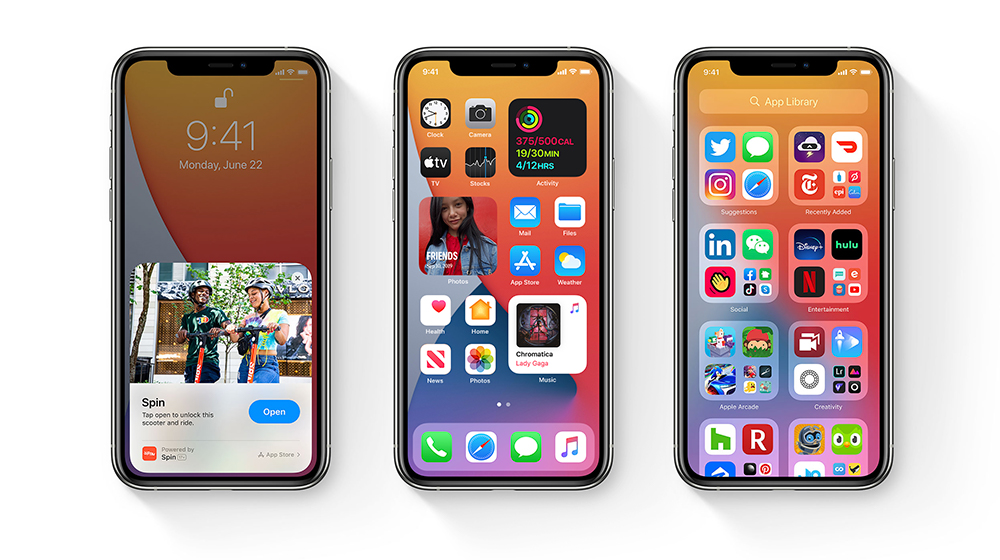
iOS 14 Widgets
If you remember Live Tiles introduced by Microsoft 10 years ago on Windows Phone, you will have déjà vu when you see how the new widgets look on iOS 14. We are not saying that Apple has taken over something outdated. Widgets have been requested by users for many years on the Home Screen IOS, and Apple only with iPadOS 13 started bringing them timidly to the iPad.
With the new widgets added to the Home Screen, iPhone users can quickly see information from Weather, Clock, Calendar, News, Notes, Maps, Fitness, Photos, Reminders, Stocks, Music, Podcasts, Tips, Batteries, Screen Time, Files, Siri Suggestions, Shortcuts or from other applications available in the App Store.
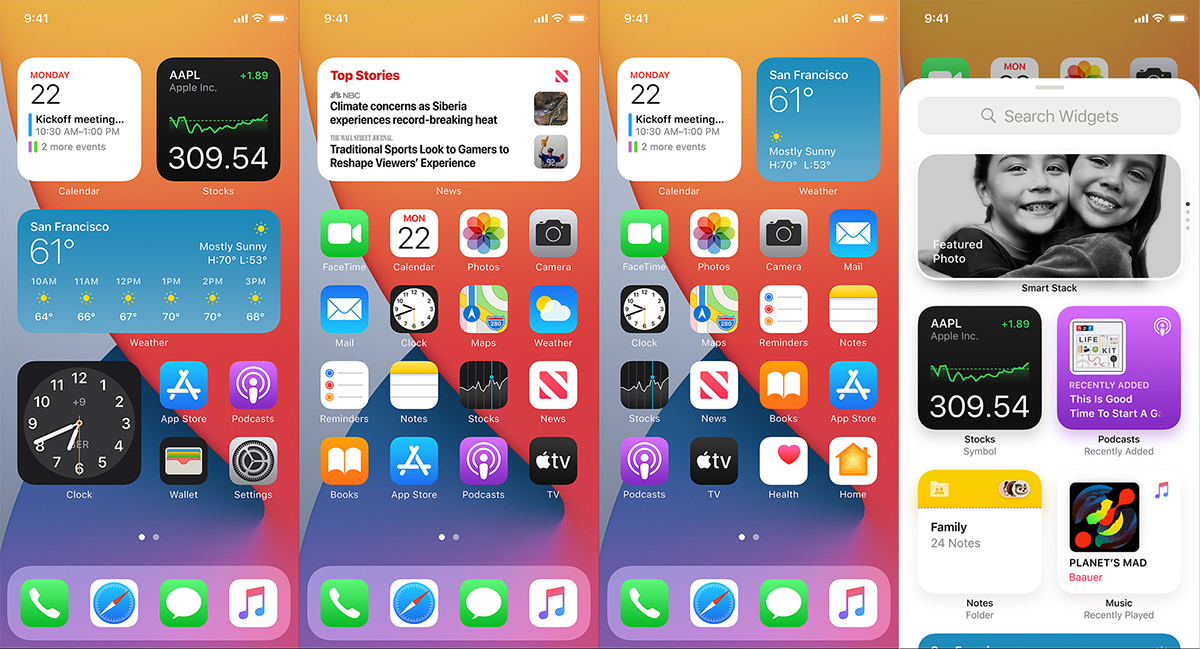
The widgets can have adjustable sizes and can be placed in any area of the screen, at the user's free choice.
With Smart Stack the widgets of the most used applications can be automatically added, depending on the hours and days. They will be automatically displayed in the Smart Stack area set by the user.
App Library
Currently, the organization of applications on the Home Screen can be easily done in folders, but the user's intervention is needed. With iOS 14, applications can be automatically sorted into folders, depending on the specifics of each application. Thus, folders can be created automatically for social media, news, productivity, photo and video applications, etc.
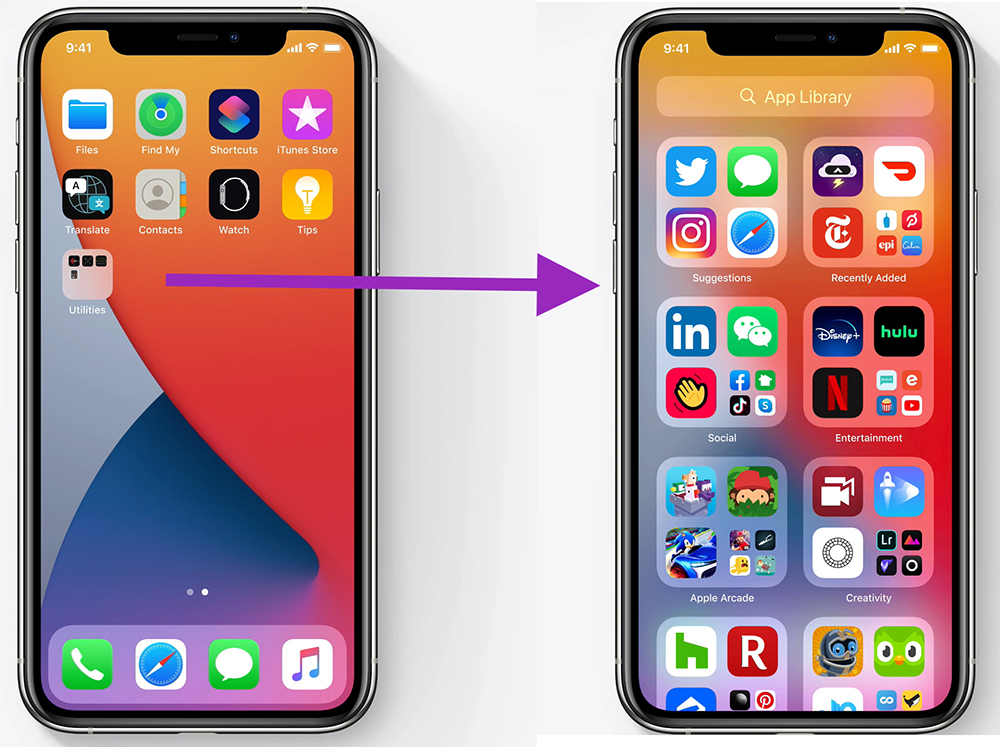
This organization of applications by folders will be present at the end of the screen pages. Applications will be automatically sorted according to characteristics as well as according to usage criteria.
Compact UI (Apleuri, FaceTime and picture-in-picture notifications)
iOS 14 also comes with a redesigned notification system for calls received on iPhone. This new notification system lets free screen when we receive a call, so that it will not interrupt the reading of a content, a game or any other activity done on the iPhone at the time of receiving a call.
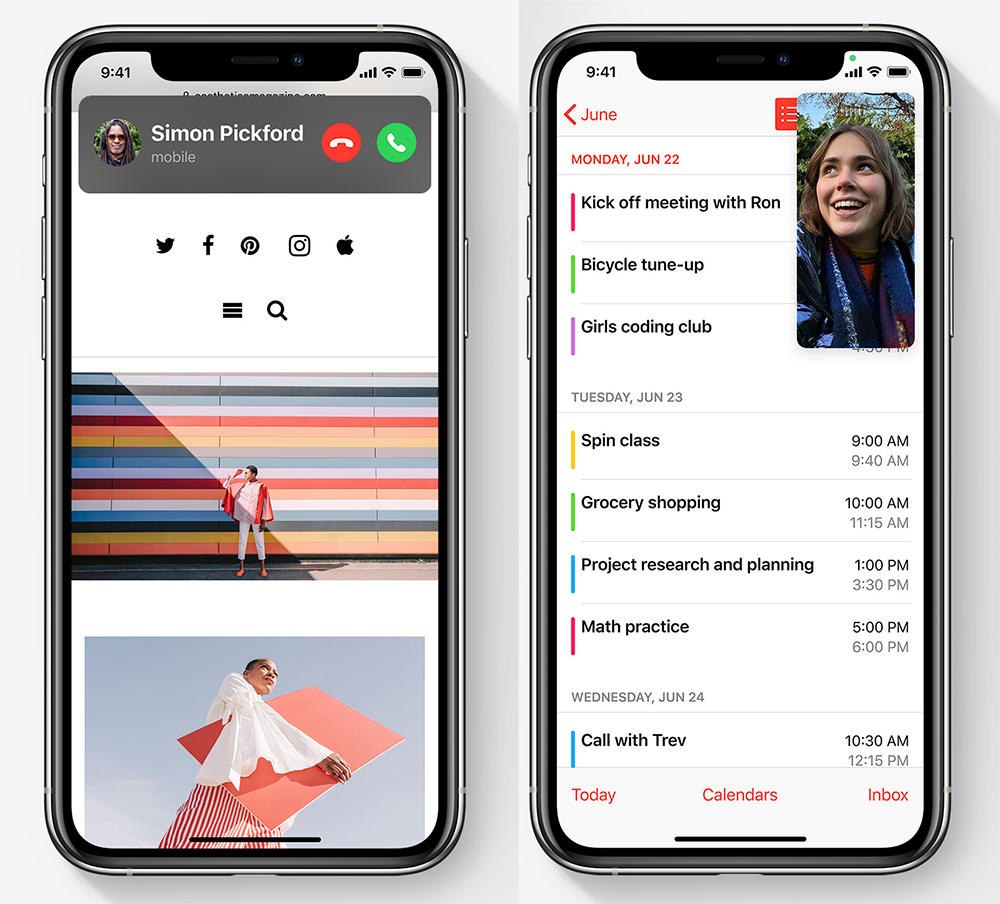
With picture-in-picture we can take a video call on FaceTime or from another application (e.g. Facebook, WhatsApp) while running an application, without being interrupted. The image from the video call can be moved to any part of the screen, depending on the user's preferences.
However, there is a problem here. If the notification system for incoming calls remains at the top of the screen, the user will need both hands to answer the call. It will be quite complicated to reach the top of the screen with a finger of the hand holding the iPhone.
Messages (iMessages)
Certainly, Messages is the application that will receive the most consistent upgrade with the release of iOS 14.
Most of the features (if not all...) we could say are "copy/paste" from Facebook's WhatsApp application. The possibility of initiating group conversations, personalized picture for groups, pin conversations and groups to keep them at the top of the message list, inline replies for conversation participants, reply to a text in the conversation, mentioning a participant and pretty much everything WhatsApp has in chat options for groups. Of course.. you can send media files, office files and many others.
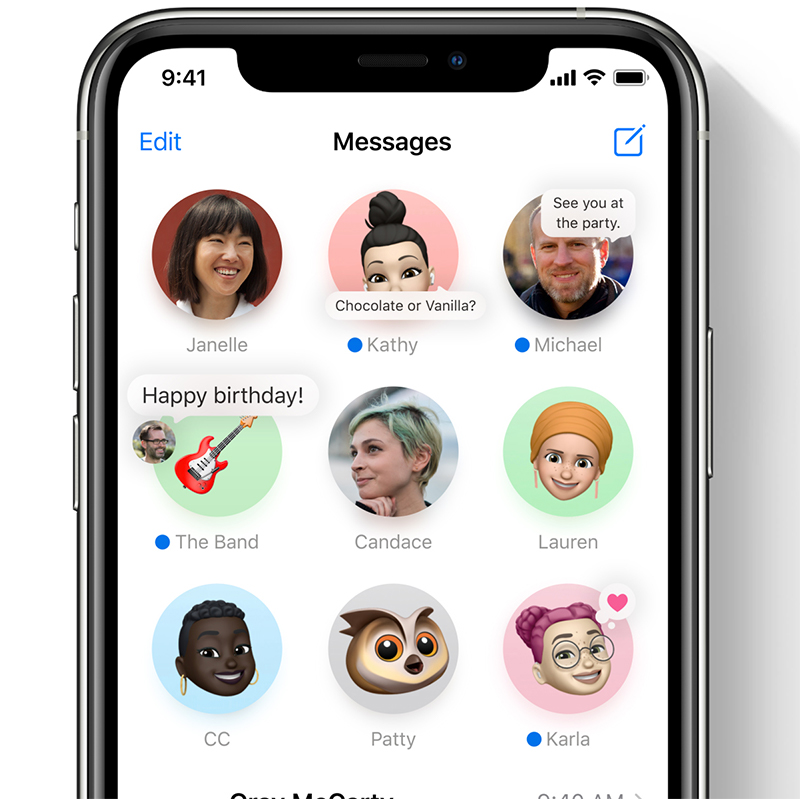
With iOS 14, new customizable Memoji will be introduced. Users can create their own Memoji to express various states.
Translate in iOS 14
It's Apple's turn to enter the market with its own translation system. We do not know if it is entirely developed by Apple, but it will be the first Translate system present on iOS.
The application allows voice translations in 11 international languages, translations of web pages accessed in Safari, text and dictionary translations.
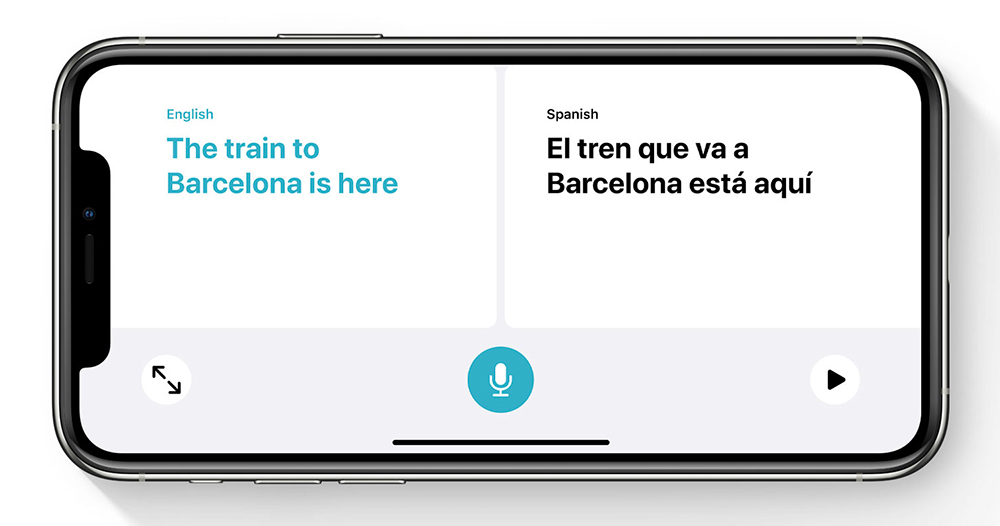
Users will have the opportunity to download the translations of the languages of the countries they are going to travel to, so that they are also available offline. No internet connection.
In addition to these new features, Apple will bring upgrades to the applications/services: Home, Siri, Shortcuts, Safari, CarPlay.
The new iOS 14 will be available in a public beta version starting in July, and from the fall, for the general public in the final version.
iOS 14 will be compatible on: iPhone 11, iPhone 11 Pro, iPhone 11 Pro Max, iPhone XS, iPhone XS Max, iPhone XR, iPhone X, iPhone 8, iPhone 8 Plus, iPhone 7, iPhone 7 Plus, iPhone 6s, iPhone 6s Plus, iPhone (1st generation), iPhone (2nd generation) si iPod touch (7th generation).





































1 thought on “iOS 14 – Widgets, Messages Group, App Library, Translate & New Look"