
Starting from the fall of this year, iPad tablets they will say "goodbye" to the operating system iOS. It will remain available only for iPhone devices, while for iPad there will be one dedicated operating system, called: Ipados.
Being derived from the future iOS 13, iPadOS will start from the same version number. Ipados 13.
iPadOS comes with new features and with powerful applications designed for Multi‑Touch display. Multitaskingul it becomes simpler and with intuitive gestures, thus increasing user productivity by iPad. An operating system that will do More powerful iPad and with more capabilities.
General iPadOS specifications
Split View & Slide Over – Multitasking
As I said above, the new iPadOS is focused on productivity, which implies increased support for multitasking.
Users will be able to open an application in several windows and to work simultaneously in two separate fields, through character Split View.
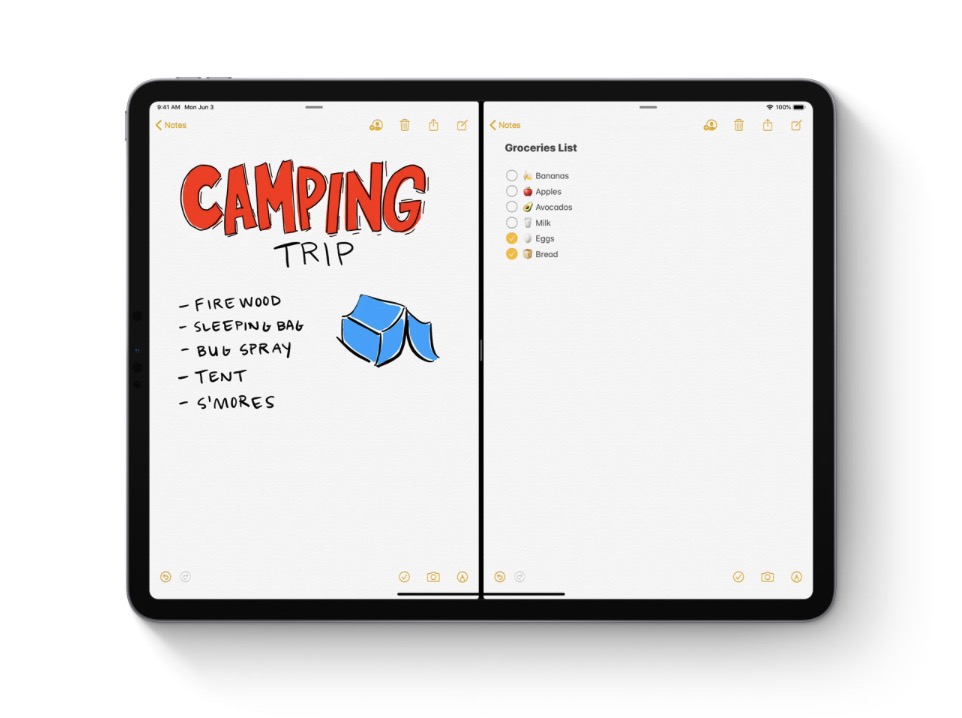
This function can also be used to open two documents in Pages or Numbers, for example, in which to work simultaneously.
The new iPadOS will also bring the feature Slide Over, which will allow the user to navigate in other active applications, other than the one opened in full screen. A very fast access to the active applications, even if we have another one open on the whole screen.
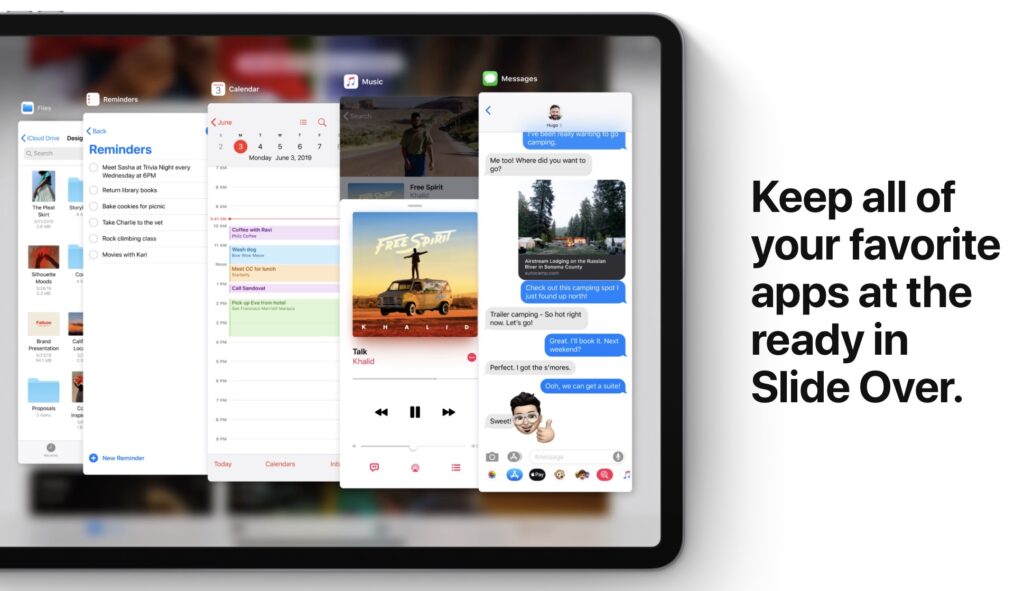
Home Screen – Widgets
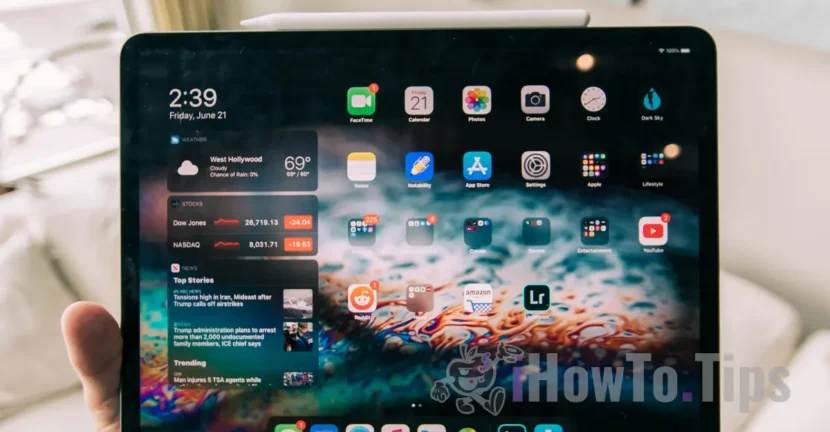
And Home Screen redrawn in which we find widget support.
Finally! If on the iPhone the space is limited by the narrow screen, for the iPad a Home Screen was really needed that would allow something other than application icons.
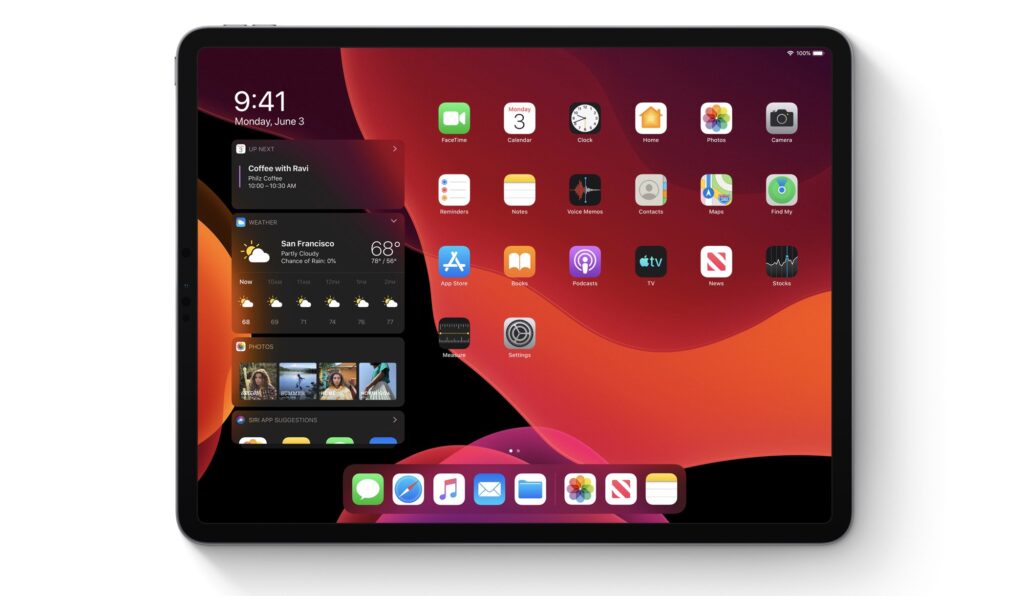
iPad users will no longer have to swipe the Home screen from right to left to reach the custom fields with widgets. They will be visible immediately after unlocking, on the first screen, next to the applications.
Just like the widget spaces until now, these too they can be customized. Users can add in this space information provided by third-party applications, other than those created by Apple, they can add calendar, reminder, weather, quick access to photo albums, playlists and many others.
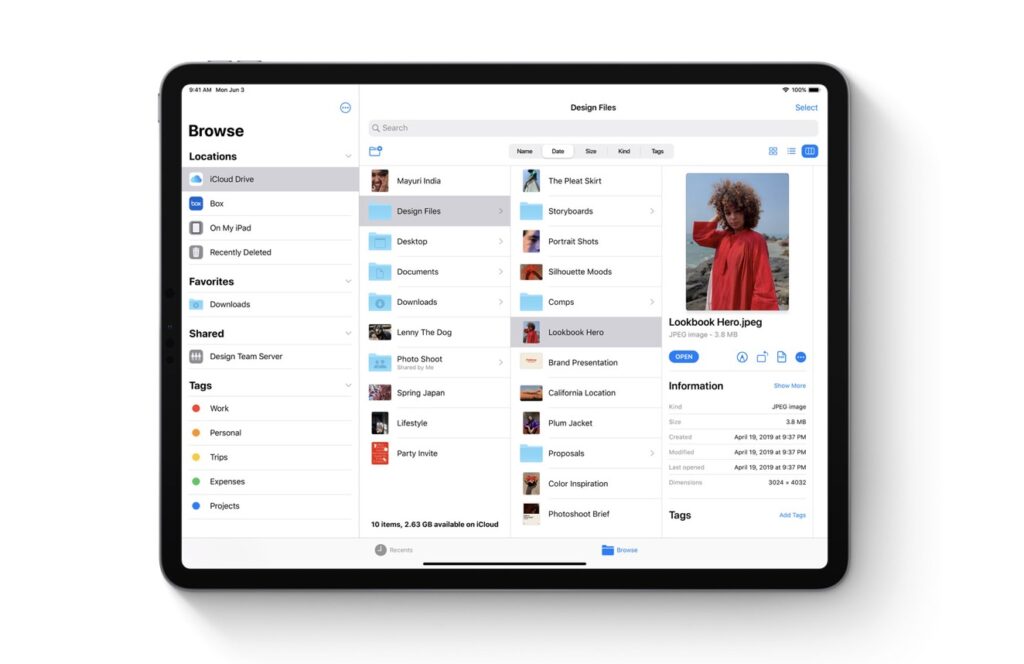
Files and Support connecting an external hard disk, SD card or USB Drive to the iPad
The new iPadOS allows iPad owners to connect external hard drives, SD Card-uri, USB Stickor other data media external to the iPad. The files will be able to be accessed very quickly through the application Files. Application that had new features, such as: remote server connection support, external drive access, PC file access, via LAN and of course support for files from iCloud Drive.
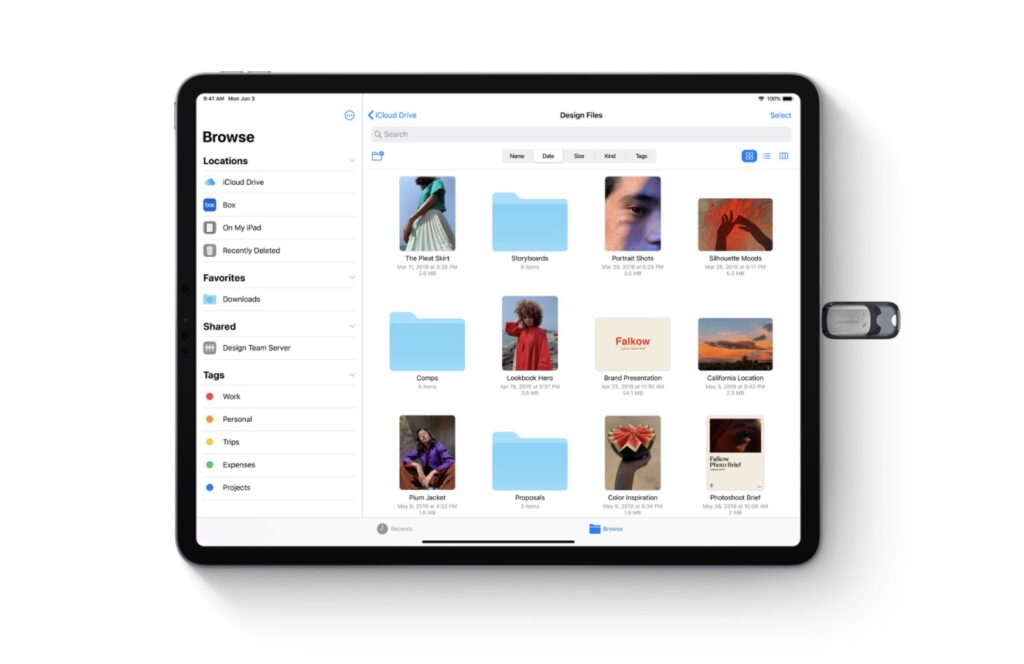
Currently, there is a very good synchronization of the Desktop and Document folders between all iPhone, iPad and Mac devices, via iCloud Drive. This will be greatly expanded with iPadOS. A new listing of folders and files in columns, similar to the one on Mac, the possibility of previewing files and images in HD format, dedicated sharing folder, sorting and labeling options, etc.
Safari – Desktop-class browsing
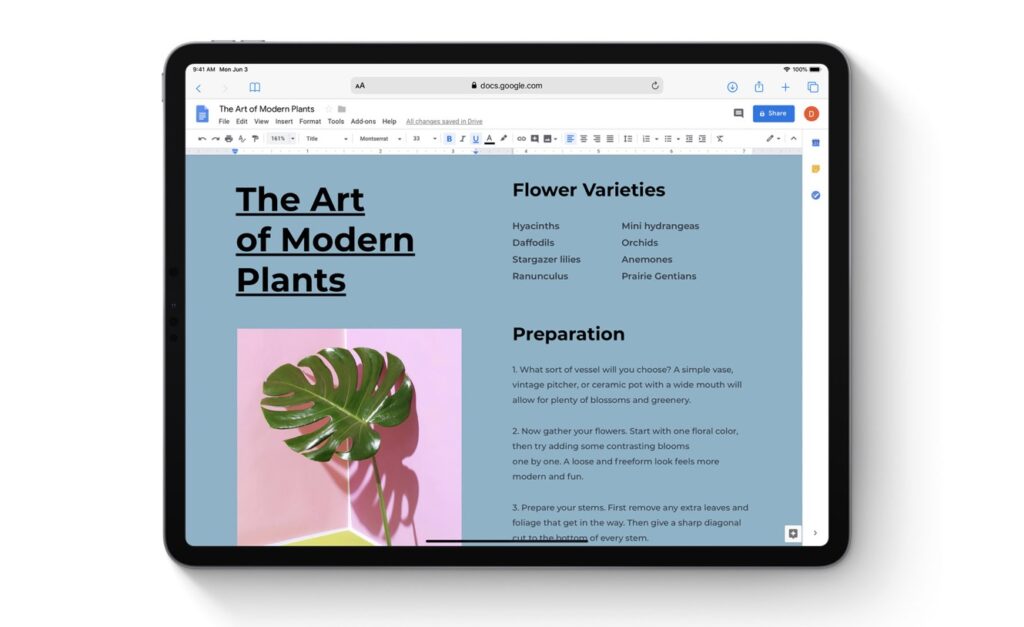
Browser-ul Safari will undergo a major change. Websites will be displayed in the desktop version, scaled for the large iPad screen and optimized for touch. Thus, web applications such as Google Docs, Squarespace and WordPress, directly from the iPad.
One will also appear Download Manager which will allow you to download files through Safari, directly in the "Downloads" folder in Files.
Editing Text in Documents on iPadOS
Text editing goes to another level. The new iPadOS will allow gestures for: copy, pasta, undo and for other editing functions.
Copying and pasting the selected text from a document will be easy, with a single swipe with your fingers.
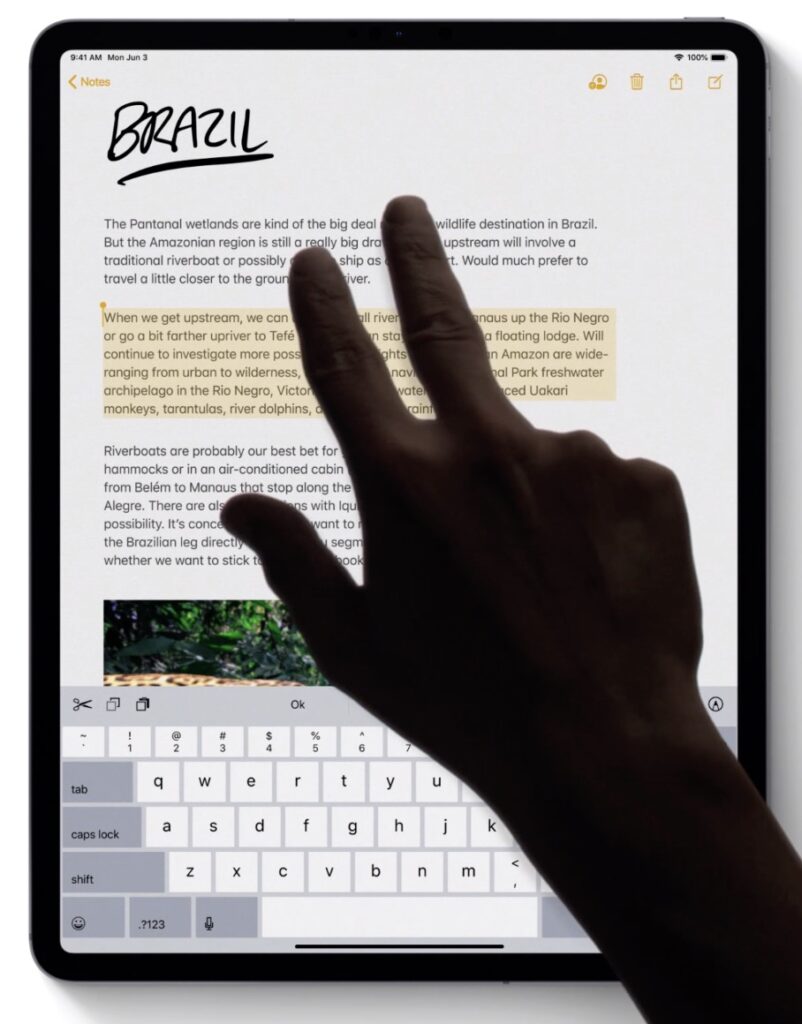
The navigation of the cursor in the text, the multiselect function and the intelligent selection of a paragraph are improved.
iPadOS Keyboard – QuickType, QuickPath Typing si Smart Keyboard Shortcuts
I admit one of the big drawbacks on the iPad is the virtual keyboard. I never understood why it has to take up almost half of my screen when I need it.
The new iPadOS introduces many new keyboard features.
Floating Keyboard – A keyboard QuickType which will open over the applications and can be moved anywhere on the screen. In addition, it will be introduced QuickPath Typing. The user will be able to write a text with a single touch of the virtual keyboard. You slide from one letter to the next, without lifting your finger from the screen.
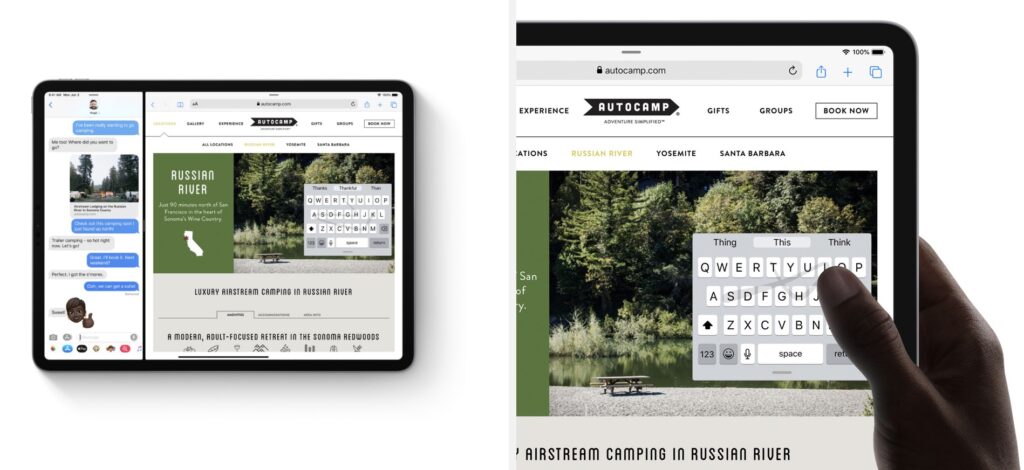
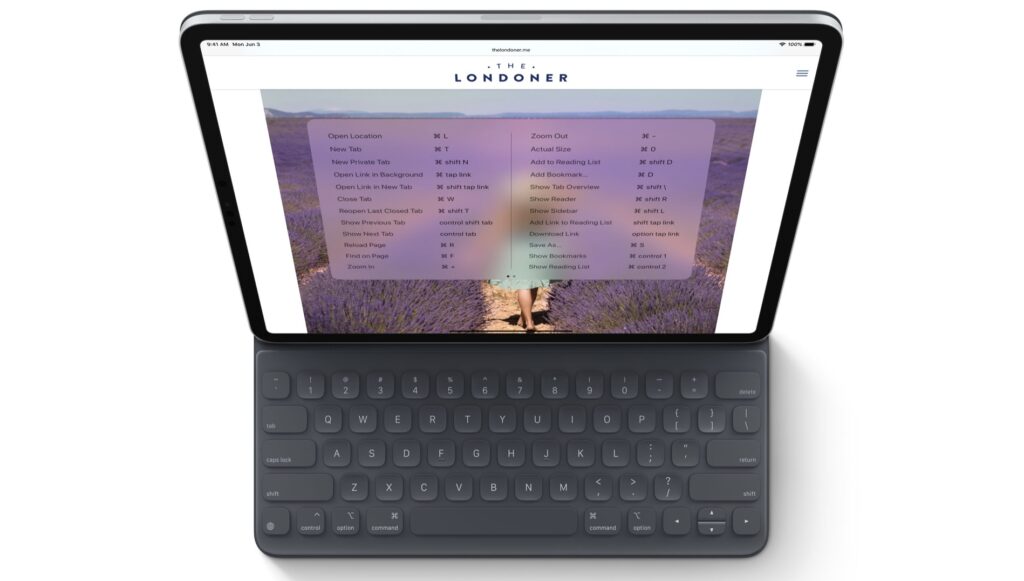
The physical keyboard will support a large number of shortcuts for Safari but also for working with documents.
Fonts – Install fonts from the App Store
As a novelty for an Apple mobile operating system, it is possible to install new fonts. These will be available in the App Store and can be used in documents, graphic editing and other applications that allow adding/editing text.
Photos, edit photos and videos
The Photos application will also receive a major update, which will be able to offer us the best captures from a library and eliminate duplicates from smart libraries. At the same time, you will know how to automatically sort the pictures according to events and trips.
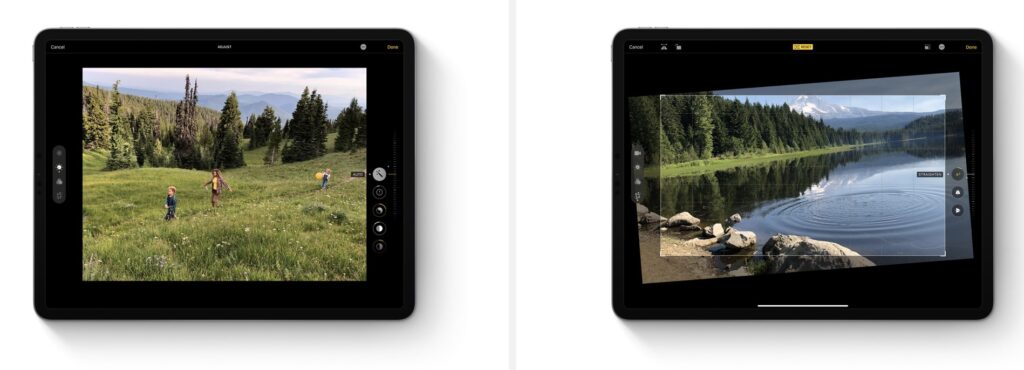
Video editing it will be improved and so will the photo. They can crop, rotate and adjust filter settings for both photos and videos.
Dark Mode
Perhaps the most anticipated update of macOS was the introduction of Dark Mode. Apple did this with macOS Mojave, and now it extends this interface to iPad and iOS devices. With iOS 13 and iPadOS, devices will support dark mode, both in native applications, settings, menus and in applications developed by third-party developers.
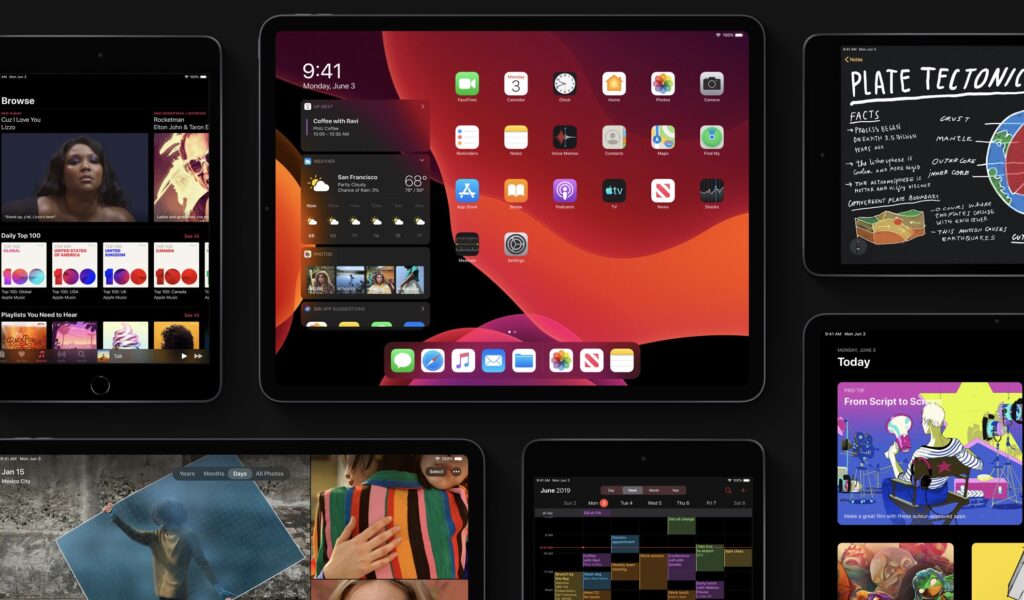
Dark Mode can be activated / deactivated directly from the Control Center or programmed, depending on the hours and sunrise / sunset. Switching from normal to dark mode will affect both applications and the display of wallpaper images. For the latter there is a setting that keeps the wallpaper at the normal color range and brightness.
Sidecar – Extends your Mac / MacBook desktop to your iPad
Mac and iPad owners will have a great experience with the launch of the new macOS Catalina and iPadOS operating systems. These will allow extending the Mac screen to the iPad. More details about Sidecar can be found in This article.
Surely all these changes come to reinforce what Apple said a long time ago. The company's intention to bring iPad tablets to the level of mini computers, capable of replacing a laptop.
If we add the support for mouse, game controller, joystick and other accessories, we have the complete picture of a touch laptop, Apple brand.