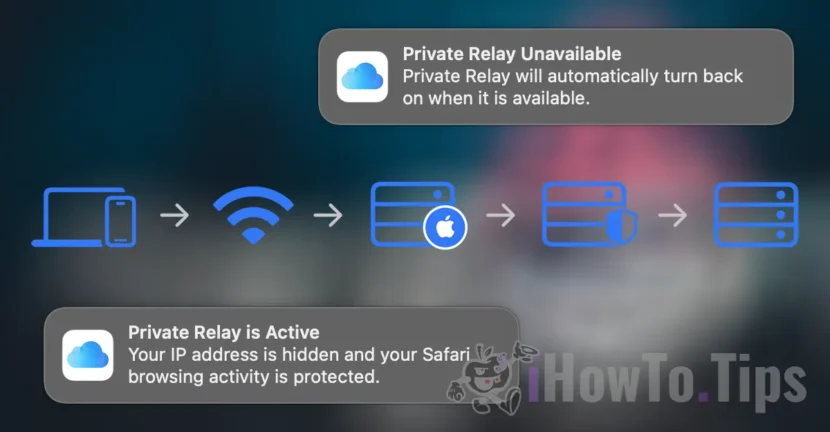

Private Relay is the service offered by Apple to improve the online confidentiality of users who have an iCloud+subscription. Although it is a very useful service, this is sometimes the main cause of connectivity problems on Apple devices, such as Mac, iPhone or iPad. Basically, although the internet connection is stable, the user may be able to access the web pages in the Safari browser or access the ICloud email service.
Table of Contents
How Iloud Private Relay works on Mac, iPad or iPhone
Normally, when browsing the Internet, the information contained in your web traffic, such as DNS records and IP address, can be visible to your network provider (Internet provider) and for the sites you visit (the site administrator). This information could be used to determine your identity and to build a profile of your location and your browsing history.
Icloud Private Relay aims to protect your privacy, making sure that when you browse the web in safari, no entity (not even Apple) can see both who you are and what sites you visit.
When private relay is activated, your requests are sent through two separate and secure internet relays.
Your IP address is visible to your network supplier and for the first relay, operated by Apple. Your DNS records are encrypted, so no part can see the address of the site you are trying to visit.
The second relay, which is operated on by a third-party content provider, generates a temporary IP address, decrypts the requested site name and connects you to it.

iCloud Private Lay. Possible cause of connectivity issues on Mac
Being a system that uses relay servers to encrypt web traffic, this means that if one of these servers has connectivity problems, it is very possible that you cannot access web pages (at least with safari), even if the internet connection is good.
Normally, the private relay service automatically disables when something does not work properly, so that the user can continue to browse the web. Also, a notification appears on the devices.
Private Relay Unavailable.
Private Relay will automatically turn back on when it is available.
However, there are situations where the service does not disable automatically, and the user has connection problems when sailing on the web.
If the Internet works but you can't access web pages or have problems with the iCloud Mail service is best to visit the page that looks the status of Apple services. Icloud Private Relay can be a possible cause of connectivity problems on Mac, iPhone or iPad.
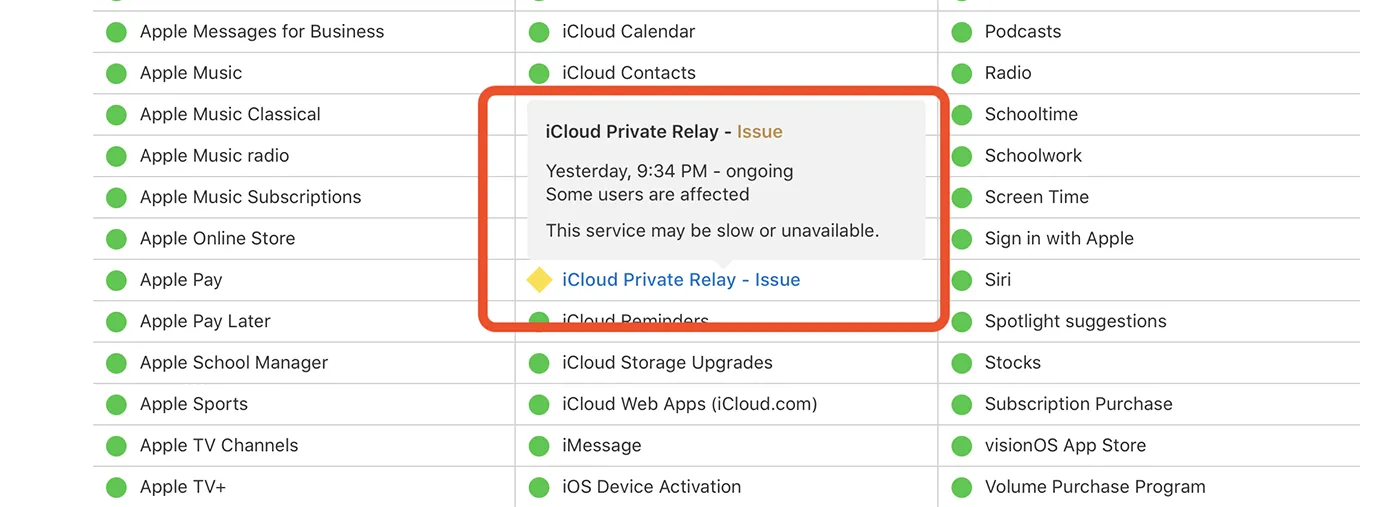
In this case, it is best to manually disable private relay, until the service is available again and can provide you with satisfactory internet traffic.
Related: How do we activate or deactivate limit IP Address Tracking for MAC connections
How can private relay disable for safari
1. Open safari, then go to your browser settings.
2. From the section of privacy settings (Privacy), disperse the option ”Hide IP address“.
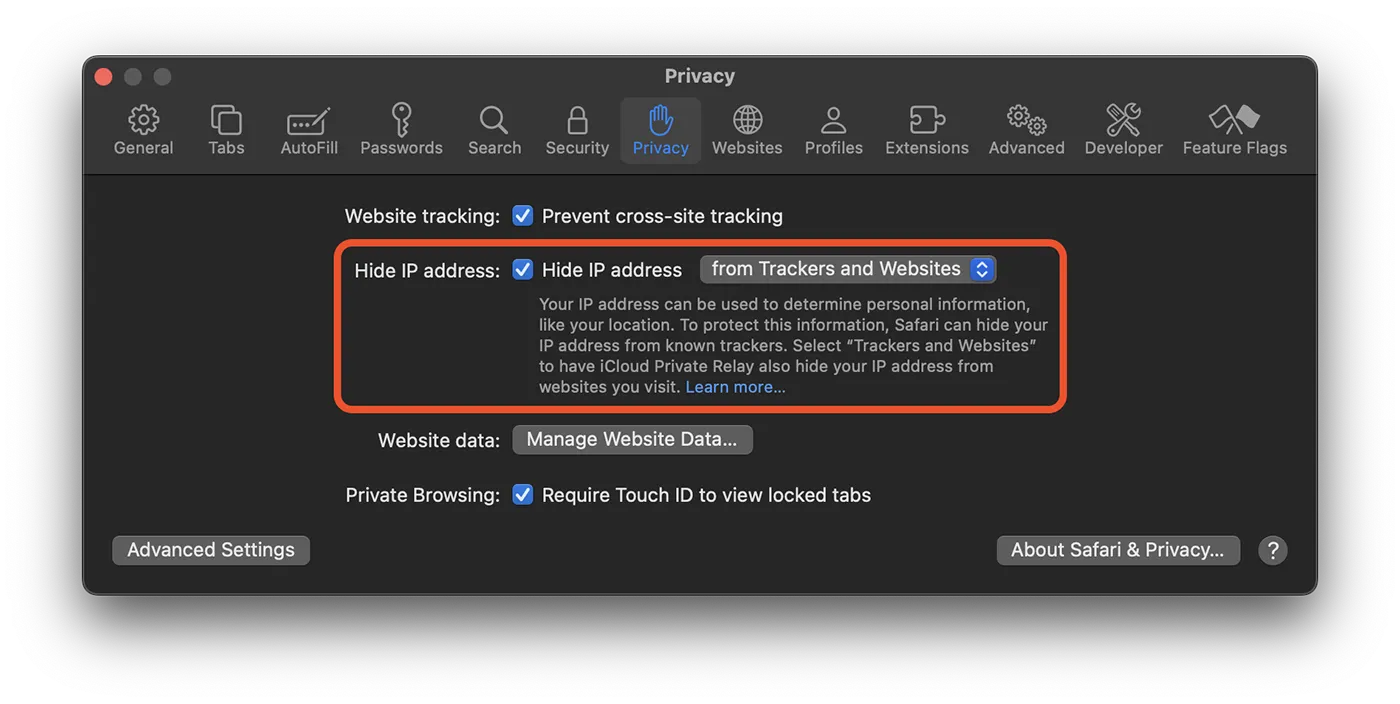
After this step, even if the private report service is activated, it will not be used by the Safari browser, and the web pages can be accessed.




































