

This tutorial will show you how to reduce mobile data usage on your iPhone, iPad, iPod touch. Thus you will have a lower consumption of mobile data and a longer duration of battery use.
The biggest consumers of mobile data are undoubtedly the applications that serve us media content. Movies, videos and live TV broadcasts. But apps don't consume mobile data only when they're open. WhatsApp, Facebook, Threads, Instagram, TikTok and more, consume mobile data when running in the background. Background.
iOS 11 brought a lot of news. Changes to both the interface (UI) of some applications developed by the Apple company, as well as new functions and options.
One of the most useful options introduced with the release of iOS 11 was to help owners of iPhone, iPad, iPod touch to reduce the consumption of mobile data – mobile internet traffic.
As is known, most providers of mobile phone, offers subscriptions with limited volume database 3g / 4G, and a consumption over limit subscription lead to additional costs or to the significant reduction of download speed / upload.
How do you reduce the consumption of mobile data on the iPhone, iPad?
In addition to the applications actually open on the iPhone, iPad or iPad touch devices, data traffic and battery power are also consumed by applications running in the background. Apps that support this feature can refresh their content even when not opened by the user.
This function (Background App Refresh) is used by apps to refresh their content so that when you open the app, it provides you with updated content.
Related: What does background app refresh on iPhone or iPad - activation and deactivation
It is a relatively useful feature, but it consumes some amount of mobile internet data and device battery power. A good idea is to reduce mobile data consumption on iPhone by enabling “Backgroud App Refresh” only when the device is connected to a Wi-Fi network.
You can find the function on both iOS 10 and iOS 11 in the menu: Settings → General → Background App Refresh.
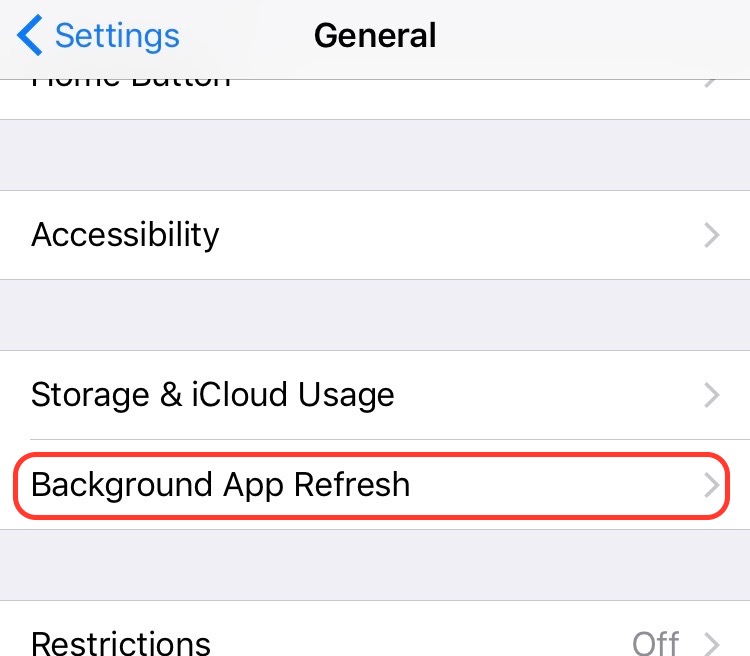
Under Background App Refresh is the list of apps that use this feature. From here you can enable or disable background refresh for each app.
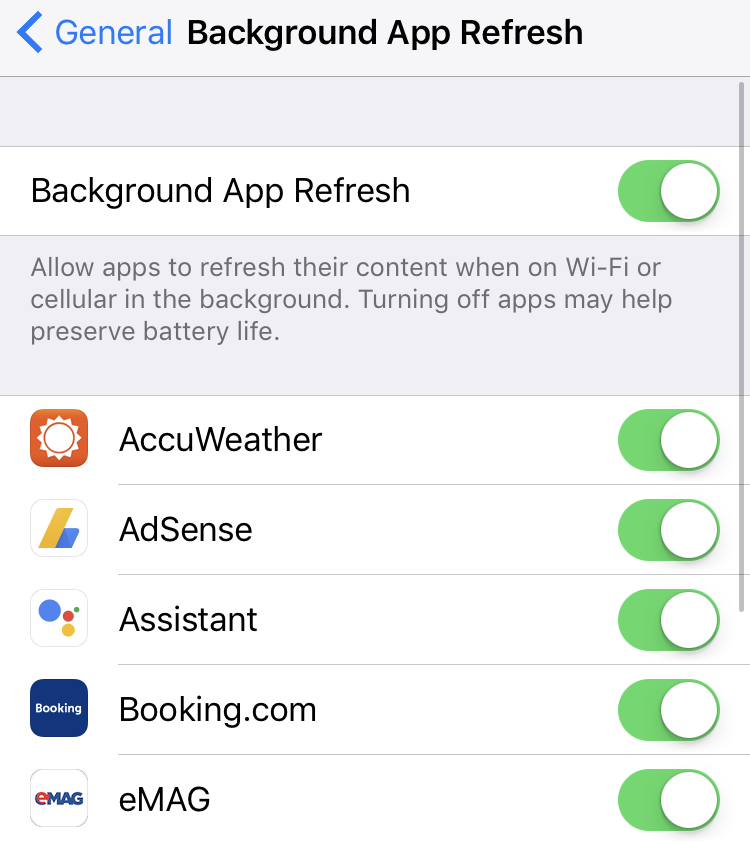
All these apps in the list Background App Refresh can consume mobile data in the background. It's true that it consumes less data than when you open the app, but it adds up to a significant amount of MB consumed from the subscription.
With the release of iOS 11, Apple introduced a feature that allows users to choose to allow background application refresh only when the device is connected via Wi-Fi or Wi-Fi & Mobile Data.
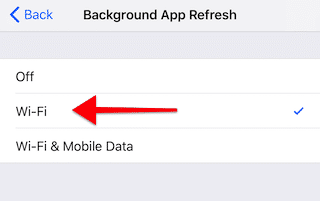
Definitely activation Background App Refresh only when iPhone is connected to a Wi-Fi network, it is the best solution to optimize mobile data consumption.




































