
Although for many it is a banality to update or upgrade to iOS on iPhone, there are users who do not know that once Apple launches a new version for the operating system, you can update immediately, from the IOS configuration menu. There are larger confusion among users, when a new major version of the iOS operating system is launched, then it is an upgrade.
Table of Contents
What is the difference between update and upgrade?
There is a difference between update and upgrade, even if many believe that the two words are synonymous. The term "update" is used when the update is made from a lower to upper version of a software, as in the "upgrade". The difference between the two consists in the fact that "update" brings errors corrections, small improvements in characteristics, while "upgrade" brings major changes. These include major changes in the options and characteristics of the applications that come with the operating system, changes in the safety methods and changes in the graphic interface.
How can you update or upgrade to iOS on iPhone
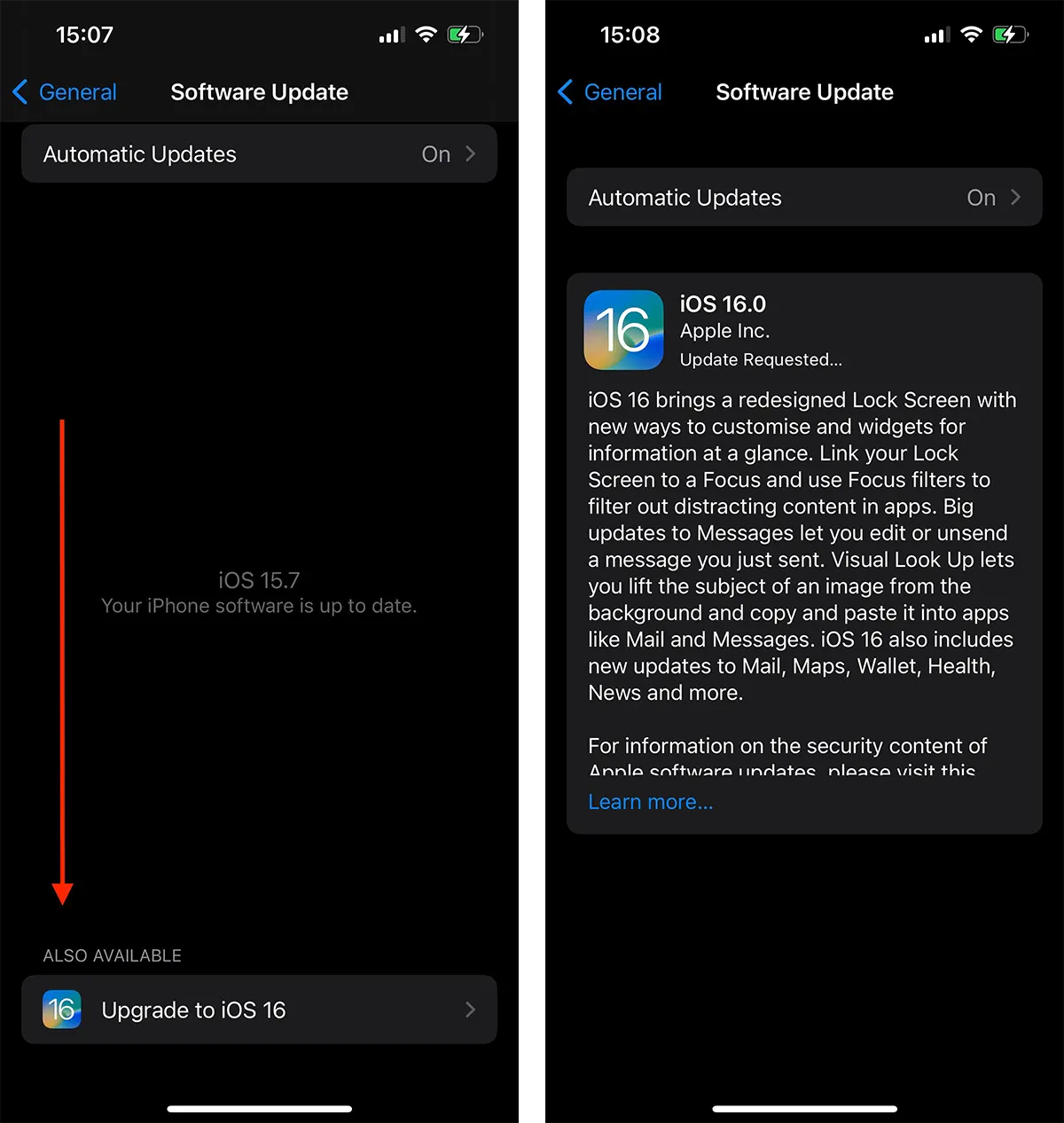
Apple makes the difference between the two terms, so many users are misled a little when they access the software update options on the iPhone: Settings → General → Software Update.
At the top appear the versions available for the update, while at the bottom appears the available version for upgrade. So, if you have an iPhone device compatible with the next major version of the iOS operating system, you can easily upgrade to iOS on the iPhone, following the guide below.
Tot ce trebuie să faceți, este să mergeți la “Settings” > “General” > “Software Update” apoi în partea inferioară aveți opțiunea de upgade iOS.
Related: How can you make software update on Apple Watch watches.
If you do not want to upgrade to the latest major version of iOS, you can continue to update the current version (update) from the top of the "Software Update" screen.




































