
There are scenarios in which we want some folders, files, contacts or other information not to appear in results when looking for something on MacOS with Spotlight Search. In this tutorial you will learn how to exclude folders and locations in Spotlight Search.
Spotlight Search can be called and Mac's search engine. By a simple pressing of the keys Cmd + Space We can start looking for everything that interests us. With Spotlight Search we are doing from searching Online and up to files, contacts, texts inside documents, contacts, messages, email messages and more.
There are scenarios in which for reasons of confidentiality (Privacy) some results do not want to be displayed in the search results. For example, no information from messages, email, contacts or notes when looking for something with Spotlight Search will appear.
Another reason you would like to exclude data from Spotlight searches is about performance Mac. When we move a lot of data on the hard or storing a large number of files, CPU will be quite requested by the process mds_stores which deals with indexing data in Spotlight. A tutorial about "mds_stores high CPU usage"Find on stealthsetts.com.

How do you exclude folders and locations in Spotlight Search on macos
CA sa Exclude from the results of the search with Spotlight Search : files, contacts, messages, emails, documents, images and other data, you must follow a few simple steps from the tutorial below.
1. Open System Settings on macos, then in the left side of the left go to Siri & Spotlight. Starting with Macos Ventura, Apple a schimbat System Preferences cu System Settings. A new interface in which the operating system settings are accessible.
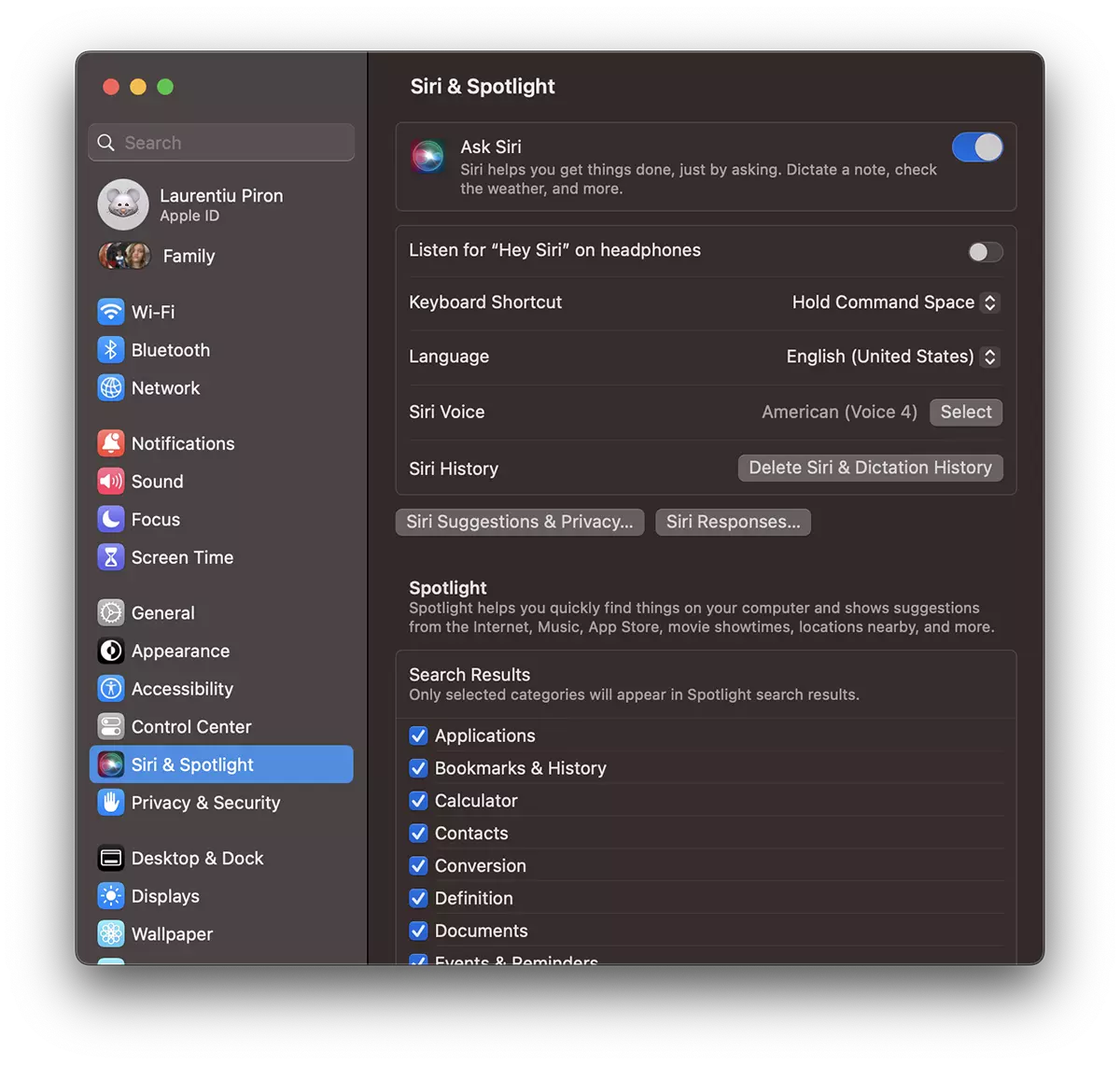
In partea de jos, sub “Search Results” avem bifate foarte multe date din care cautarile efectuate cu Spotlight ne afiseaza rezultate. De la aplicatii, bookmarks & history (Safari) si pana la documente PDF, imagini si setari alte sistemului.
If here we fail, for example, "contacts", when we do a search with Spotlight, no contacts from the agenda will be displayed.
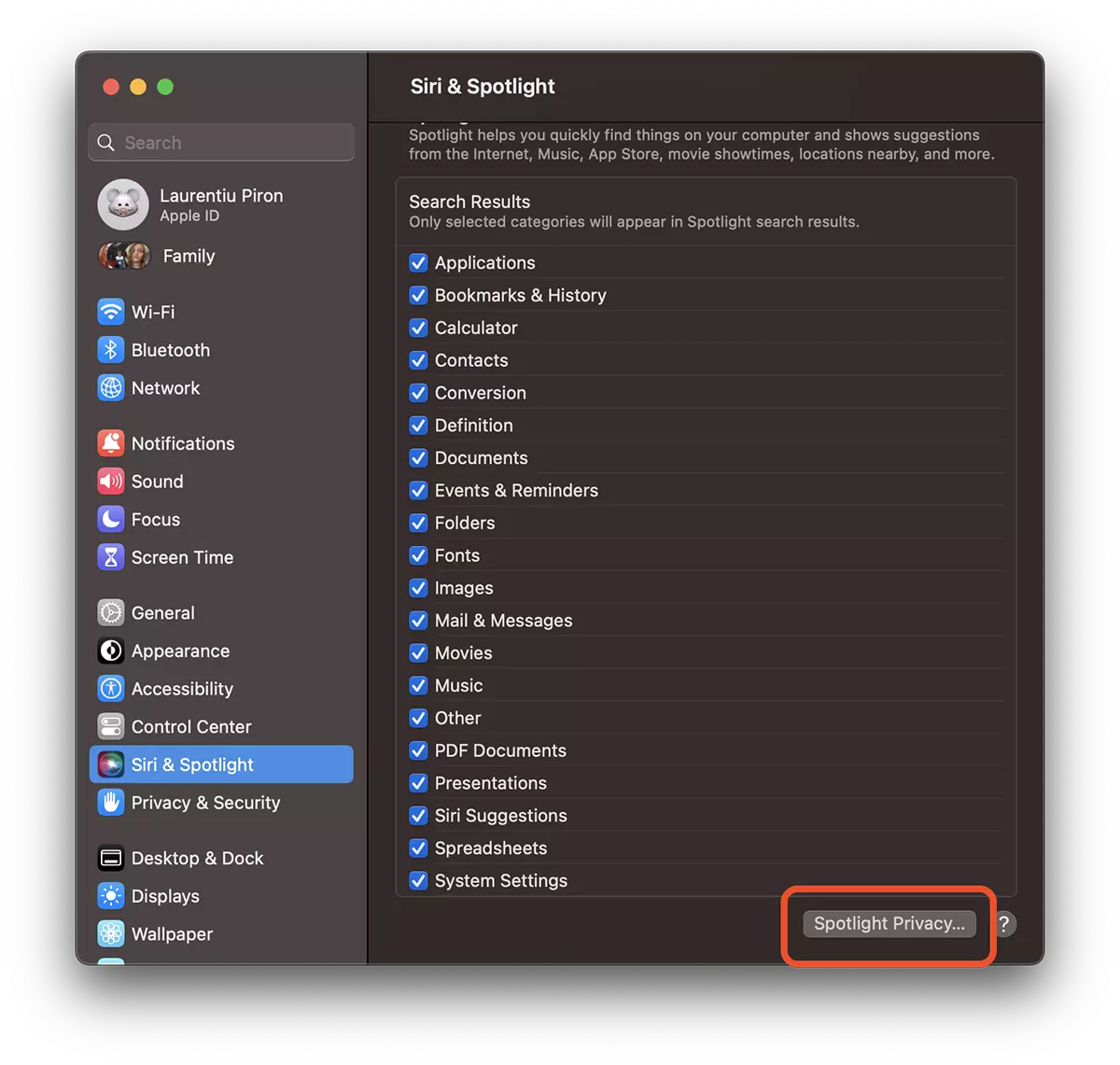
2. Ca sa excluzi din rezultate datele stocate intr-un folder (sau in mai multe), la Siri & Spotlight mergi pana in partea de jos si click pe Spotlight Privacy.
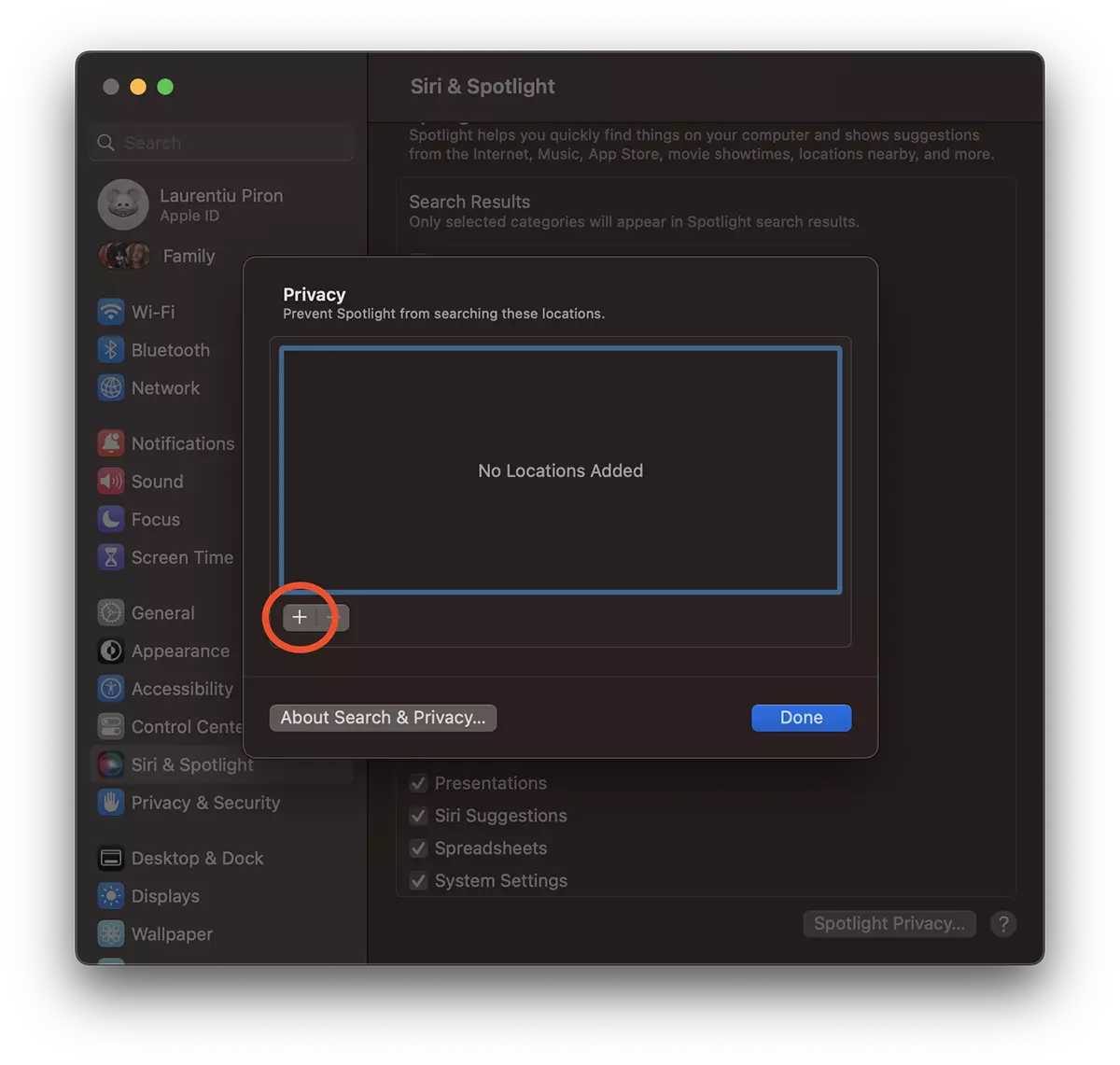
3. Next you will see exactly how you exclude folders and locations in Spotlight Search. Click on the plus sign "+" from Privacy and select the location / folder you want to exclude from indexation.
4. Select the folder you want to exclude, then click "Choose“.
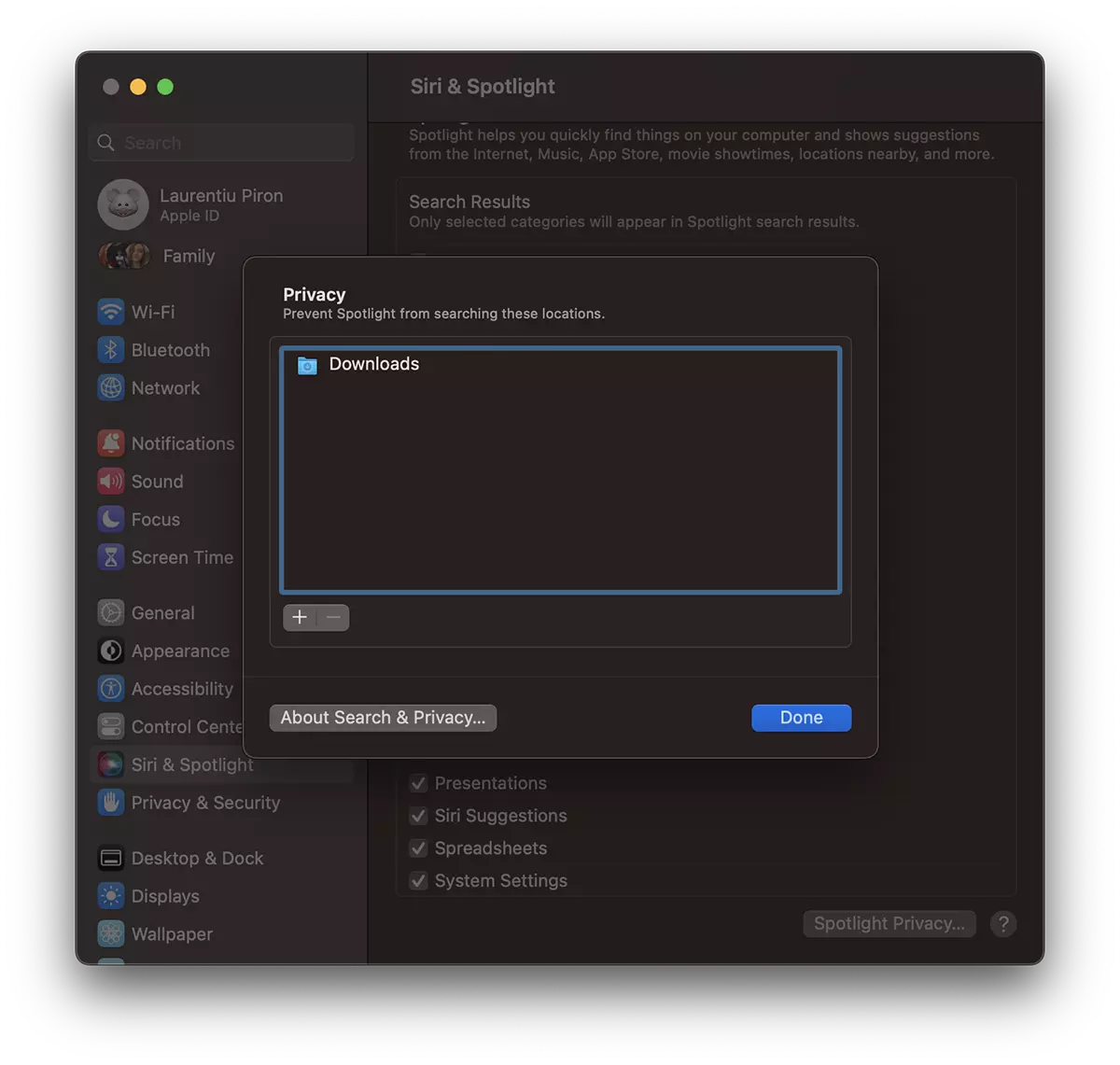
I added the "Downloads" folder, but you can add how many folders / locations you want.
To remove a folder from the list of locations excluded, then select it on the minus sign "-". The process mds_stores will start indexing the data from the folder.
The tutorial was made on Ventura macOS, but similarly you can exclude locations from Spotlight and older versions. Macos Catalina, Big Sur, Monterey.




































