
Apple presented the operating systems of the year 2023 for the company's devices. macOS Sonoma, iPadOS 17, iOS 17, watchOS 10 and tvOS 17. These new versions will be available starting in the fall, but if you are curious to test them earlier, in this tutorial you will see how to install iOS 17 Beta on iPhone.
If you're willing to risk your iPhone's stability, battery life, and performance, you can download and install the latest available iOS 17 beta by following the steps below.
Table of Contents
How do you install iOS 17 beta on the iPhone. Tutorial step by step.
It is always recommended that before installing a Beta version you make a backup of the device.
Back up your iPhone
1. Open ”Settings” then tap your Apple account at the top.
2. Mergi la: “iCloud” > “iCloud Backup” > “Back Up Now“.
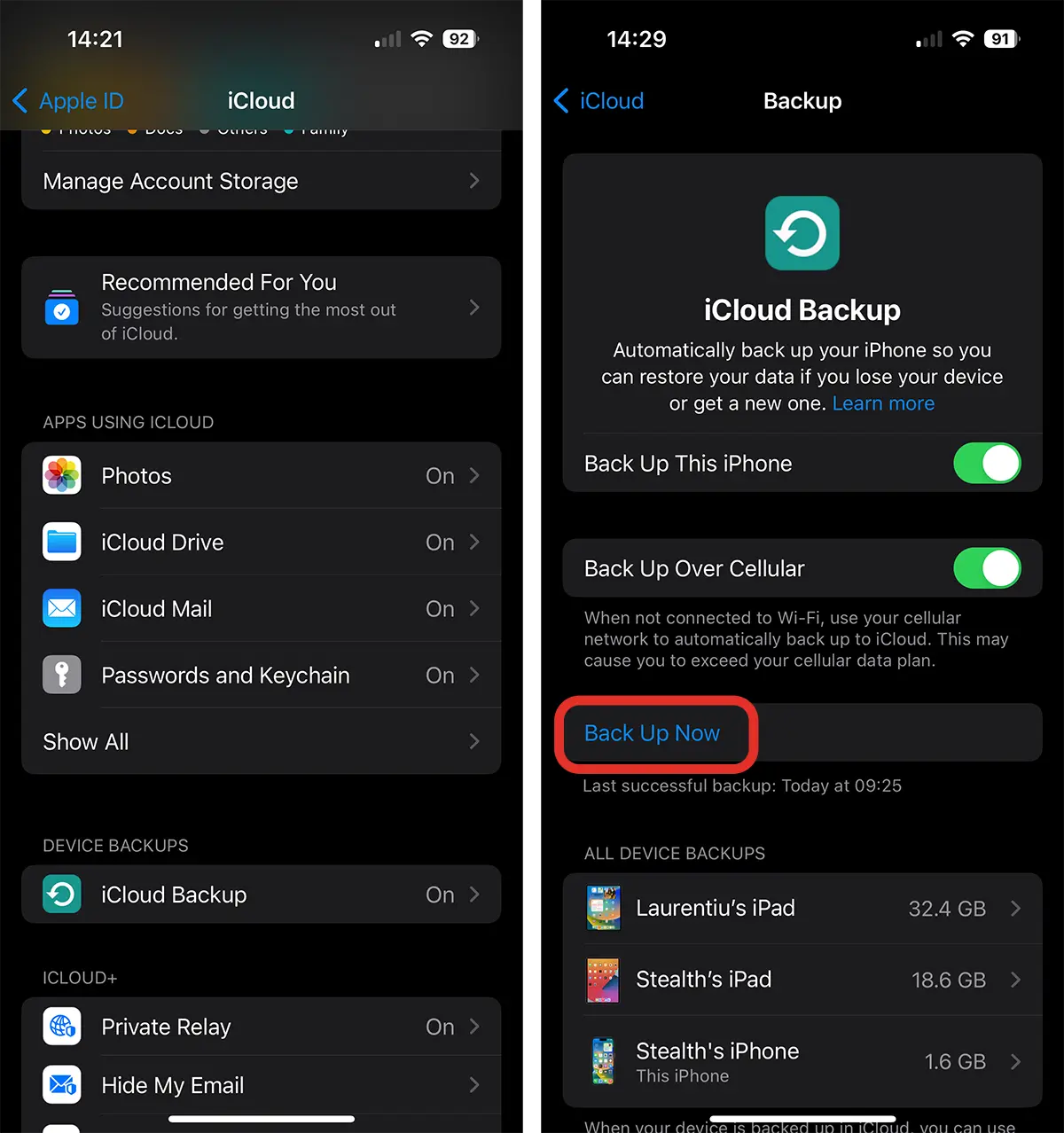
After the backup process is complete, you can proceed to install iOS 17 for iPhone.
Related: All the news and features iOS 17. Journal, Standby
Download and install iOS 17 for iPhone
The easiest way to install iOS beta is as follows:
1. Open “Settings" then go to "General“.
2. Click on the option ”Software Update"
3. Go to the section "Beta Updates", where you can choose between the options: iOS 17 Developer Beta or iOS 17 Public Beta.
4. Return to the "Software Update” and press “Download and Install”.
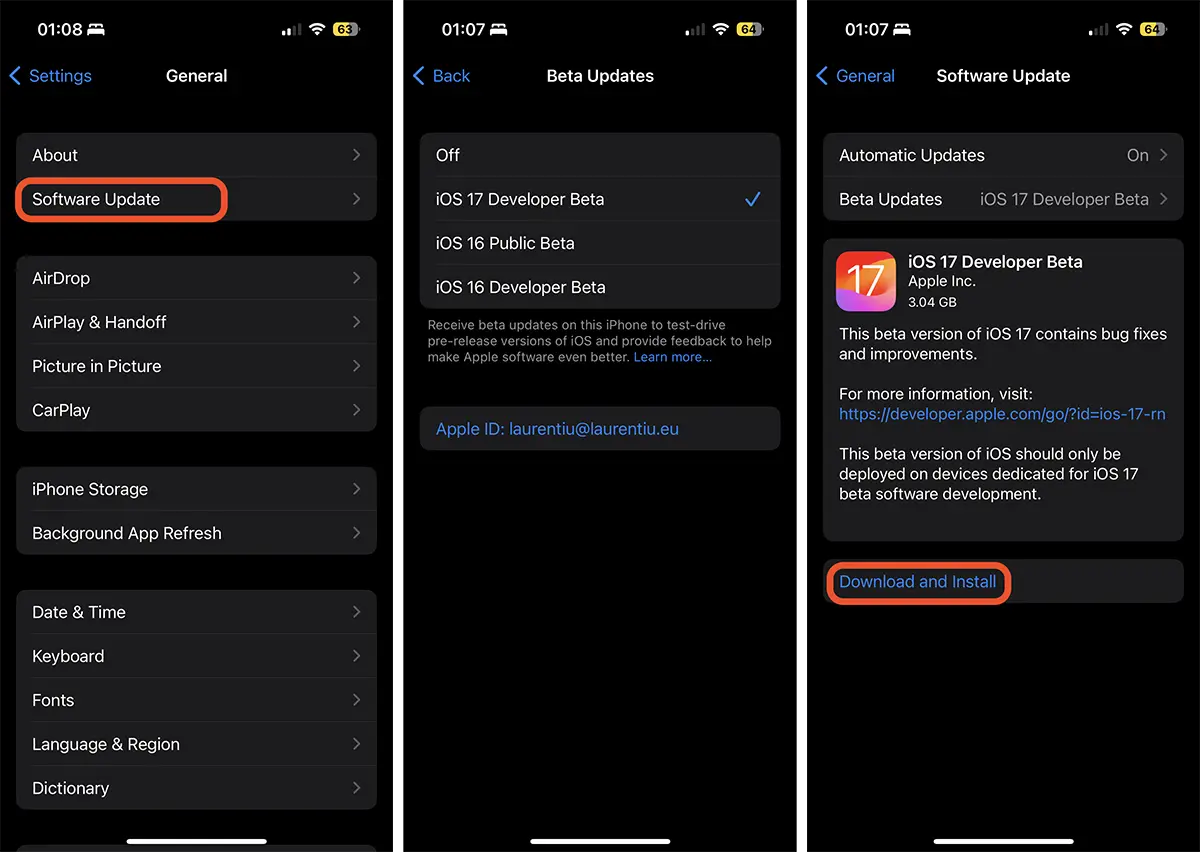
Wait for it to download and install iOS 17 Beta.
As I said before, in general, beta versions can have stability issues and have many bugs. Especially the versions intended for developers.
I do not recommend installing a beta version on a device (iPhone, iPad, Mac) if you are professionally dependent on it.




































