
In many countries, 3G, 4G or 5G subscriptions have quite advantageous prices, and many mobile operators offer "unlimited internet" with many subscriptions. However, if you want to see which applications used the most mobile internet on iPhone, this tutorial will help you.
Few iPhone owners know that the iOS operating system keeps reports about the use of applications. How long an application was open on the iPhone, how long it ran in the background and how much mobile data (internet) it consumed in a period of time.
To see the volume of internet (mobile data) consumed by each application installed on iPhone, follow the steps from the tutorial below.
How do you see what applications have used the most mobile internet on iPhone
To see how much data the apps on iOS or iPadOS have consumed, go to the iPhone or iPad in: Settings → Cellular → scroll down to “Cellular Data". Here you will find the list of applications that used mobile data and how much data each one consumed. If you are curious how much data traffic was consumed by WhatsApp, Facebook, Instagram, TikTok, Mail, FaceTime, as well as system services, you can find the information under each application.
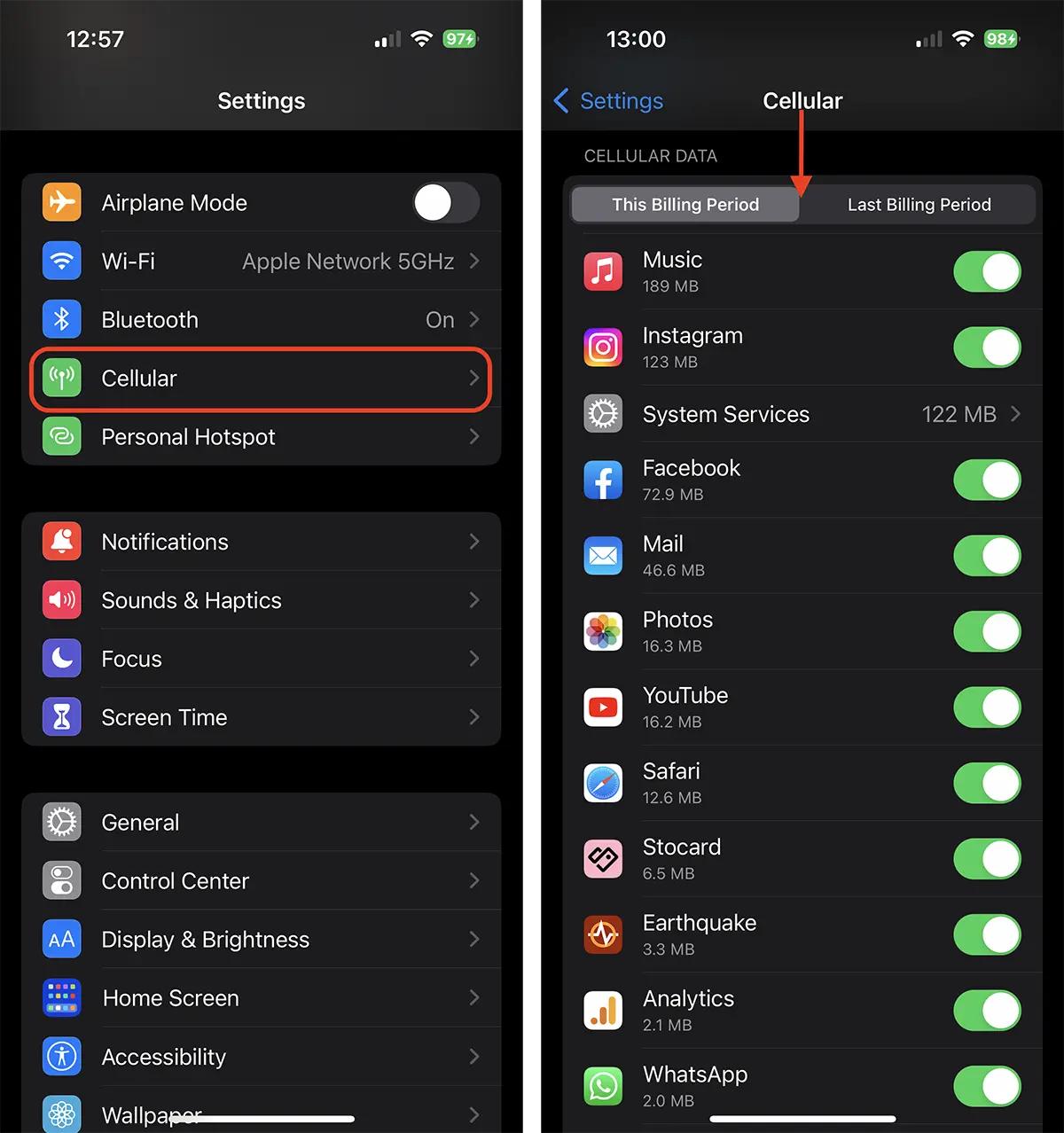
Depending on the region you are in or the mobile phone operator, the "Cellular"From"Settings", it can also appear under the name of "Mobile Data"Or"Cellular Data“.
The two tabs below Cellular Data, will show the internet traffic consumed in the period since the last billing and the traffic consumed in the current billing period. These options depend on the mobile operator. For some operators these periods are reset automatically, while for others the reset must be done manually by the user.




































