

Apple introduced a new display mode in iOS 17.4 where users can see if their iPhone's battery is in good – normal condition. Starting with this update, users can see the health of their iPhone's battery directly from the battery settings screen.
It is the first time that users are given the opportunity to find out whether the health of the iPhone battery is "normal" or not. In the past, Apple has given users information about the battery's health percentage, but without providing concrete detail about its condition. It is only known that a percentage of at least 80% means that the battery is in a normal state.
Two new menus are added to the battery settings: “Battery Health” and “Charging Optimization”. From these menus, one can get more detailed information about battery health and set optimized charging to protect iPhone battery degradation.
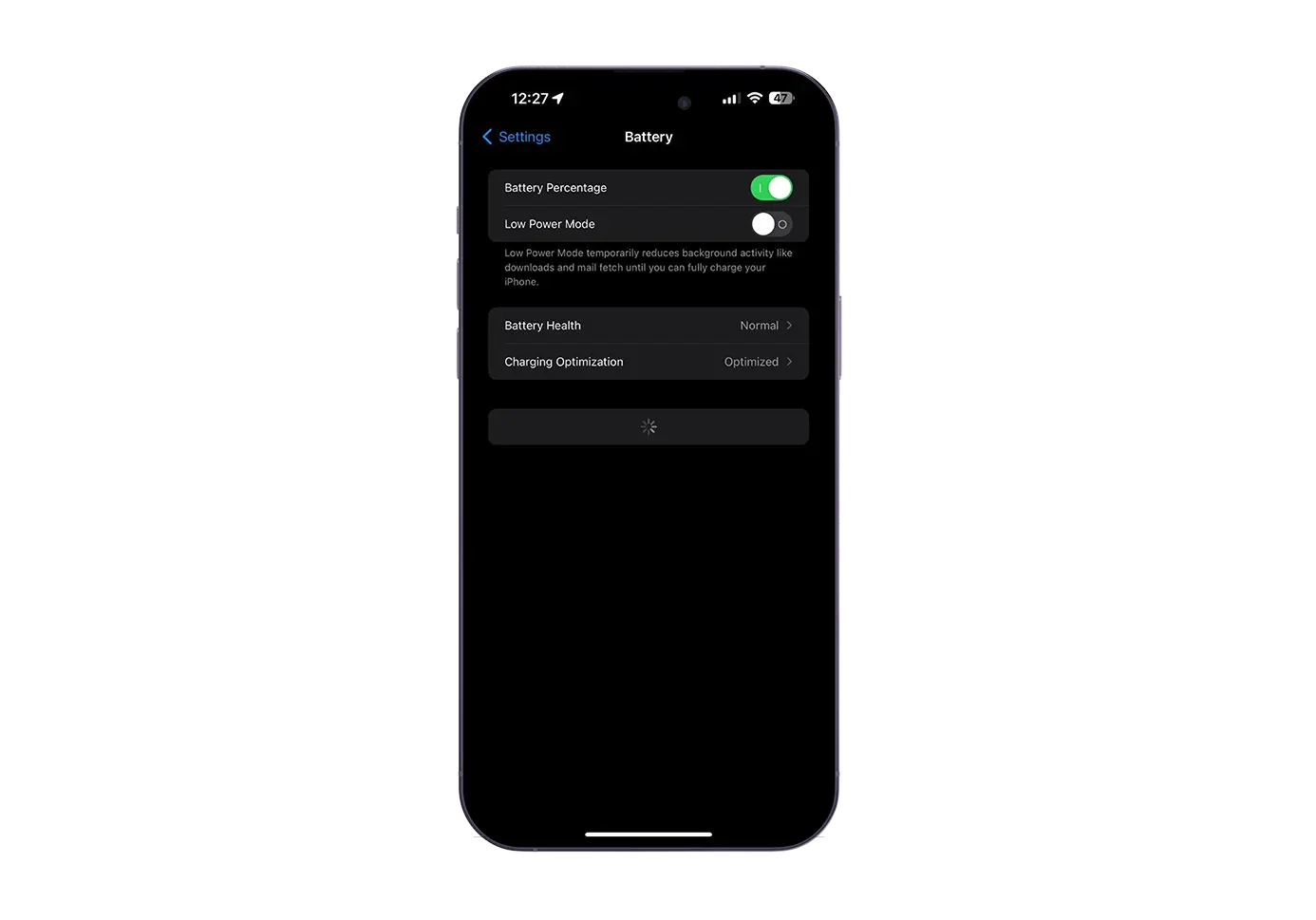
Apparently, these new iPhone battery health features are only available for the iPhone 15 and iPhone 15 Pro models. At the same time, these are the only iPhone models that display information about the number of battery cycles.
Related: How do you increase the life of iPhone battery (Maxim Capacity)
Of course, these features to optimize the health of battery life could also be present on older iPhone models, but Apple needs to show that the iPhone 15 is truly a revolutionary model with unprecedented features.




































