
19.3 billion dollars It was the amount he paid Facebook at the beginning of 2014 to add WhatsApp Messenger to the portfolio.
During the period after purchase, WhatsApp Messenger and Facebook Messenger They have made constant options ". In Facebook Messenger were added functions and options specific to the WhatsApp application, and some of the Facebook Messenger options were brought to the WhatsApp. Keeping at the same time the simplicity of the application, which has come to be most installed application in the world. Reached Over 1 billion users at the beginning of 2016.
According to the most recent imported from Facebook Messenger is Share Your Live Location. Option that allows you to share the location in real time. The conversation partner or friends in a group can follow in real time on the map, the place where you are. The function can be activated for predetermined periods of time or until you decide to stop "Share Live Location".
Share your Live Location on WhatsApp Messenger
If you want to send the live location of a friend on WhatsApp, so you can follow you in real time on the map, you have to take a few very simple steps.
1. Open the WhatsApp application, then open the conversation with the friend to whom you want to send Live Location.
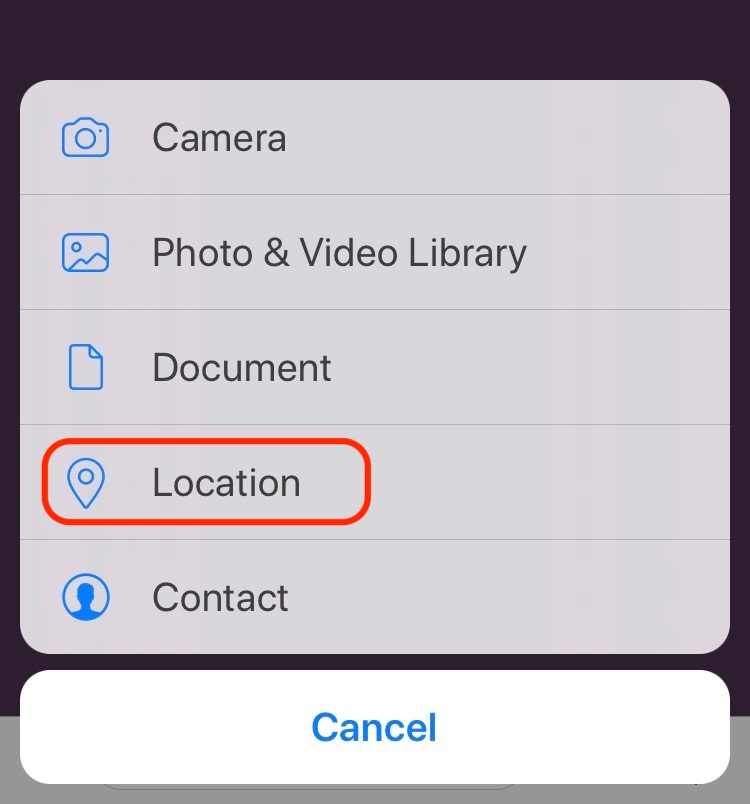
2. Press on "+"From the right of the field of text chat, then press "Location"From the open menu.
3. Select "Share Your Live Location” .
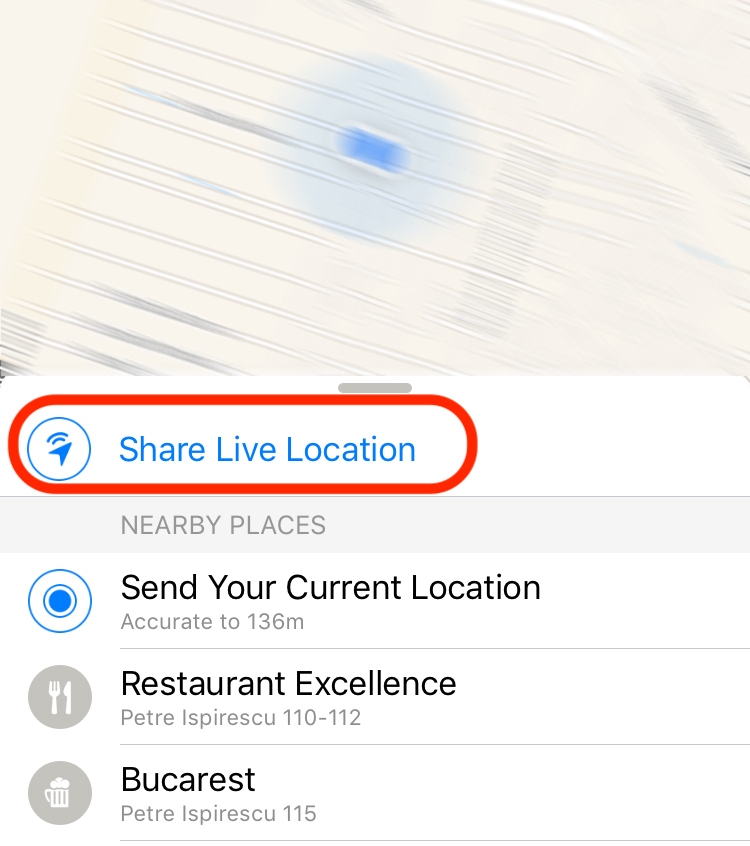
You can choose to share your location in real time for a 15 minute, an hour, 8 ore Or until you open your Live Location.
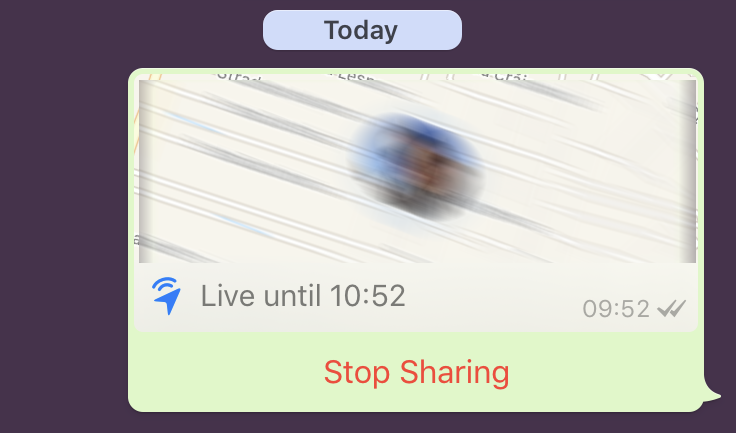
In order for this service to be able to work correctly, you need to have permanent location service for the WhatsApp Messenger application. Go to the iPhone in: "Settings" → "Privacy" → "Location Services" → "WhatsApp" → "Always".




































