

Precise Location on iPhone is an option that allows iOS installed applications to get accurate information about your device location. In this tutorial you will see how you can disable this option for some applications installed on iPhone or iPad.
It is no secret to anyone, the fact that many applications installed on the iPhone use the Location Services to provide you with personalized services and features according to where you are. From navigation applications (maps) to socializing applications (Instagram, Facebook), all can determine your locality if you give them permissions.
Normally, many applications that require the iPhone location, do not need precise location. For example, socializing applications such as Facebook, Instagram, Threads or X, it is not necessary to see exactly where we are. It is sufficient to activate the approximate location service when the application is open. We talked about location services and in a previous tutorial.
Related: How do you turn off the location services on iPhone for some applications
How do you disable precise location on iPhone for some applications?
The precise location option on the iPhone is part of the Location Services that we talked about in the previous tutorial. When this option is activated for a particular application, it has access to precise GPS data, which means it can determine the exact location of the device with greater precision.
The disabling "precise location" is done from the settings of the permissions of the location for each application.
1. Open the iPhone settings and then go to the privacy and security settings ("Privacy & Security“).
2. You access the options ”Location Services"Of the"Privacy & Security“.
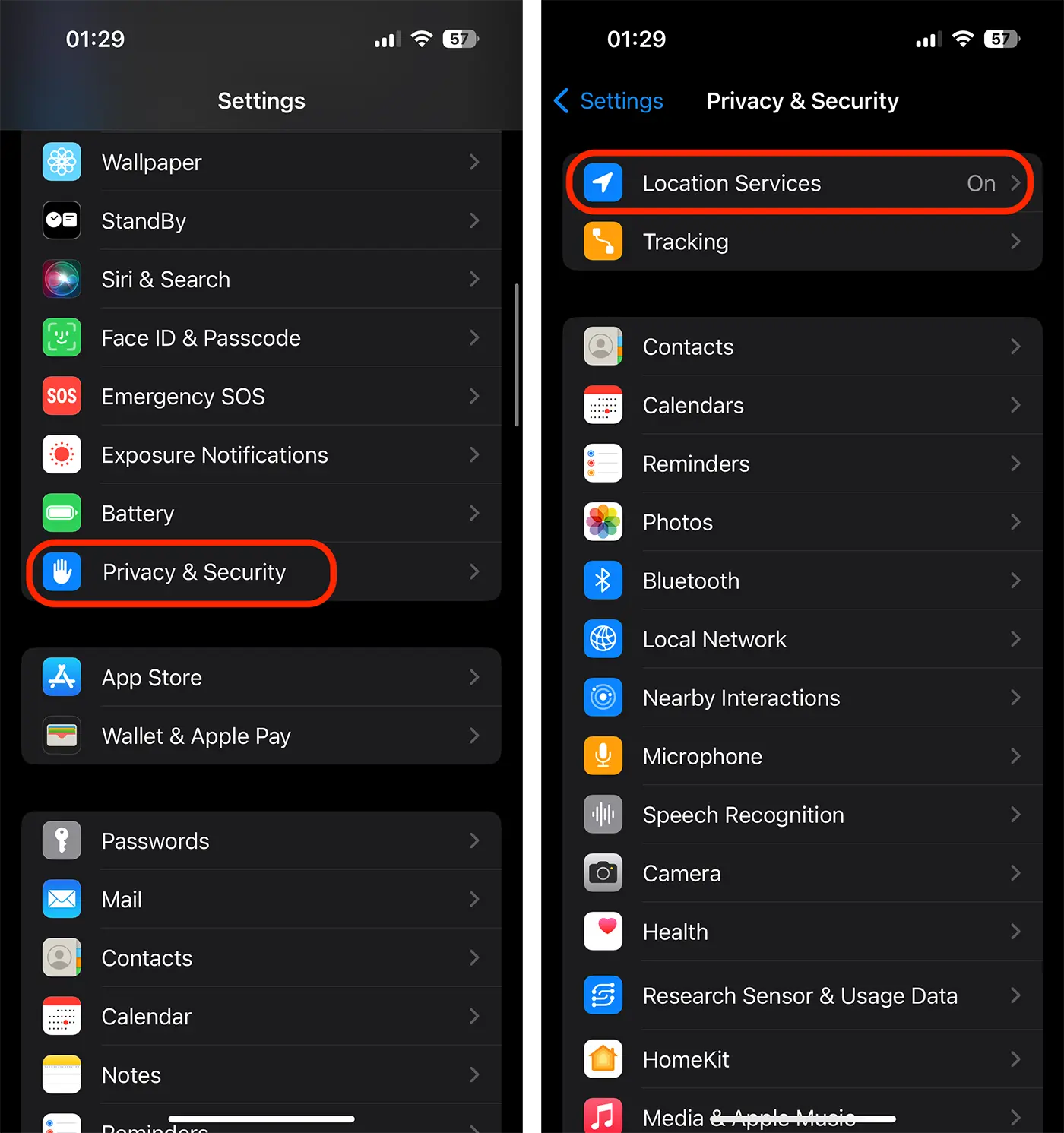
3. Open the location settings for the app you want to disable ”Precise Location“.
I took as an example the Instagram application, which I do not see the importance of localization services.
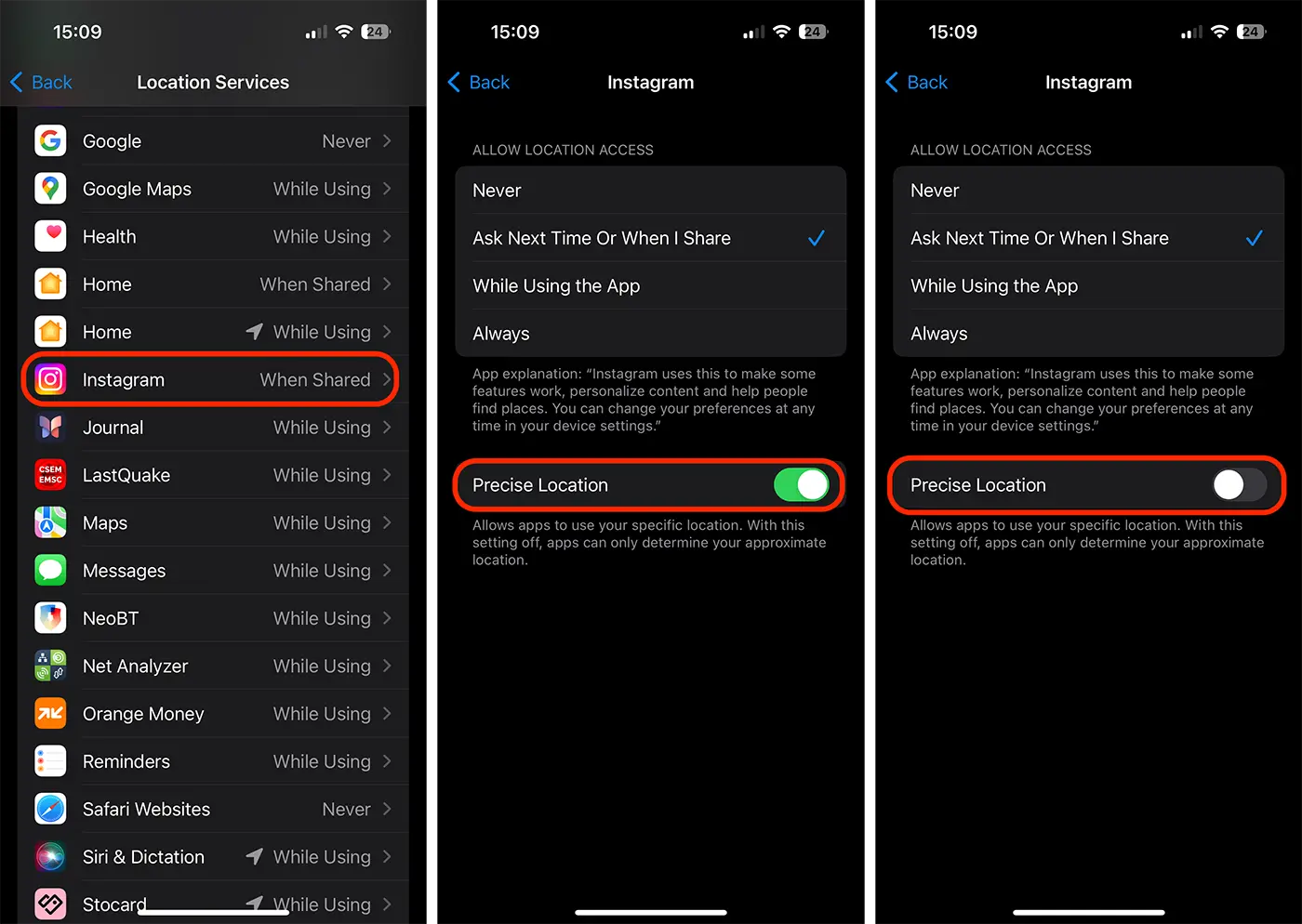
Note that if you disable precise location for an application, it can still use your approximate location, which is less accurate, but may be sufficient for some applications.
When the "precise location" function is active for an application, it can consume more battery energy, as it uses localization functions more intensely. So, if you want to increase the battery life on the iPhone, you are considering disabling precise location on the iPhone, for applications that do not need exact location.
It is not advisable to disable precise iPhone for navigation applications (Google Maps, Apple Maps, Waze), for fitness applications that follow your movement or for weather forecast applications.




































