
MacOS Mojave (macOS 10.14) brought a lot of news for Mac users. The most visible is obviously the introduction of "Dark mode" for Finder, UI elements and applications developed by Apple.
A major change is brought to the update module the operating system. Until Mojave, system updates were delivered to users through the App Store, as were updates for applications. With the new operating system, Apple has relaunched App Store and moved system updates to “System Preferences” → “Software Update“.
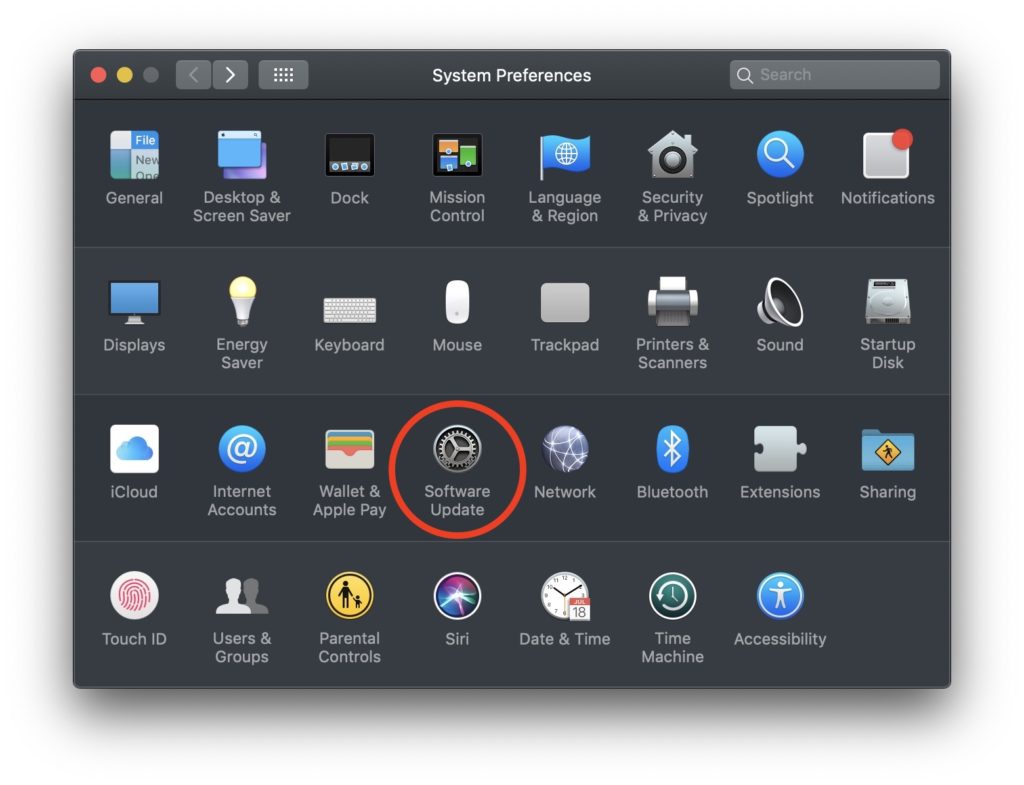
Through "Software Update” we can receive both updates for the operating system and updates of applications from the App Store (for the latter, custom settings are required).
If you have not checked in "System Preferences” → “Software Update” → “Advanced...", the option to receive updates for applications from the App Store, only updates of applications developed by Apple. In most cases "additional content" (supplemental content) / additions to the applications Final Cut Pro X, Motion. sound effects, audio effect and other presets.
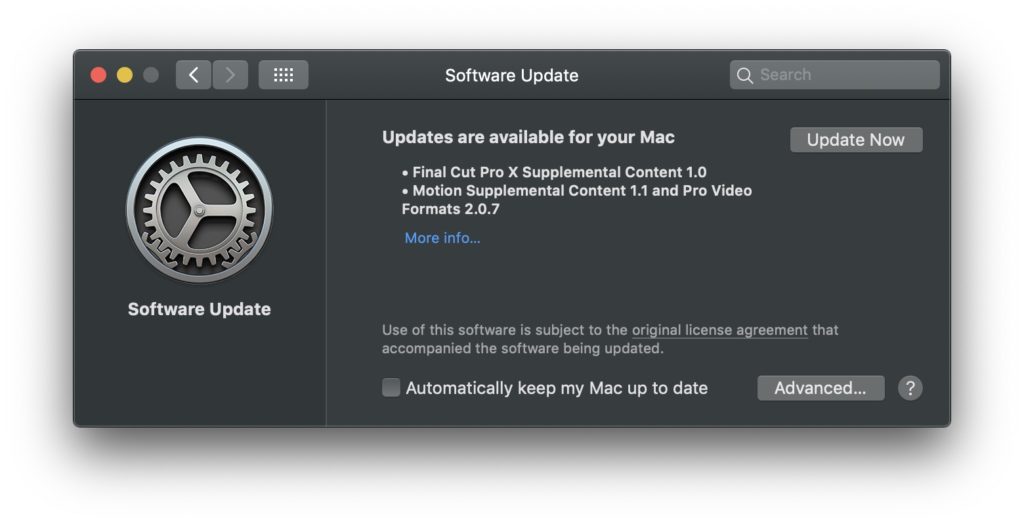
How to receive application updates via "Software Update"
1. We go to "System Preferences” → “Software Update” → click pe “Advanced…”
2. We tick the option ”Install app updates from the App Store“.
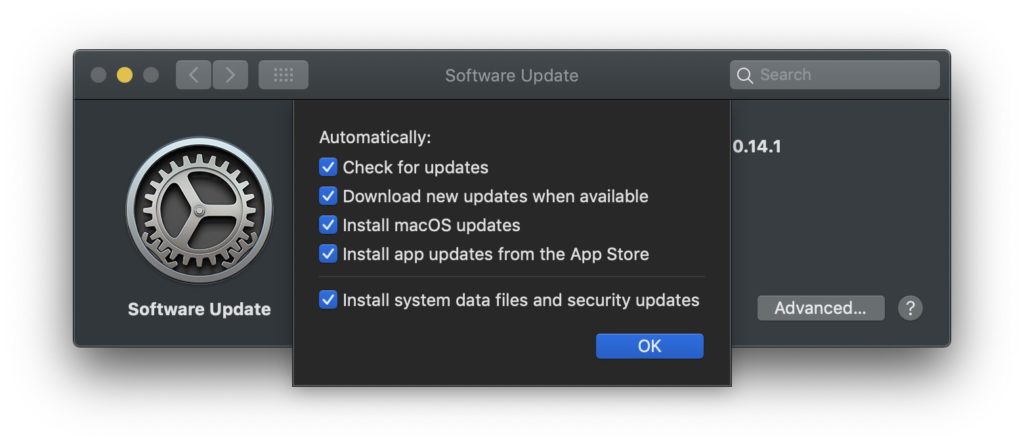
3. Click "OK" to save the changes.




































