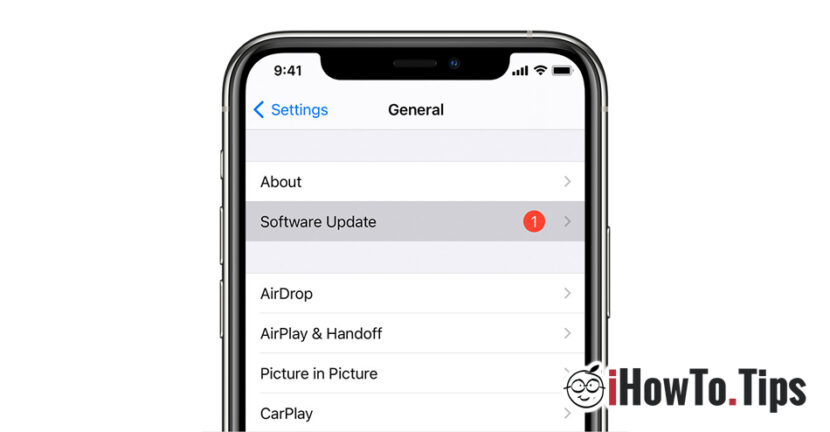

Software updates and updates of installed applications bring most of the time increased performance, solving some errors and bugs of the previous versions, Interface improvements, new functions and not in the last row, Improvement of security.
Cyber criminals I use weak operating systems (security breaches) or of the applications to be able to control the victim's PC or smartphone, in order to steal the identity or confidential data. Software and applications updates, have the role of closing these breaches and keeping users' data safety.
On all smartphones and computers, whether we are talking about Windows, Macos, Android, Linux or iOS, we meet two types of updates. Updates of the operating system (OS Updates) and updates of the applications installed on the operating system (App Updates). As I said a little above, both are very important and it is recommended that these updates be done regularly or ... automatically, as soon as a new update is available.
Depending on the device and the operating system, the automatic updates (automatic) updates can be activated and deactivated by following some simple steps.
How do we activate the automatic updates of the iOS / iPados operating system and applications on iPhone and iPad
Activation / Disabling Automatic IOS / iPados (iOS automatic updates) update
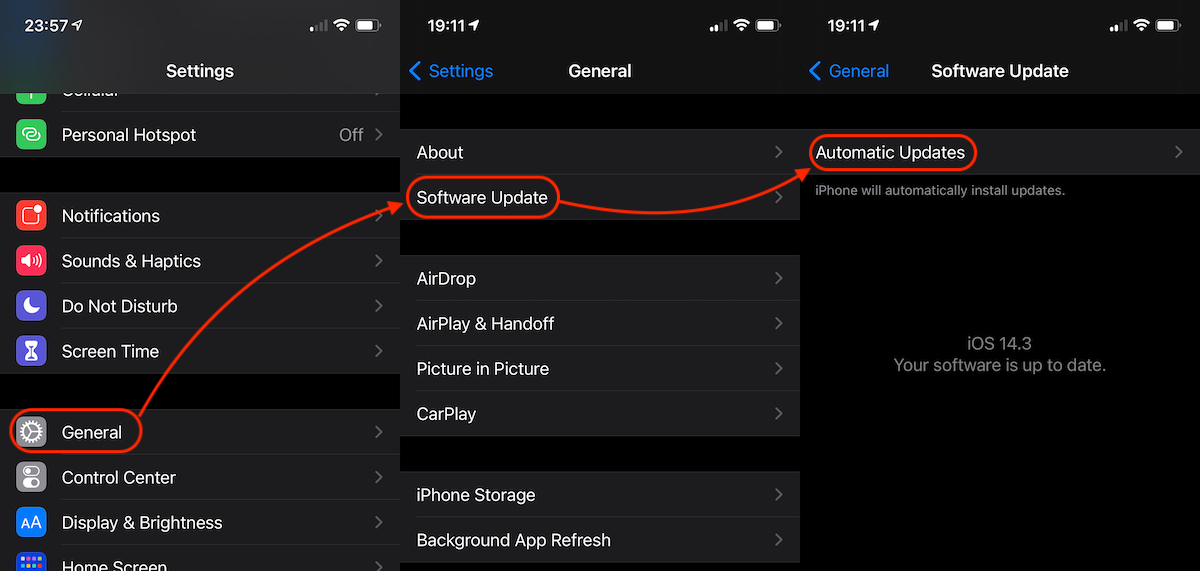
1. We go on iPhone or iPad in: “Settings” → “General” → “Software Update” → “Automatic Updates“.
2. At "Automatic Updates" we have two options that we should keep activated. "Download iOS Updates"si"Install iOS Updates".
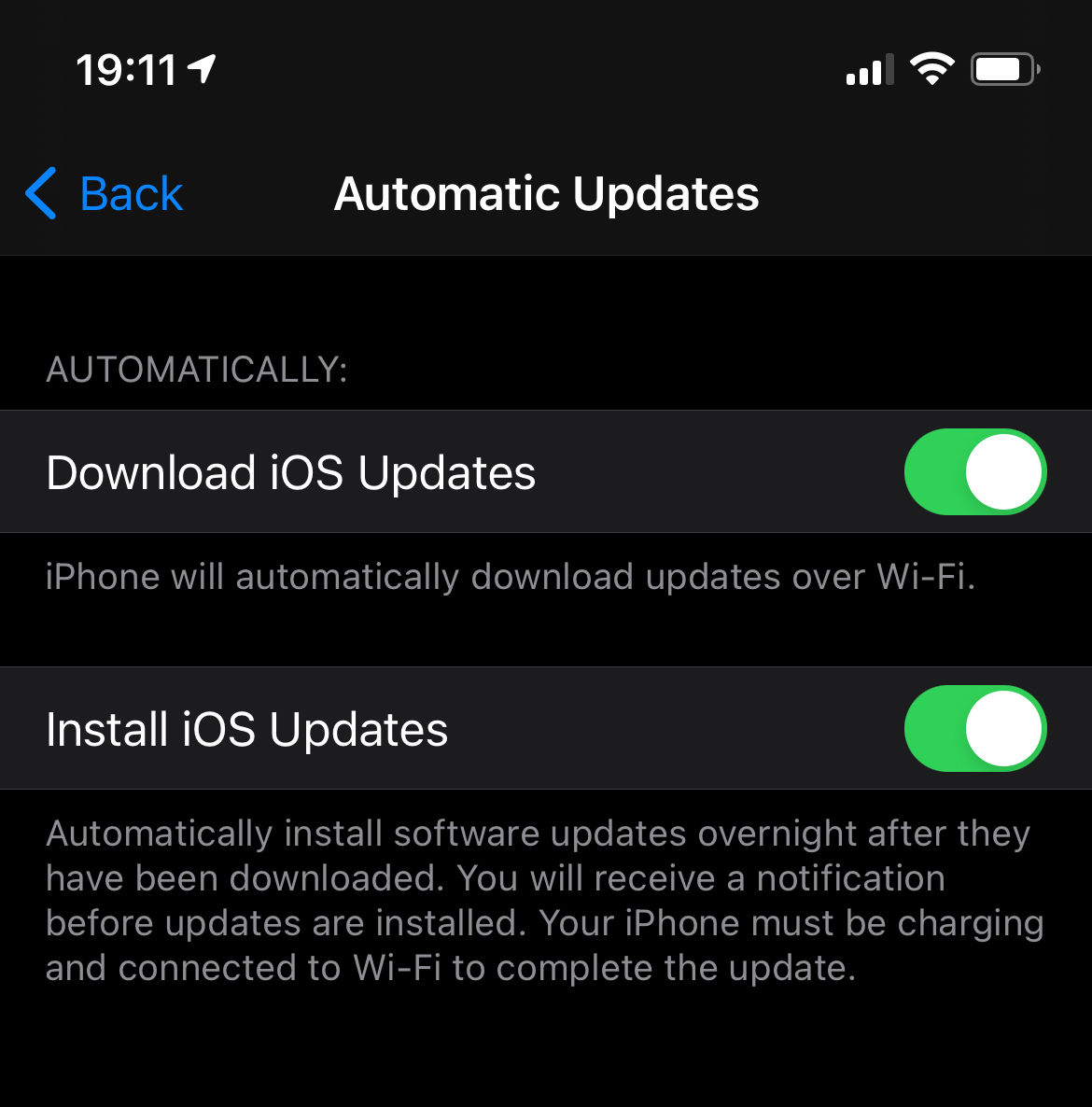
Updates will not be discharged until when iPhone is connected to a Wi-Fi network. This avoids the consumption of mobile data through 4G / 5G, which could also involve costs.
The automatic installation of the updates will be done during the night when the iPhone is charged and connected to a Wi-Fi network. The user will receive a notification that will be informed that the automatic update will take place.
Activation / Disabling Automatic update of iOS / iPados applications (iOS automatic updates)
Regarding applications, the option of automatic update their was moved to another menu with iOS 14. If you want to activate or deactivate the automatic update of applications installed on iPhone or iPad, all you have to do is follow:
1. We go to "Settings” → “App Store"→ We activate the option"App Updates"Below"Automatic Downloads“.
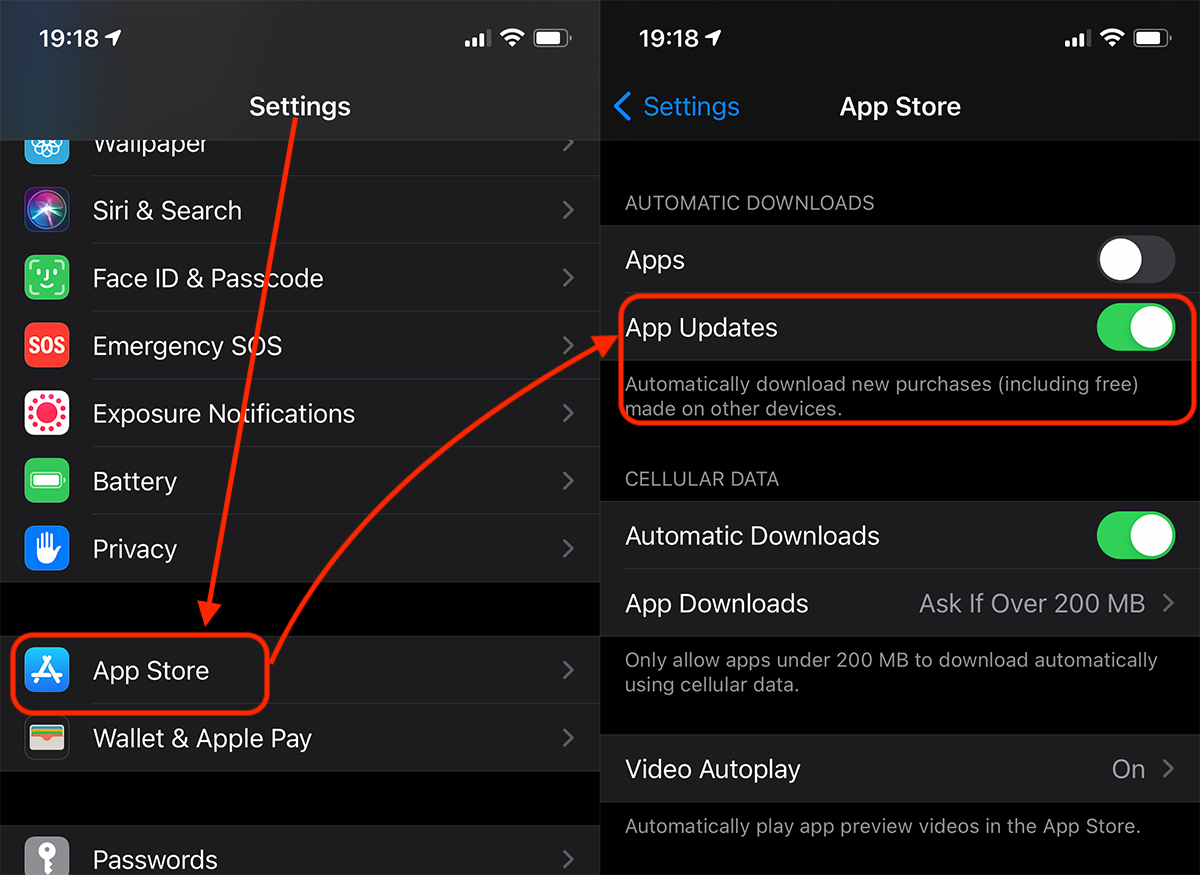
Once activated, periodic updates will be performed automatically.
Remember, however, that neither iOS software updates nor applications will be done as soon as a new version as launched. Most of the time, the automatic update routines are made two or three days after launching a new version of iOS or application.




































