
App can’t be opened because Apple cannot check it for malicious software It is an inconvenience for many macos users. In this tutorial you will learn what you can do when you meet this limitation.
As I said in other items, Catalina macOS It strengthens a lot the security system of the operating system MacOS. This comes with a series of restrictions and headaches for users. At least in the front mum, when we talk about Bone in beta version And when the applications have not yet been optimized for the new rules.
By default, macos cannot be installed and can only run Downloaded applications from App Store or applications from identified developers (identified developers).
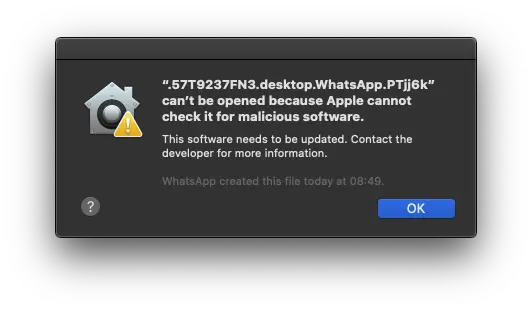
On Macos Catalina Beta, I had the surprise to download WhatsApp from the App Store, and when I tried to run it it appeared to me that the application could not run, because Apple can't check it on malware software.
“ID.desktop.WhatsApp.?” can’t be opened because Apple cannot check it for malicious software.
This software needs to pe updated. Contact the developer for more information“. App can’t be opened.
We know that Macos Catalina will bring you with the launch and Removing support for 32-biti applications, but this is not the moment for the WhatsApp Desktop application. Remember, however, that if you run applications with 32-bits architecture on which your work depends on Mac, it is a good idea to stay at Macos Mojave until the development will launch the versions for 64-bits.
How to solve security limitation App can’t be opened Pe MacOS?
In order to solve this limitation "app can be opened Because Apple Cannot check it for Malicious Software" which prevents the opening of an application on Macos Catalina, you must consider some aspects.
First of all, this step is indicated unless you download and install dubious applications on Mac. Avoid accessing sites that can endanger your data safety.
This limitation of launching an application “app an’t be opened because Apple cannot check it for malicious software“ can be avoided if We allow to download and run the applications from third -party sources, other than the App Store and from developers identified by Apple.
Restrictions are found in System Preferences → Security & Privacy, sub “Allow apps downloaded from:“. “App Store“ and “App Store and identified developers“. In order to change these settings, it is necessary to click the lock from the bottom left of the panel and enter the password of the system user.
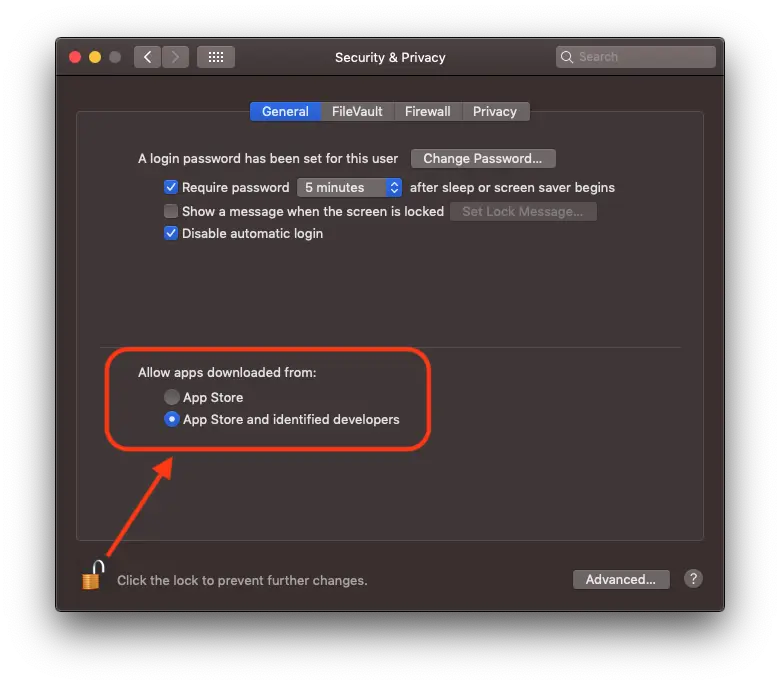
As can be seen in the image above, nothing appears to check that we allow the installation from third parties. The activation of this option is done through a command line executed in the terminal.
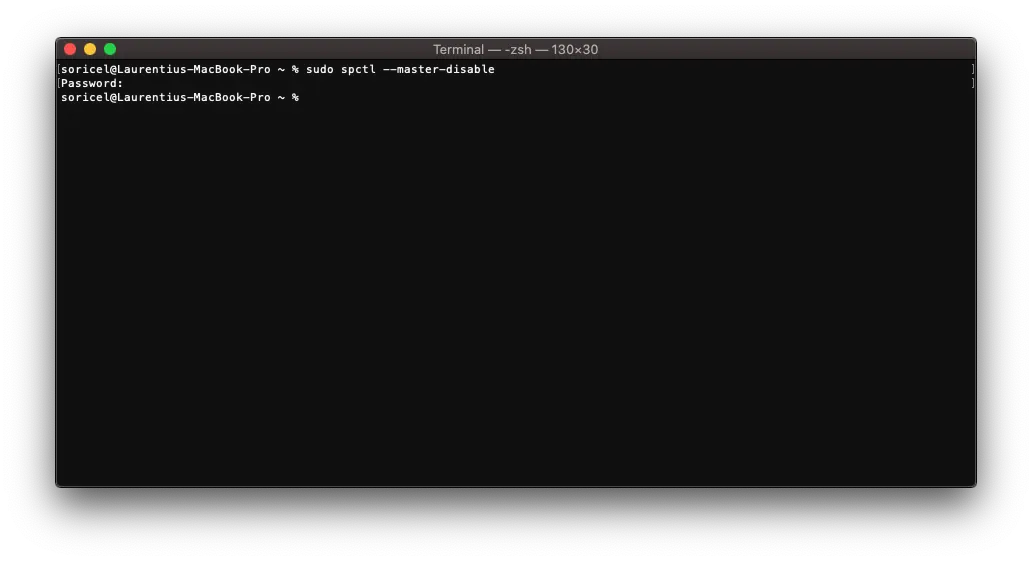
sudo spctl --master-disableAfter executing the command line, we reopen System Preferences and observe the new option: Anywhere.
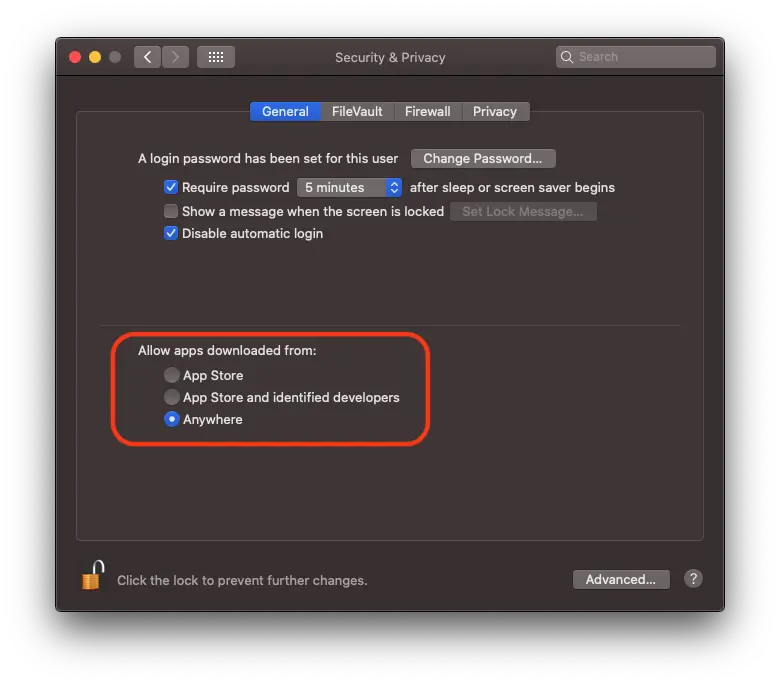
Note that from this moment you are on the "own account". The applications discharged and installed on the system will no longer be filtered by Apple.
The good part is that you will be able to run applications like WhatsApp and others, without meeting the message: “app can‘t be opened because Apple cannot check it for malicious software”.
Return to initial settings is done all of Terminal, executing the command line:
sudo spctl --master-enable After reactivation, applications that cannot be checked by malware will no longer be able to run Macos again.





































Why is this page in a spanish-looking text when the title is in English???
the original text is in Romanian. the title is written in English for relevance. 🙂
THX!!!!!!!!
Thank you so much. Saved my life.
We know that security is an extremely important thing, but it has not been able to open even Firefox. It is too much.
Very functional, it helped a lot. However, I identified another problem that I don't know how to solve, can you help? If so, here's ...
Recebo esta mensagem no final da instalação de uma atualização no catalina Beta <Ocorreu um erro ao executar os scripts do pacote "RecoveryHDMetaDmg.pkg".
Can you help?
And I insert this team into the console, and nothing happens to me, what to do?
After running the command line in the Terminal, reopen System Preferences >> Security & Privacy and activate “Anywhere”. Then reopen the application that was interrupted. Everything should work normally.
I downloaded Clean Mymac but I still can't have access to the Getax 2020 software
And if the application does not even load after these actions, what could be the problem?
Bonjour
I have executed all the orders you sent me and it still does not work
Can you contact me by email that I face the screenshot I made and tell me or I made a mistake
Merci
Hello,
I apologize for the delay. You can send me a screenshot on web@laurentiu.eu
Hello, how do you access the “terminal”?
Thank you so much, visited so many websites to fix this, but did not work until now. Appreciated
MERCIII
It's given me anger I get into the game to play ae I'm going to fight on dofus… .. my account close alone this and in all fight that happens my friend is even angry as it can solve it