![Charging was on hold due to iPhone temperature [How To Fix]](https://ihowto.tips/wp-content/uploads/2023/07/Charging-was-on-hold-830x432.webp)

"Charging was on hold due to iPhone temperature"It appears more and more often on iPhone devices when the device is connected to the current source, especially in summer. In this article you see what the causes are and how you can avoid overheating iPhone.
This message may appear on the lock screen (Lock Screen) when iPhone is charged or can be present in the status of the battery.
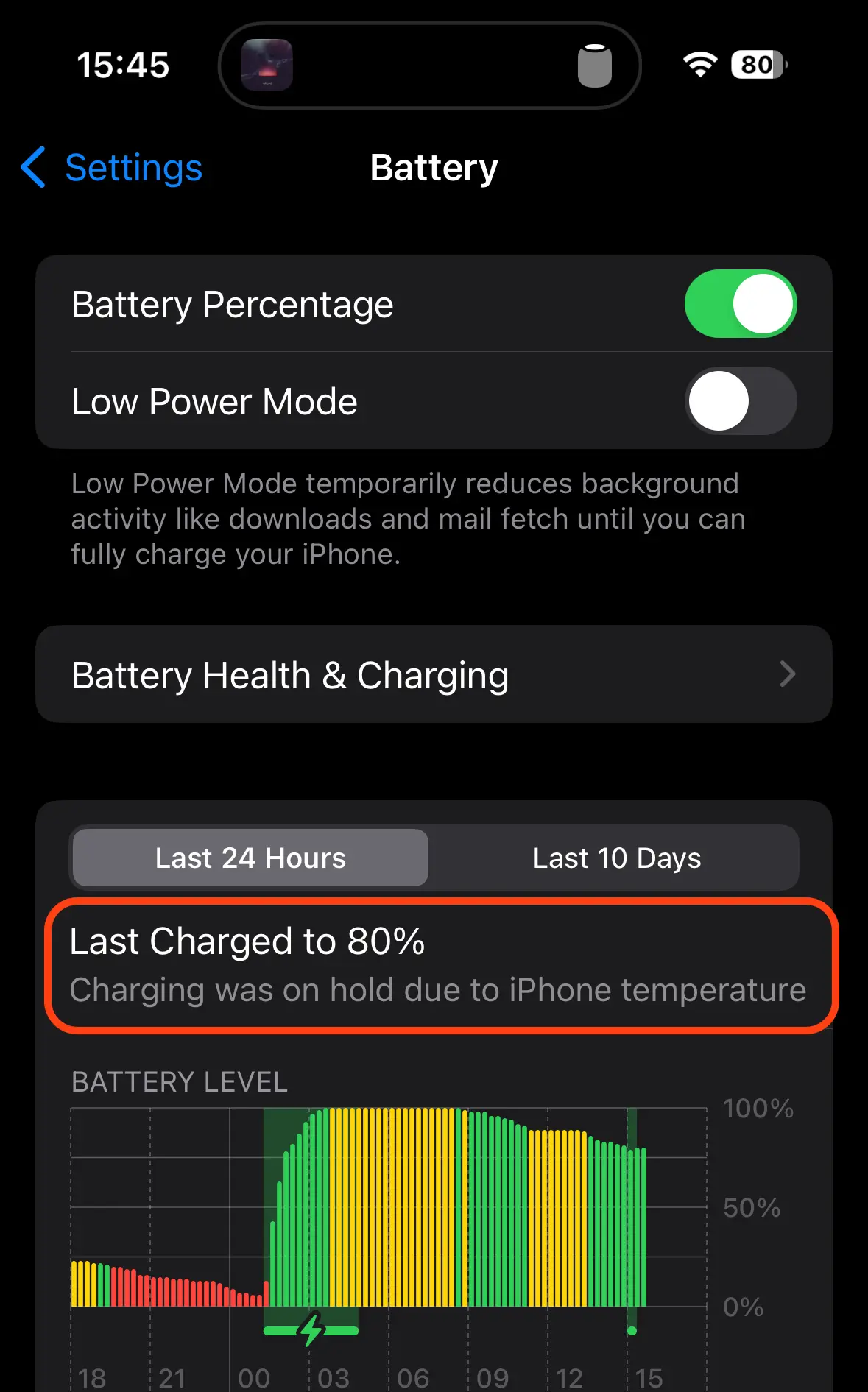
Table of Contents
Why does the iPhone overheating message appear when it is loaded?
The message "Charging was on hold due to iPhone temperature"It occurs when the temperature of the iPhone is outside the optimal loading range. iPhone It has integrated protection system to prevent damage caused by overheating during loading. This mechanism of protection temporarily interrupt the loading process to avoid too high a temperature that could affect the battery or other components of the device.
It is known that overheating of batteries leads to reducing their lifespan.
Causes ”Charging Was On Hold Due To iPhone Temperature"
High temperature in the environment It is one of the most common causes of iPhone overheating when charged. Especially if the load is done through Magsafe and the iPhone has a leather bag. This is also my cause.
I used to leave it uploaded iPhone 14 Pro through Magsafe, which has a bag ”Apple Leather Case". During the summer I receive the message"Charging Was On Hold Due To iPhone Temperature"Almost every loading cycle.
Intensive use of iPhone device When charged (complex games, applications that require a lot of resources or video recording) can generate additional heat and can cause loading.
Therefore, it is preferable that when iPhone is connected to the outlet, try as much as possible not to use complex applications.
Using an incompatible or defective charger which does not comply with iPhone specifications can lead to inadequate and overheating. Most of the time it happens when the iPhone charger is not original or not MFI.
How do you avoid overheating of the iPhone battery?
If you want the iPhone battery not to overheat when the device is charged, first and foremost make sure that The temperature in the environment allows for cooling to him. Especially when the supply is done through Magsafe.
Make sure All applications are closed and does not run anything with the blocked screen. That is, applications that are forgotten open on the device.
The recommendation is to use only original accessories for charging iPhone. Both the outlet and cable or cable MagSafe.




































