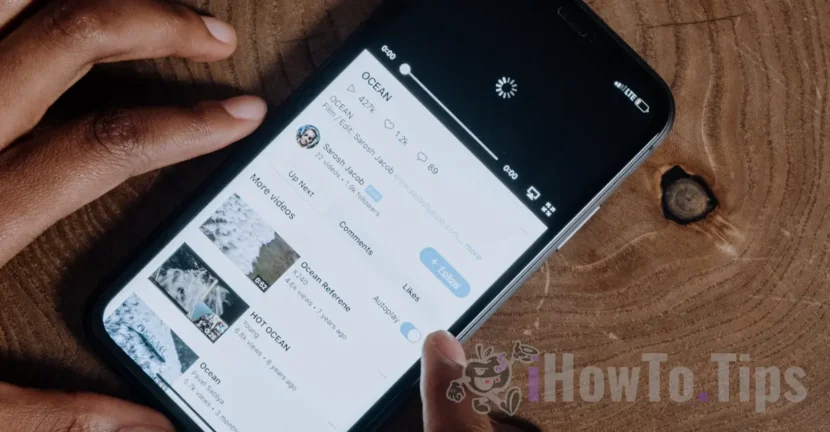

The YouTube application, developed by Google for Apple devices, iPhone and iPad, is updated regularly, but a feature that would be very useful for many YouTube fans is delayed. This tutorial will help you see how you can listen to YouTube music in the background on your iPhone without having to hold your iPhone with the screen open.
This app cannot run in the background on iOS. And here we are not referring to the "Background App Refresh" option, which is something else than what we would like. Specifically, the ability to listen to music from YouTube even when the iPhone screen is closed (sleep) or when we use other applications.
Basically, at the moment, once the YouTube app goes into the background, the YouTube movie or video stops automatically. On the one hand, it is true that the YouTube application is dedicated to videos and other videos uploaded by users, but there are quite a few who use YouTube as a "music player".
iPhone / iPad owners who still want to listen to music from YouTube and at the same time close the screen or run other applications, can do so. The solution is to quit the YouTube app to listen to your favorite song, and open the Safari browser on the Internet.
Update 2024: How do you listen to audio content on YouTube with closed screen on iPhone
How can you listen to music from youtube in background on iPhone or iPad
To be able to listen to YouTube music in the background on your iPhone or iPad, the method below is the easiest if you don't have a YouTube Premium subscription.
1. We open Safari on the iPhone and access https://youtube.com. If we have the YouTube application installed on the device, the first time we access it from Safari we will be asked if we want to open youtube.com in the YouTube application.
We press "Cancel” to refuse to open the application, then we access youtube.com again from Safari's web address bar, to open the video portal.
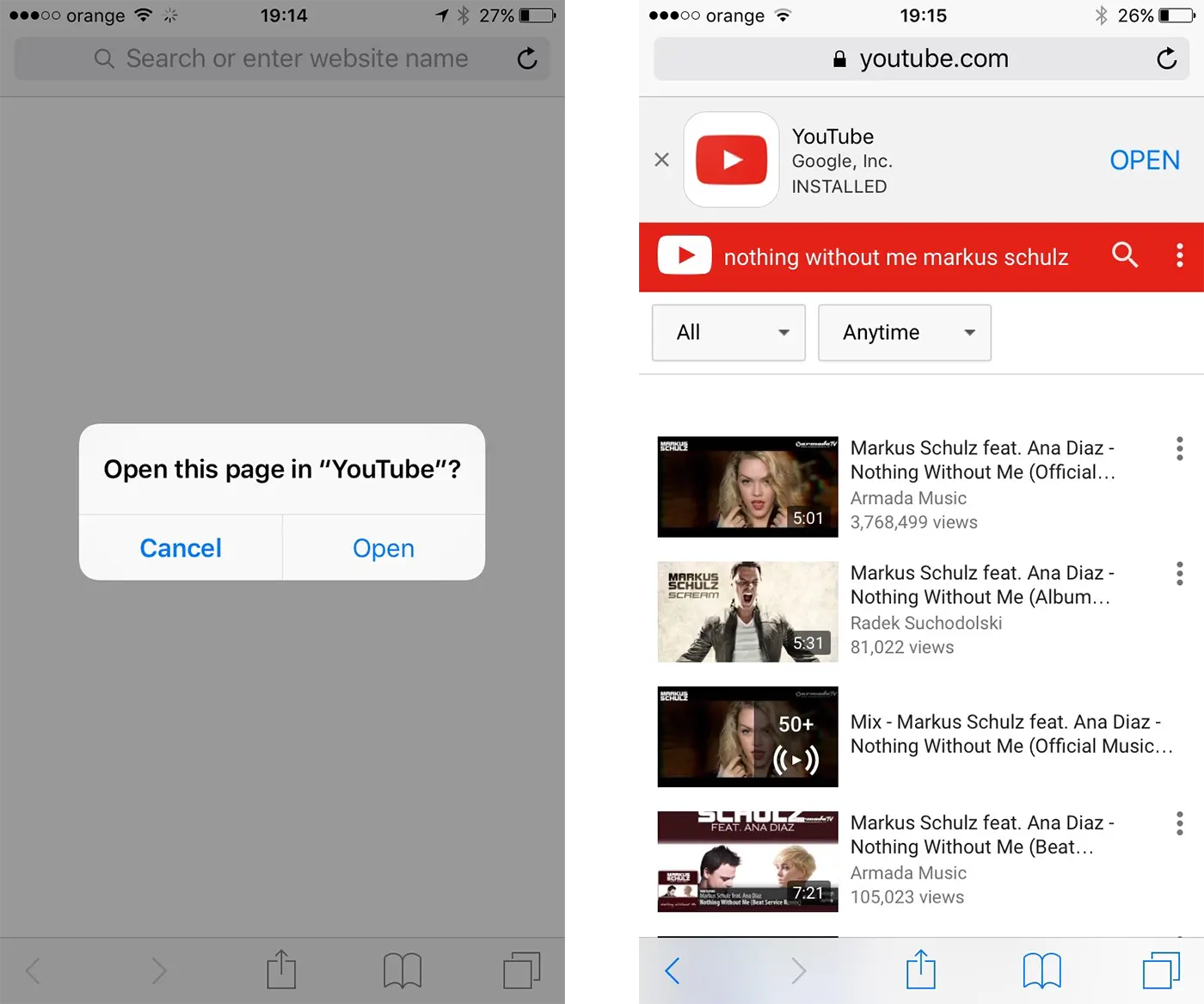
2. We open a video in full screen, then press the side button (or the Home button) of the iPhone leaving the Safari application running in the background.
3. At this moment, the sound in YouTube will stop, but if we go to the Control Center (swipe with our finger at the bottom of the display from the bottom up) we will notice that we have a video open in the iOS player.
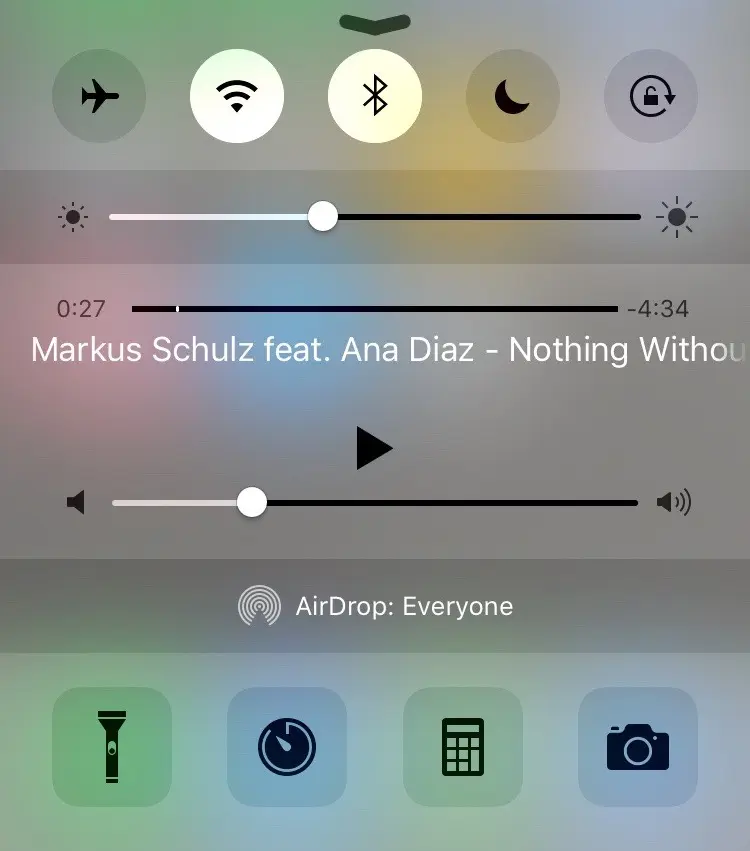
4. We press the play button in the Control Center and listen to the music on YouTube without having the application open. We can put the iPhone to sleep or run other applications, being able to control the volume of the song from the Control Center player.
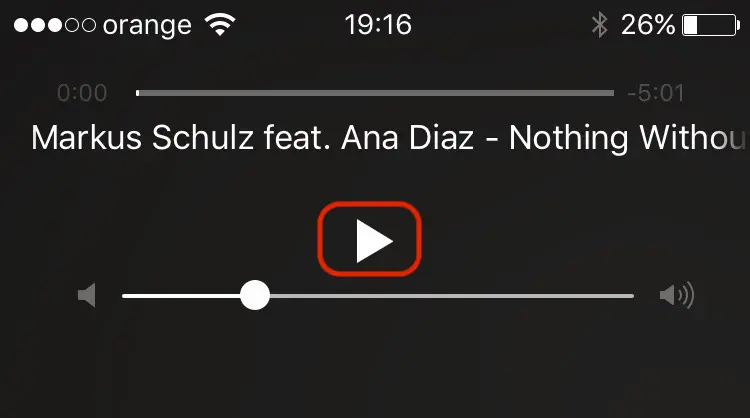
This way you can listen to YouTube music in the background on your iPhone or iPad, even if you don't have a YouTube Premium subscription.





































I gave up the youtube premium subscription and used this method. It's great! thank you!