
A simple tutorial on how you can completely uninstall applications on macOS, without leaving any files created by them, options or preferences on the system.
Compared to Windows operating systems, where most applications are uninstalled from the Control Panel, on the macOS system, uninstalling can be done by simply moving the application from the "Applications" folder to "Trash". It is recommended to also delete the "Trash" content after uninstalling an application using this classic method.
However, this classic method does not guarantee that the application is completely removed from the operating system. There are many applications (especially the most complex ones) that create files with preference settings, options, license credentials storage, outside the application installation folder. In this case, it is recommended to completely uninstall these applications on macOS.
How can you completely uninstall applications on macos
If you need to completely uninstall applications on macOS, the most recommended is the AppCleaner utility. It's a free utility, no ads, no registration, no installation required. New versions of AppCleaner also support complete uninstallation of widgets (macOS Sonoma) and plugins installed on macOS.
1. Download the latest version of AppCleaner from This link.
2. Unzip AppCleaner and run the utility.
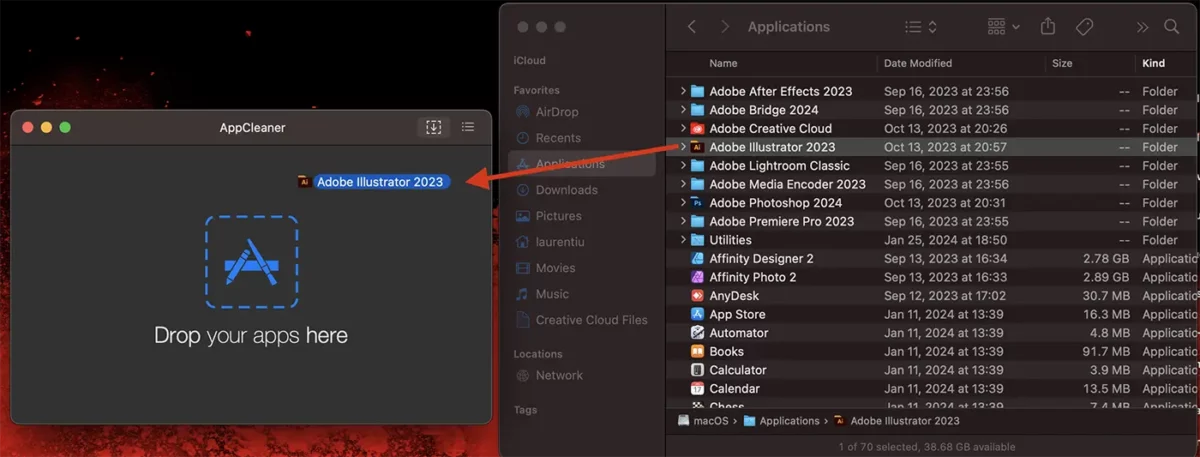
3. În utilitarul AppCleaner sunt două opțiuni prin care poți să elimini complet o aplicație de pe macOS. Poți să tragi aplicația în utilitar (drag & drop) sau poți să utilizezi funcția de căutare a utilitarului.
In my scenario, I chose to completely uninstall Adobe Illustrator from macOS.
4. After the scanning process is completed, click the “Remove” button to completely remove the application from your Mac.
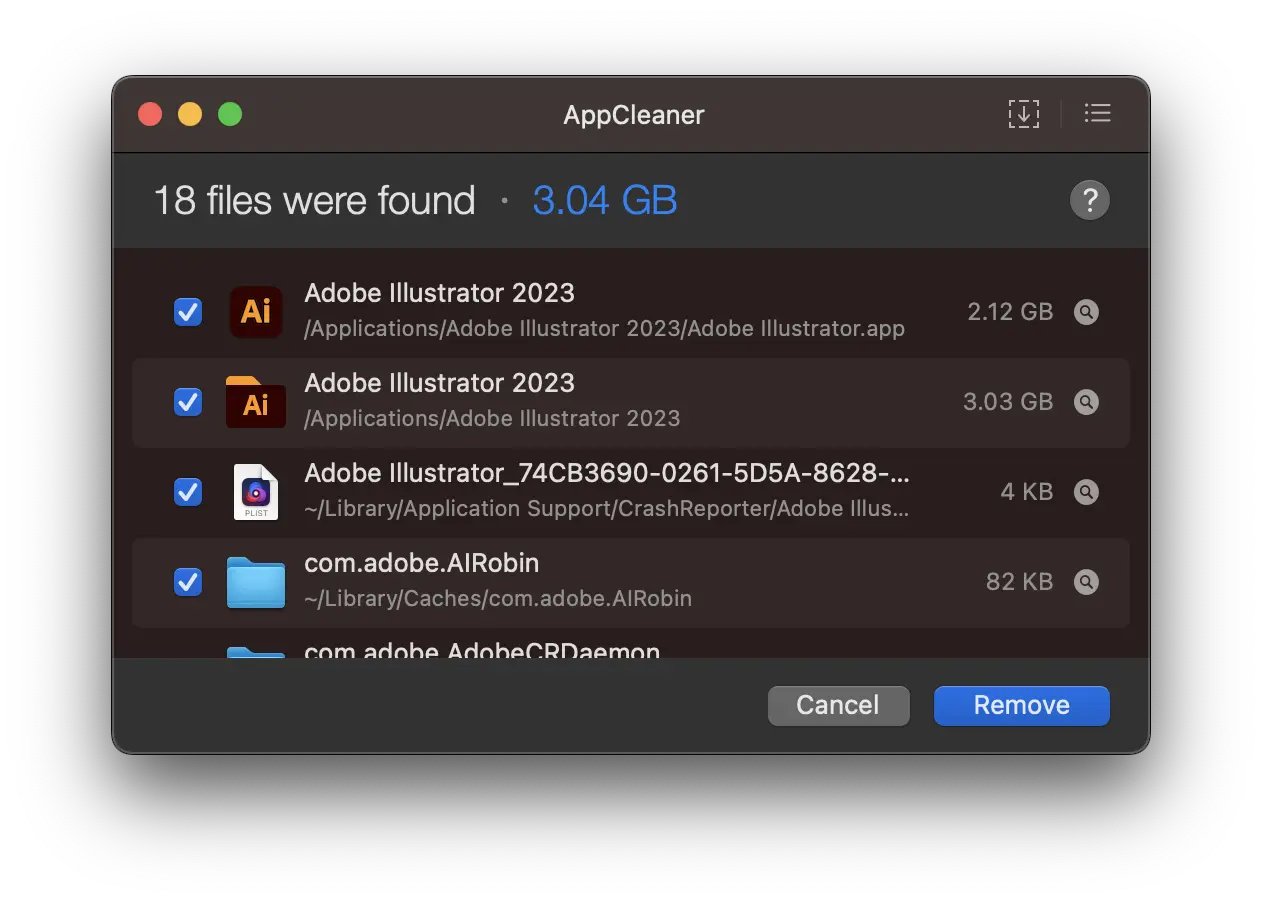
After this step, the app will be completely removed along with all the settings files and other libraries created by it on the system.
It's a very effective solution if you want to free up as much storage space as possible on your Mac, or when you want to completely remove an app to reinstall it with default settings.
Related: How can you hide apps on iPhone or iPad
You can't uninstall native macOS apps and utilities and apps that are open.





































I really had a real problem because I couldn't completely uninstall Photoshop and Corel. it keeps my stubs from configurations, licenses and other craziness.
Thank you!
Welcome!