
The battery problem is general, on almost all state-of-the-art smartphones. Apple's ones are no exception. Most iPhone user complains like the battery dies really fast. As a rule, it lasts for a maximum of 24 hours for average use, with 3G / 4G mobile internet permanently.
The working time of a battery varies depending on many factors. This can be Download from 100% to 0% and in just a few hours If we consider applications open, screen-ul / display open with high brightness or use permanently connected via bluetooth headset. Another factor that reduces battery usage time and a very fast download, it is mobile signal strength. If we are in an area with signal slab GSM si 3G / 4G, we will find that from 24 hours as it would normally keep the battery on the iPhone, it can be downloaded in less than 12 hours.
In this article I will give you some tips (tips) about What you need to do to increase the battery life on iPhone 6, iPhone 6s, iPhone 6 Plus, iPhone 6s Plus and iPhone SE.
1. When we are in a very weak signal area, at the limit of the coverage area, it is good to We totally disable "Cellular Data". Mobile data, more in the sense of all. This option will deprive us about access to the Internet, but anyway, if we have a weak signal, they are the chances as weak so we can check our emails or communicate with friends on messenger systems that use Mobile Internet.
To turn off the mobile internet, we go in Settings > Cellular > glisam pe Off the button next To Date.
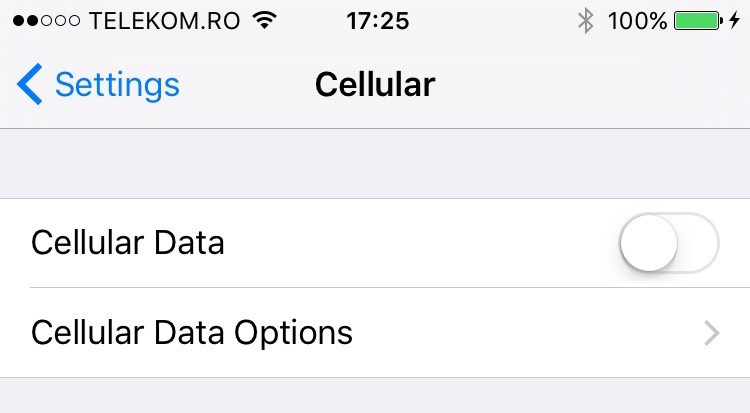
Another option would be to leave To Date Active, and we go to the next next option, and select 2G connection from Cellular Date Options > Voice & Data > 2G.
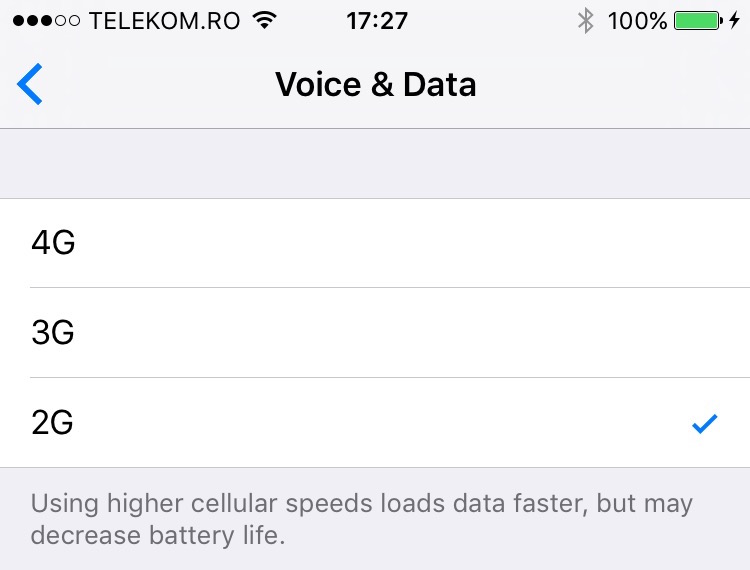
As he tells us in this panel, set for mobile internet connection, The higher the speed of the data connection, the lower the battery life of the iPhone will be reduced.
These settings can increase the lifespan of an iPhone battery by more than 6-7 hours of use.
We recommend using these settings when you are in an area where 3G / 4G covering is non-existent or the signal is very weak. In cities, where usually the power of the data signal is quite good, the transition from 4G to 3G or 2G to increase the battery life, is questionable.
2. With the launch of iOS 9, Apple also introduced a very useful feature that helps users not to remain sudden without battery on the iPhone. Low Power Mode.
In “Low Power Mode”, sunt inchise automat o serie de servicii si de efecte vizuale, cu scopul de a reduce consumul bateriei. Intrare in Low Power Mode se face automat, cu acceptul utilizatorului, cand nivelul bateriei scade sub 20%. Aceasta optiune poate fi activata si manual din Settings > Battery > Low Power Mode.
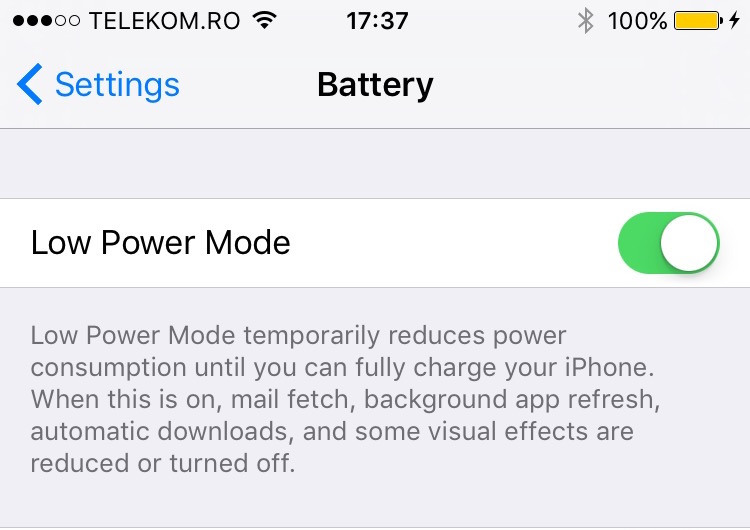
When the Lowe Power Mode option is active, it deactivates background app refresh, automatic updates for applications and software, visual effects and downloading new email messages.
In low power mode, the battery use is increased by up to 3 hours. The manual activation of this mode, at a battery charges 100%, can increase the work period of the iPhone by up to 12 hours.
As an indicator that this mode is active, the graphic indicator showing the battery charge level will be displayed on Yellow.
Save Battery Power oniPhone 6, iPhone 6s, iPhone 6 Plus, iPhone 6s Plus si iPhone SE
iHowto.Tips will regularly update these tips as news and improvements will appear.




































