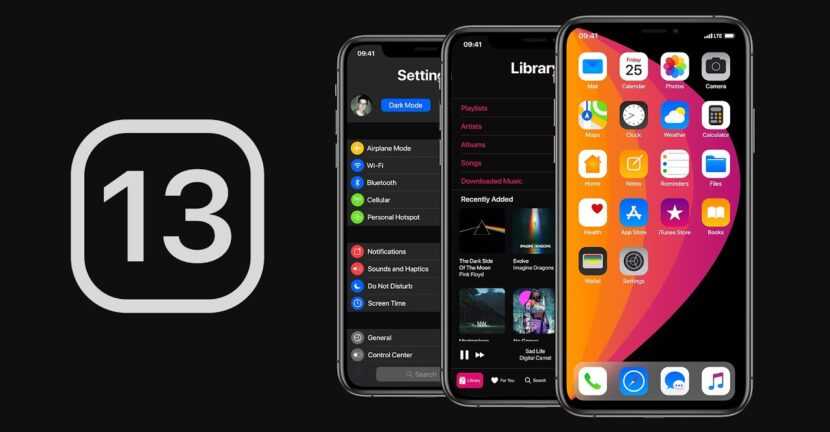

iOS 13 comes with many news, including some Interesting Settings for Calls. Of these, it is the option ”Silence Unknown Callers", By which the possessor of a iPhone has the opportunity to put on ”mute” / “silence" Calls from phone numbers that are not found in its agenda.
Many of us have received calls from unknown numbers, some of them being from distant countries, from badly intentional people. Newer marketing forms are also used by phone calls to make well -known offers or promotions for various products and services. Not few of us woke up with calls received in the middle of the night from unknown people.
iOS offers some interesting solutions for blocking, filtering or putting on the silent way of calls from unknown persons or found in the contact agenda. One of these solutions is the mode ”Do Not Disturb"(DND). It allows you to automatically reject all the calls for the whole agenda, unknown numbers, except for the persons added to the list of" favorites ". About this way I discussed In this article And I showed How can you add exceptions from DND for certain contacts.
Personally, I use "Do Not Disturb" in the programmed mode. "Scheduled".Favorites"Or if the one who wants to call me insisted and sounds the second time.
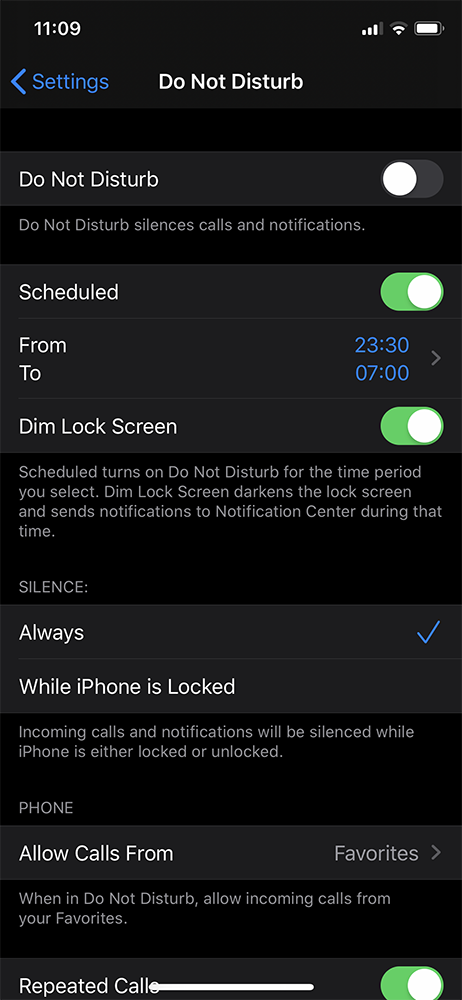
Along with the iOS 13, Apple also introduces a useful setting for filtering calls on iPhone. “Silence Unknown Callers"It automatically passes all the calls received from unknown phone numbers, even if iPhone is not on vibrations.
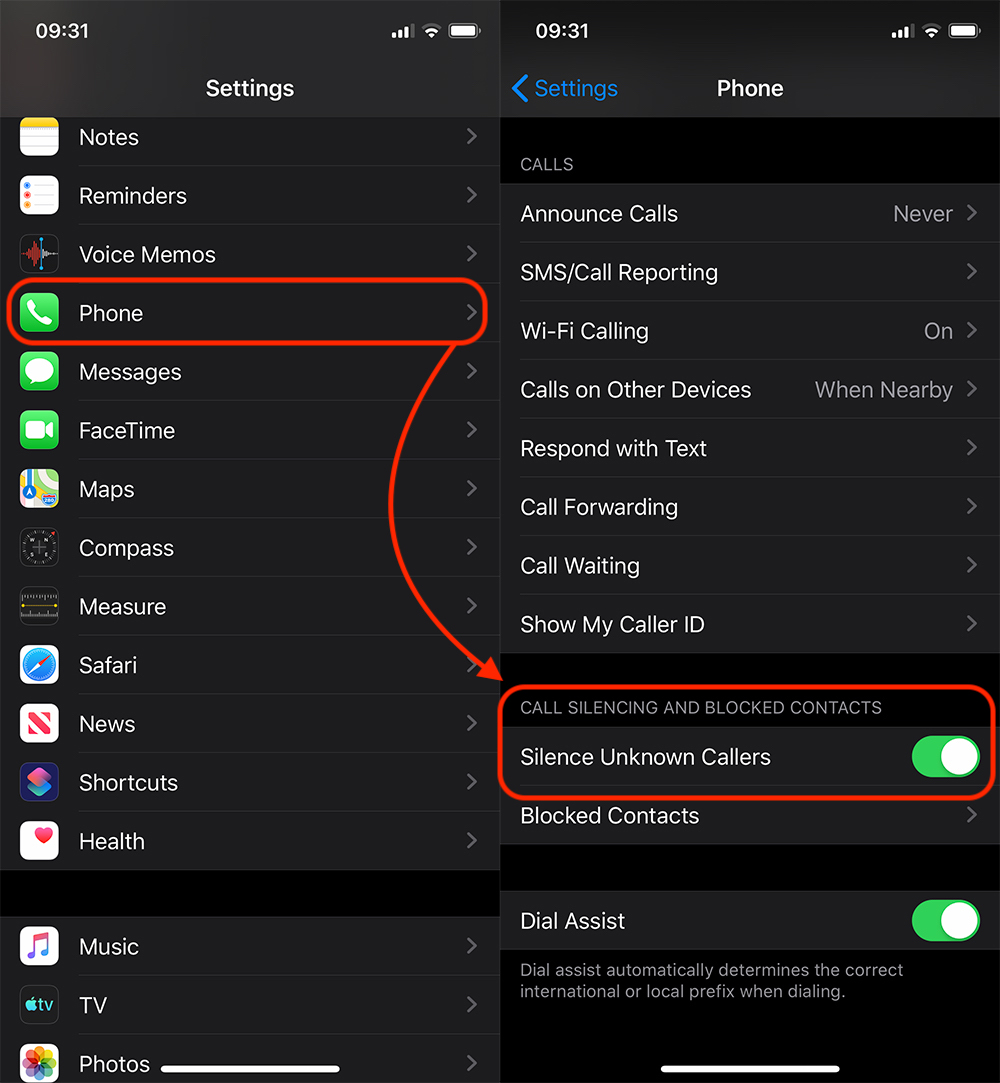
“Silence Unknown Callers"It is displaced in Settings → Phone → Enable"Silence Unknown Callers“.
The feature is present on the beta version of iOS 13, an operating system that will be launched in the fall of this year.




































