
Location services of a mobile device (Android phone or iPhone) are very useful when someone wanders, it is snatches, sequestered, are o serious health problem or suffered one accident.
It is very important for every parent to know at all times where is his child, to know how to reach him in the shortest time if an unforeseen problem arises. It is also very important for the child to tell the parents where they are going and with whom, especially when they come into contact with unknown people. For example, when children have to take a car to hitchhike, taxi or car sharing (Uber, Bolt, Yango), the ideal would be to notify their parents by SMS or phone, the number of the car, the color and the destination they are going to.
Just these days, a message of exhortation in this sense is circulating on Facebook. Everything on the basis the tragic events at Caracal (Olt, Romania), where two minor girls disappeared, without knowing exactly at this moment if they are still alive or not.
FOR FATHERS OF GIRLS. AND BOYS.
EVERY TIME HE USES A TAXI, IN BUCHAREST, IN THE COUNTRY OR ABROAD, HE SENDS ME A MESSAGE WITH THE NUMBER OF THE CAR HE'S GETTING IN. BA EVEN MAKES A PHONE PHONE WHILE HE'S GETTING IN SO THE DRIVER HEAR THAT HE KNOWS WHERE HE IS. AND TAKE THE RIGHT-REAR SEAT. NOT TO CONTROL IT, BUT TO KNOW WHERE I CAN GET IT FROM. WHENEVER HE LEAVES SOMEWHERE, HE LET ME KNOW.
A simple method for parents is to use location services and applications on children's phones. In this era, most children have smart phones and are almost permanently connected to the Internet.
Let's take the scenario where the child and the parents have iPhones. In this case, there are two applications developed by Apple and which are implicitly found on Apple devices. Find iPhone and Find Friends. As a parenthesis, starting from the fall, with the launch of the operating system iOS 13 for iPhone, these two location applications will turn into a single application. Find My.
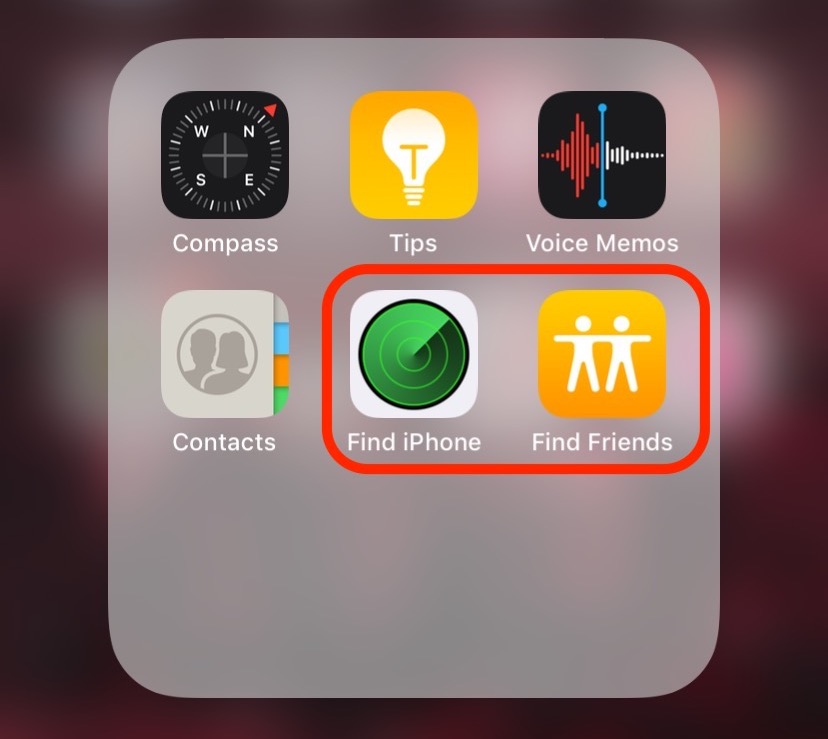
How to add the iPhone of a child, friend or family member to the location application "Find Friends" on iOS 12
Through Find Friends (Find My Friends) contacts with Apple devices (iPhone, iPad or iPod Touch) can be added and the location can be permanently shared with them. This means that at any time, a contact you add in Find Friends can see your location.
How to share the location (share location) with the Find Friends application on the iPhone
1. We open the application Find Friends and we press on "Add” from the top right.
2. I was looking for the contact for which we want to share the location, il Select and press "Send“.
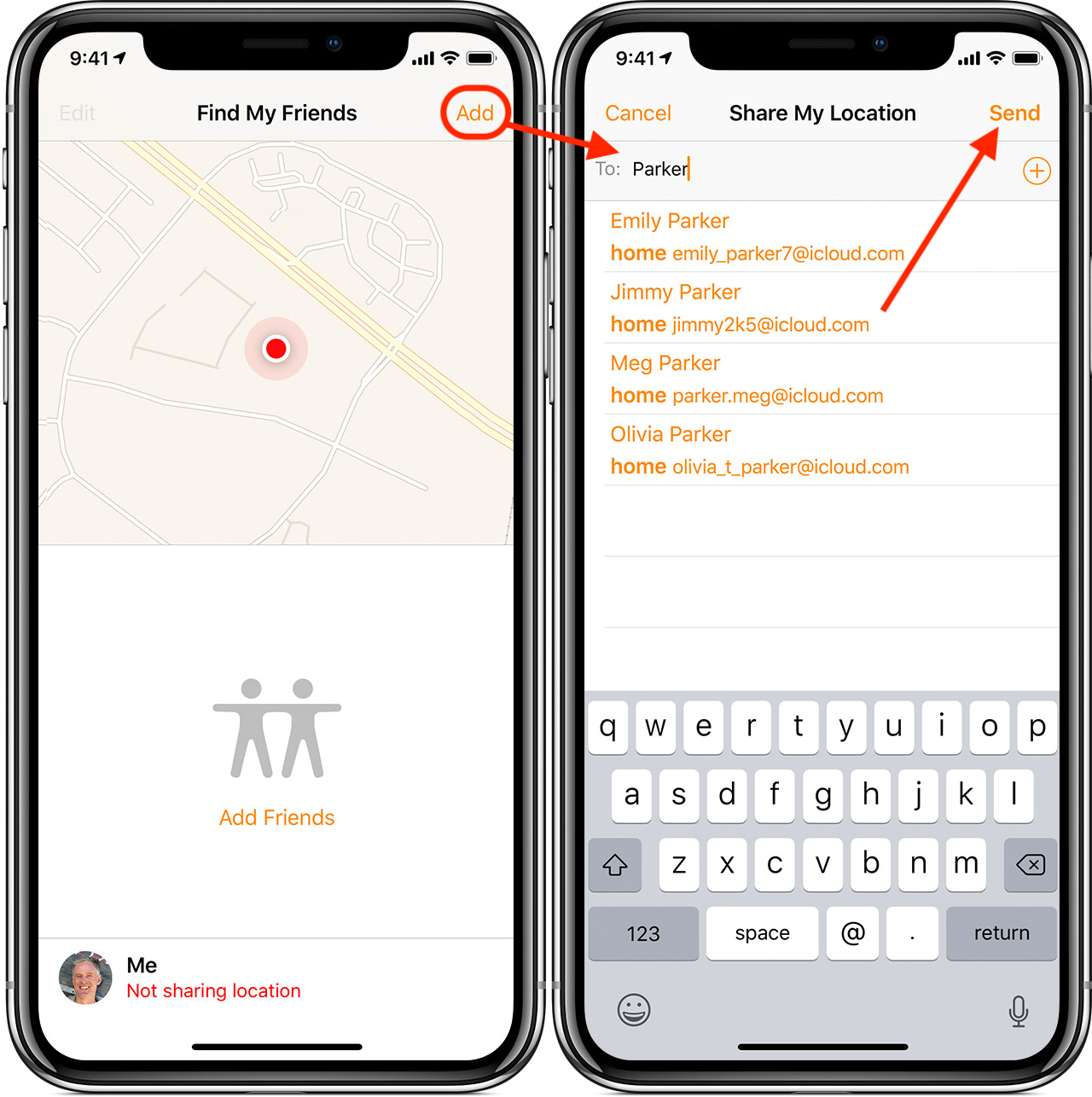
It is very important that at the bottom we click on "Not sharing location" and activate the location of the device. After adding a location sharing contact, a notification will be sent to the added person's device.
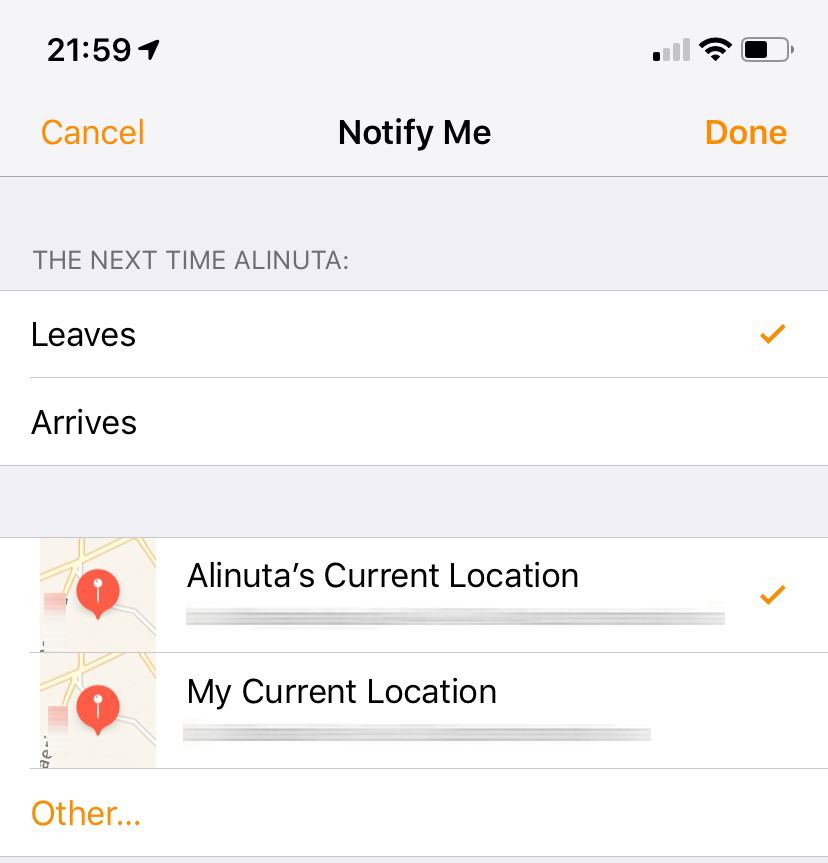
After this step, it will be possible to set automatic notifications when the device leaves the current location or arrives at a predetermined location.
It is very important that the location services are turned on on the device we want to track. Activate the services from "Settings" → "Privacy" → "Location Services".
Locating an iPhone can be done both on the iPhone and on the iPad, iPod Touch or Mac. If you don't have a device at hand on which to have the location service, this can also be done from your iCloud.com account on any computer or mobile phone.
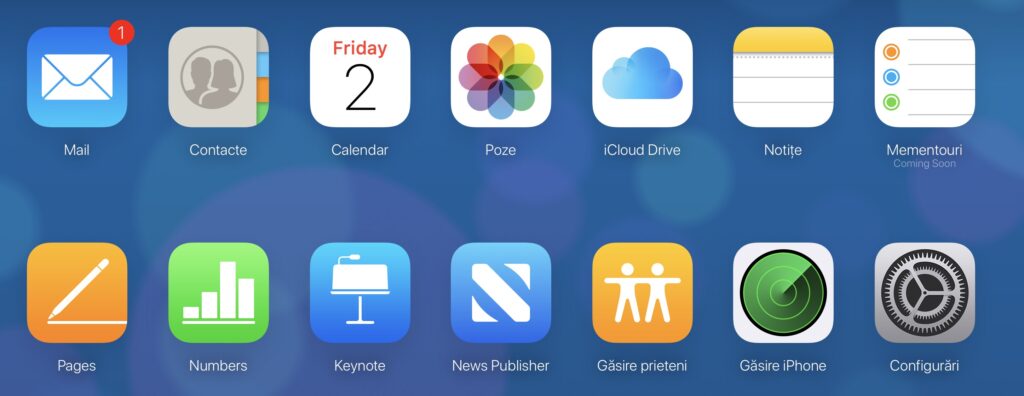
Users who will switch to iOS 13 will have the application Find My in the place Find My Friends (Find Friends) and Find My iPhone.
How to add the iPhone of a child, friend or family member to the "Find My" location application on iOS 13
With iOS 13, Apple will abandon Find My Friends and Find My iPhone on the new operating system. Both are location applications, with the difference that one is for sharing location with friends (Find Friends), while Find iPhone is for your own devices or those of family members, add in "Family Sharing“.
An important feature of the application Find My it's like it can also detect offline devices. Which are not connected to a mobile internet or Wi-Fi network. If another iPhone device is near the one you are looking for, there will be one between the two iPhones data exchange via Bluetooth, completely secure and anonymous, through which the location will be sent. The nearby iPhone can be anyone's. It will not have access to the data, nor will it be notified that another device is being located through it.
Location sharing with a contact on iOS 13 it is done very simply, from the contact book. Open "Contacts", go to the contact with whom you want to share the location and somewhere at the bottom, you have the option "Share my Location“.
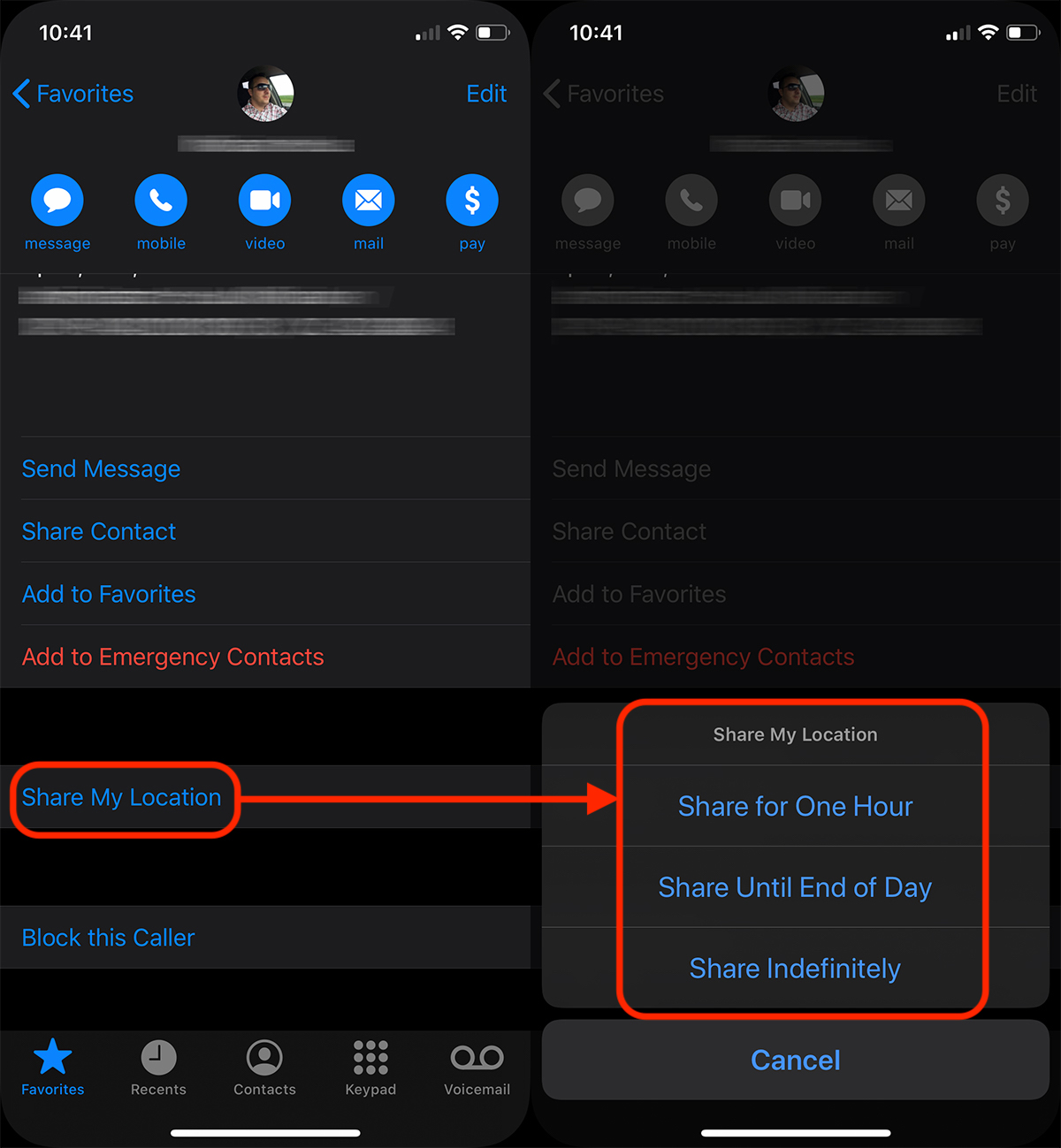
You have the possibility to share the location for an hour, until the end of the day or permanently.
To stop location sharing, press "Stop Sharing Location".





































Thanks I am a mother and very busy! This helped me alot!