
As operating systems Windows, formatting the whole hard disk, either classic HDD or SSD, cannot be done with the operating system on. It is also normal. Nor would it have to be deleted by the system files while it would run.
Full formatting of disk on Mac, is done using Utility programs from Recovery Mode. These tools are available regardless of what is the condition of the hard. For example, when you change HDD or SSD on Mac, entry into the Recovery Mode is necessary to create the partition and install the operating system. Equally necessary is to start a Mac in the Recovery Mode and when we want to completely delete the disk space and reinstate the operating system.
How to open a Mac in Recovery Mode / Maccos Recovery
There are three variants where we can start a Mac in the Recovery Mode, or Macos Recovery, as it is known. Each option will open the same utilities, but it will be Different operating system to be installed.
Stop by all the poppy, then Press the start button. Immediate Press and hold the key combinations Below, depending on the version of maccos you want to install.
Command (⌘)-R : You will be able to reinstall the latest version of maccos present on Mac.
Option-⌘-R : Do Upgrade to the latest version of macos compatible with your Mac
Shift-Option-⌘-R : Install the macos version with which the device came from the factory. If that version is no longer available, the closest version will be installed.
How to format / delete all data from a hard drive on Mac
Of course, before this process you need to have a backup on all data. These they will be deleted irrecoverably.
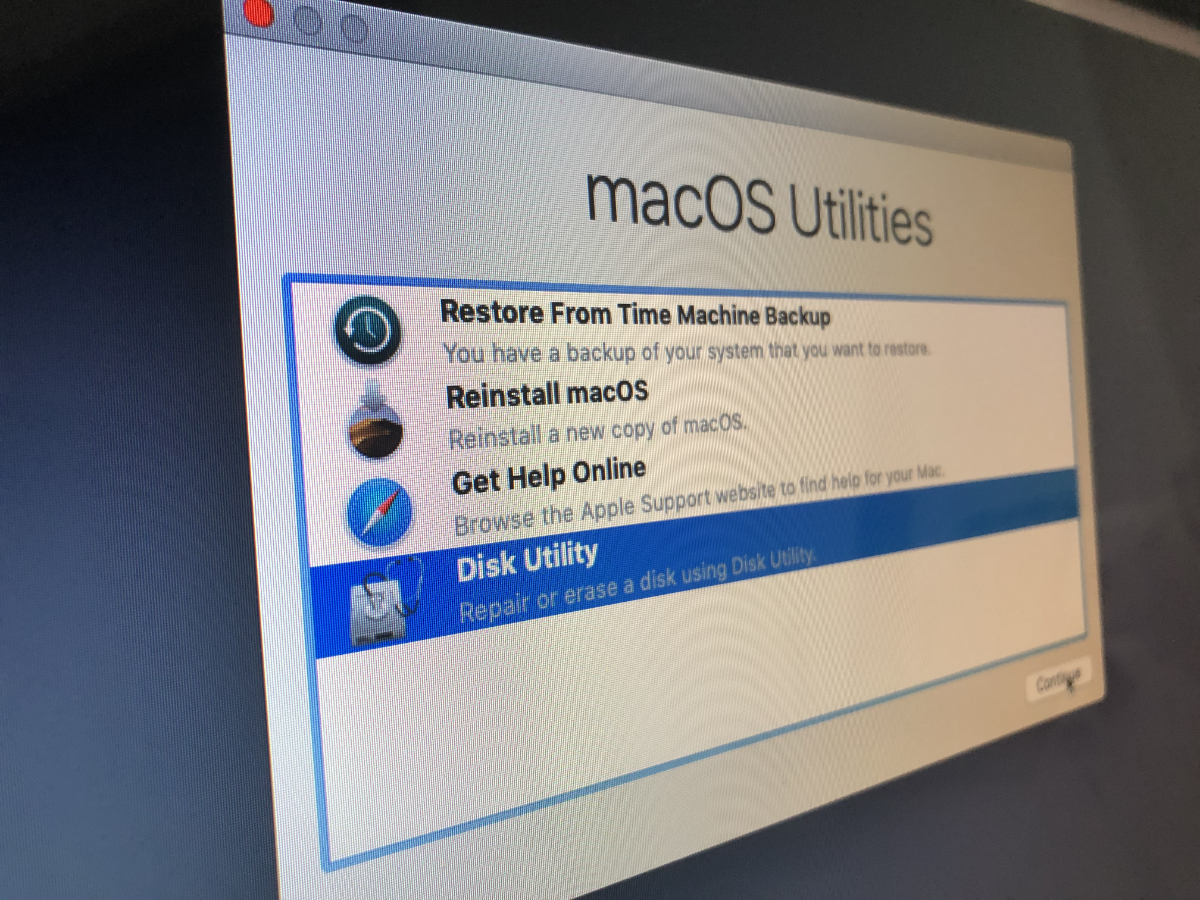
from macOS Utilities, we go and open Disk Utility.
In Disk Utility, click on "View” → “Show All Devices". The option is in the corner on the top left.
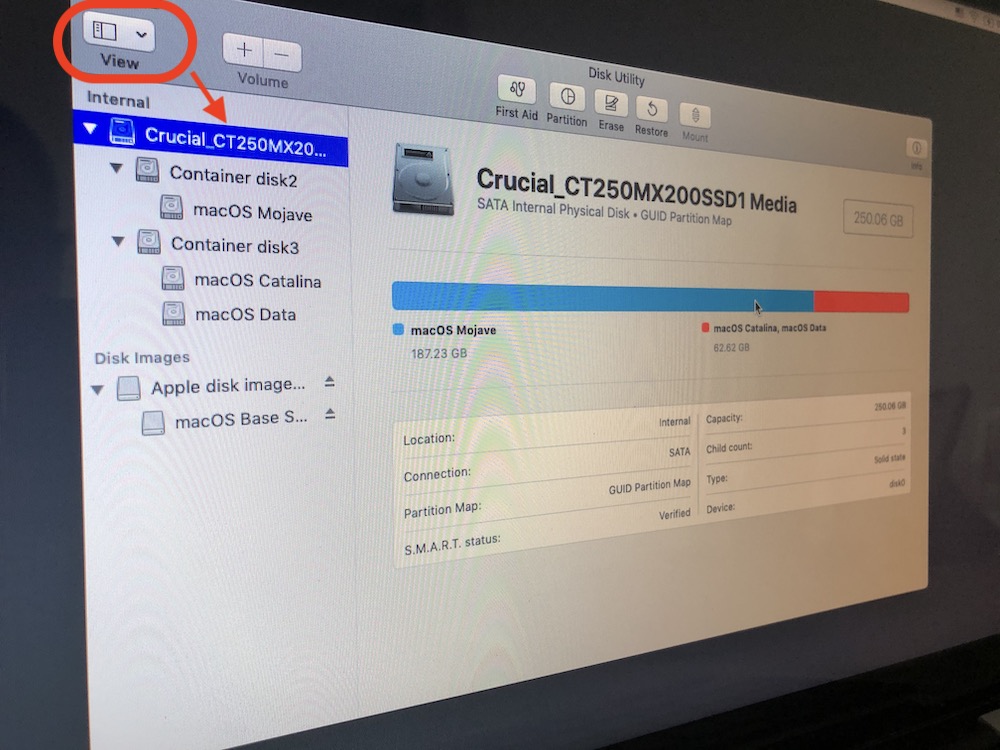
We select the physical hard disk to format-it is in the shaft above all partitions or volumes. Click ”Erase"From the top of Disk Utility, then give a name main partitiei, Choose the formatting and schema hardto.
An option box will open. For the first layout, it is advisable to choose the formatting: “Mac OS Extended (Journaled)". In the case of SSDs, the partition of the first container will become automatically with volum APFS.
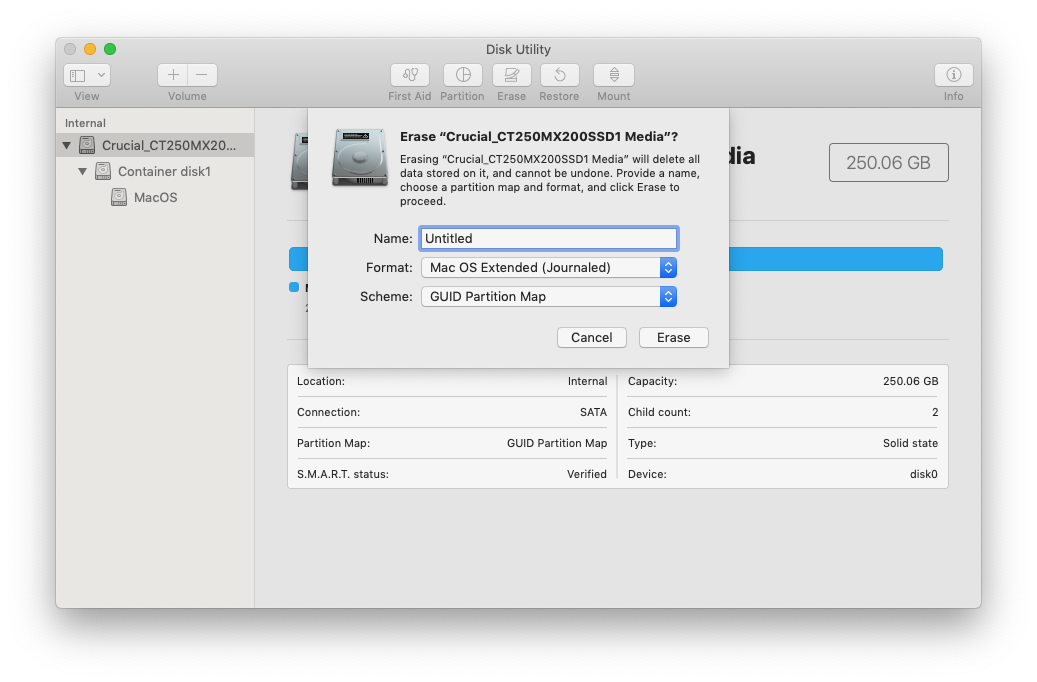
Click Erase and wait for the operation to be completed. Click "Done" at the end.
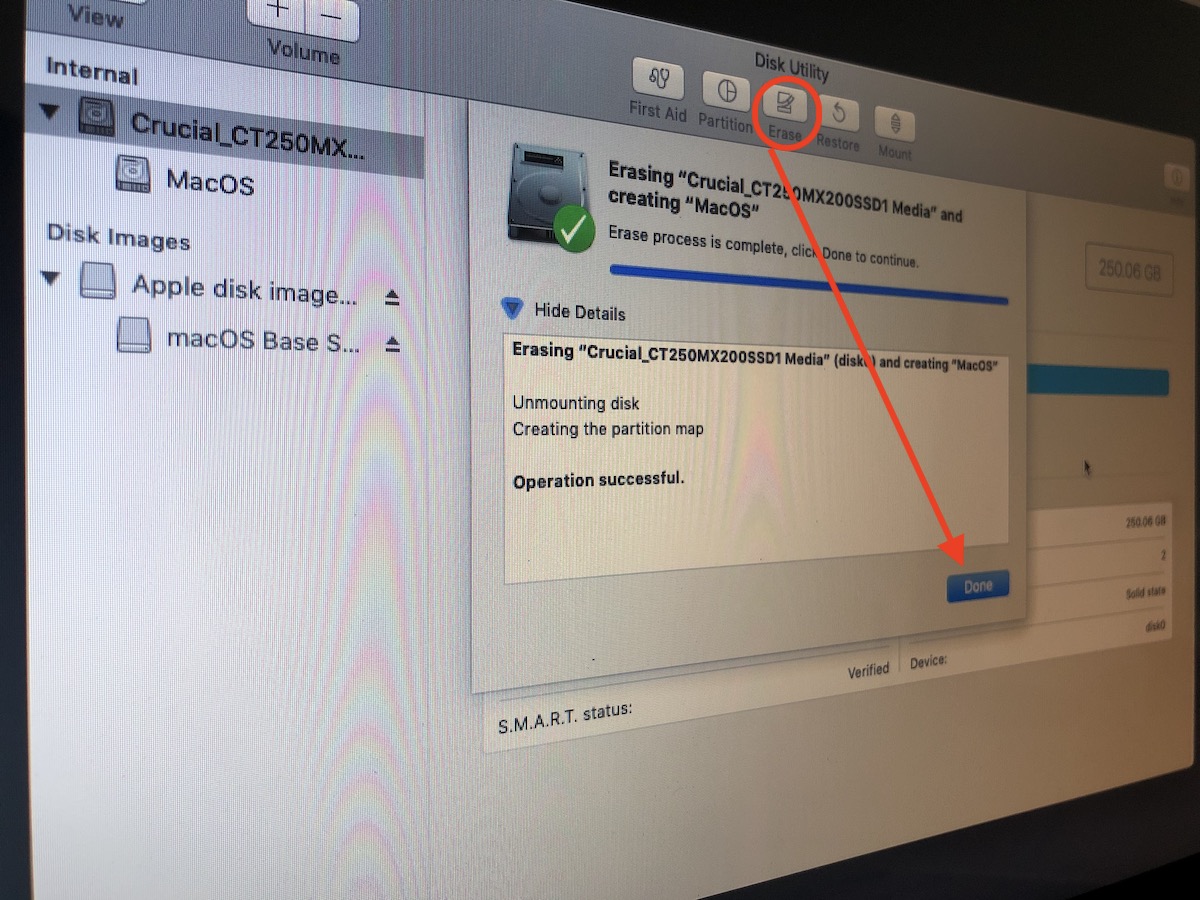
After this operation, the hard disk will be empty and you will need to reinstall the operating system. Close Disk Utility and go to "Reinstall macOS“.





































Hello!
I have a problem with my Mac. I have tried to clear the hard drive just this way. Everything works properly except that 73 GB remains and cannot be deleted. This space is called 'other volumes in the container'. I do not know what it consists of and it seems completely impossible to erase. Is there any solution to the problem?