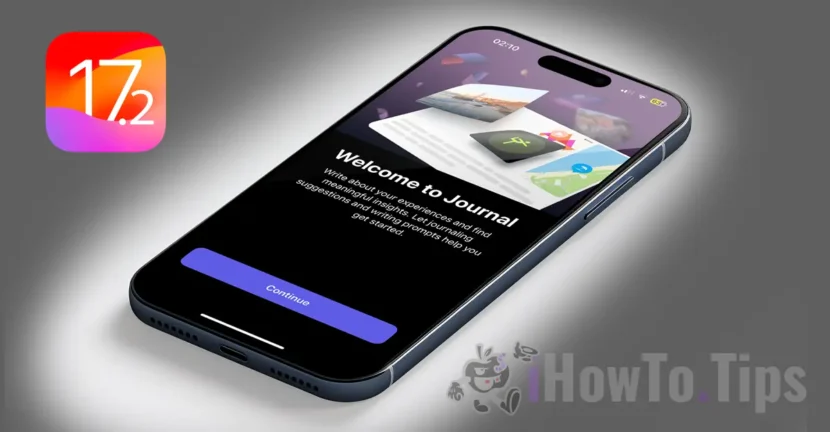

After a long wait, Apple launched the final version iOS 17.2 for all compatible iPhone holders. The new version introduces the Apple Journal app, which was first presented at WWDC in June. It also adds new features to the Action button and introduces the space video capture on the iPhone 15 Pro and iPhone 15 Pro Max.
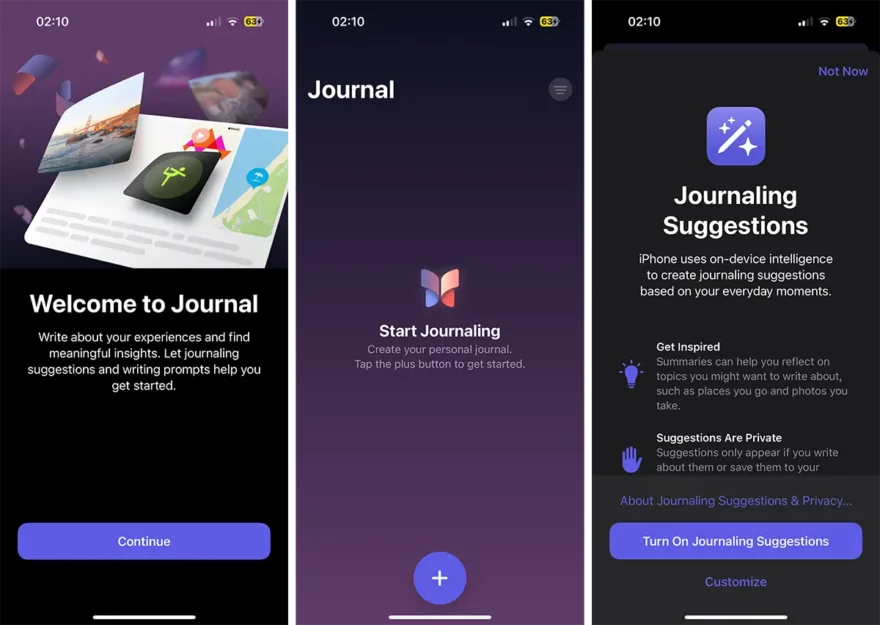
The main novelty introduced on the IOS 17.2 update is the Journal application. This app allows you to write about all the important moments and events in your life. It is a secret space, secured with Touch ID or Face ID, in which you can keep your thoughts and memories, in full privacy.
From physical exercises, hiking routes, vocal records and up to photos and vide clips, all can be stored in the Journal application and kept secured in the iCloud account.
Other features entered on iPhone devices with the final version iOS 17.2:
- the translation option for the button Action present on models iPhone 15 Pro, iPhone 15 Pro Max It allows you to quickly translate phrases or have a conversation with someone in another language.
- capture support ”Spatial Video"In the application Camera, compatible with devices Apple Vision Pro.
- Improved speed of telephoto camera focus (Telephoto) when capturing small and distant objects on iPhone 15 Pro and iPhone 15 Pro Max.
- Arrow in the upper right corner of the conversation through which you can easily reach the new unread messages in the conversation.
- The option of adding a sticker to the context menu allows you to directly add a sticker to a message from the conversation.
- Contact Key Verification provides automatic alerts and Contact Verification Codes to help verify that people who face extraordinary digital threats only communicate with the people they intend with.
The weather application (Weather) has received important updates in the final version iOS 17.2.
- The amounts of precipitation help you to keep up to date with the rain and snow conditions for a day in the next 10 days.
-The new widgets allow you to choose between rainfall for the next hour, daily forecast, sunrise and sunset, and current conditions, such as air quality, thermal sensation and wind speed.
- The overall image of the wind map helps you quickly evaluate the wind models and access the animated overlap of the wind map to prepare for the forecast conditions for the next 24 hours.
- The interactive calendar of the month allows you to easily view the phase of the month in any of the next 30 days.
Table of Contents
Other news in the final version iOS 17.2
Support Siri for accessing and private registration of the data of the Health application using your voice.
Airdrop improvements, including extended contacts of contacts and the possibility to share transport tickets, film tickets and other eligible tickets, by the simple approach between two iPhone devices.
Play list ”Favorite Songs"In Apple Music it allows you to return quickly to the songs you mark as favorite.
The use of the auditory history in Apple Music can be disabled in a focus, so that the music you listen to does not appear in "Recently Played" or influence the recommendations.
In the final version iOS 17.2 a new widget was introduced for the digital clock. This Widget allows you to take a quick look at Home Screen and in the way StandBy.
The improved Autofill function identifies the fields in the PDF files and other forms, allowing you to populate them with information such as names and addresses in your contacts.
New keyboard arrangements provide support for 8 Sámi languages.
WARNING FOR SENSITIVE STYDINS CONTENT IN MESSAGES. It prevents you from being surprised by displaying a nudity sticker.
Qi2 load support for all iPhone 13 models and iPhone 14 models.
Remedying a problem that could prevent wireless loading in certain vehicles.
IPhone models compatible with iOS 17.2
To be able to install the final version iOS 17.2, you must have one of the following iPhone models:
Phone XR, XS, XS Max
iPhone 11
iPhone 11 Pro, 11 Pro Max
iPhone SE (2nd gen)
iPhone 12 mini, iPhone 12
iPhone 12 Pro, iPhone 12 Pro Max
iPhone 13 mini, iPhone 13
iPhone 13 Pro, iPhone 13 Pro Max
iPhone SE (3rd gen)
iPhone 14, iPhone 14 Plus
iPhone 14 Pro, iPhone 14 Pro Max
iPhone 15, iPhone 15 Plus
iPhone 15 Pro, iPhone 15 Pro Max
With this version was launched the final version of IPADOS 17.2, but unfortunately, the Journal application is not available for iPad.




































