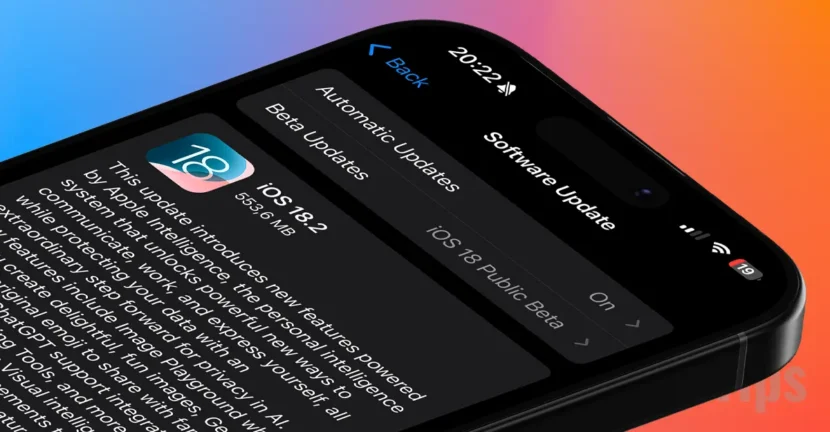

Apple has released the final version of iOS 18.2 to all users with compatible iPhone devices. However, even if you have an iPhone compatible with the latest iOS version, you still won't be able to benefit from the main feature, Apple Intelligence. Device compatibility for Apple Intelligence and regional restrictions make this major update only news for some users.
Table of Contents
iOS 18.2 and Apple Intelligence compatible iPhones.
iOS 18.2 is compatible with all devices on which iOS 18 can be installed, but to benefit from Apple Intelligence it is necessary to have an iPhone 15 Pro, iPhone 15 Pro Max, or any iPhone 16 model. Also, Apple Intelligence is limited in the countries of the European Union, Apple justifying that this decision is based on European legislation.
List of compatible iPhone devices:
- iPhone SE (3rd gen)
- iPhone XR
- iPhone XS and XS Max
- iPhone 11
- iPhone 11 Pro and 11 Pro Max
- iPhone 12 and 12 mini
- iPhone 12 Pro and 12 Pro Max
- iPhone 13 and 13 mini
- iPhone 13 Pro and 13 Pro Max
- iPhone 14 and 14 Plus
- iPhone 14 Pro and 14 Pro Max
- iPhone 15 and 15 Plus
- iPhone 15 Pro and 15 Pro Max
- iPhone 16 and 16 Plus
- iPhone 16 Pro and 16 Pro Max
- iPhone SE (2nd gen)
What's new with Apple Intelligence on iOS 18.2?
iOS 18.2 brings innovative Apple Intelligence features including Genmoji, Image Playground, Siri integration with ChatGPT, plus many other features that rely on artificial intelligence.
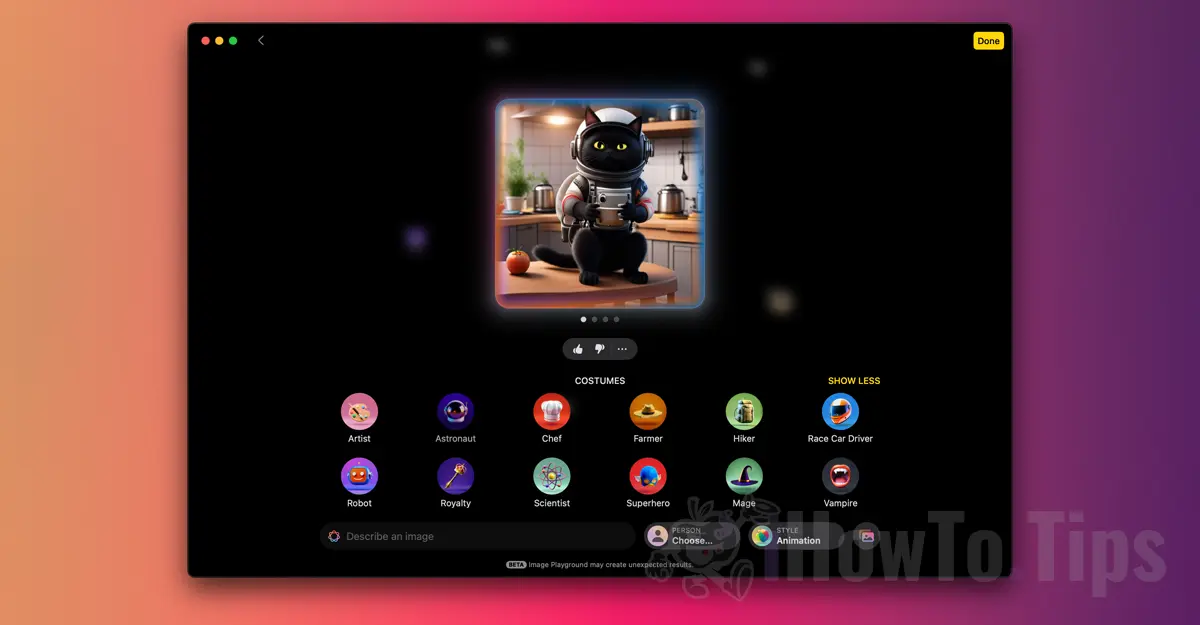
Image Playground
A brand new app I tested on Mac that allows you to create creative and playful images using concepts, descriptions and people from your photo library. You can browse and preview different styles as you create your image with the Image Playground.
The app lets you create images directly in Messages, Freeform and third-party apps. These pictures will be synced to your iCloud account so you can access them from other devices.
Related: Image PlayGround. Generating images with ai on iOS and macos
Genmoji
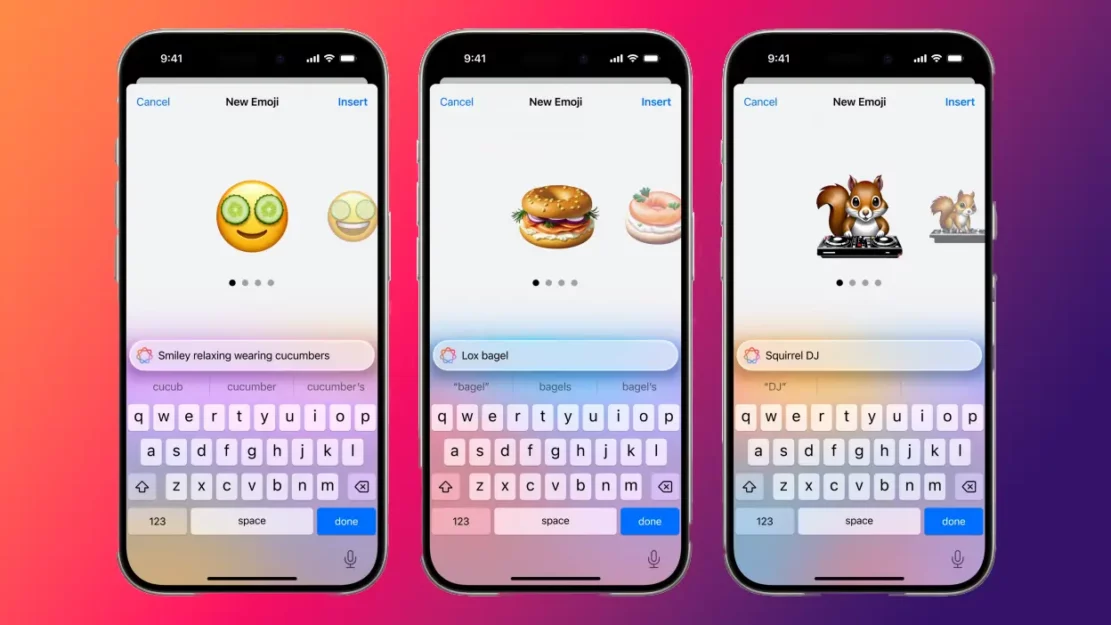
This is a new feature related to Apple Intelligence that allows users to create custom emojis directly from the keyboard via prompts. Apple called them Genmoji, a word composed of "emoji" and the artificial intelligence with which they are generated.
Genmoji are synced to the user's stickers across all devices via iCloud.
Chatgpt integration
In terms of productivity and the development of general culture or creativity, the integration of ChatGPT from OpenAI directly through Siri or Writing Tools, is definitely one of the most important features of iOS 18.2.
Users can use Compose in Writing Tools to create content from scratch using ChatGPT. The Siri assistant can also use ChatGPT to provide answers when relevant.
A ChatGPT account is not required to use this feature of Apple Intelligence, and requests will remain anonymous and will not be used to train OpenAI models. If you sign in to a ChatGPT account, you will have access to its benefits and your requests will be handled according to OpenAI's data policies.
Another function of the text writing tools offers the possibility to rewrite the content in various ways, for example in the form of a poem.
Image Wand
A feature of Apple Intelligence that turns handwritten sketches and notes or text descriptions into images directly in the Notes app.
Removing people, objects from images
With the help of artificial intelligence in the Photos application, you can delete people, objects or other elements from photos.
See this article on how to use this new editing feature on Mac: How can you remove people from a picture on Mac.
What's new in the Mail app on iOS 18.2
iOS 18.2 brings a major redesign to the Mail app, which sorts messages into four distinct categories:
- Principal: Personal and urgent emails.
- Transactions: Confirmations and receipts or other financial transfers.
- Updates: News and social media notifications.
- Promotions: Marketing emails and coupons.
If the Mail application has not correctly categorized an incoming message, you can manually move the message to another category, and this preference will be retained for future emails from the same sender.
The update also introduces a new "summary view" feature that groups all emails from a specific company. You can also activate notification badges only for unread messages in the "Main" category.
Changes and new features in the Photos app
iOS 18 brought a significant design update to the Photos app, and iOS 18.2 brings some changes based on user feedback. The previous update was not liked by many users and Apple took into account the things that should be changed in the application.
Here's how Apple says it responded to that feedback in iOS 18.2:
- Improvements to watching videos, including the ability to scroll frame by frame and a setting to disable auto-looping.
- Easier navigation in Collections views with the ability to swipe right to return to the previous view.
- Album history Recently viewed and Recently shared can now be deleted.
- album Favorite it appears in both the Utilities section and Pinned Collections.
New Camera Control options for iPhone 16
For iPhone 16 Pro users, iOS 18.2 brings further improvements to Camera Control. The most notable innovations include the introduction of Visual Intelligence and other advanced control functionality.
Visual Intelligence: This feature can be activated by a long press on Camera Control. Once enabled, this feature allows you to quickly identify information about objects or places just by pointing your iPhone's camera at them. In addition, you can access additional details via Google Search or ChatGPT.
Two-stage trigger: Allows focus and exposure to be locked with a light press of the Camera Control button.
Double-click speed. In iOS 18.2 you can adjust the double-click speed of the Camera Control function. You can make these changes from: Setări > Accesibilitate > Camera Control. Options include Implicit, Lent and Slower.
Access options for Camera Control. A simple tap on Camera Control will automatically open the Camera app, regardless of whether the iPhone 16's screen is on or not. This option can be adjusted in the application settings.
These would be the most important novelties brought by the new version iOS 18.2, but note that many of them are only available for the iPhone 15 Pro, iPhone 15 Pro Max and all iPhone 16 models. Also, all the new functions related to Apple Intelligence are currently not accessible in the countries of the European Union.




































