

It is not a concern if Mobileassetd consumes high CPU resources. This process you see with "high cpu usage" in Activity Monitor is not part of a virus, malware or
The data of the problem is very simple. On one Macbook Pro (13-inch, mid. 2012) with Catalina macOS, there are times when Load CPU outdated 100%, and this high CPU usage is given by the process ”mobileassetd"Although by their nature MacBook and Mac are very silent, when the CPU exceeds 100%, the sound given by the fans (CPU FAN) cannot be ignored.
In the image below, "mobileassetd"It shows that it uses 78.8% of the CPU, which is not a little. I do not talk that there were times when it exceeded 100% CPU usage.
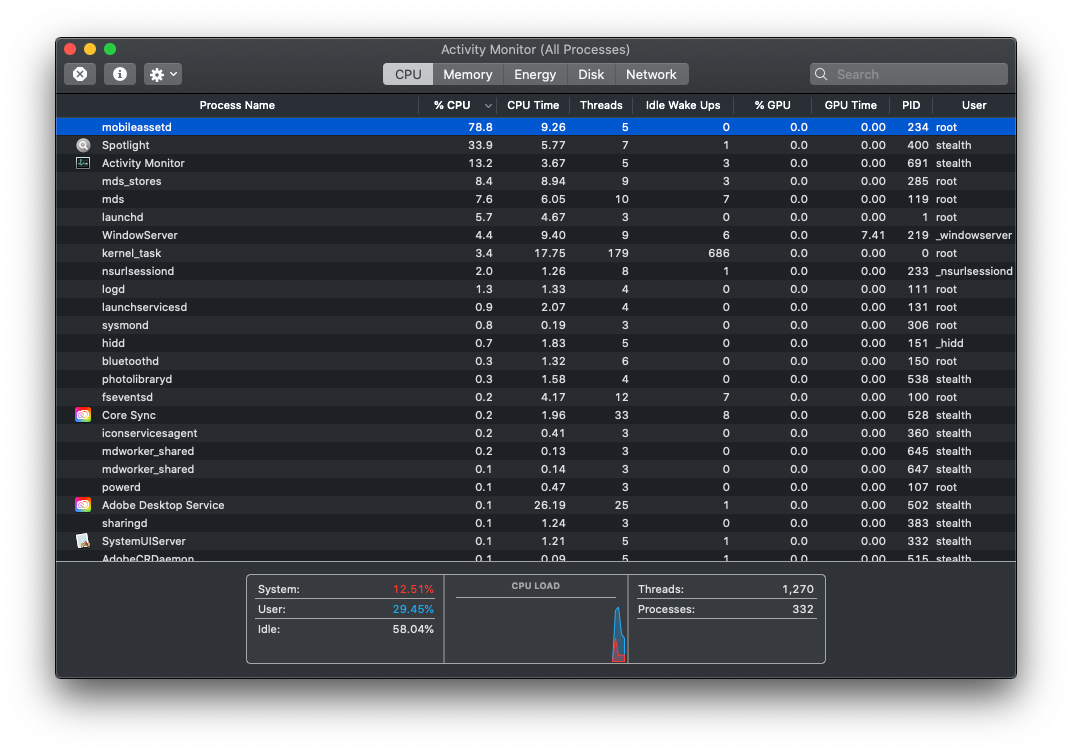
Fortunately, "Mobileassetd" is not a virus And not even a process that interacts with third applications, apart from those developed by Apple for Prorpi's systems. "mobileassetd"He was present so much on iOS 13 and macos, up to the version Catalina macOS. Once with macOS Big Sur, Apple removed this process from Macos, which was launched from "com.apple.mobileasset".
- What is Photoanalysisd and why it uses many CPU resources on Mac
- The Bird process uses high CPU resources on Mac - How to Fix
- What is uvfsservice and why uses large CPU resources
The termination with the letter ”d"Of the name of a process on MacOS or Linux, suggests that this is a "daemon".
Why do Mobileassetd consume high resources CPU - High Cpu Usage?
Normally, "mobileassetd" is seen running with Xcode or other software applications for developing, being responsible for downloading and handling data applications.
The fact that Macos Catalina we see a very big Load of the CPU in some times because of this process, should not worry us. Most likely this High Cpu Usage appears due to the fact that the MacBook we have has not been opened for several days, and in the meantime there have been updates that needed update. So this high usage caused by mobileassetd will be temporary.
If we leave Mac for a few minutes. Without asking him in other operations, the "mobileasset" process will diminish its CPU requirements alone.





































I also have a lot of consumption after changing to Big Sur, I don't know what is going on yet, but when starting the laptop it gives you to know that he is alive 😉
And if you leave the computer open for a few minutes without working on it, does it stop?