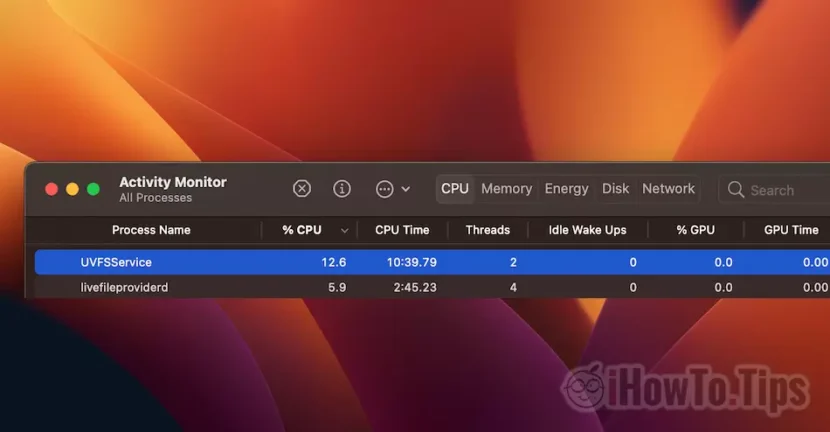

Not all processes that at one point consume many resources on macos are suspicious of being viruses or malware. This is the case of the process UVFSService which we sometimes see with a high consumption of CPU resources in Activity Monitor. Let's see what it is UVFSService And why it uses large CPU resources at times.

When I made this UVFSSERVICE screenshot, only 12.6% CPU, but had enough moments when it reached almost 50%. Quite large for a process, which is why many users if they cannot identify it with an open application at that time, I can confuse it with a virus running malware.
The good news is that UVFSSERVICE is not a virus, and it is a maccos process that performs very useful tasks. Despite the fact that often the consumption of CPU resources leads to Excessive heating of Mac or MacBook.
Table of Contents
What is uvfsservice and why uses large CPU resources on macos
UVFSService is actually the process service UVFS Which on the meaning of all, it monitors the user's hard files. A pseudo file system that sends requests to the system files with reading and writing operations at user level.
When Mac (hard disk) storage support many files were copied into a very short time, the process UVFSService It will work for a while until their indexing in Spotlight (MacOS search system) will be done.
Another cause of which UVFSService Consume a lot of CPU resources, is the attempt to read the files of another operating system installed with Boot Camp.
If on a MacBook or Mac you have installed for example Windows 11, when you are on Macos, the process UVFSService will try to index fines that do not belong to the system of which it belongs. Files that have other features and permissions. For this reason the process UVFSService will use a lot of CPU resources.
The best solution is to exclude bootcamp from Spotlight Search. However, those files on the Windows partition will not be indexed and displayed in the results of the searches performed on the macos.
After finding out what it is UVFSService And why it uses large CPU resources on macos, you have to exclude bootcamp (windows) partition. Thus the Windows files will no longer be indexed on the macos.
How we exclude bootcamp (Windows) partition in Spotlight Search
1. open your System Settings and go to Siri & Spotlight, then at the bottom at Spotlight Privacy.
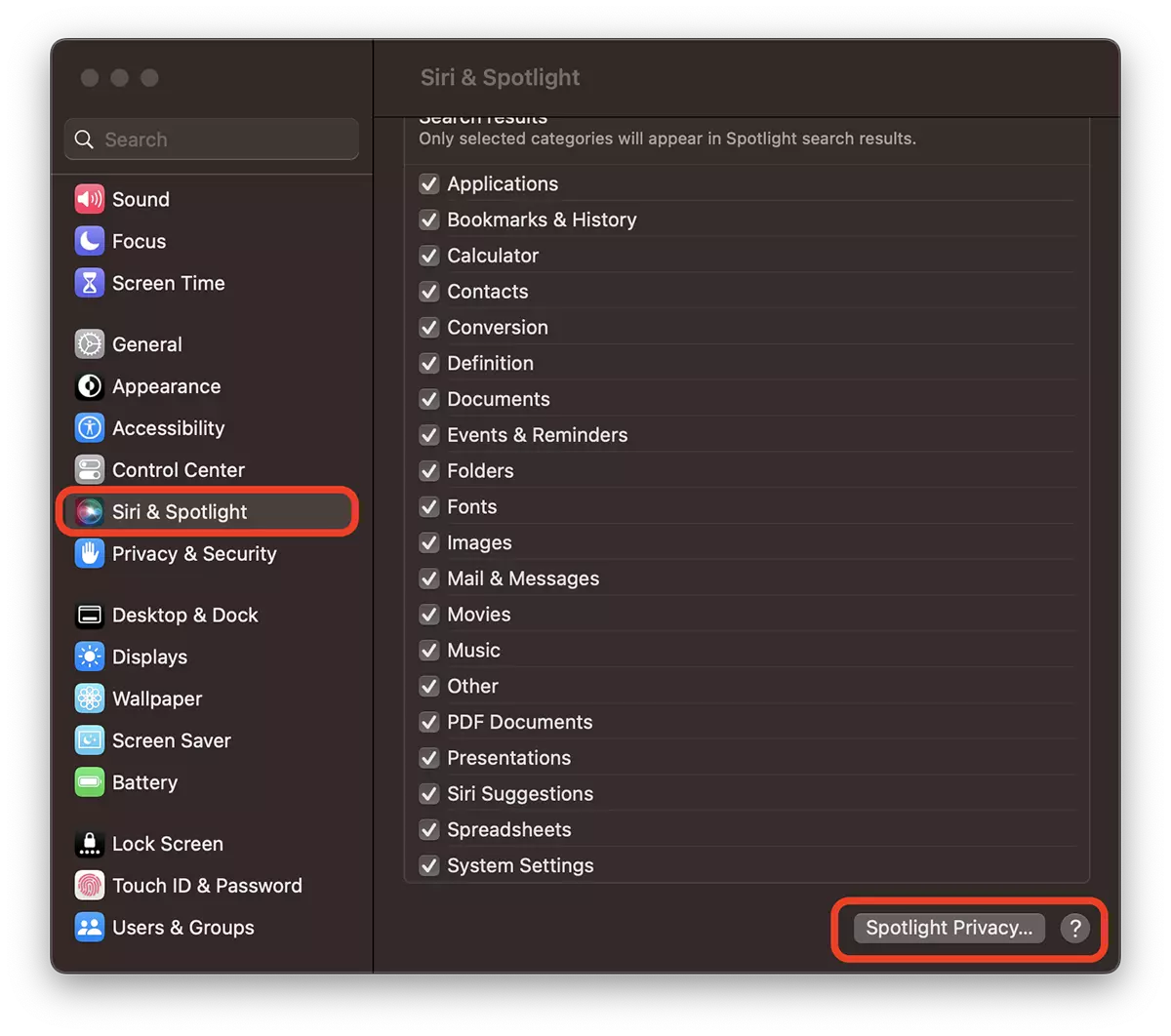
2. In the box that opens, Click on the plus sign (+) and add the bootcamp partition. (renamed Windows 11 in my case). Click Done.
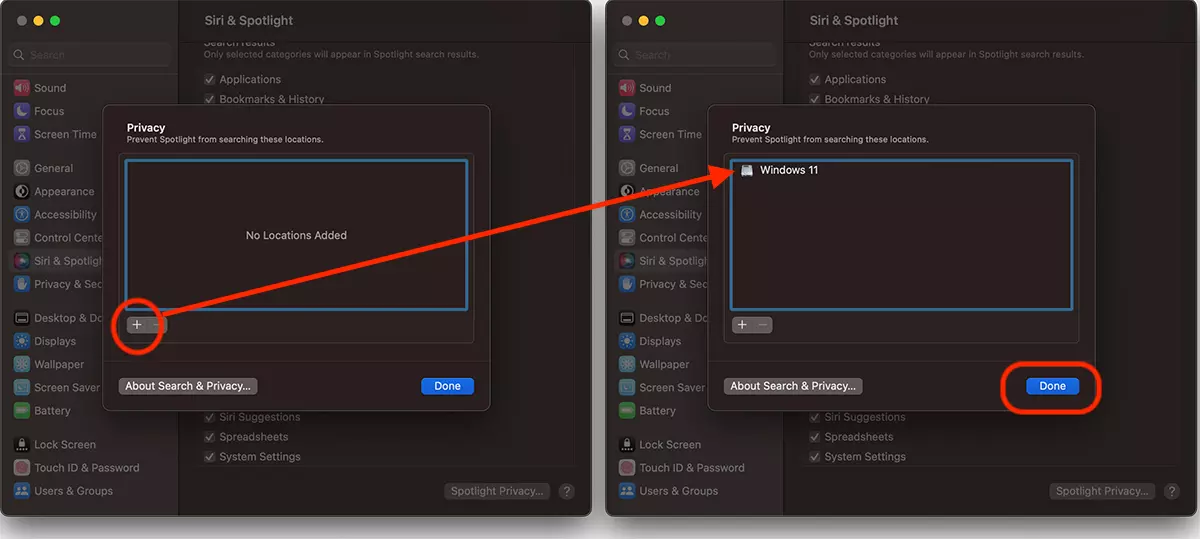
After this step you will see that the UVFSSERVICE process will not consume many CPU resources.
In very rare cases, the high consumption of UVFSSERVICE CPU resources can be given by hardware of the storage support. If the performance of the hard disk are low, the corrupt files that UVFSSERVICE cannot interpret.





































This website info is super! I came here looking for help with the UVFFService slowdown, and the fix given here worked (I have a Bootcamp partition for Win10, and Mac OS 12.6.2).
So thanks much!
Welcome! 😊