
When a new major version of an operating system is launched, bugs can be present even in developers such as Apple. After installing Macos Ventura I noticed that Mac did not enter Sleep Mode, even if the screen is closed. Display off.
Following the settings in This tutorial, Imac should have entered Sleep Mode after 5 minutes of inactivity. The time of inactivity for entering the Sleep mode is the same as the display closing, if not set "Prevent automatic sleeping when the display is off"The energy in Seatirle.
With all these settings, I noticed that Mac does not enter Sleep Mode and there are situations in which the display does not close even if the time interval established in settings is passed.
Why Imac, Mac does not enter Sleep Mode on Macos Ventura
If after the time set in System Settings → Lock Screen → “Turn display off when inactive“, the display does not close or the poppy does not enter the sleep (in the scenario in which the display is closed), most likely it is because of Universal Control. The feature by which we can use the same mouse and keyboard on poppy and iPad.
After the feature ”Link to Mac ot iPad" has been used, Mac will no longer enter Sleep mode and most of the time the display will remain open. Both Mac and iPad.
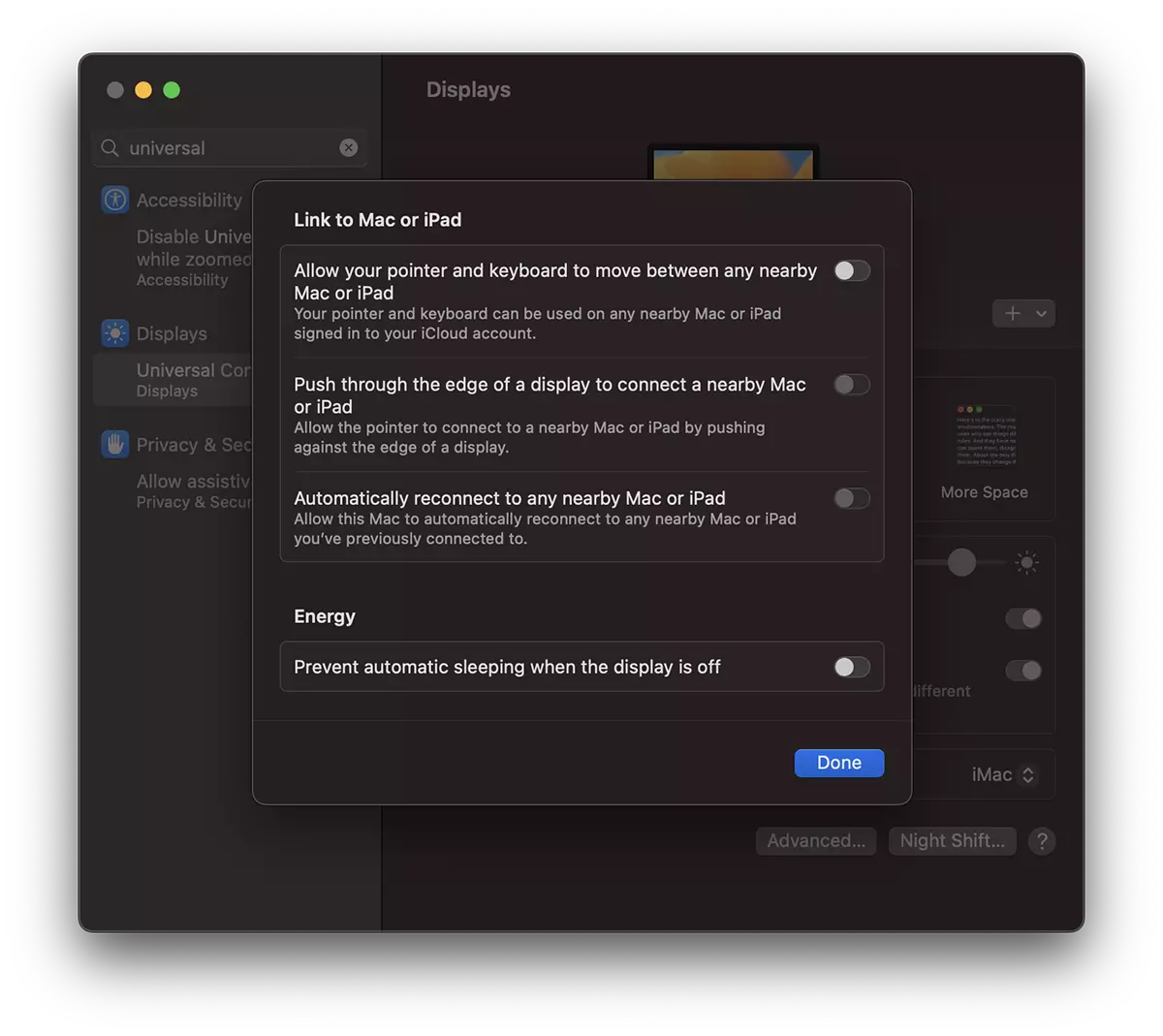
On Stealthsetts.com is a tutorial in which you can see How to use the same mouse, trackpad or the same keyboard on Mac, MacBook and iPad with Universal Control.
In conclusion, the Universal Control option can remain available, and IMAC or Mac will enter the sleep without remaining permanently. It is all that the Universal Control option is not in use, because it prevents the entry into the Sleep Mode of connected devices.





































1 thought on “iMac, Mac nu intra in sleep mode? macOS Ventura"