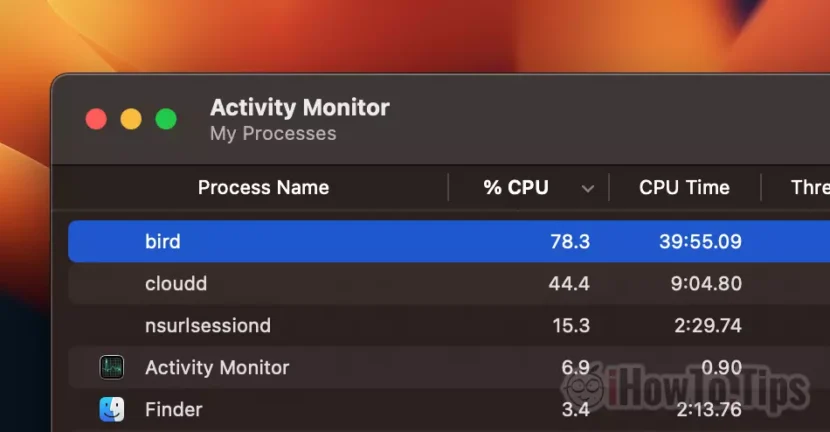

macOS is a very reliable and stable operating system. However, there are also situations when Activity Monitor we see processes that consume a lot of CPU or RAM resources. For example, the process bird uses high CPU resources on Mac (high CPU usage) in certain scenarios.
If you don't know what is the bird process and why it sometimes uses over 100% CPU resources on macOS Ventura, in the article below you will find useful information.
Table of Contents
What is and why does the bird process run on macOS
When we see in Activity Monitor as a process uses a lot of the CPU and your Mac MacBook starts to become noisy because of the system of cooling CPU, the first thought is that maybe not to be a virus. It is not a virus, but there may be situations when the action of a malicious application can cause an excessive CPU load of daemon bird.
Fortunately, bird process is not malware. Bird is a core process of the macOS operating system. A daemon which runs as a back-end for iCloud, being used to create backup copies of files stored in iCloud.
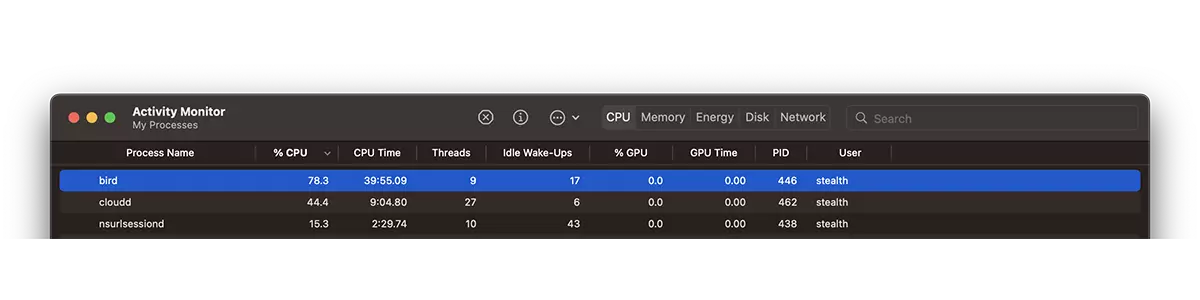
The Bird process uses high CPU resources on Mac - How to Fix
If you have many new files that need to be synchronized in iCloud Drive, the bird process uses high CPU resources until a copy of the files reaches iCloud. This situation generally occurs in those who use Desktop & Documents synchronized in iCloud Drive.
So, you don't have to worry if you know that you have brought new files to iCloud Drive and the bird process makes a high CPU usage. It's normal.
The problem arises when the bird process remains blocked on an inexplicably high consumption of CPU resources. In this situation, you must intervene manually to temporarily close the bird process.
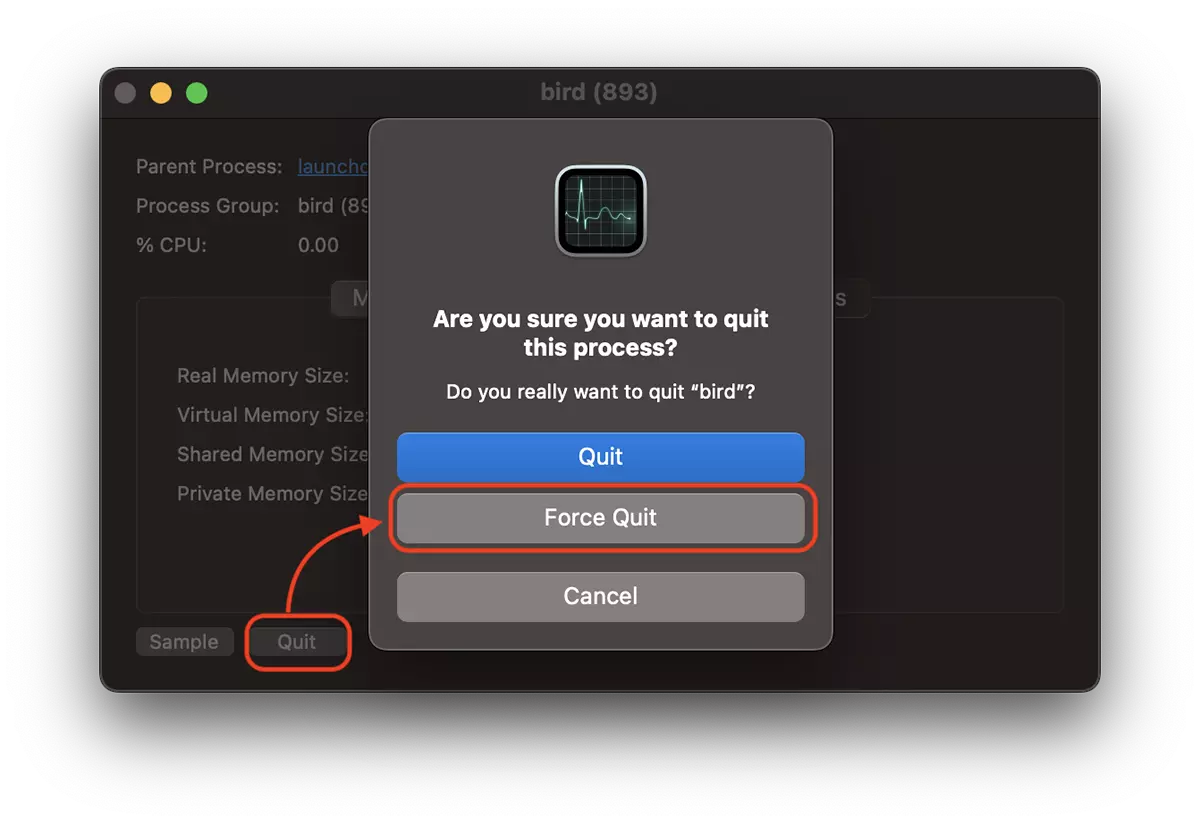
1. Force Quit - stop the bird process from Activity Monitor. Double-click the process, then click “Quit” → “Force Quit”.
2. Restart Mac – It is the simplest and most convenient method to stop the bird process, if after Force Quit you were not successful. Most of the time, after restarting the Mac, the bird process no longer consumes large CPU resources.
3. delete com.apple.bird cache – Go to the top bar from Finder → Go → Go to Folder and paste to the following path: ~/Library/Caches/. Press Enter. In the cache identify and delete folder com.apple.bird.
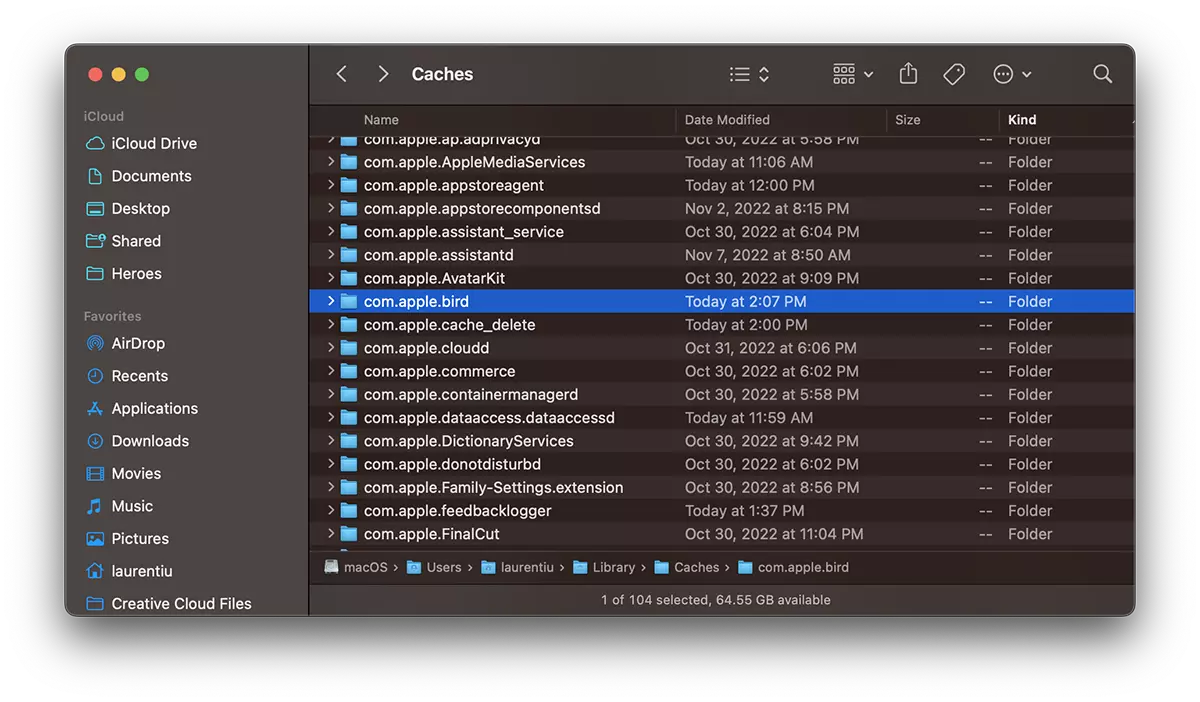
The files will continue to be synchronized in iCloud Drive and this folder will appear in its place. The excessive use of CPU resources of the bird process can be caused by an error of some files that have remained blocked in the cache.
Conclusion
bird is a core macOS process, which supports the operations of file synchronization between local storage and iCloud Drive. When many files are brought to a local storage space (Desktop or Documents) that is synchronized in iCloud Drive, for a period of time the bird process will use high CPU resources.




































