A complete tutorial about the MTLCompilerservic process, why MTLcompilerservic uses significant CPU resources and how it can be managed on macos. We will explain what this process is, when it appears and how its impact on the system performance can be reduced.
Table of Contents
What is mtlcompilerservice?
In order to understand the consumption of resources of a process, first of all, it is important to understand what is its role on the operating system. Mtlcompilerservice is an integrated process of the maccos system, part of the metal framework, a technology developed by Apple for graphic processing and accelerating tasks on video cards (GPU).
The main role of this process is the compilation of the shader-specialized programs used by the GPU to make complex calculations necessary to display real-time graphics or graphic processing.
It is important to know that MTLCompilerservice is not a dangerous process and does not belong to any malicious software, but is part of the maccos architecture to ensure high performances in tasks involving graphics or intensive data processing. Therefore, you do not have to be worried if you see that it is running on your system and consumes a large volume of CPU resources.
Why MTLCOMPILERSVICE uses significant CPU resources
Mtlcompilerservic can consume a significant amount of CPU resources when:
- Graphic or video editing applications are activeand processes complex files.
- 3D games or applications runand uses the metal framework intensely.
- Shader-Elor compilationis triggered by changes in graphic projects or real -time updates.
For example, if you use applications likeAdobe Photoshop,Final Cut Pro X, or 3D modeling software asBlenderandMaya, they will call the metal framework for graphic acceleration.
In this context,MTLCompilerServicewill compile the necessary shade for the efficient display of complex graphic elements. This can lead to CPU use of up to 100%, especially if projects involve big data or complex processes.
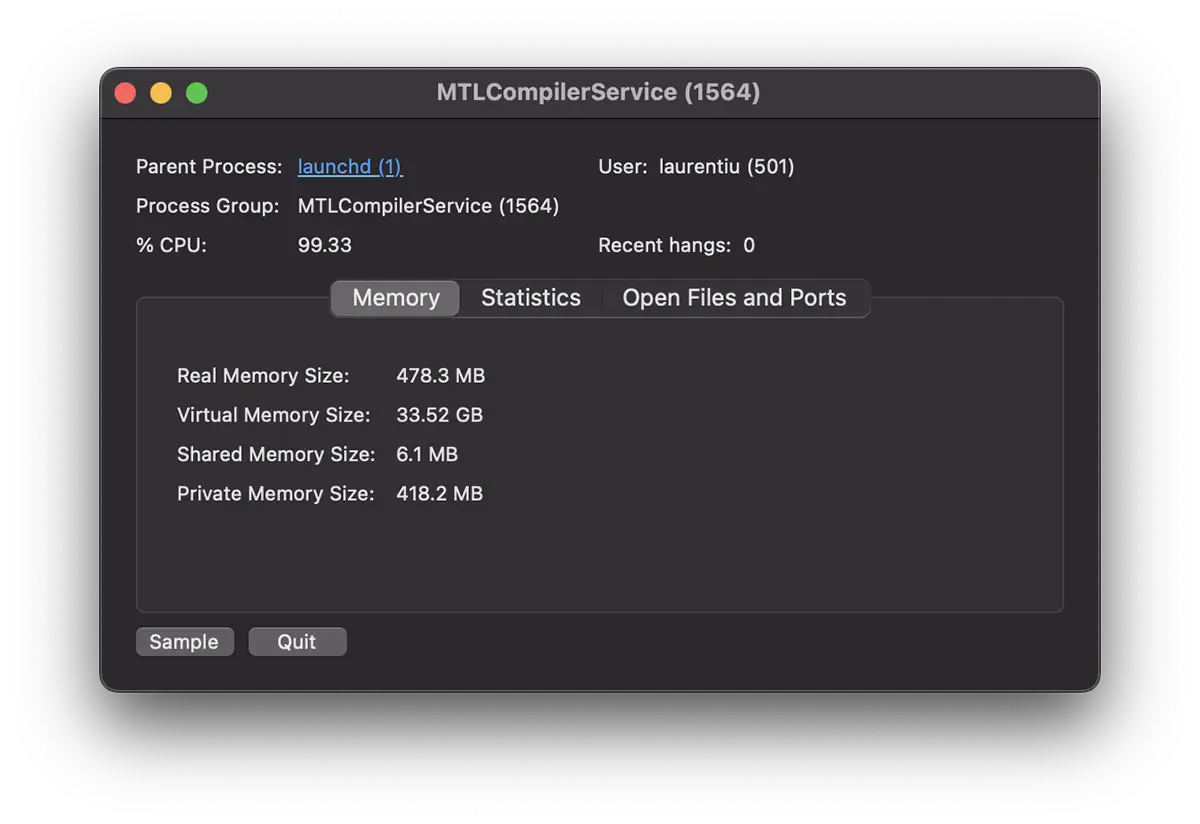
It can be seen in the image above, a use of almost 100% of the CPU.
Examples of applications that can trigger the high use of CPU
Mtlcompilerservice could cause high CPU use when graphic processing by applications or games is intensely used.
Adobe Photoshop: Processing large images or complex projects often involves intensive use of metal framework.
Final Cut Pro X: Complex video edits, real -time previews and project exports use GPU resources.
Blender and Maya: Creating and rendering 3D models involves the use of shaders to display detailed textures and complex effects.
Games on macos: Most modern games use metal framework to generate realistic 3D graphics and to perform complex physical calculations.
5 Methods by which the impact of MTLCompilersvice can be managed
If you notice a high use of CPU resources byMTLCompilerService, here are some solutions:
1. Check open applications
Identify applications that run and use the metal framework intensely. Close non -essential applications or large projects if not required.
2. Restart the system
Sometimes processes may remain blocked or continue to run in a neo-optimized way. Reboot Mac to reset metal-related processes.
3. Update the software
Make sure you use the latest version of Macos and applications used. Updates often include optimizations for the use of CPU and GPU resources.
4. Reduce the complexity of projects
If you work in editing applications, try to reduce the complexity of the files or work with smaller sections of the project.
5. Monitor the activity of the system
UseActivity Monitorto track the use of CPU. Identify if other processes contribute to high resource consumption and try to manage them.
If the problem persists and significantly affects Mac performance, contact your Apple support for specific solutions. In rare cases, this problem can be frightened by a hardware malfunction.
Conclusion
MTLcompilerservic uses significant CPU resources when applications involving complex graphic tasks are in use, such as video editing, 3D modeling or game running. However, the impact on the system performance can be managed by optimizing settings, monitoring resources and using methods to reduce project complexity.
Related:
- Photolibraryd uses CPU excessively? Solution.
- What is and why does the MDWRITE process use 100% CPU?
By careful monitoring and adequate adjustments of used applications and projects, impact MTLCompilerServiceThe performance of the system can be minimized, ensuring a more fluid experience on Mac.