

Along with installing iOS 11, owners of iPhone and iPad have met a Control Center Redeened, which allows the addition of several shortcuts for iOS tools and applications.
In addition to the new design and personalization possibilities, Apple has changed some functionalities at the widgets that are responsible for connectivity. Compared to the previous version where I only met only activation / disabling options Airplane Mode, Wi-Fi and Bluetooth, in the new iOS 11 also appear the options for activation / deactivation: To Date, Airdrop and Personal Hotspot. These can be visible by pressing and holding 2 seconds of the widget with connectivity options. 3d Tocuh / Force Touch.
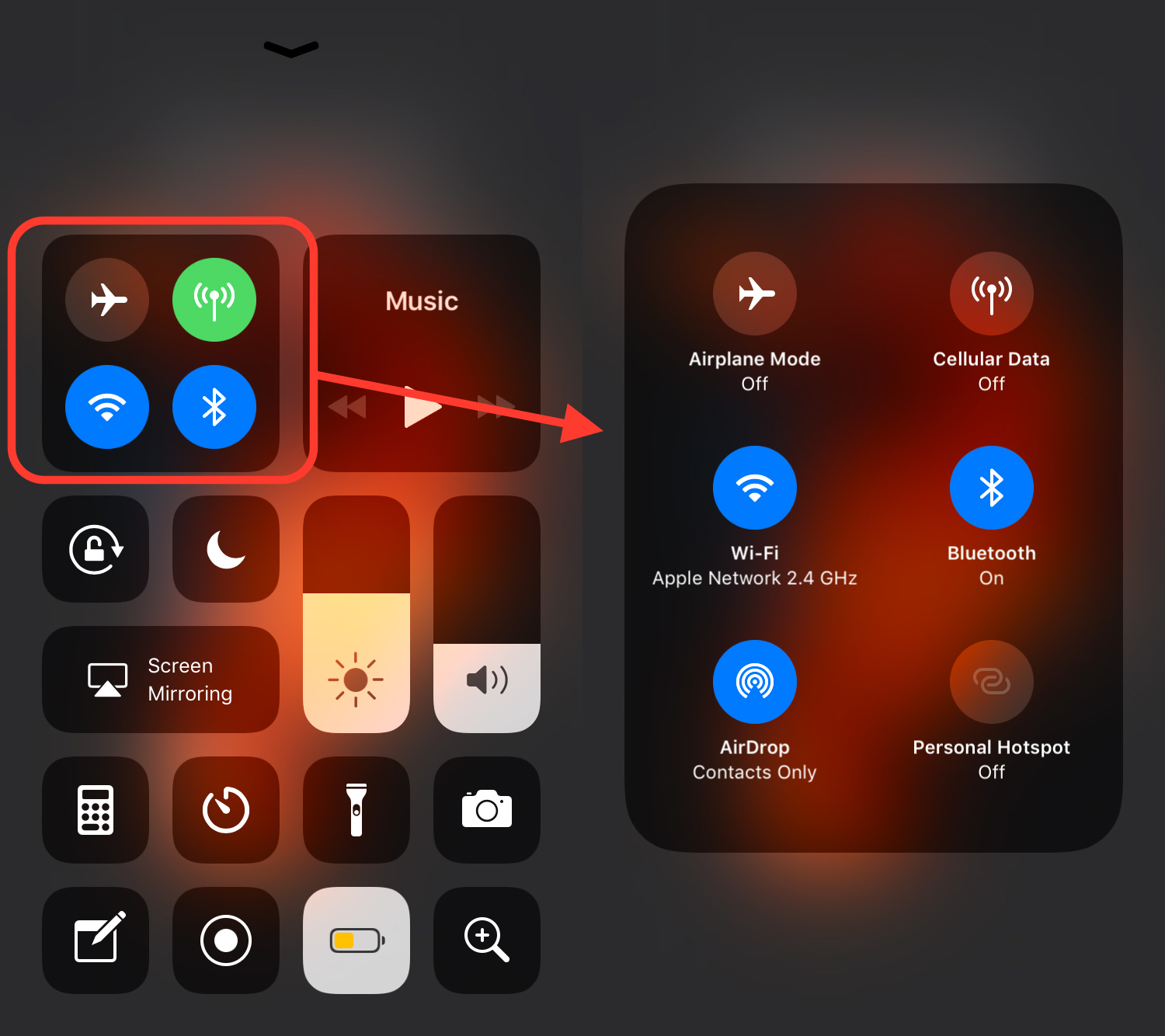
A novelty that greatly simplifies access to connectivity options for which we had to access the Settings menu to reach them.
Another novelty of these connectivity widget options are fulfilled functions by the Wi-Fi and Bluetooth "buttons". Until iOS 11, reaching these icons active or completely disable the radio functions of the two technologies.
In iOS 11, if we have activated Wi-Fi and / or Bluetooth, by reaching the Control Center icons, the connections between iPhone and / or iPad will be deactivated with other devices (Wi-Fi router, wireless or Bluetooth, etc. devices), but radio functions will remain active for: Airdrop, Airplay, Handoff, Instant Hotspot, Apple Pencil, Apple Watch and Location Services. Therefore, a partial deactivation will be made, leaving radio functions for the suite of savics.
If you want to make a Logout total from Wi-Fi and Bluetooth, we will have to go to the menu Settings at Wi-Fi → Turn Off (slides on the green button) and also in Settings, at Bluetooth for deactivation.




































