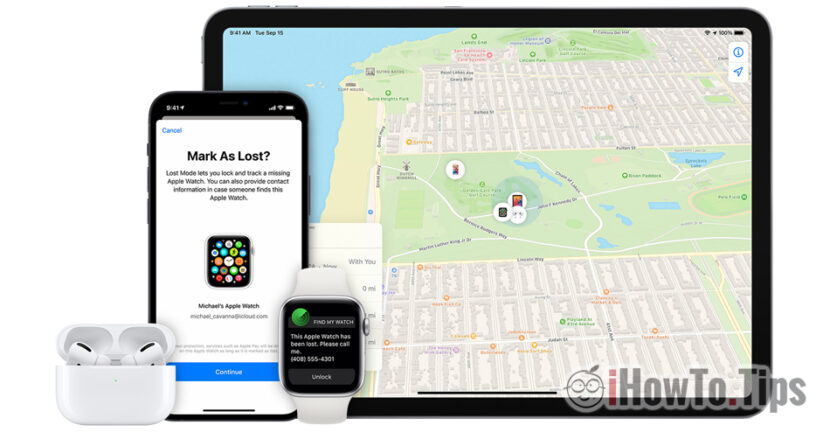

Having an object stolen from us is a very unpleasant situation, especially if we are talking about an expensive device on which we have stored photos and personal information.
The high price of iPhone makes them among the most hunted devices by thieves and there are quite a few who have found themselves with stolen phone from your pocket, from your car, from your bag or from the restaurant table.
Before getting into such a situation, it is good to know that iPhone devices have several technologies and services through which they can be recovered in case of theft or loss. Everything is for these features to be active on the iPhone, so that if it is stolen or lost, you have a high chance of recovery, even if the iPhone was closed after it was stolen.
In a older article I wrote about the application "Find My". From then until today, the "Find My" application, through which we can permanently locate our devices, those of family and friends who have chosen to share their location with us, has evolved a lot. Along with the development of iOS and the new chips dedicated to location services (U1 Chip) from on iPhone 11 and iPhone 12, we can find out where an iPhone is even if it was closed and the phone number was changed on him.
What services do we need to have activated on the iPhone to be able to locate it if we lose it or it is stolen.
Service "Find My iPhone" must be activated first of all, with his entire suite of options. It is absolutely necessary because The iPhone can be located by other family members, from other devices on which you have the same iCloud account present and on the lost iPhone, from any PC accessing iCloud.com.
Activation of the service "Find My iPhone" is made very simply from "Settings” → we press on personal account (first option) → “Find My“.
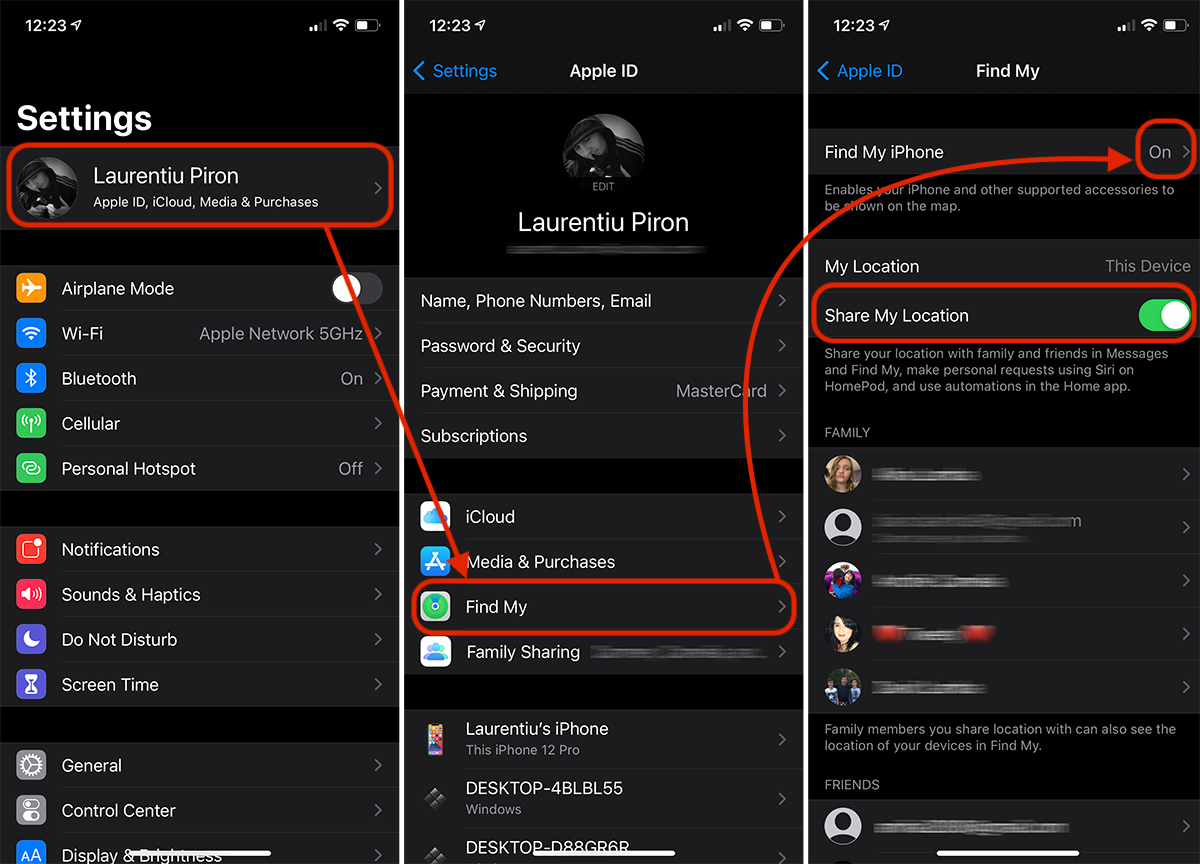
The "Find My iPhone" we have three options, all important for locating the device. "Find My iPhone“, “Find My network"si"Send Last Location“.
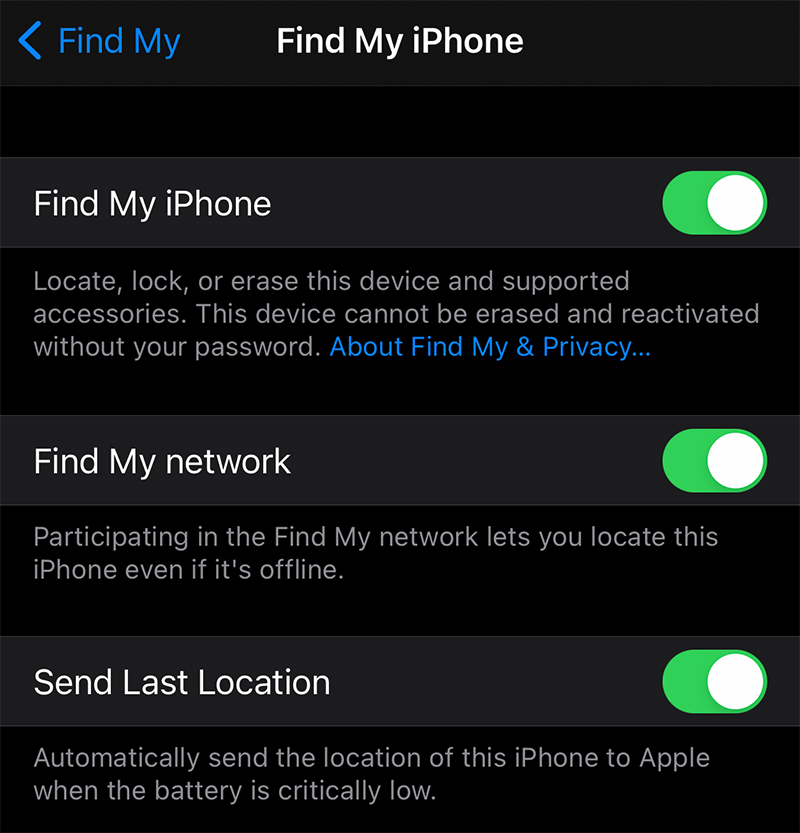
"Find My iPhone" allows us to remotely locate, lock or wipe iPhone data. This service is useful in the scenario where a lost or stolen iPhone is still on.
"Find My network" leads many users astray. It is not an option to find your own network but a network created by Apple for all devices that support the location service.
In the scenario where your iPhone is stolen and it is closed (offline), "Find My network" will automatically connect in the background to other nearby iPhones through which the location will be done. This Apple network is encrypted and anonymous.
"Send Last Location” will automatically send the location before the iPhone shuts down when it runs out of battery.
How do we locate a lost or stolen iPhone?
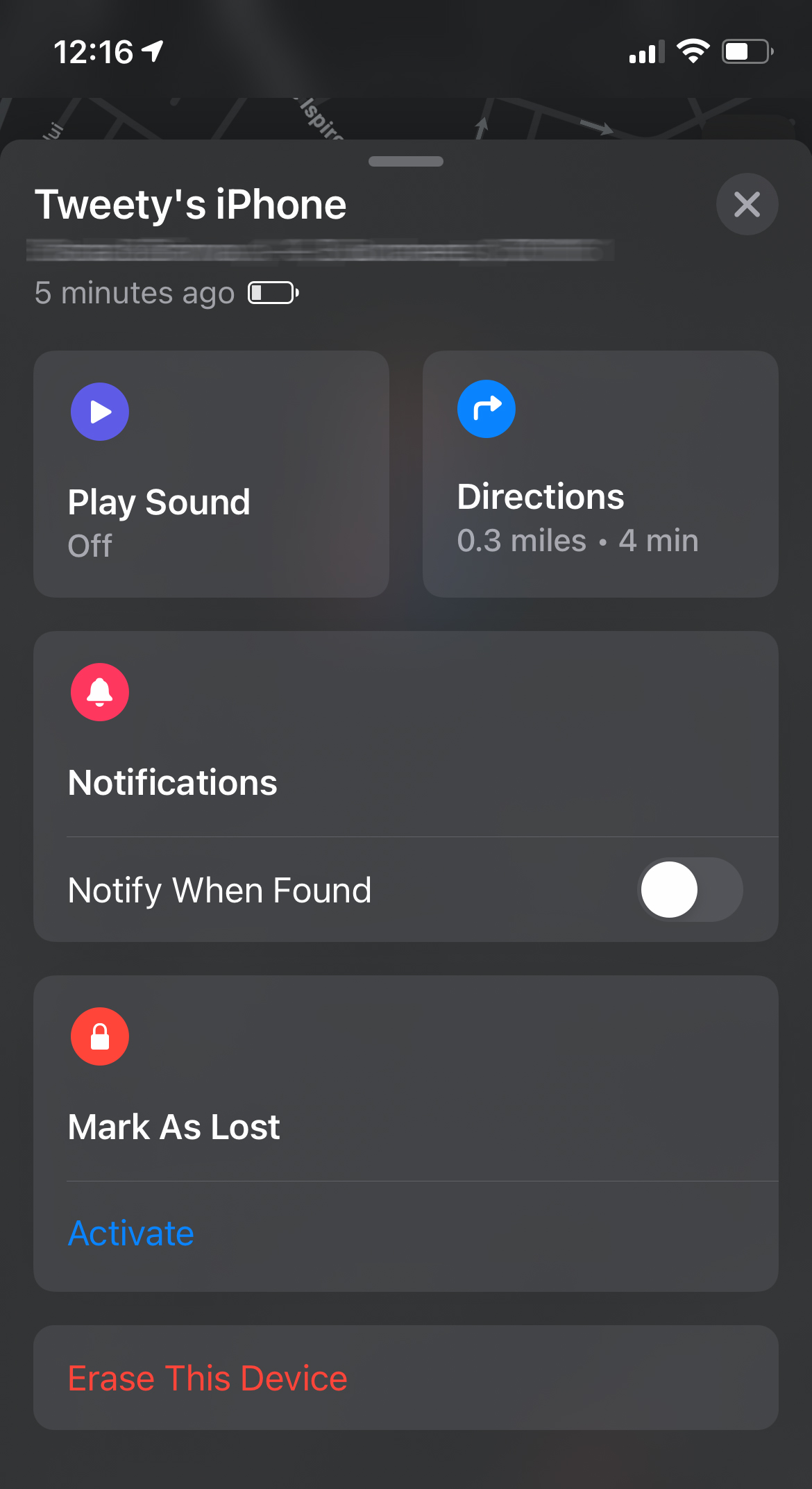
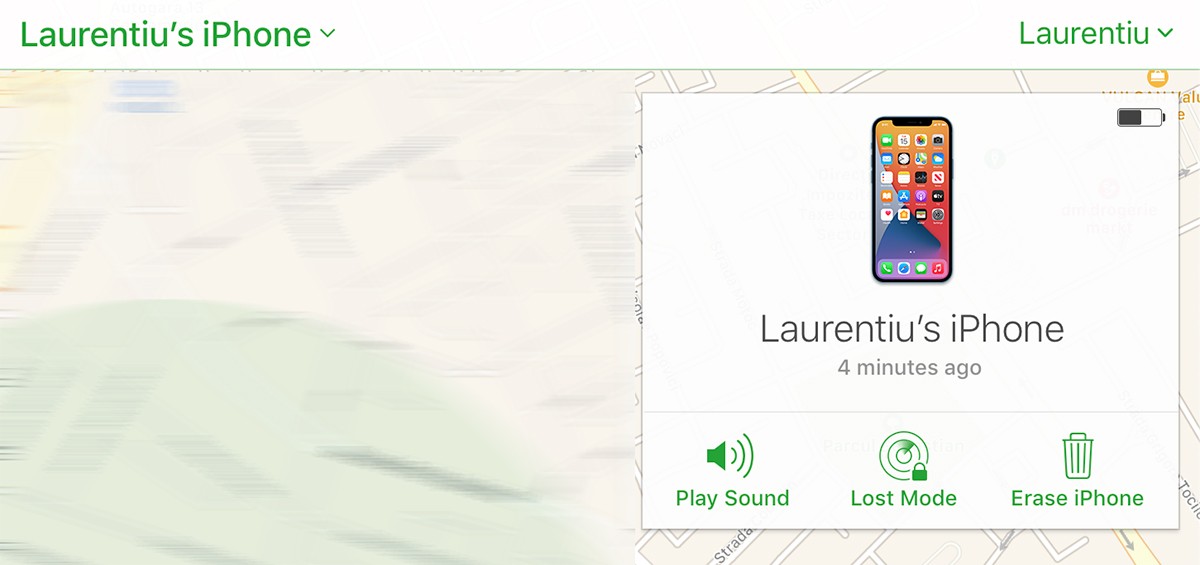
First of all, we must have quick access to the device of a family member or friend with whom I shared the location. From the application "Find My" we can locate your lost iPhone, we can activate alert sound on him, we can put in "lost" mode (Mark As Lost) or we can delete all data from it.
The "Notify When Found" notification option will automatically send a notification with the location, when the iPhone is online.
If we do not share the location of the iPhone with anyone, we can locate it from the Find My application on the MacBook, iMac or iPad. The condition is that we have the same iCloud account connected on these devices.
Another option is to go to a PC and open it https://www.icloud.com/find/ (sounds on any mobile phone. It can also be Android).
On https://www.icloud.com/find/ we log in with our account of icloud and select the device we want to locate.
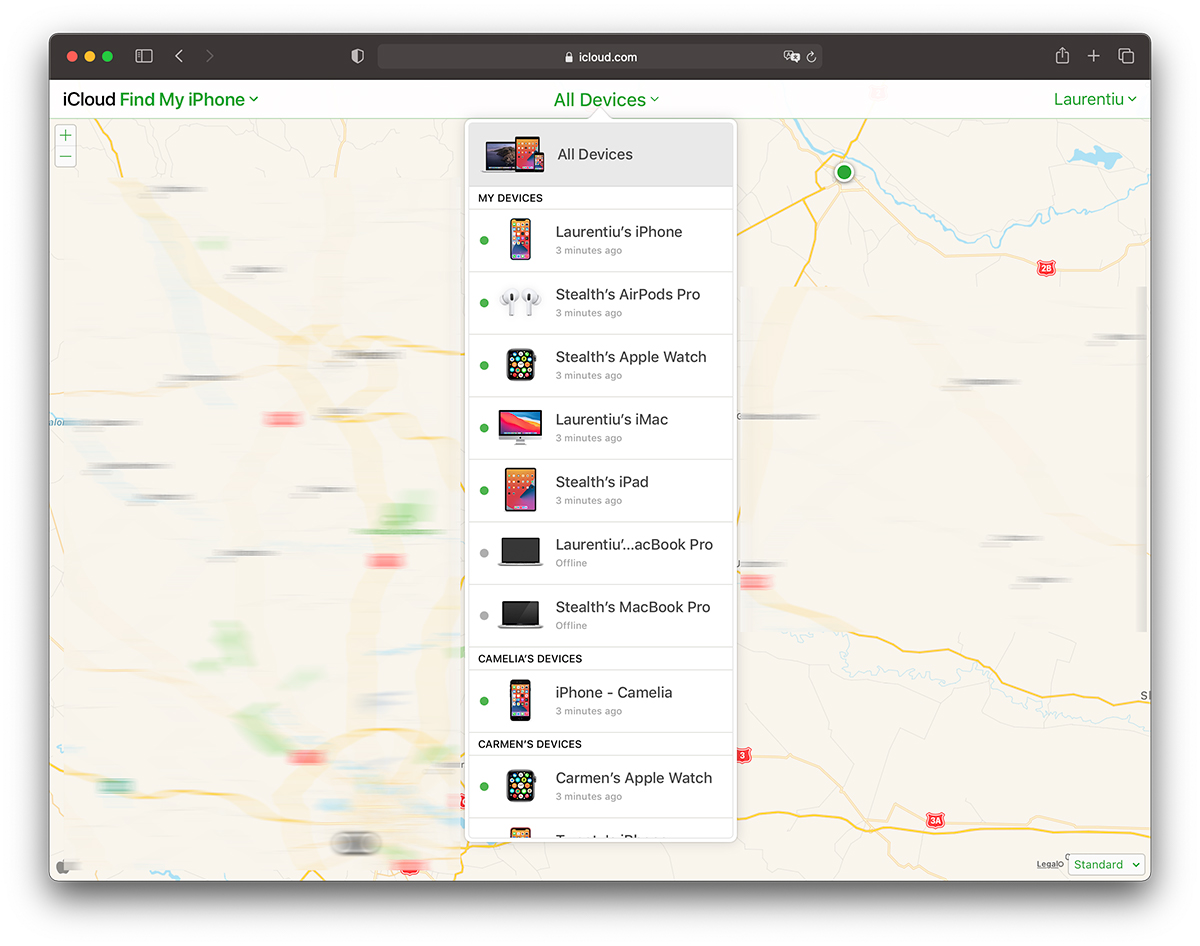
Once the device is selected, we can activate the alert on it, block it or delete all the data on it.
In case of theft of an iPhone, it is recommended to contact the authorities immediately. who can legally solve this problem and who, in addition to the location services on the iPhone, also have other tools, techniques that lead to the recovery of the stolen device.
Through the "Find My" service and application, you can also locate: iMac, MacBook, AirPods, iPad, iPod touch, Apple Watch and other compatible devices.





































1 thought on “iPhone stolen or lost? Find out how you can recover it very easily"