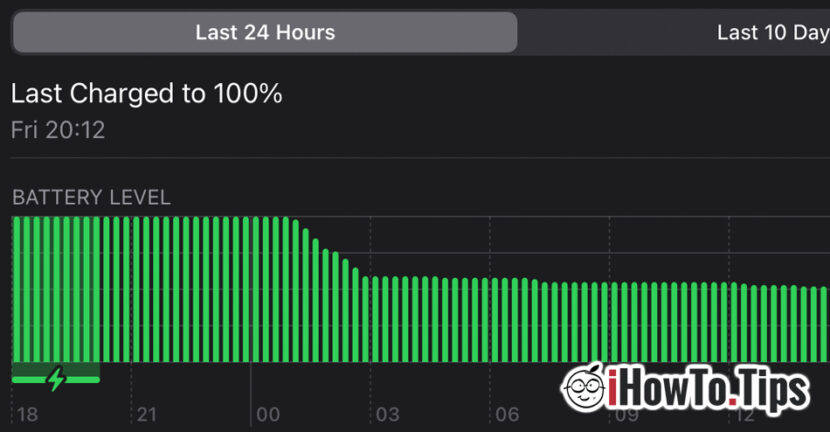

Starting with iOS 11, Apple introduced “Low Power Mode" for the iPhone. A function that, once activated, stops the less important services of the operating system and considerably increases the working time. "Background App Refresh", the downloading of email messages, the automatic updates of applications (via the App Store) and of the operating system are disabled. In addition, during the period that "Low Power Mode" is active, some visual effects will disappear.
In exchange for these elements, the working time of an iPhone battery is increased by 3-4 hours. A good option to activate when we are in areas where we have to spend more time and we have no charging source.
Related: How do we permanently activate low power mode on iPhone - the battery will keep you much longer
Along with the iPadOS 15 and macOS Monterey (12), the option "Low Power Mode"It is present on iPad and MacBook.
I discovered the "Low Power Mode" option by mistake while working on a MacBook Pro on which I have macOS Monterey Beta. The big surprise was to find that in addition to the fact that increased battery life by more than 4 hours, I didn't see a big performance degradation. However, it should be mentioned that during this period I worked with: Safari, Chrome, Opera, Terminal, Nova, Transmit, Notes and Mail. Applications that were often opened simultaneously while working.
Table of Contents
What does the "Low Power Mode" option do on macOS Monterey and how do we activate it on MacBook?
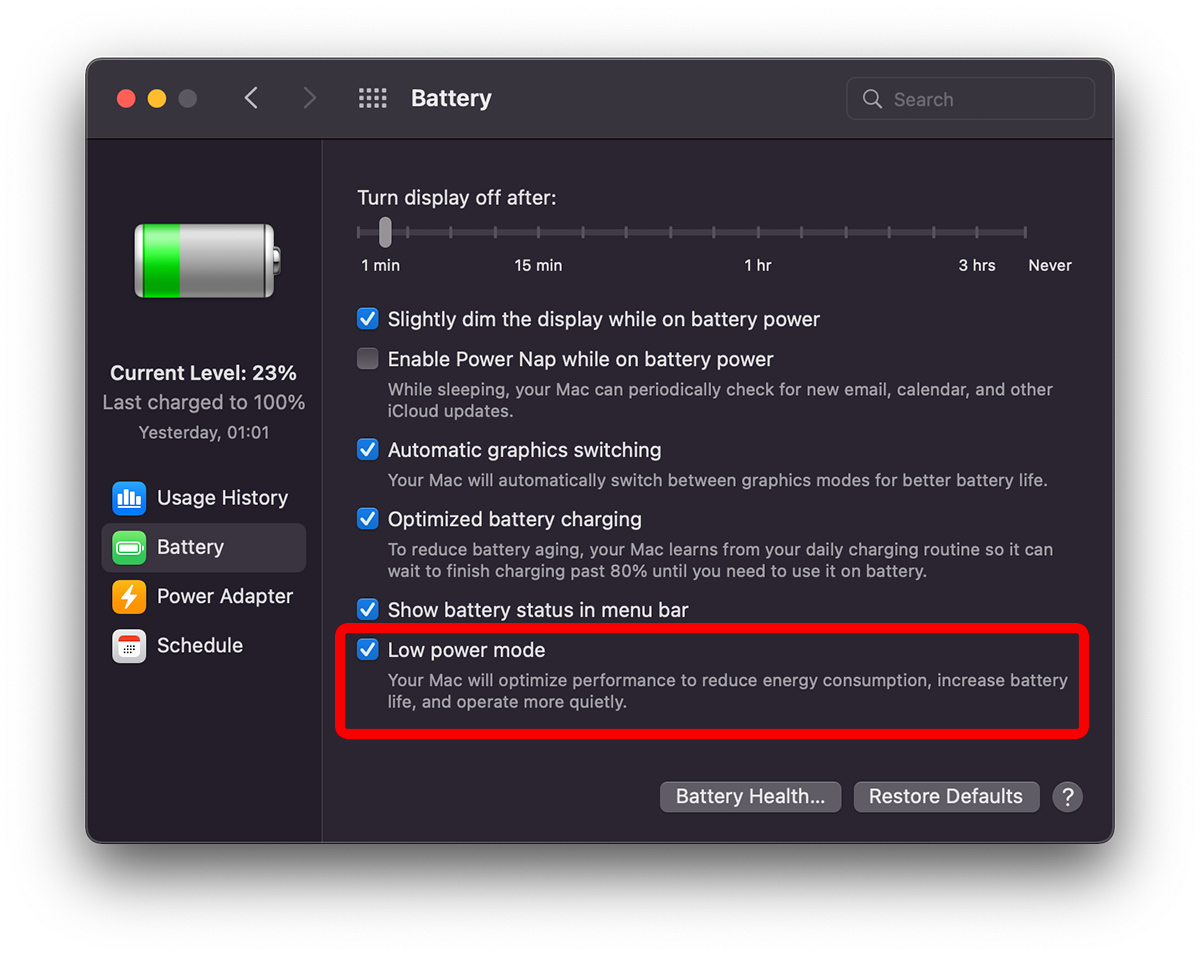
Apple has not only thought about increasing the operating time and battery life on the MacBook, but also about reducing energy consumption. So that Low Power Mode pe MacBook can be enabled both when we use it on battery (Battery) as well as when connected to the power supply (Power Adapter). The function optimizes performance, and the fact that it tells us "more quietly", makes me think that the CPU (Intel) is running at a reduced capacity. Which is not bad at all, especially since, as I said above, I did not feel any significant decrease in performance while I was actually working on it.
Activating “Low Power Mode” on the MacBook can currently only be done from “System Preferences” → “Battery". Most probably a shortcut will be added in "Control Center” until the release date of the final version of macOS Monterey.
Low Power Mode / Battery: “Your Mac will optimize performance to reduce energy consumption, increase battery life, and operate more quietly.”
Low Power Mode / Power Adapter: “Your Mac will optimize performance to reduce energy consumption and operate more quietly.”
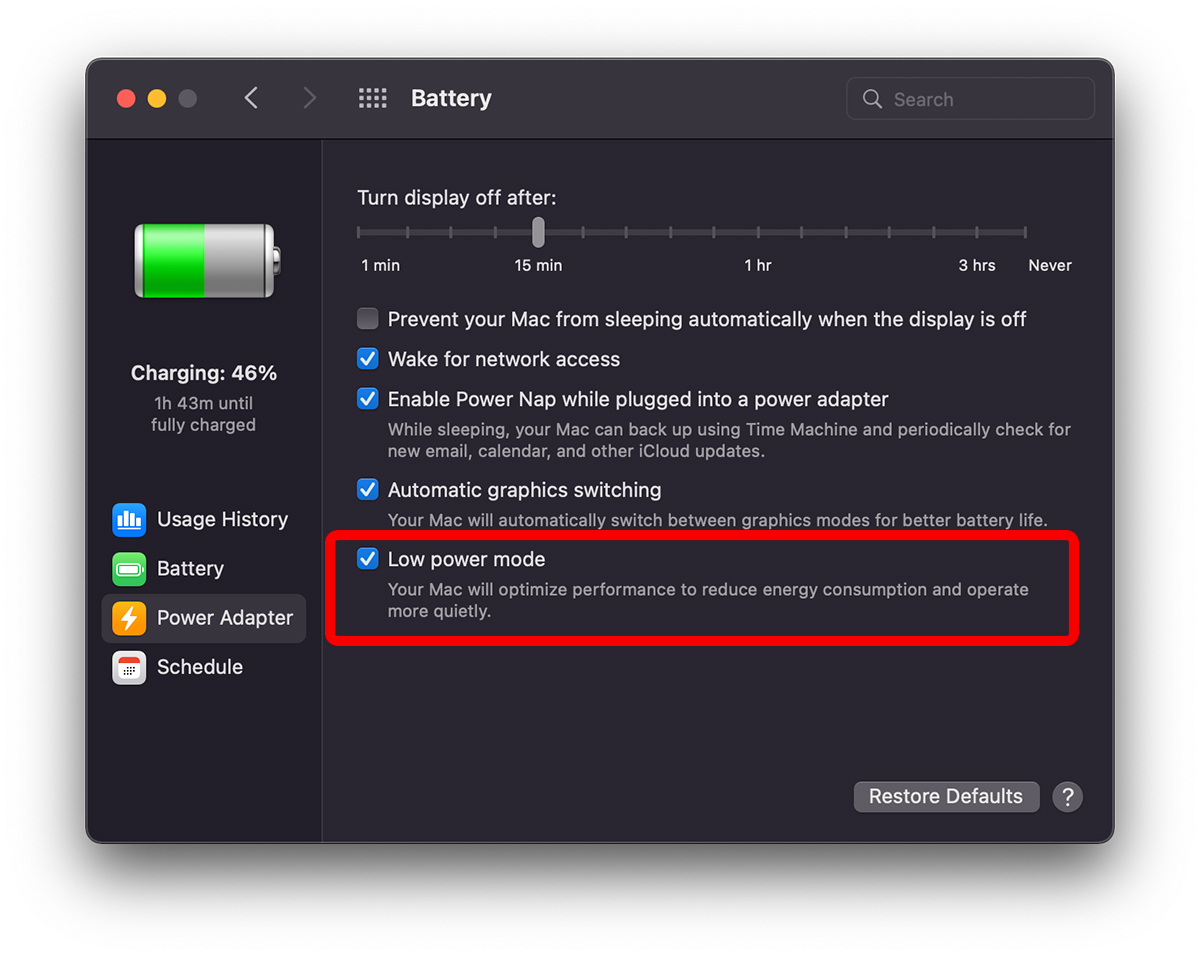
I don't know how useful "low power mode" is when the MacBook is connected to the outlet, but for when it is on battery, I recommend it. It grows quite a lot.
"Low Power Mode" on iPadOS - How do we activate "Low Power Mode" on iPad?
On iPadOS 15, "Low Power Mode" do the same thing as on the iPhone. Disable background activities, stop downloading email messages (notifications are not affected) and suspend some visual effects.
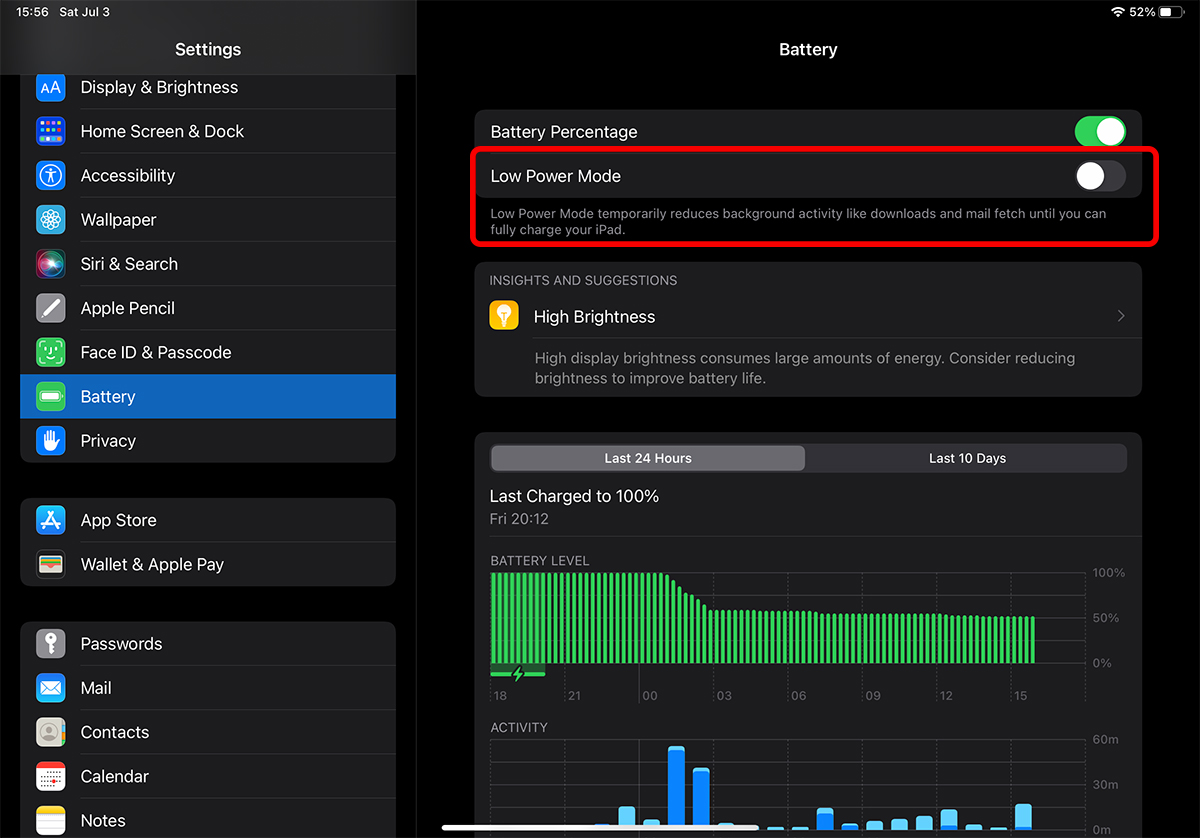
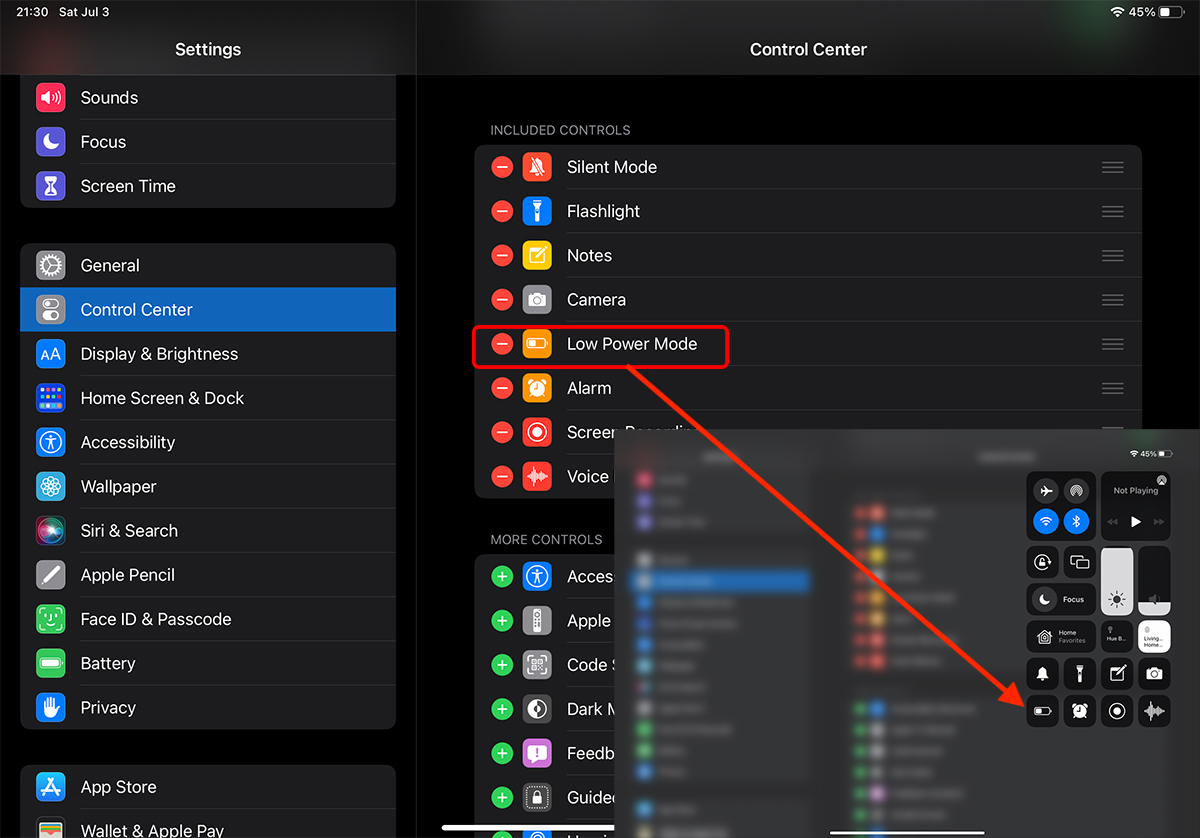
If on macOS Monterey, "Low Power Mode" is not available in "Control Center", on iPadOS the option is available in settings. It just has to be activated from "Settings" → "Control Center". Here we move "Low Power Mode" to the "Included Controls" list.





































1 thought on “Activation / Disabling Low Power Mode on MacBook (Macos Monterey) and iPad (iPados 15)"